Batch Watermark Your Photos in Minutes
Turn 3 hours of tedious work into 3 minutes. Upload hundreds of photos, apply your watermark to all at once, and download everything in one click.

Watermarking photos one by one is painfully slow, especially when you have hundreds or thousands of images to protect. Watermark.ws lets you batch watermark entire folders of photos in a single session. Upload your files, choose or create a watermark, apply it across every image, and download everything at once — all from your browser with no software to install.
Drag and drop entire folders or select hundreds of files at once. Watermark.ws handles JPG, PNG, GIF, and more with efficient processing.
Apply your watermark globally, then fine-tune the position, size, or opacity on individual images. Get pixel-perfect placement across photos with different compositions and orientations.
Once your watermarks are applied, download all your processed photos at once. No need to save files individually — get everything in a single batch export.
How It Works — In 3 Simple Steps
Watermark hundreds of photos without installing anything.
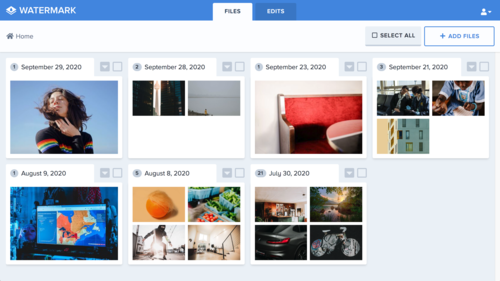
Upload Your Photos
Drag and drop an entire folder or select hundreds of files at once. Watermark.ws accepts JPG, PNG, GIF, and more — all processed directly in your browser.

Apply Your Watermark to All
Choose a text watermark or upload your logo. Set the size, opacity, and position, then apply it across every photo in your batch with a single click.

Download Everything at Once
Review your watermarked photos, fine-tune any individual positions if needed, and download the entire batch. Your originals remain untouched.
Ready to Watermark Your Entire Collection?
Upload hundreds of photos and watermark them all in one click.
Frequently Asked Questions
How many photos can I watermark at once?
Watermark.ws can easily handle 100-500+ photos in a single session. Our largest users have processed over 1,000 wedding photos in one batch — the system is designed for high-volume workloads.
Can I adjust the watermark position on individual photos?
Yes. After applying your watermark across the entire batch, you can click into any individual photo and adjust the watermark position, size, or opacity for that specific image. Perfect for mixed portrait and landscape shoots.
Do I need to install any software?
No. Watermark.ws runs entirely in your browser. There is nothing to download or install — just open the site, upload your photos, and start watermarking immediately.
Will batch watermarking reduce my image quality?
No. Watermark.ws preserves the original resolution and quality of your photos. Your watermarked images will look just as sharp as the originals, with the watermark applied as a non-destructive overlay.
More Guide Pages
What Our Customers Say
Watermark.ws is trusted by thousands of professionals and businesses

There is nothing better than Watermark.ws! It can easily batch process hundreds of files while watermarking, resizing, and re-touching them simultaneously.
Michael Archambault
Apple

We use Watermark for adding credits to photos and videos from news agencies before we share them on Twitter.
Sarah Marshall
The Wall Street Journal

It's super easy to use. You can customize your watermark and even use your own company logo. The customer service is excellent and all of my questions have been answered.
Alice Delore
SaleHoo
Stop Watermarking Photos One by One
Upload your entire photo collection and watermark everything in a single batch. No software needed — just your browser.
© Watermark.ws by Much Media Inc
Made in Canada