How to Save a Watermark as a Template
Set your watermark up once and keep it, logo, text, size and place, for every batch after this one.
- No account needed to start
- Up to 5,000 files per batch


In short
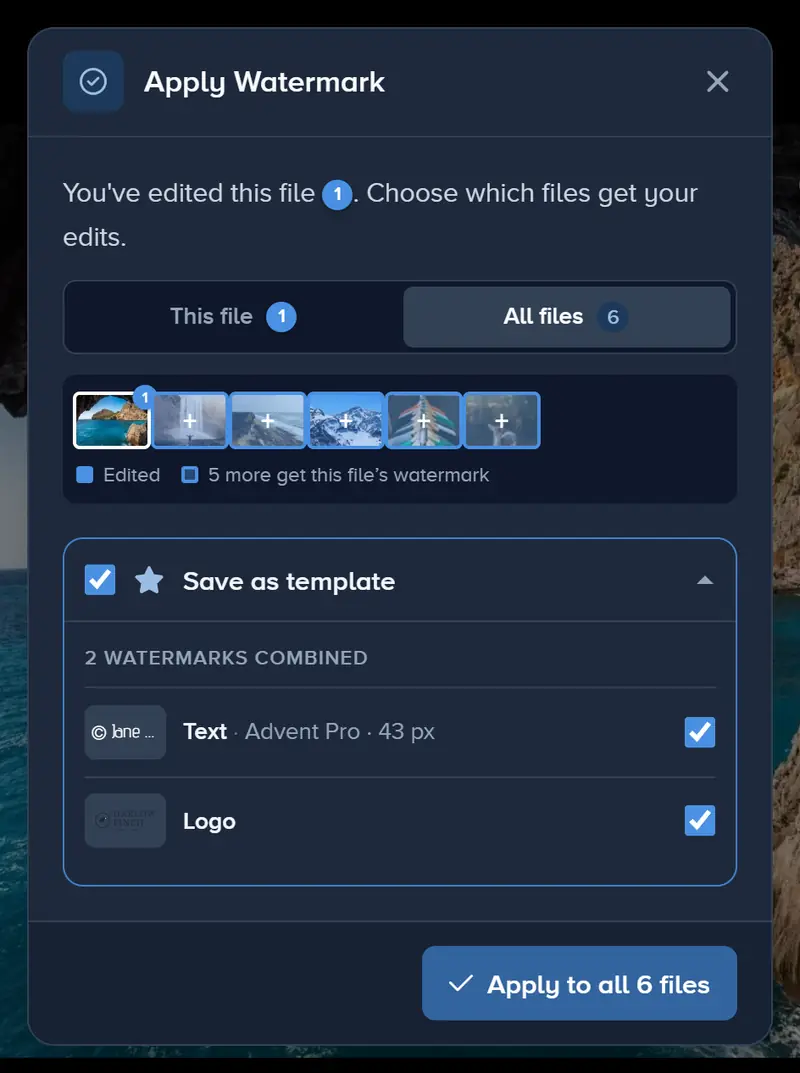
When you click Apply, tick Save as template in the dialog. The watermark is saved with its text or logo, size, place and style, and waits under Templates › Saved. Saving templates works on every plan; loading one onto new files later needs Premium or Ultimate.
How to Save a Watermark Template in 4 Steps
Do it once, at the end of your next edit.
-
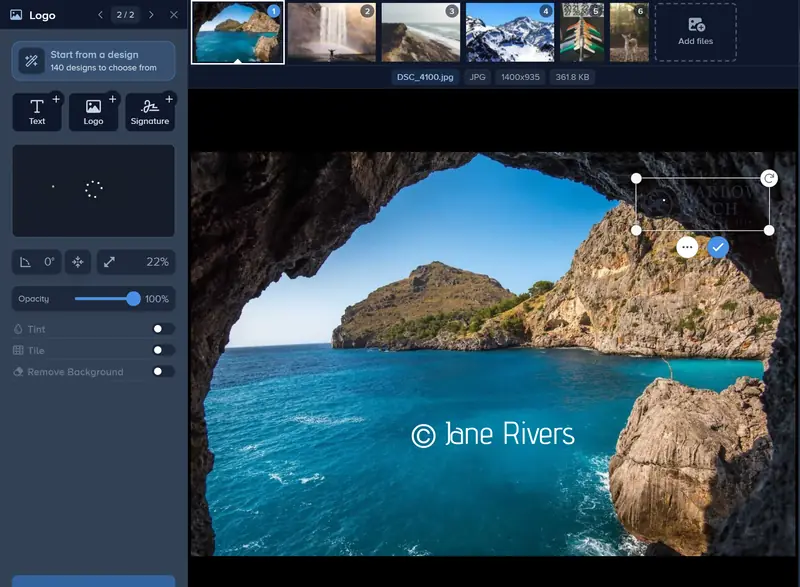
Step 1: Make Your Watermark
Select your files and click Edit. In the Watermark tab, add Text, a Logo or a Signature, then set its size, opacity and place.
-
Step 2: Tick Save as Template
Click Apply. In the dialog that opens, tick Save as template before you confirm.
-
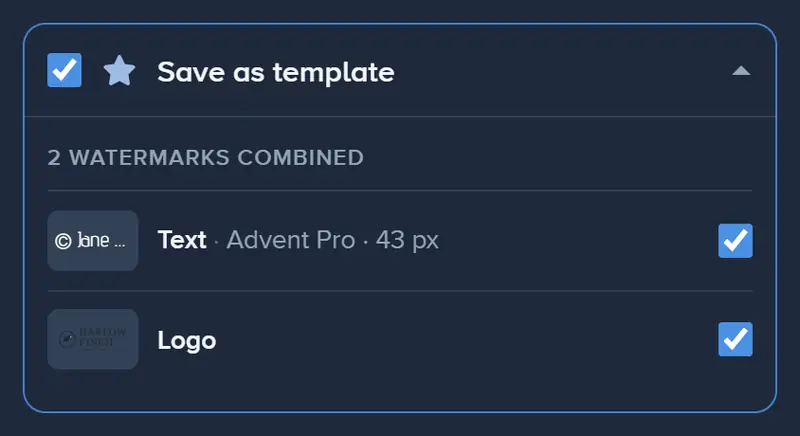
Step 3: Choose What It Keeps
With several watermarks on the photo, the box lists them all: untick any you want to leave out. At least one always stays in.
-
Step 4: Find It Under Templates
Click Templates, first in the editor’s toolbar (on a phone, first in the bottom bar), and open Saved. Your template is there, named after what it holds.

If It Doesn’t Look Right
The Template Has a Plain Name
A template saved from the Apply dialog is named after its steps. In Templates › Saved, open its ⋯ menu and choose Rename to give it a name you will recognize.
I Saved a Second Copy by Mistake
With a template loaded, the dialog offers Update template or Save new template. Update template replaces the loaded one; Save new template keeps it and adds another. Delete the extra from its ⋯ menu.
Only One Design Was Saved
When the files in an edit carry different watermarks, the dialog saves one design at a time. Step through them with the arrows above its list and pick the one to keep.
Save Your Watermark for Next Time
Make it, tick Save as template, and it is ready for your next batch.
Make your watermark- No account needed to start
- Works in your browser
Questions people ask
Is saving a template free?
Does a template keep my logo file?
Can one template hold several watermarks?
Is there another way to save one?
Keep reading
 Guide
How to Batch Watermark Photos Online
Batch watermark up to 5,000 photos in one batch: design the watermark once, apply it to all, fix single photos and download a zip. Free to try, no install.
 Guide
Create a Signature Logo for Your Photos
Type your name, pick one of 30 handwriting fonts and swap letters for alternates. Free to design and preview; download it from the editor with Premium.
Guide
How to Remove the White Background From a Logo
Upload your logo, switch on Remove Background, and the white box around it disappears. Tune the edge with Fuzz and Blur, then apply it to every photo.
Guide
How to Watermark 100 Photos at Once
Add 100 photos to one edit, design the watermark on the first and apply it to all files in one click. Up to 5,000 files an edit, downloaded as one zip.
Guide
How to Watermark Photos From Google Drive
Pick photos straight from Google Drive, add your text or logo watermark, and download the finished files. No downloading and uploading them again first.