How to Use a Saved Watermark Template on New Photos
Bring your saved watermark back onto a new batch in one click, instead of building it again.
- No account needed to start
- Up to 5,000 files per batch


In short
Add your new photos, open Templates, go to Saved and click Load into editor: the watermark appears on your photo, ready to apply or adjust. Loading your own templates needs Premium or Ultimate. On the free plan you can still save, rename and delete templates; they show a crown until you upgrade.
How to Load a Saved Template in 4 Steps
A whole watermark setup back in under a minute.
-
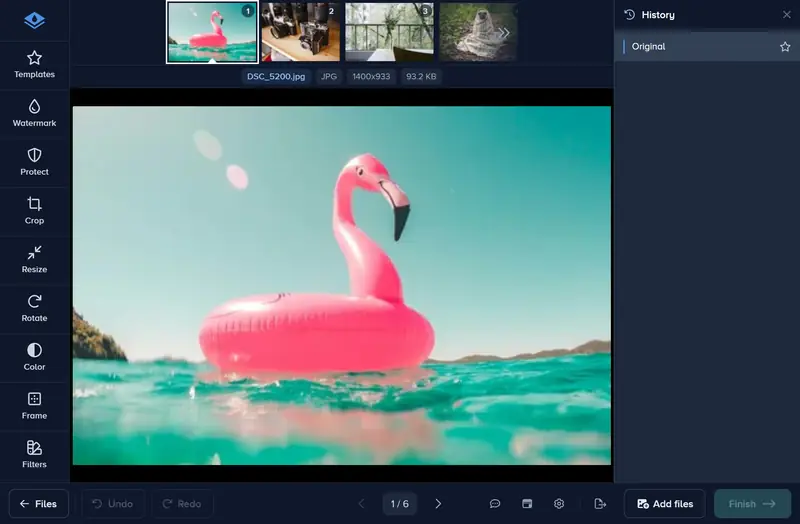
Step 1: Add Your New Photos
Start an edit and add the photos with Choose files or from your apps. From the Files page, select photos and choose Edit with template to go straight to your templates.
-
Step 2: Open Templates
Click Templates, first in the editor’s toolbar, and open the Saved tab. On a phone, Templates is first in the bottom bar.

-
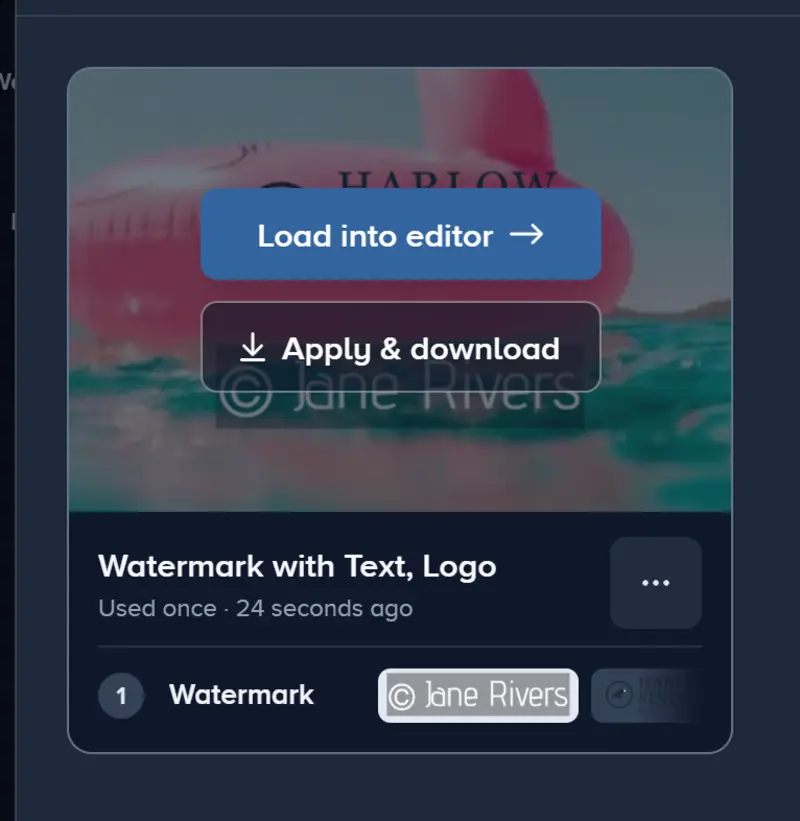
Step 3: Load It Into the Editor
Point at the template and click Load into editor. On a phone, tap the template, then Load. The watermark appears on your photo where you saved it.
-
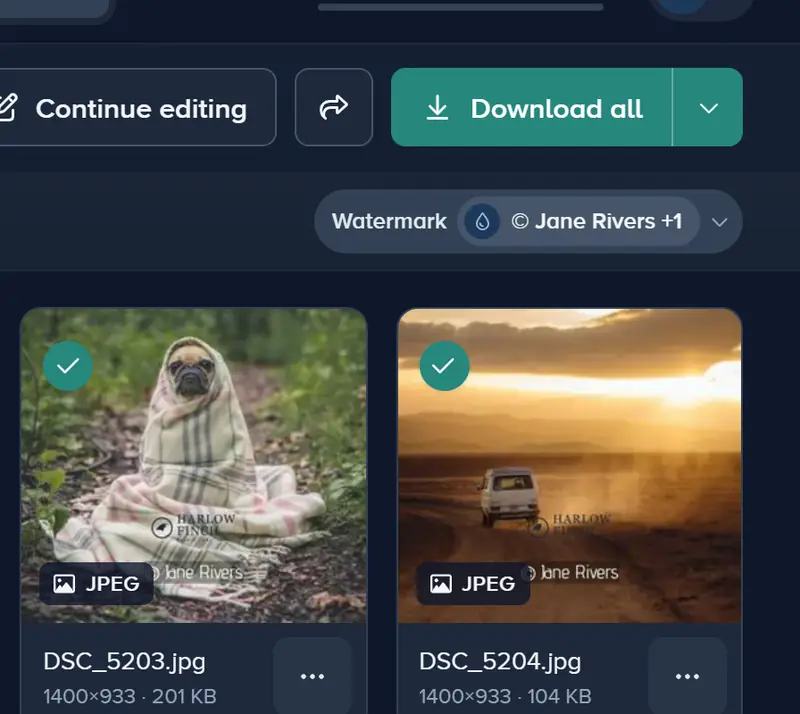
Step 4: Apply It to Every Photo
Adjust it if you like, click Apply, choose All files, then Finish. In a hurry, Apply & download on the template does all of that in one click (Apply & finish on a phone).
If It Doesn’t Look Right
Loading Asks Me to Upgrade
Your saved templates carry a crown on the free plan, and loading one opens the upgrade. Once you upgrade, the template you picked loads straight away.
The Template’s Buttons Are Grayed Out
Nothing in it works on the files in this edit, such as a photo look on a video. The card says what it is for: pick other files, or another template.
My Tweaks Weren’t Kept for Next Time
Changes after loading stay in this edit. To keep them in the template, tick Save as template when you apply and choose Update template.
Watermark Your Next Batch in Seconds
Load the template you saved and apply it to every file.
Open your templates- No account needed to start
- Works in your browser
Questions people ask
What can I do with templates on the free plan?
Does loading a template change it?
How do I find a template quickly?
Keep reading
 Guide
Add a Logo Watermark to Your Photos
Upload your logo, set its size, opacity and position, and put it on one photo or a whole shoot. PNG, SVG or JPG logos up to 50 MB and 8,000 px. Free to try.
Guide
How to Add a Logo to a Video
Upload your logo, set its size and opacity, place it on the video’s frame and download the video with your logo on it. PNG, SVG or JPG logos up to 50 MB.
Guide
How to Add a Text Watermark to Photos
Type your name, website or © line, pick a font, then set its size, color, opacity and place. Apply it to one photo or a whole batch and download them.
Guide
How to Batch Watermark Multiple PDFs at Once
Watermark many PDFs in one edit: place the watermark once, apply it to all files, and download them together. Up to 5,000 files per edit on Premium.
Guide
How to Change the Color of a Logo Watermark
Recolor your logo watermark with Tint: type your brand’s hex code, pick a shade that suits the photo, or switch Tint off to get the original colors back.