How to Crop a Video to 9:16 and Watermark It
Turn a landscape clip into a vertical one for Reels, Shorts and TikTok, with your watermark on it, in one edit.
- No account needed to start
- Up to 5,000 files per batch
In short
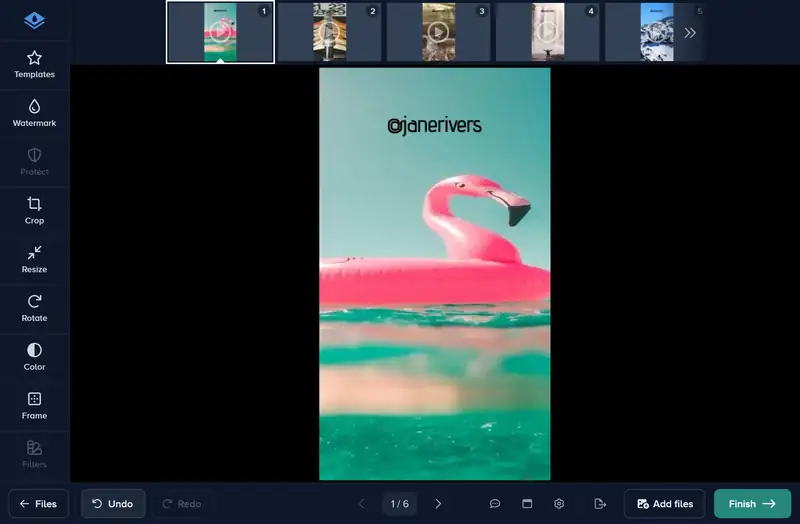
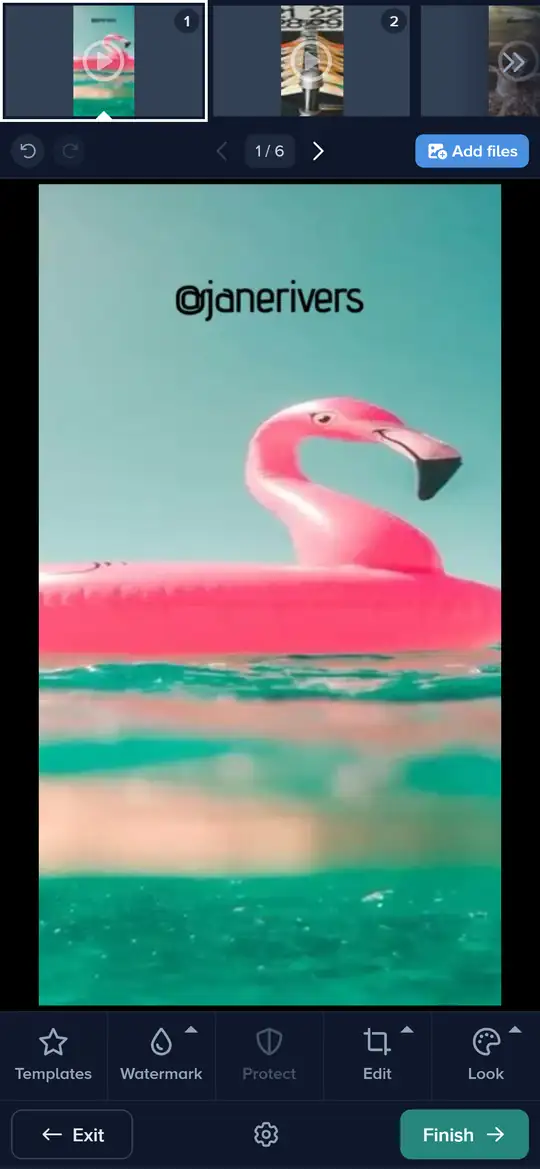
In one edit, crop the video with the Reel shape under Crop and apply it, then add your watermark and apply that. Crop first, so you place the watermark on the vertical frame. A 9:16 crop of a landscape video keeps a narrow strip of it, which you slide over the subject.
How to Crop and Watermark a Video in 4 Steps
Two tools, one edit, one download.
-
Step 1: Open Crop
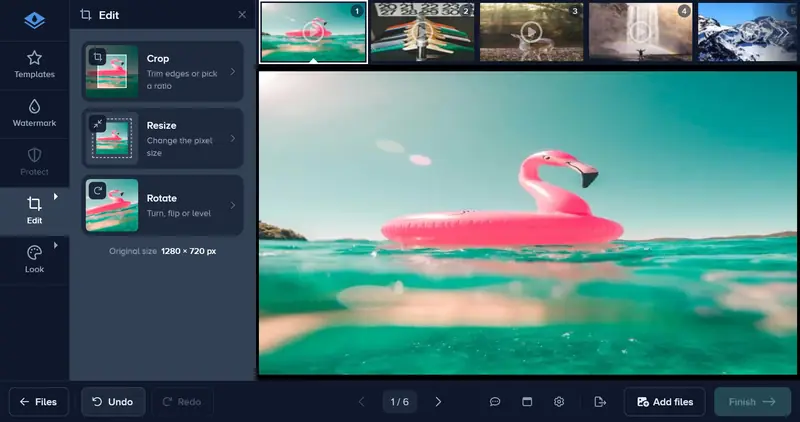
Add the video, click Edit and choose Crop. On a phone, tap Edit, then Crop.
-
Step 2: Pick the 9:16 Shape
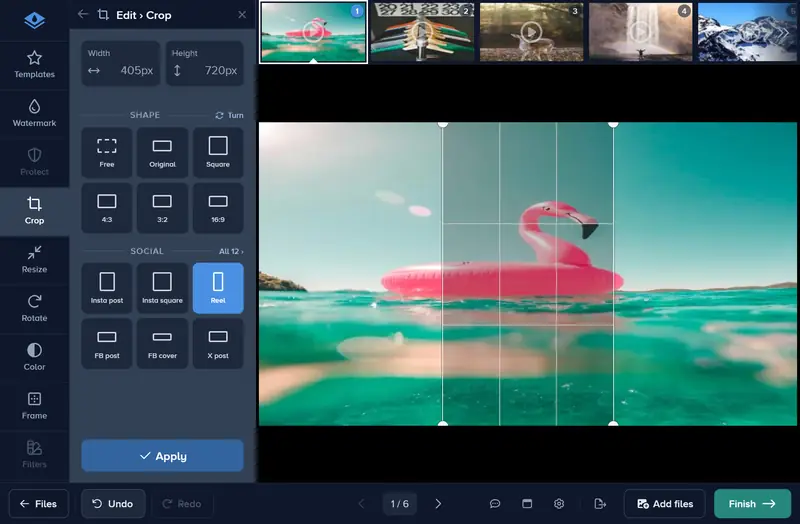
Under Social, click Reel. TikTok is the same 9:16 shape, under All 12; on a phone, tap Social. Drag the crop box over the part of the frame you want to keep.
-
Step 3: Apply the Crop
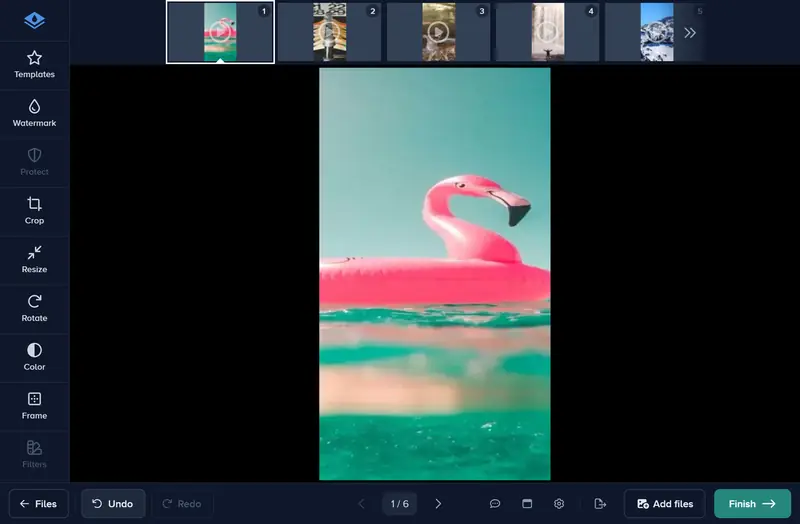
Click Apply. The editor now shows the video as the vertical frame it will be.
-
Step 4: Add the Watermark and Finish
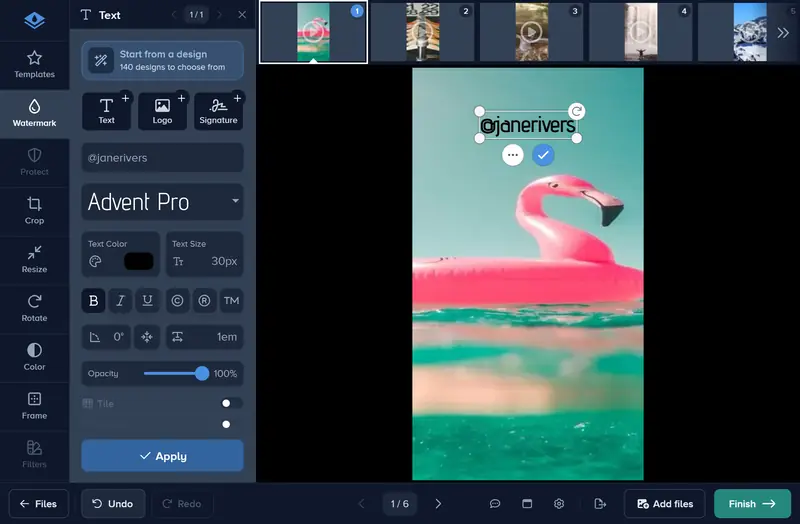
Open the Watermark tab, add your text or logo inside the vertical frame, then click Apply and Finish.
If It Doesn’t Look Right
The Subject Is Cut Off
A 9:16 box from a landscape video is narrow. Drag it over the subject before you apply; if the subject moves across the frame, a wider shape such as Square keeps more of it.
The App’s Buttons Cover the Watermark
Vertical video apps put their buttons along the right edge and captions along the bottom. Keep the watermark near the top or toward the left of the frame.
The Video Is Smaller Than 1080 × 1920
Crop cuts the frame without enlarging it, so a 1920 × 1080 video becomes about 608 × 1080. The apps scale it to fit the screen.
Only 30 Seconds Came Out
The free plan and Premium crop and watermark the first 30 seconds of each video, which covers most short clips. Ultimate does whole videos, up to 4 hours.
Make Your Next Clip Vertical
Crop it to 9:16 and watermark it before you post.
Crop your video- No account needed to start
- Works in your browser
Questions people ask
Can I crop and watermark in one go?
Which 9:16 shape should I pick?
Does cropping change my original video?
Keep reading
 Guide
Add a Logo Watermark to Your Photos
Upload your logo, set its size, opacity and position, and put it on one photo or a whole shoot. PNG, SVG or JPG logos up to 50 MB and 8,000 px. Free to try.
Guide
How to Add a Text Watermark to Photos
Type your name, website or © line, pick a font, then set its size, color, opacity and place. Apply it to one photo or a whole batch and download them.
Guide
How to Apply an Edit Only to the Photos You Changed
Open the photos that need an edit, then click Apply and pick Edited files. Only those photos get the watermark or crop; the rest of the batch stays as it is.
Guide
How to Batch Watermark Multiple PDFs at Once
Watermark many PDFs in one edit: place the watermark once, apply it to all files, and download them together. Up to 5,000 files per edit on Premium.
 Guide
How to Batch Watermark Photos Online
Batch watermark up to 5,000 photos in one batch: design the watermark once, apply it to all, fix single photos and download a zip. Free to try, no install.