How to Download a Watermark as a Transparent PNG
Make a watermark from your name in the maker and save it as a PNG with no background, ready for any app, editor or website.
- No account needed to start
- Up to 5,000 files per batch
In short
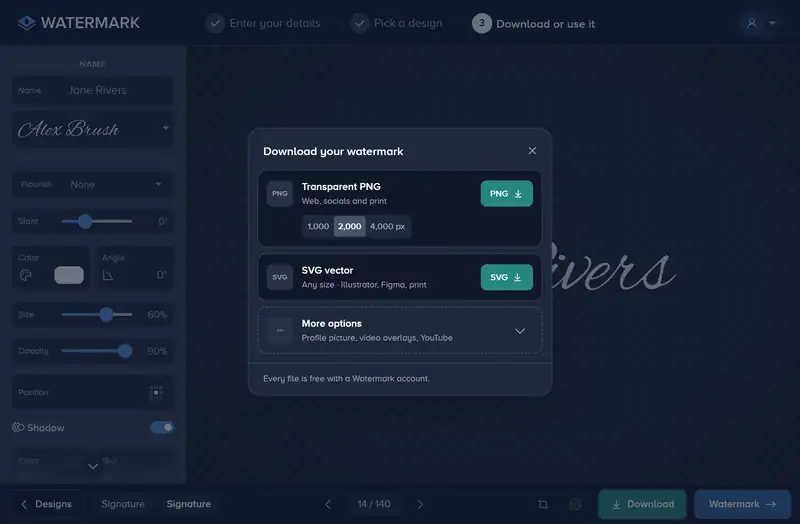
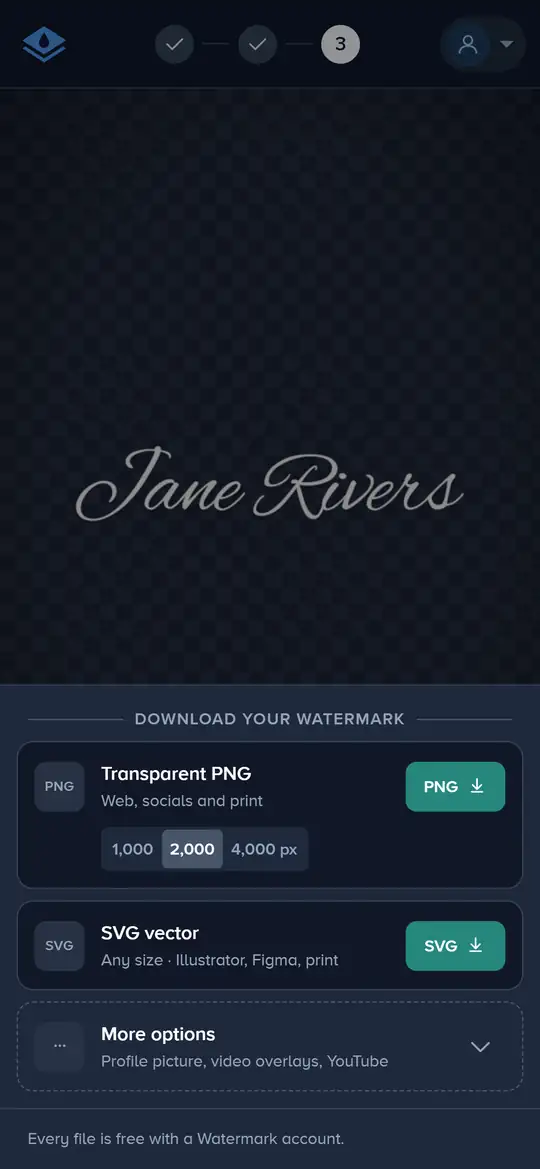
Open the watermark maker, type your name or @handle and pick a design. Click Download and save it as a transparent PNG 1,000, 2,000 or 4,000 px wide, or as an SVG that stays sharp at any size. Every download is free on every plan; without an account you make a free one first, and the file downloads once you have.
How to Download a Transparent Watermark in 4 Steps
No photo needed: you make the watermark first and take it away.
-
Step 1: Type Your Name
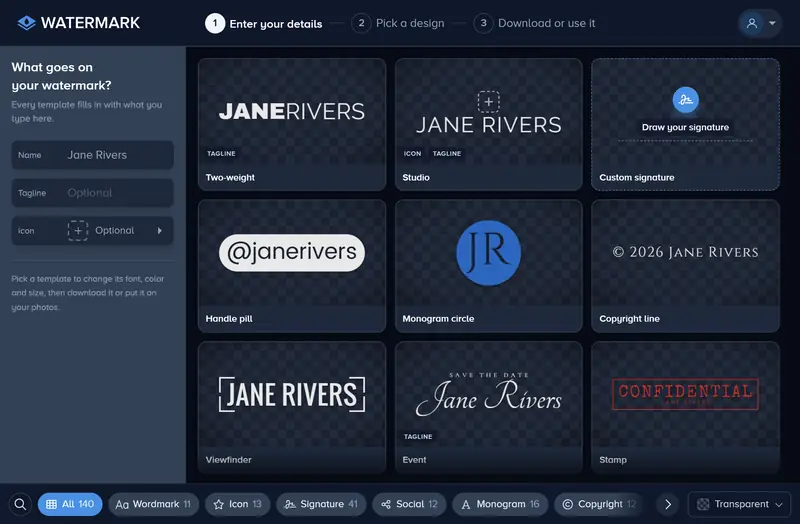
Open the watermark maker and type your name, business or @handle in Name, under What goes on your watermark?. Every design fills in with it as you type.
-
Step 2: Pick and Style a Design
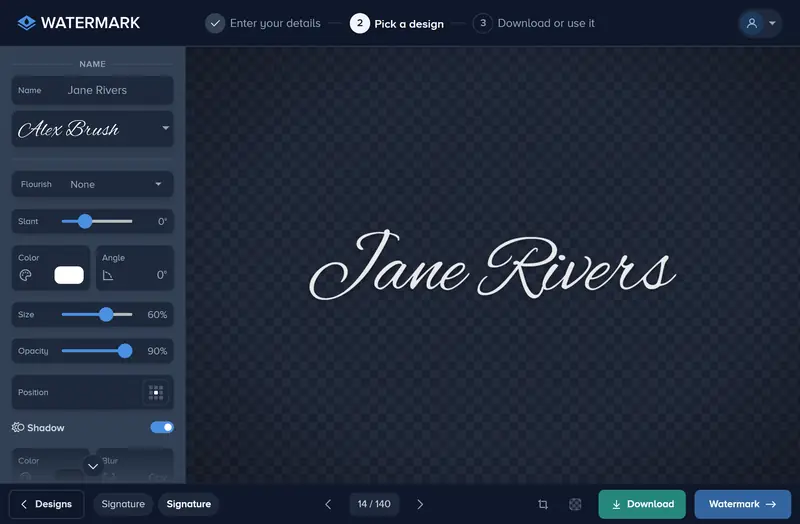
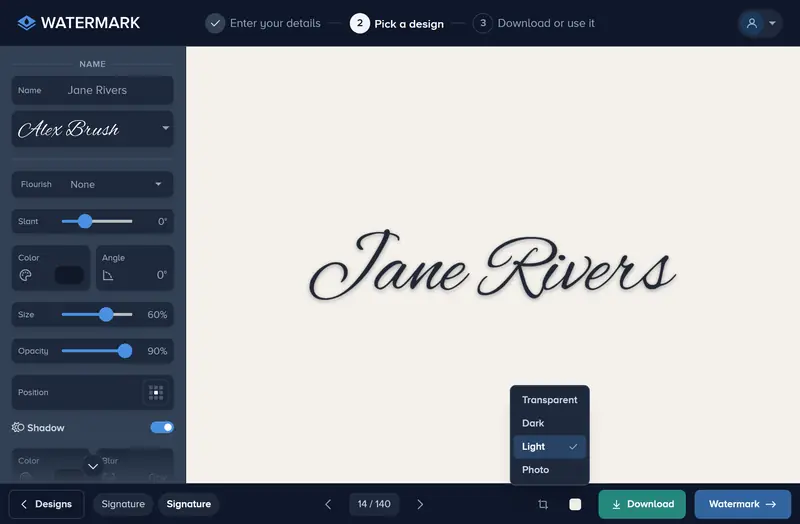
Choose a shelf such as Wordmark, Signature or Monogram and click a design. Set its font, Color, Size and Opacity in the panel beside it. On a phone the same settings are tabs under the design.
-
Step 3: Check It on a Dark and a Light Backdrop
The backdrop button in the bar shows the design over Transparent, Dark, Light or Photo. The checkerboard is what the file holds; the others only show how it reads, and none of them goes into the download.
-
Step 4: Download the PNG
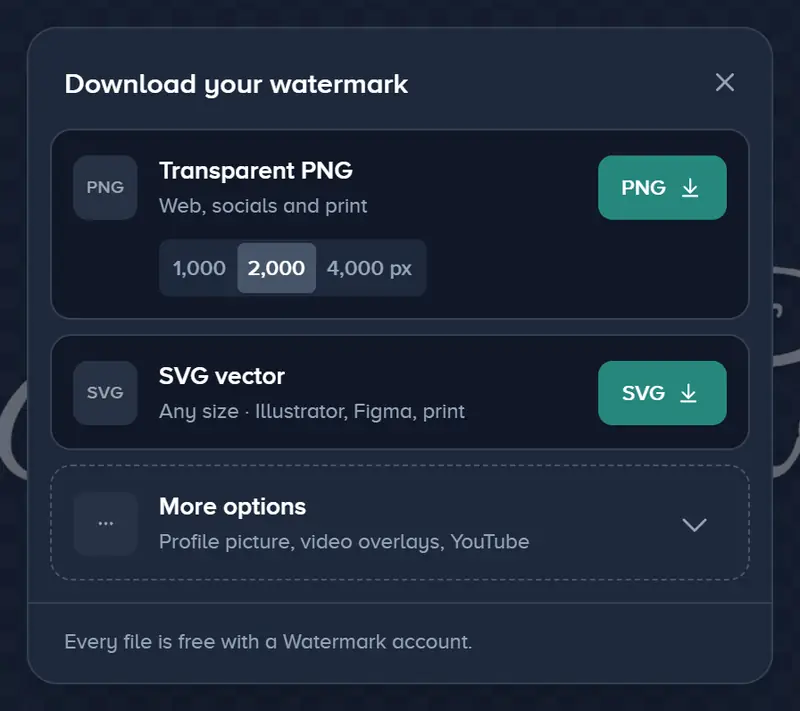
Click Download, pick a width under Transparent PNG (1,000, 2,000 or 4,000 px) and press PNG. SVG vector is under it, and More options holds a profile picture, two video overlays and a YouTube branding square.
If It Doesn’t Look Right
A White or Black Box Shows Around It
The file has no background. Some photo viewers fill see-through areas with white or black when they show a PNG; place it over a photo in your editor and the box is gone.
It Looks Soft When Enlarged
Download it again at 4,000 px wide, or as the SVG, which stays sharp at any size. A 1,000 px PNG suits the web but softens across a banner or a print.
It Vanishes on Some Photos
Switch the backdrop between Dark and Light before you download. If it disappears on one of them, keep Shadow on and add an Outline so the edges read on both.
Download Asks You to Sign Up
The files are free, but they need a free Watermark account. Sign up in the window that opens and the file you picked downloads straight after.
Make Your Watermark and Take It With You
Type your name, pick a design and download a transparent PNG for free.
Make my watermark- No account needed to start
- Works in your browser
Questions people ask
Which files can I download?
Do I need a paid plan to download?
What is the file called?
Can I change it after downloading?
Keep reading
 Guide
Add a Logo Watermark to Your Photos
Upload your logo, set its size, opacity and position, and put it on one photo or a whole shoot. PNG, SVG or JPG logos up to 50 MB and 8,000 px. Free to try.
Guide
How to Add a Text Watermark to Photos
Type your name, website or © line, pick a font, then set its size, color, opacity and place. Apply it to one photo or a whole batch and download them.
 Guide
How to Batch Watermark Photos Online
Batch watermark up to 5,000 photos in one batch: design the watermark once, apply it to all, fix single photos and download a zip. Free to try, no install.
 Guide
Create a Signature Logo for Your Photos
Type your name, pick one of 30 handwriting fonts and swap letters for alternates. Free to design and preview; download it from the editor with Premium.
Guide
How to Cover a Photo With a Protection Pattern
Lay lines, a grid, hatching or waves across a whole photo with the Protect tool, set the color, opacity and density, and apply it to every file in one go.
Guide
How to Remove the White Background From a Logo
Upload your logo, switch on Remove Background, and the white box around it disappears. Tune the edge with Fuzz and Blur, then apply it to every photo.