How to Write a Watermark in Another Script
Put your name on your photos in Arabic, Cyrillic, Hebrew, Devanagari or another script, in a font that has every letter.
- No account needed to start
- Up to 5,000 files per batch
In short
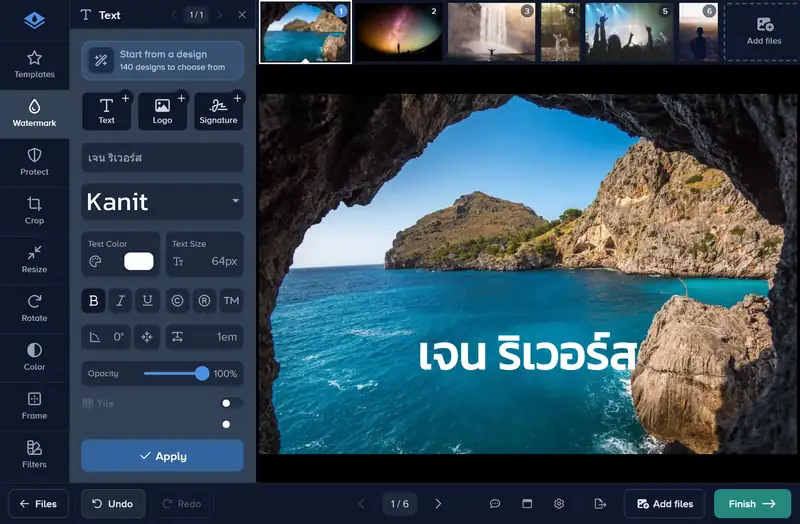
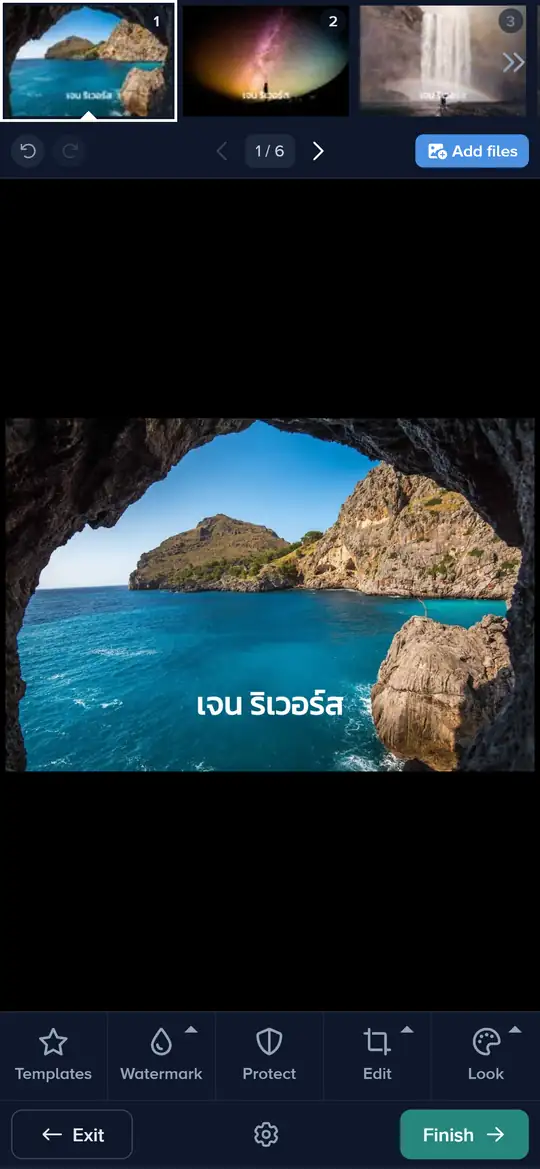
Type or paste your text into a text watermark, then pick a font that covers your script. The built-in fonts cover 13: Latin, Vietnamese, Cyrillic, Greek, Arabic, Hebrew, Devanagari, Bengali, Gujarati, Tamil, Telugu, Thai and Khmer. None covers Japanese, Chinese or Korean; for those, upload a font that does, which downloads on a paid plan.
How to Watermark in Another Script in 4 Steps
The font decides which letters can show, so it comes first.
-
Step 1: Type or Paste Your Text
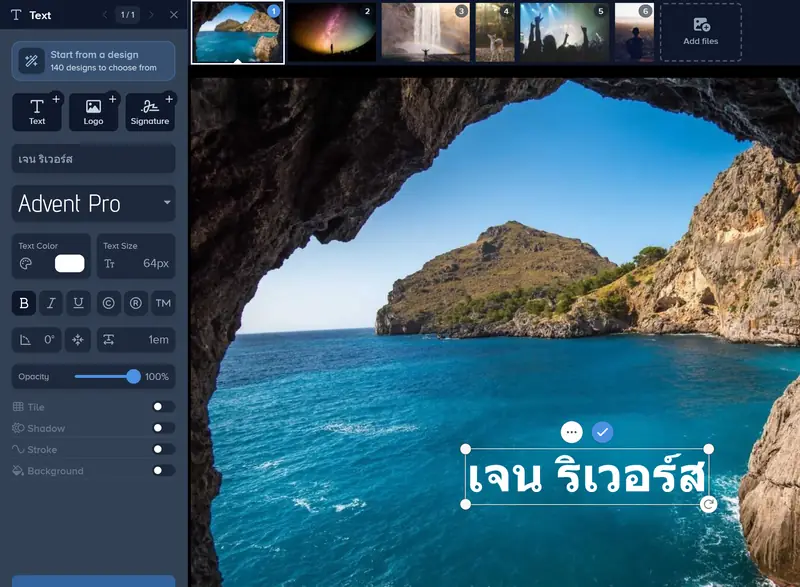
Select your photos and click Edit, open Watermark and click Text. Type with your keyboard’s own layout, or paste your name from another app.
-
Step 2: Search for a Font That Covers It
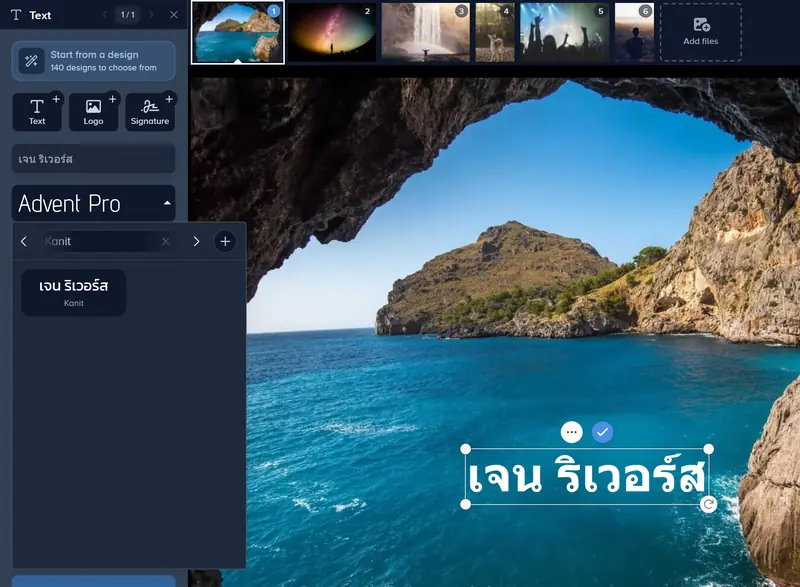
The font list is not sorted by script, so click the search at the top of the font list and type a font’s name: Cairo or Amiri for Arabic, Heebo for Hebrew, Poppins for Devanagari, Kanit for Thai, Roboto for Cyrillic and Greek. All of these are free.
-
Step 3: Check One File First
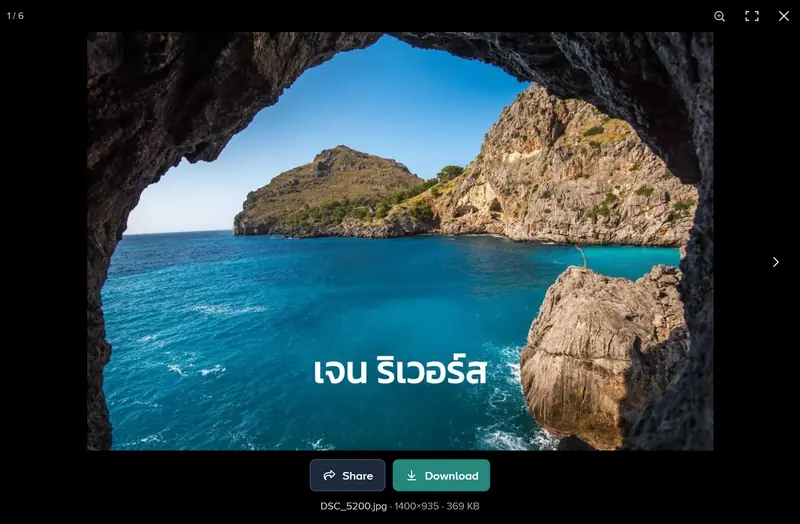
Click Apply, then Finish, and download one photo. Compare every letter with what you typed before you share the rest.
-
Step 4: Upload a Font if None Fits
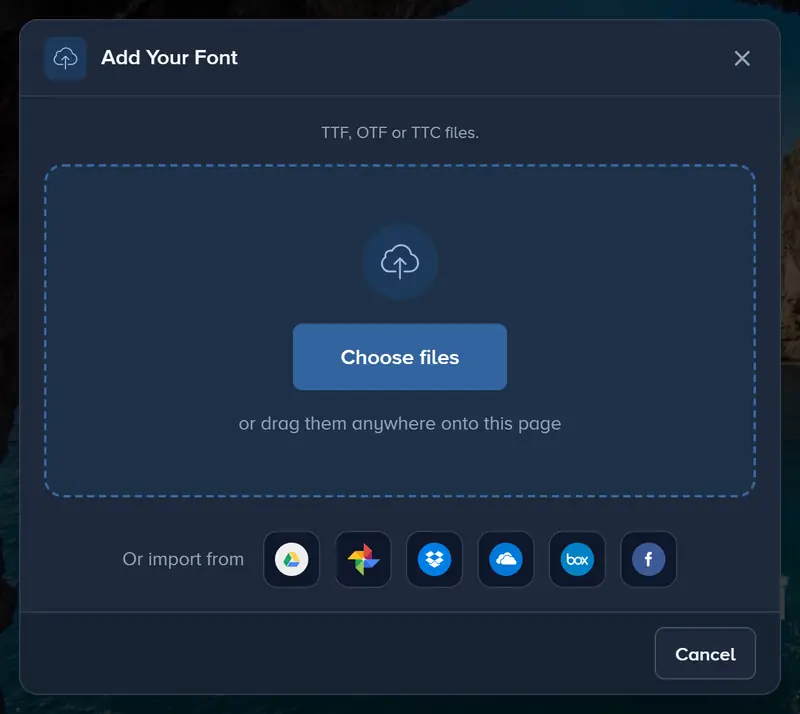
For a script the list lacks, click the + at the top of the font list and upload a TTF, OTF or TTC file that covers it. On a phone, tap Font in the Text row: the + is beside Done.
If It Doesn’t Look Right
The Script Filter Shows Handwriting
The Script category means handwriting-style fonts, not writing systems. To find a font for your alphabet, search by the font’s name instead.
Letters Come Out as Boxes or Gaps
The font has no letters for your script. Many decorative fonts cover Latin only. Switch to a font made for your script, or upload one.
Accents Go Missing
A name like Zoë, Łukasz or Nguyễn needs a font with those accented letters. Broad fonts such as Roboto and Inter, which also cover Vietnamese, have far more of them than display fonts.
Watermark in Your Own Script
Pick a font that has every letter and put it on the whole batch.
Write your watermark- No account needed to start
- Works in your browser
Questions people ask
Which scripts do the built-in fonts cover?
Can I write in Japanese, Chinese or Korean?
Can one watermark mix two scripts?
Keep reading
 Guide
Add a Logo Watermark to Your Photos
Upload your logo, set its size, opacity and position, and put it on one photo or a whole shoot. PNG, SVG or JPG logos up to 50 MB and 8,000 px. Free to try.
Guide
How to Add a Logo to a Video
Upload your logo, set its size and opacity, place it on the video’s frame and download the video with your logo on it. PNG, SVG or JPG logos up to 50 MB.
Guide
How to Add a Text Watermark to Photos
Type your name, website or © line, pick a font, then set its size, color, opacity and place. Apply it to one photo or a whole batch and download them.
Guide
How to Apply an Edit Only to the Photos You Changed
Open the photos that need an edit, then click Apply and pick Edited files. Only those photos get the watermark or crop; the rest of the batch stays as it is.
Guide
How to Batch Watermark Multiple PDFs at Once
Watermark many PDFs in one edit: place the watermark once, apply it to all files, and download them together. Up to 5,000 files per edit on Premium.
 Guide
How to Batch Watermark Photos Online
Batch watermark up to 5,000 photos in one batch: design the watermark once, apply it to all, fix single photos and download a zip. Free to try, no install.