On this page
Why Watermark Your ID Before Sending a Copy
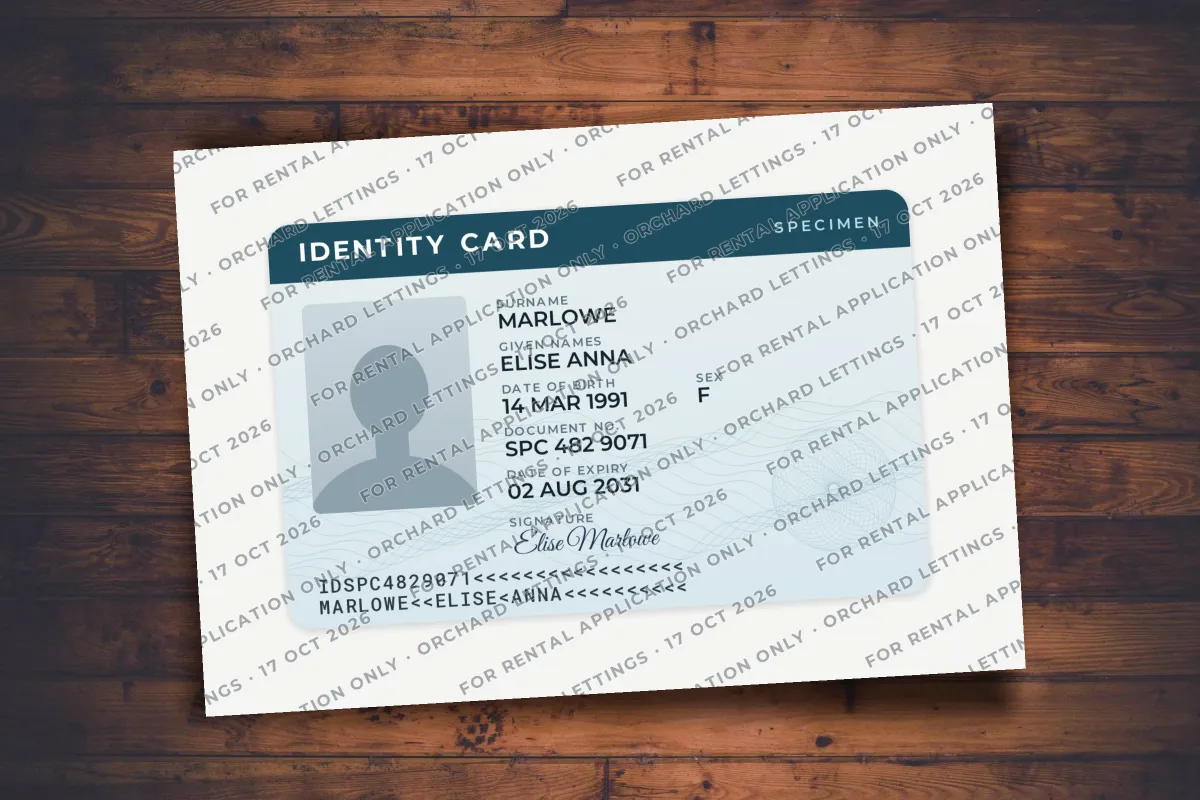
To watermark your ID before sending a copy, add a line of semi-transparent text across the whole image that names the purpose, the recipient and the date, such as "For rental application only · Orchard Lettings · 17 Oct 2026". Repeat it across the photo and the personal details, and keep it light enough that every detail can still be read.
The reason is simple. A clean scan of a passport or ID card is exactly what a fraudster needs to open accounts, pass a lazy identity check or build a fake rental application in your name. Fake rental listings and fake job offers are sometimes set up just to collect those scans. Once you have emailed a clean copy, you have no say over where it ends up.
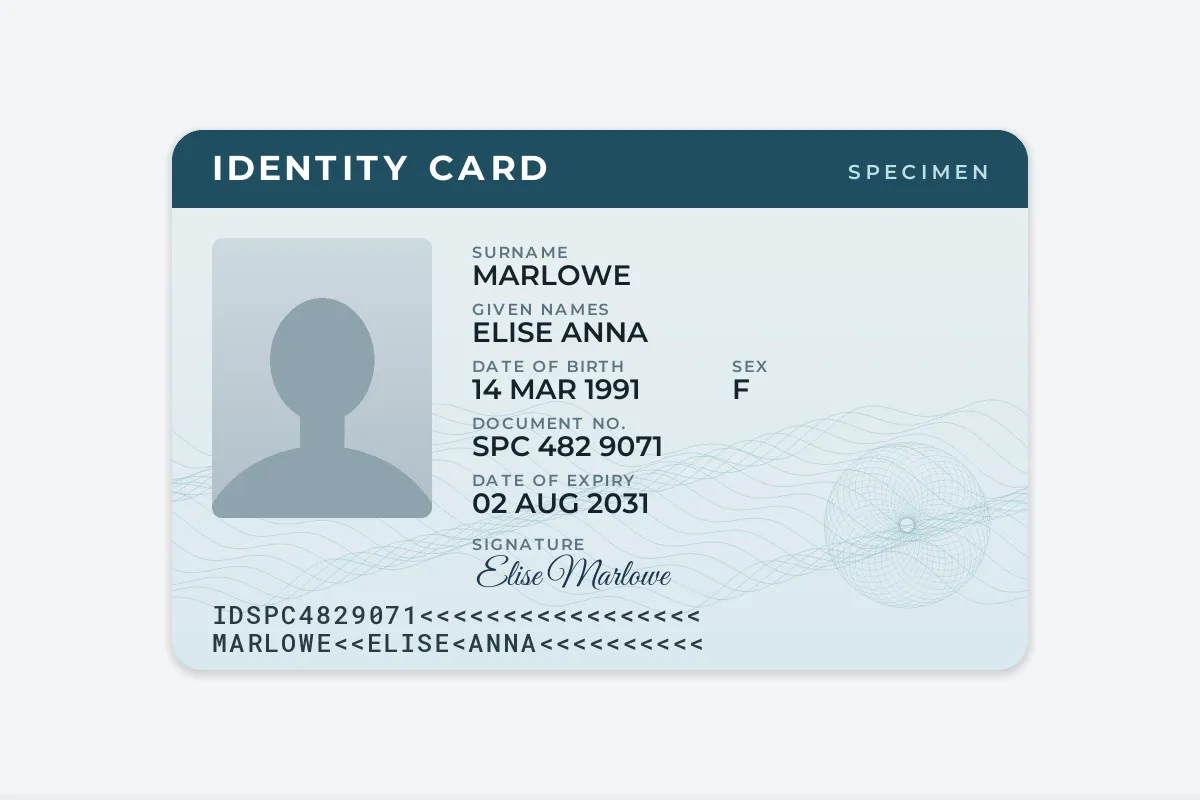
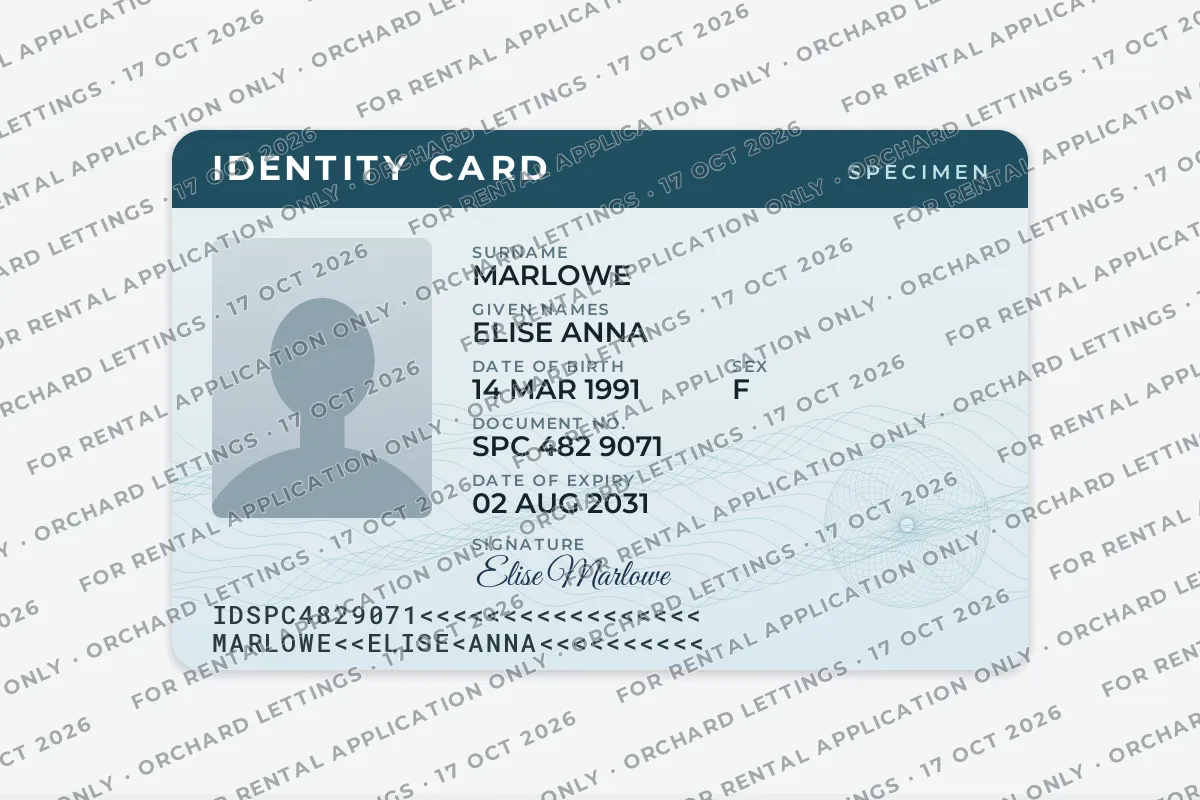
- Write three things: what the copy is for, who it is for, and the date you sent it.
- Cover the whole image, including the photo, with a repeated diagonal line rather than one small label in a corner.
- Keep it readable: a mid to dark gray with a light outline, at roughly 40–50% opacity, so the recipient can still check your details.
- Mark the copy, never the document. Do not write on or alter the physical passport or card.
A watermark does not make a copy impossible to misuse. What it does is tie the copy to one purpose and one recipient. A copy reading "Orchard Lettings, 17 Oct 2026" looks wrong on a loan application in March. If it does turn up somewhere it should not, you also know which recipient it came from.
What to Write on a Watermarked ID Copy
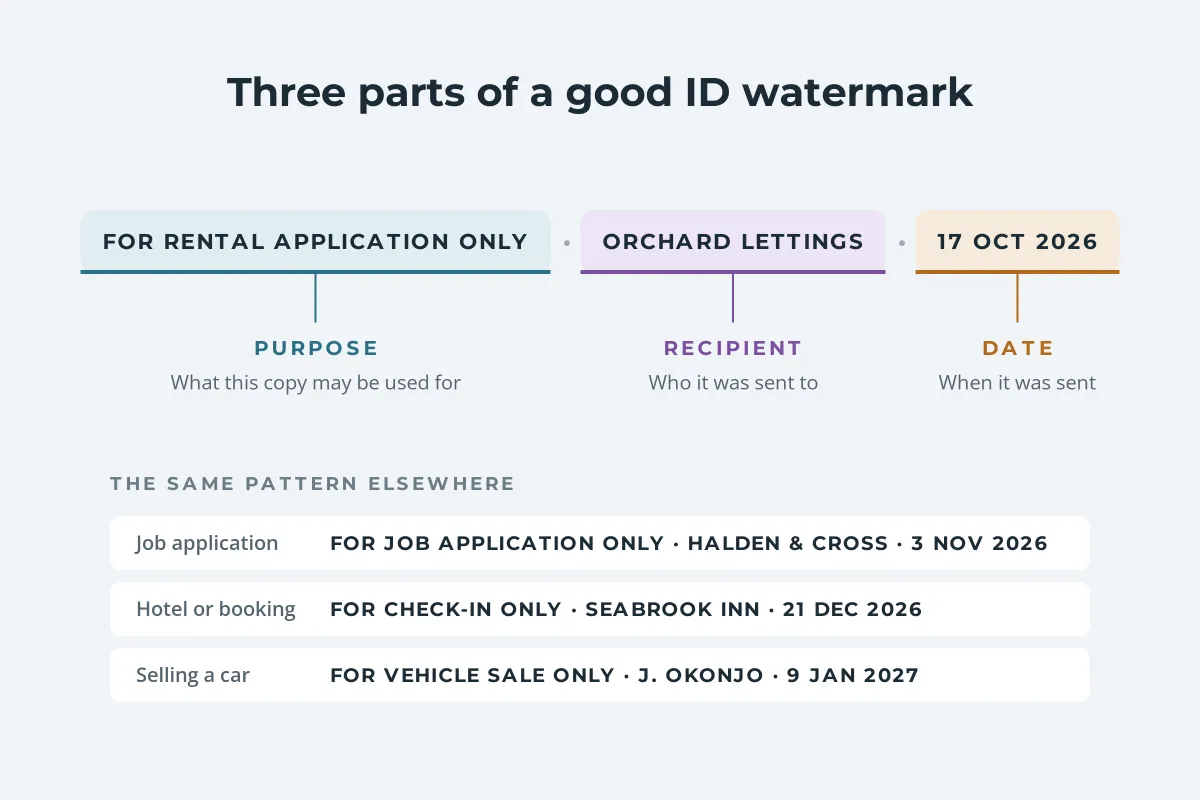
- The purpose: "For rental application only", "For job application only", "For check-in only". This is what makes reuse look out of place.
- The recipient: the agency, company or person you are sending it to. If several people get a copy, give each one their own version.
- The date: the day you send it. An old date on a "new" application is a red flag for anyone checking it.
Government tools that make safe ID copies use the same pattern. The Dutch government’s KopieID app asks who the copy is for and what it is needed for, then puts that text and the date on the copy as a watermark. France’s FiligraneFacile suggests wording such as "Document transmitted to [recipient] on [date], for application use only".
Keep it to one line that can be repeated. Write it in the language the recipient reads, and in capitals if you like, since a short, plain line reads better than a full sentence at a small size. Avoid vague text like "COPY" on its own: it says the image is a copy, but not what it may be used for.
Where to Put the Watermark on an ID
The placement has two jobs that pull in opposite directions. The mark has to cover the parts a fraudster wants, the photo, the name and the numbers, so it cannot be cropped or painted out easily. At the same time the recipient has to be able to read every detail, or the copy is useless for what you sent it for.
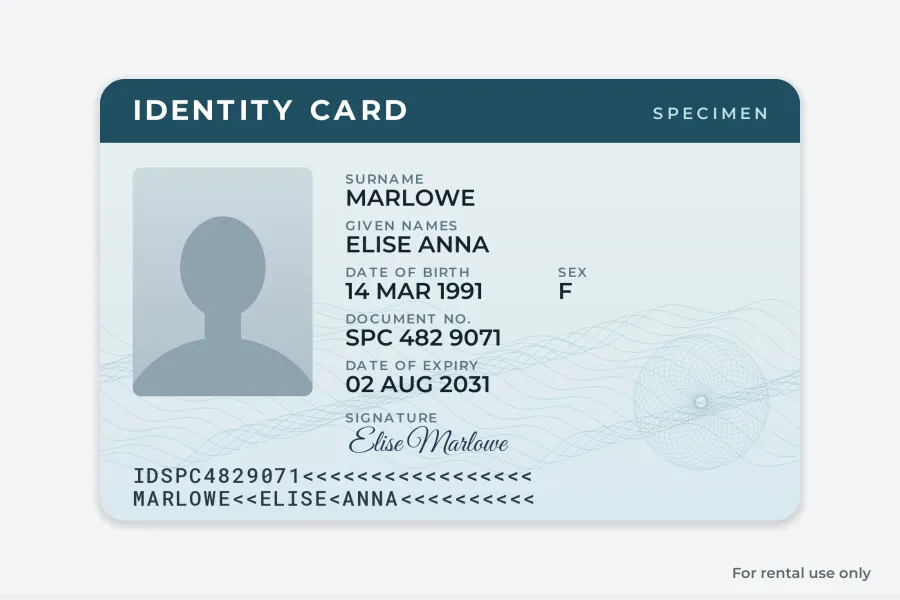
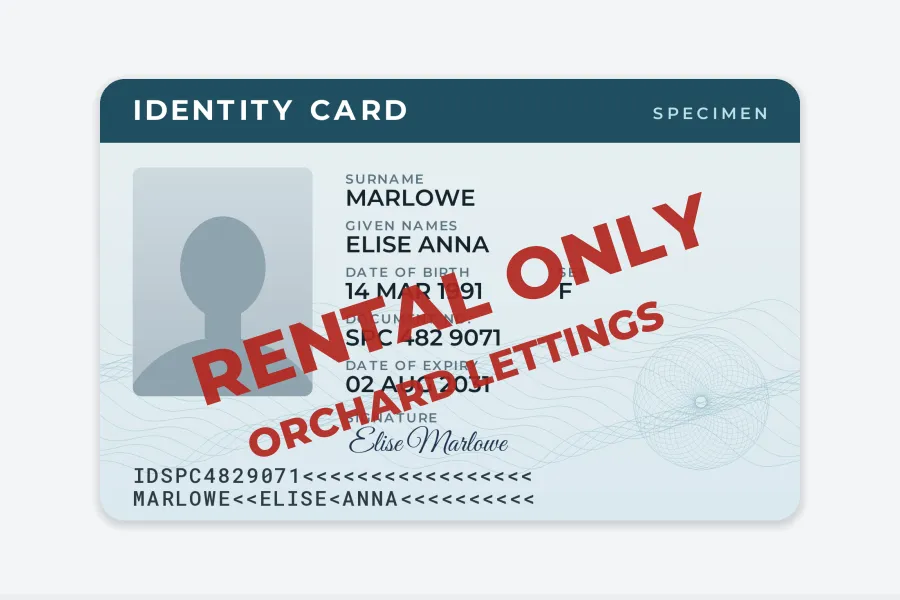
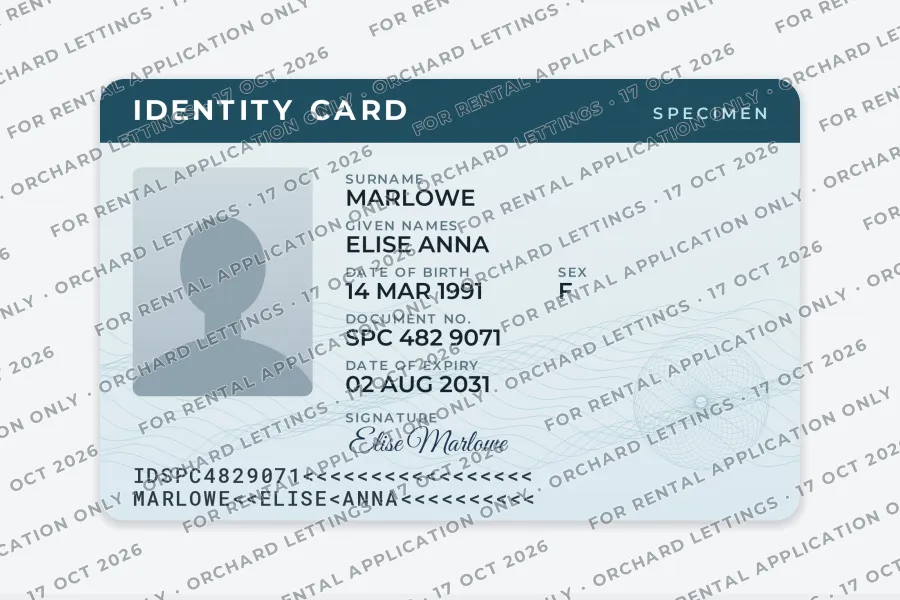
A repeated, diagonal line works best. Because it runs across the whole image at an angle, there is no clean strip to crop, and cleaning it off means repainting the photo and every field. That is the same reason photographers use tiled watermarks on images they sell.
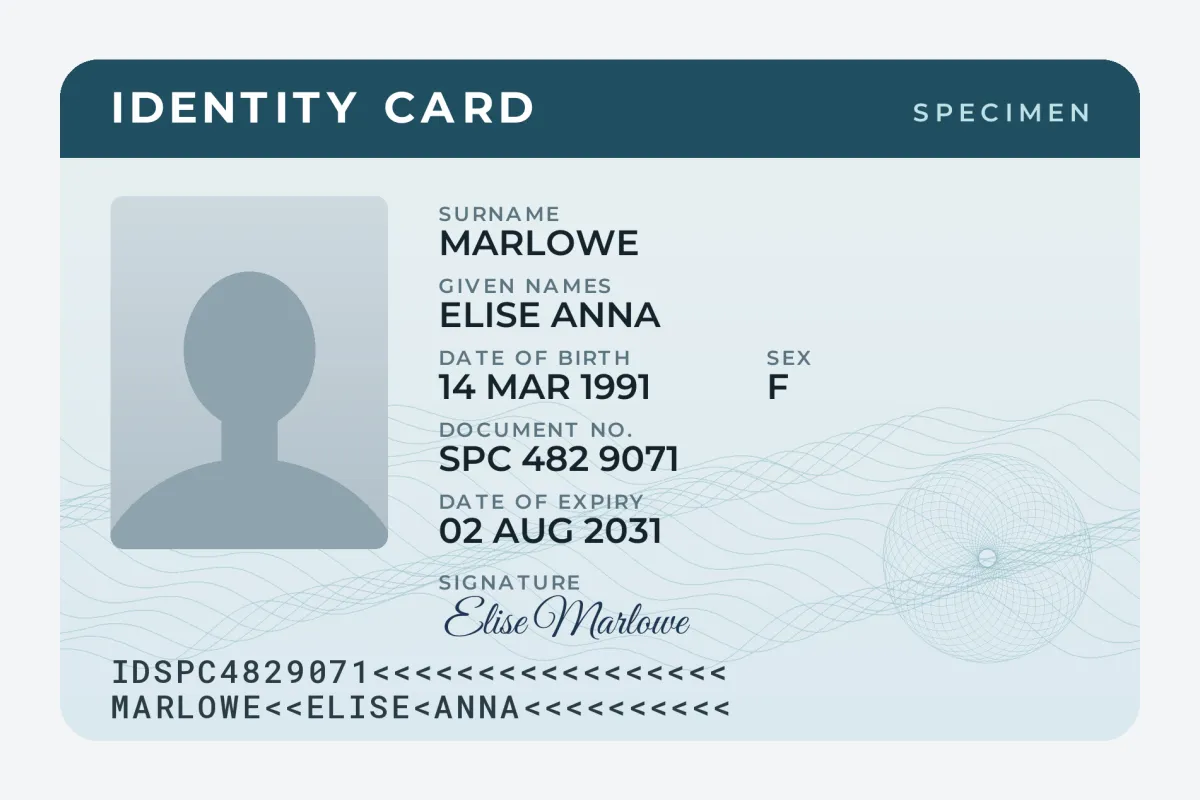
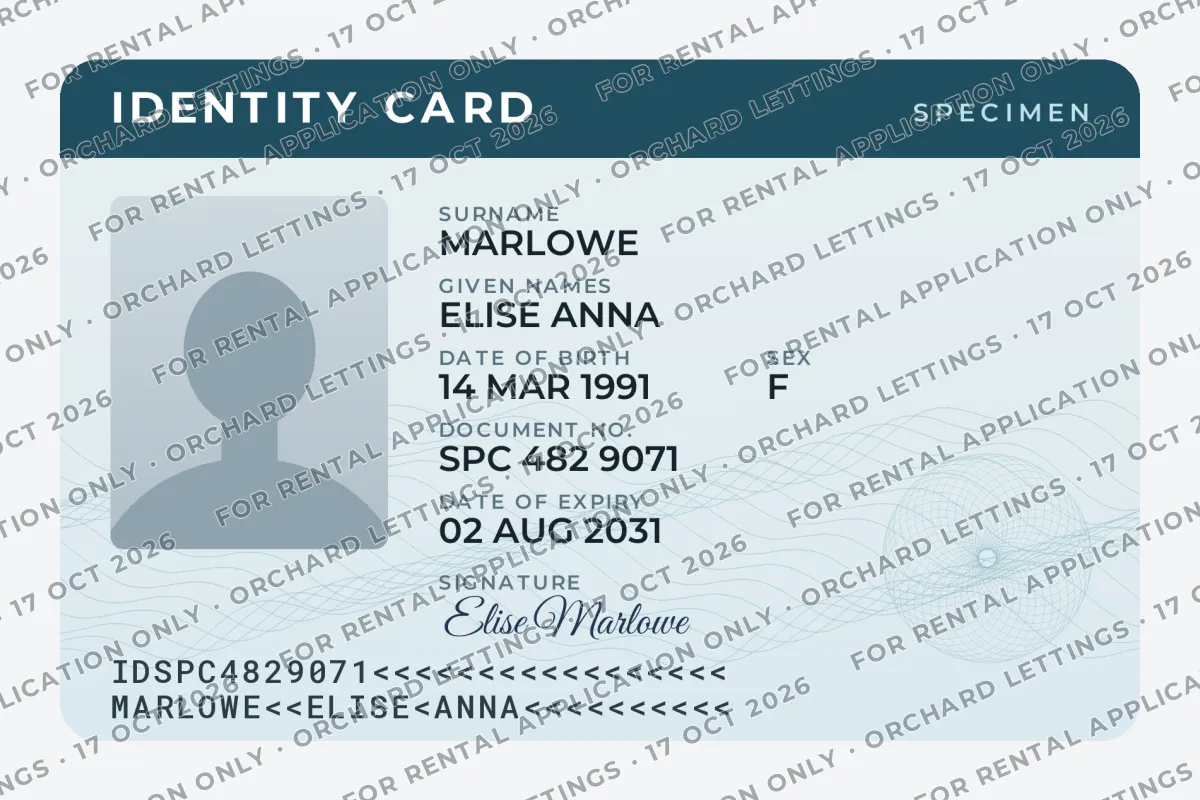
- Color: a dark gray with a thin white outline or soft shadow reads on both the pale card and the darker photo and header. A single flat gray tends to vanish over one or the other.
- Opacity: around 40–50% for a dark gray. Lighter and the text disappears on a pale card; heavier and the numbers get hard to read. How transparent a watermark should be goes into the trade-off.
- Size: small enough that the line repeats several times across the card, large enough to read on a phone.
- Check it: zoom in on the document number and date of birth before you send. If you cannot read them, neither can the recipient.
How to Watermark Your ID in Watermark.ws
Watermark.ws works on photos of documents (JPG, PNG, HEIC and more) and on PDFs, in the browser, with no signup needed to try it. The PDF watermarking guide shows the editor step by step.
-
1
Scan or photograph the ID
Lay it flat on a plain surface in good light, with no glare on the photo. Crop away the background, and photograph both sides if both are needed.
-
2
Upload the image or PDF
Drop the files in. A PDF that needs a password to open has to have the password removed first.
-
3
Add your text
Type the purpose, recipient and date. Choose a bold, plain font such as Montserrat, a dark gray color, and add a thin white stroke or a soft shadow.
-
4
Tile and rotate it
Turn on Tile, set the rotation to about 20–30 degrees, and adjust the spacing until the line repeats across the photo and every field. Lower the opacity until the details read clearly through it.
-
5
Save it as a template
Next time, load the template and change only the recipient and the date.
-
6
Download and check
Open the result, zoom in on the numbers, and send that file, never the original scan.
Before you upload an identity document to any online tool, read how it handles files. If you would rather not upload it anywhere, government tools are worth knowing about:
- FiligraneFacile (France): a free service from the French government at filigrane.beta.gouv.fr. It needs no account, and it says it does not keep original files and deletes the marked file after download.
- KopieID (Netherlands): a free app from the Dutch government that makes a copy on your phone, lets you strike out details such as your citizen service number, and adds the recipient, purpose and date as a watermark.
- A PDF or image editor on your own computer can add the same text, with more effort to repeat it across the image.
Other Ways to Protect an ID Copy
A watermark is one layer. These habits do as much to keep a copy from being misused:
- Ask why they need it. Many requests for a full passport scan only need your name and date of birth, or a sight of the document in person.
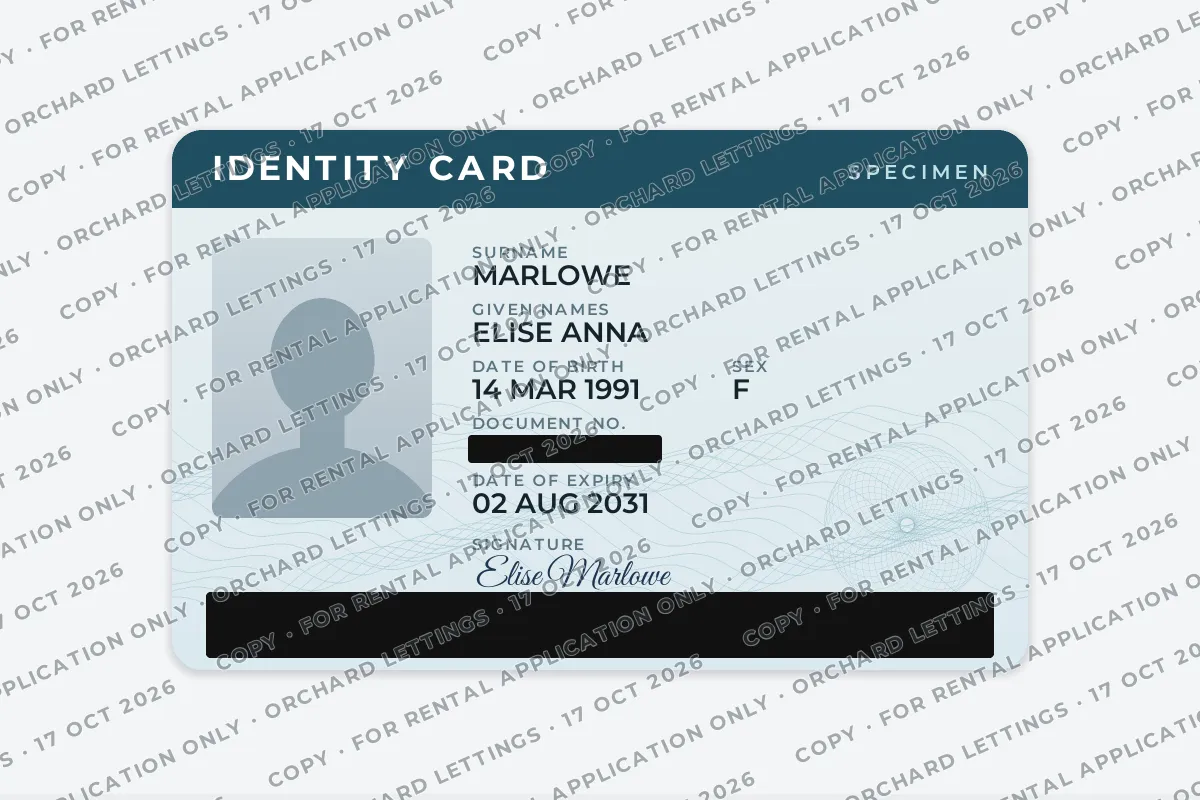
- Black out what is not needed. Card numbers, the machine-readable lines at the bottom and national ID numbers are rarely needed to confirm who you are. Some regulators say so explicitly: German data protection authorities note that holders may black out data such as the access and serial numbers, and that copies must be recognizable as copies.
- Send it through a proper channel. A secure upload portal or an email to the agency’s own address is better than a chat app or a personal account you cannot verify.
- Keep a list of who received which copy and when. A marked copy only helps trace a leak if you know which version went where, the same idea behind per-recipient marks on PDFs and traceable watermarks for leaked documents.
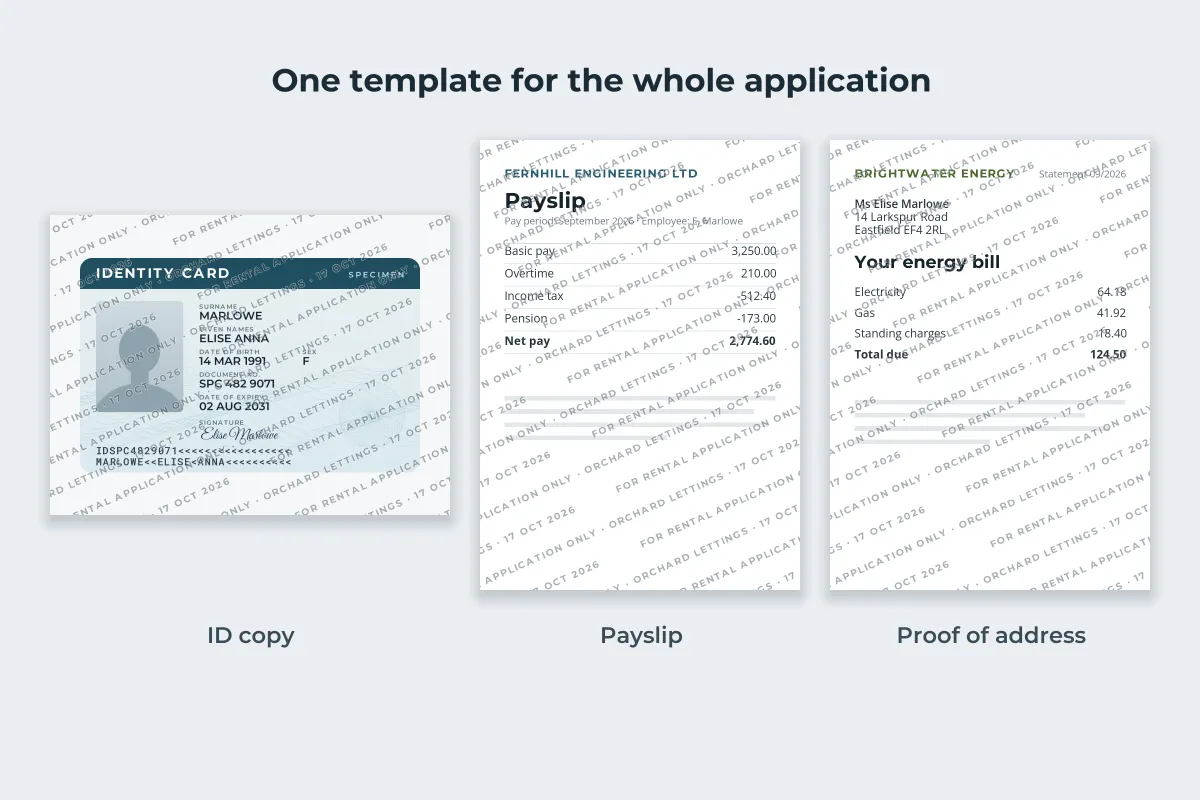
The rest of the application deserves the same treatment. Payslips, bank statements and utility bills carry your address, employer and account details, and they go to the same people. Use one template for the whole set and change only the date. Screenshots of messages you send as evidence follow the same pattern; see how to watermark a screenshot.
Watermark.ws can mark images and PDFs in the same batch. For more on marking PDFs without spoiling them, see how to watermark a PDF.
When You Should Not Need to Send a Copy at All
Some official checks do not work from a scan you email, so a request for one at the wrong stage is worth questioning.
- Renting in England: a landlord’s Right to Rent check must use the original document in your presence (in person or on a live video call with the original in the landlord’s hands), the Home Office online service with a share code, or a certified digital identity provider. The Home Office guidance says landlords must not rely on a scanned or copied version. The landlord then keeps their own copy.
- Jobs in the US: employers verify identity and work eligibility on Form I-9 once you are hired, by examining documents in person or, for employers enrolled in E-Verify, through a live video call. A demand for a passport scan before an interview deserves a second look.
- Banks and payment apps: regulated identity checks usually happen inside the provider’s own app or website, which captures the document and often your face itself. Upload only there, and only when you started the process.
Some organizations ask for an unmarked copy, and a legitimate one will usually explain why or offer another way to verify you, such as an in-person check. Pressure to send a clean scan quickly, before you have seen a property or had an interview, is a common sign of a scam.
Rules differ by country and change over time, so check the official guidance where you live. In the European Union, the GDPR also means an organization should collect only the personal data it actually needs, which is a fair question to raise when someone asks for a full scan.
Sample photos: Wooden desk by Keith Misner on Unsplash.