On this page
What a Label Does — and What It Does Not
Businesses stamp CONFIDENTIAL or DRAFT across documents for one simple reason: people forward things. A proposal meant for three reviewers ends up in someone’s inbox at a competitor; a draft price list gets quoted as final. A label on every page tells whoever is reading it, right there on the page, how the document is supposed to be treated.
- A label is a notice. It tells readers the document is confidential, unfinished or for internal use.
- It is not security. It does not stop anyone opening, copying, printing or forwarding the file.
- It works best across the page, light enough to read through, and on every page.
- The obligations come from elsewhere — your agreements and policies. The label makes them visible.
That last point matters. Whether a recipient must keep a document confidential depends on the agreements between you, such as a non-disclosure agreement, and on your own policies. The label does not create those obligations, but it removes any doubt that the reader was told. If a document needs real protection, use access controls alongside the label — more on that below.
Which Label to Use

| Label | Tells the reader | Typical documents |
|---|---|---|
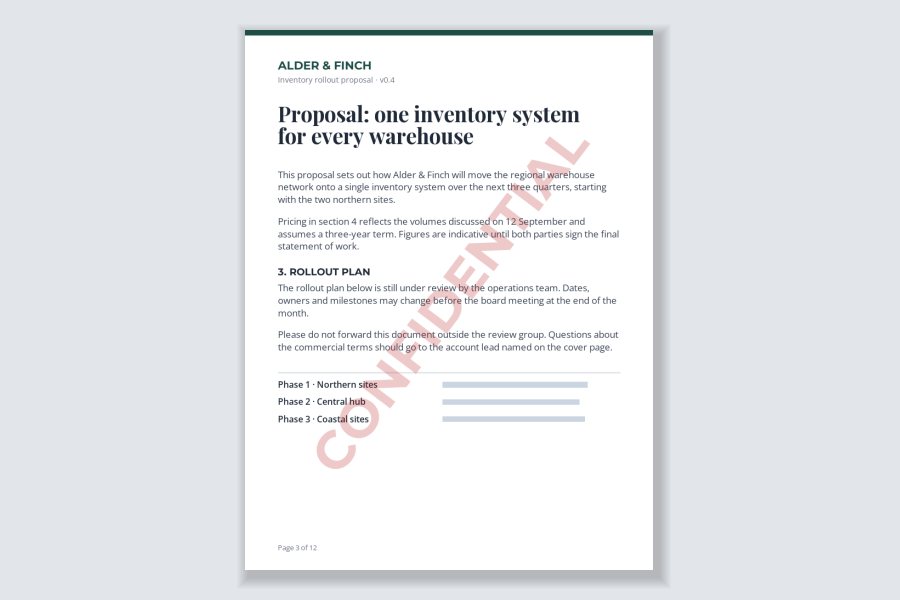
| CONFIDENTIAL | Do not share this beyond the people it was sent to. | Proposals, pricing, contracts under negotiation, HR and financial documents |
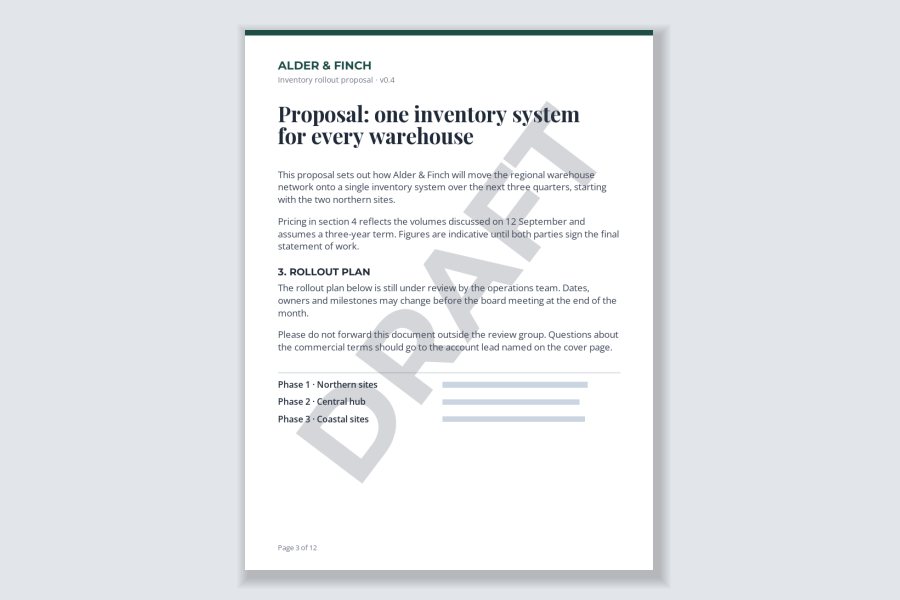
| DRAFT | This is not final and should not be relied on or quoted. | Reports, policies, contracts and presentations still in review |
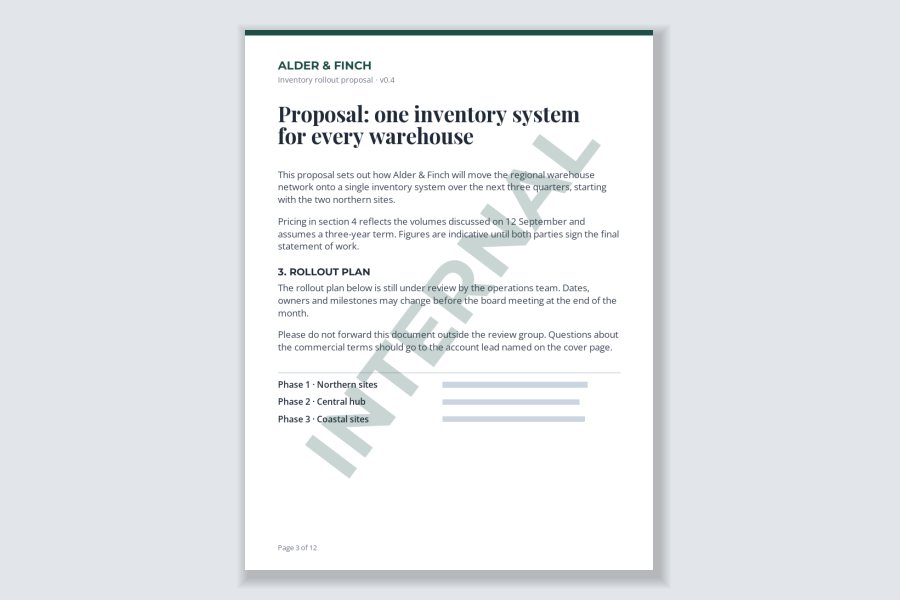
| INTERNAL | Fine within the organization, not for customers or the public. | Process documents, internal reports, meeting notes |
| SAMPLE or PREVIEW | This is a preview; the real thing is provided separately. | Templates, stock images, reports and designs for sale |
| COPY or FOR REVIEW | This is not the original, or is only for commenting. | Signed documents shared for reference, documents out for review |
Use one label per document. “CONFIDENTIAL DRAFT — INTERNAL” sounds thorough, but it is hard to read at a glance, and it leaves the reader unsure which rule applies. Pick the one that matters most to how the document will be handled. When a draft becomes final, remove the DRAFT label rather than leaving it in place — a “draft” that is actually final causes as much confusion as the reverse.
Across the Page, Not in the Header
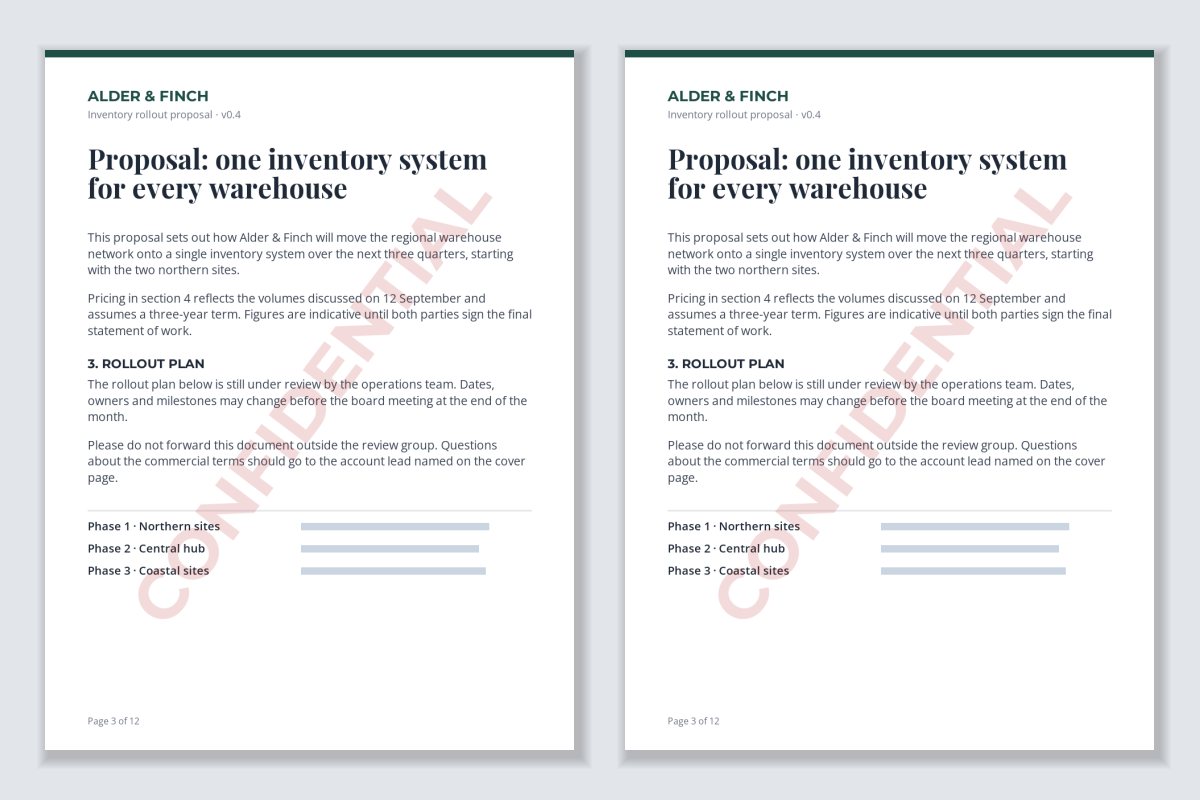
Many templates put CONFIDENTIAL in the header or footer. That looks tidy, but documents are rarely shared whole. People screenshot a paragraph, paste a table into a chat, or forward page 3. Here is the same excerpt from a page labeled in the header and a page labeled across the body:
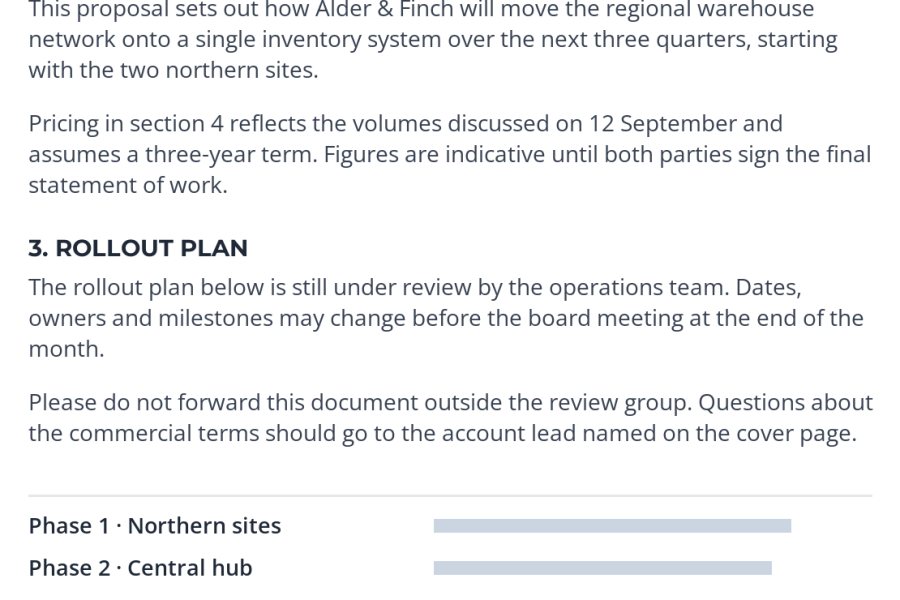
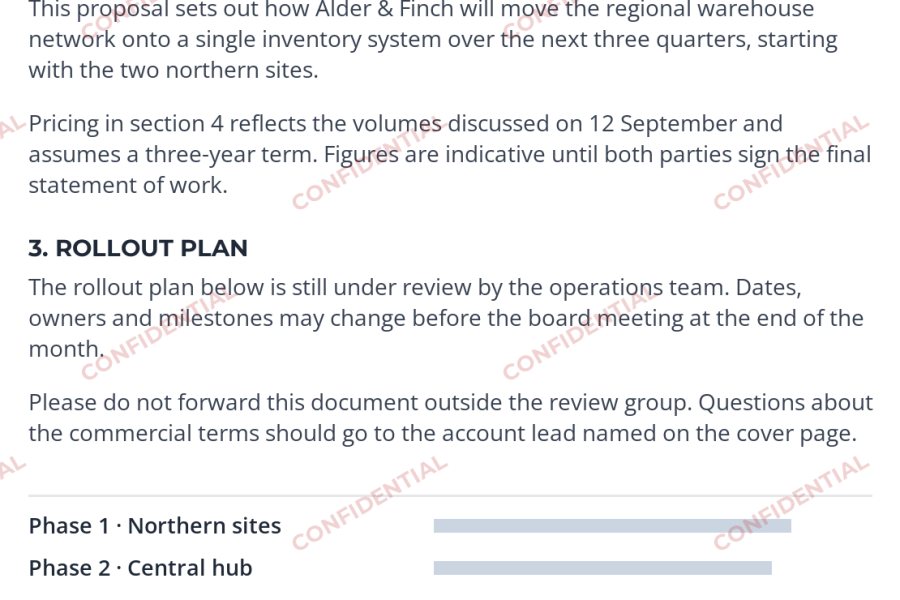
The header label is not in the screenshot at all, so the excerpt looks like any other text. The repeated label travels with it. A single large diagonal label is a good middle ground for most documents; a lighter repeated label is better for anything likely to be excerpted — pricing tables, figures and slides.
Light Enough to Read Through
A document still has to be read, reviewed and printed. The label should sit behind the text, not on top of it.
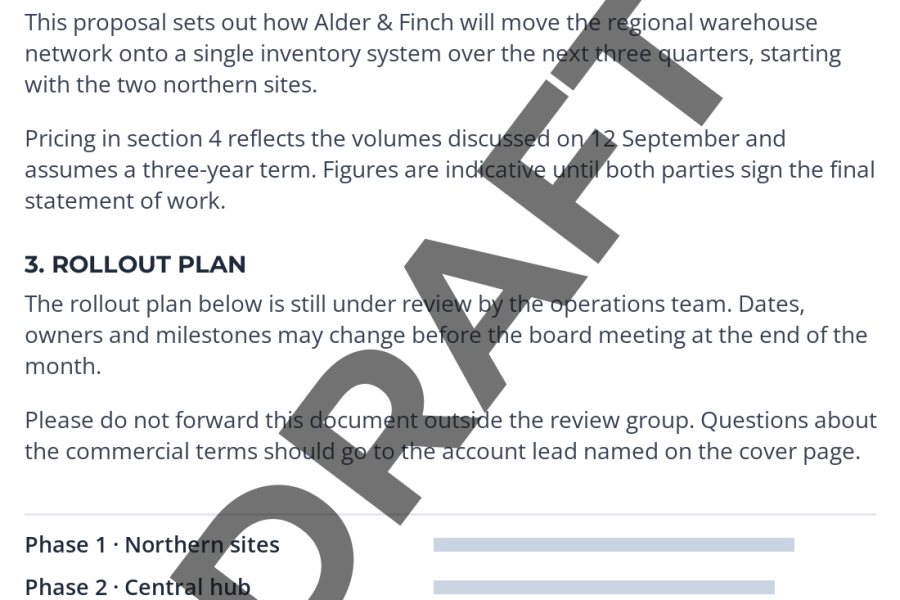
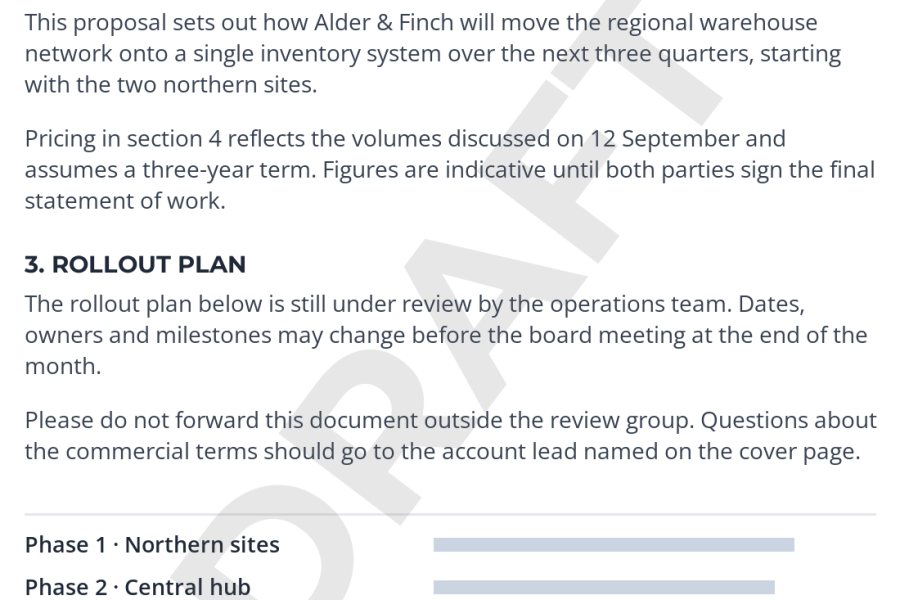
- Opacity: around 15–25% for a large diagonal label on a white page. Light enough that every word reads through it, strong enough to be the first thing someone notices.
- Color: mid-gray for DRAFT and INTERNAL; a muted red for CONFIDENTIAL if you want it to stand out. Avoid saturated colors, which make text over them harder to read and print poorly in grayscale.
- Font: a bold, plain sans-serif in capitals. This is a notice, not decoration.
- Angle: corner to corner, so it crosses as many lines of text as possible.
Light labels can disappear on some printers, and heavy ones can make a printed page hard to read. If the document is likely to be printed, print a test page first.
One Copy Per Recipient
For the most sensitive documents — a board pack, a pricing proposal to several bidders, a manuscript sent to a handful of readers — put the recipient’s name in the label. Each person gets their own copy, and if a page turns up somewhere it should not, the label says whose copy it was.
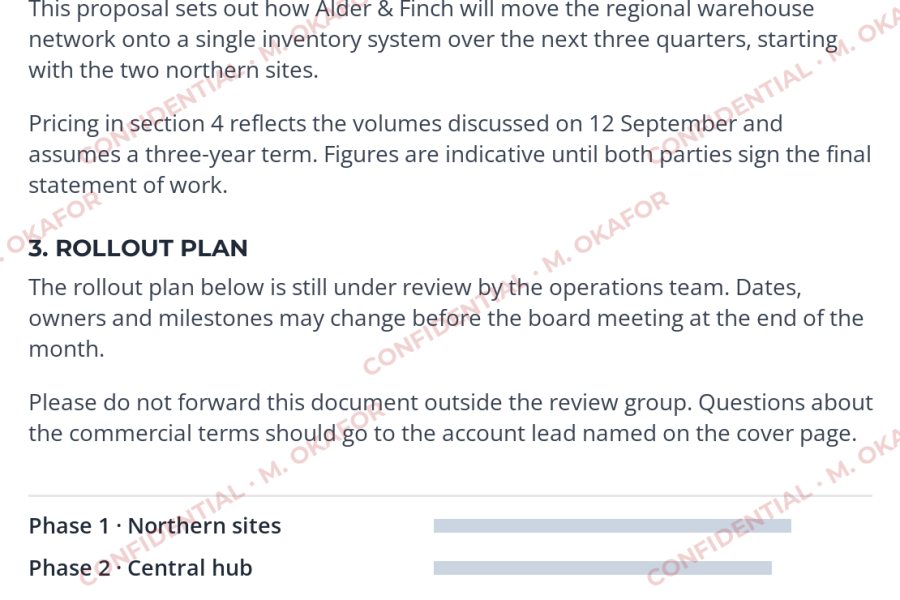
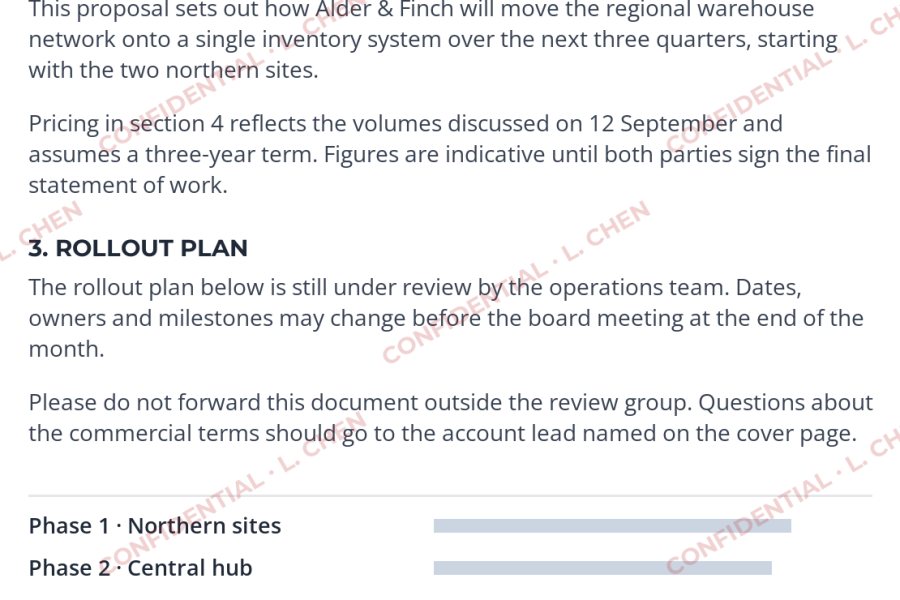
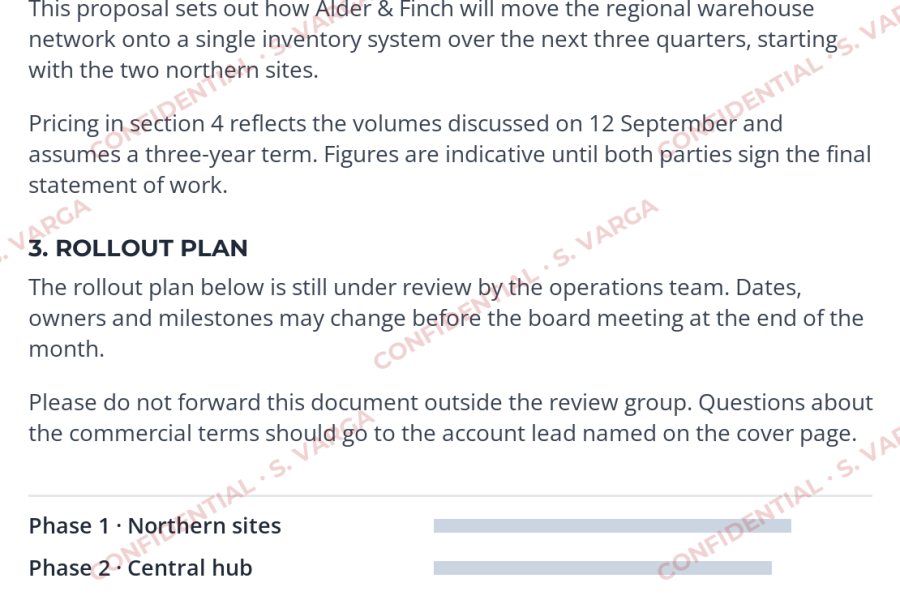
A personal label is also a deterrent: each recipient knows a leaked page can be traced back to their copy. Tell recipients their copy is personalized — the deterrent only works when they know.
Labeling PDFs, Word Documents and Images in Watermark.ws
Watermark.ws works with PDFs and Word (.docx) documents as well as photos, so the same label can go on a proposal, its attachments and any product images that go with it.
-
1
Upload the documents
Add your PDFs, Word documents or images. A password-protected PDF cannot be opened for watermarking — remove the password first, then import it again.
-
2
Add a text watermark
Type the label in capitals, pick a bold sans-serif, set a gray or muted red color and an opacity around 15–25%.
-
3
Rotate it across the page
Size and rotate the label so it runs diagonally across the page. Turn on Tile if the document is likely to be excerpted.
-
4
Apply it to the batch
Choose to apply the watermark to every file in the batch. How many pages of each document are processed depends on your plan.
-
5
Personalize if needed
For per-recipient copies, change the text to include the recipient’s name and download a copy for each person.
-
6
Save it as a template
Save your CONFIDENTIAL or DRAFT label as a template, so it looks the same on every document your team sends.
For step-by-step instructions by file type, see how to watermark PDFs and how to watermark Word documents. If a document is going to a client for review rather than being kept internal, the approach for design drafts applies too.
When a Label Is Not Enough
A label tells honest readers what to do. It does not stop anyone determined to ignore it. For documents where a leak would really hurt, combine it with controls that actually restrict access:
- Share with named people, not links. Use a file-sharing tool that requires recipients to sign in, and remove access when the review ends.
- Send only what is needed. An excerpt or a summary leaks less than the full document.
- Put it in writing. If confidentiality matters, a signed non-disclosure agreement sets out what the recipient may and may not do.
- Encrypt sensitive files when your tools and your organization’s policies call for it.
- Keep a list of who received which version, especially if the copies are personalized.
How confidential information is protected depends on your agreements and on the law where you operate. For contracts, trade secrets or regulated data, ask a lawyer or your compliance team what your documents need.
Sample photos: Film camera by Mia Domenico on Unsplash.