How to Stamp DRAFT or CONFIDENTIAL on a PDF
Label a document as a draft or confidential with an office-style red stamp or a plain word across the page.
- No account needed to start
- Up to 5,000 files per batch
In short
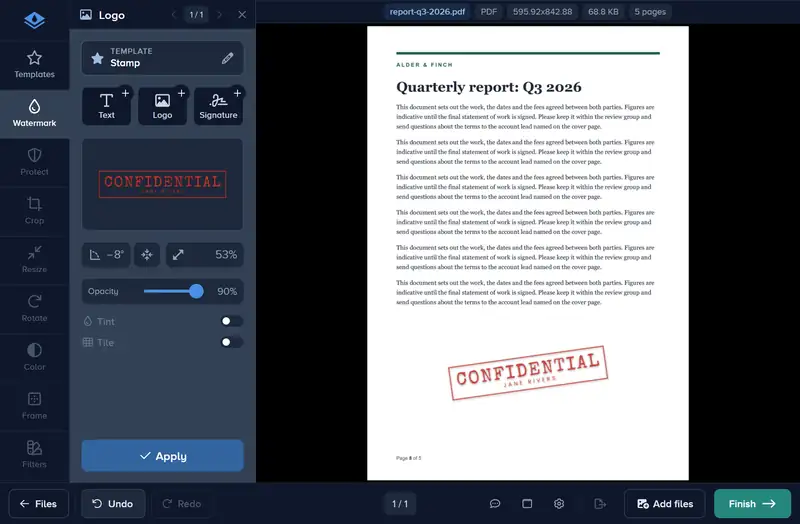
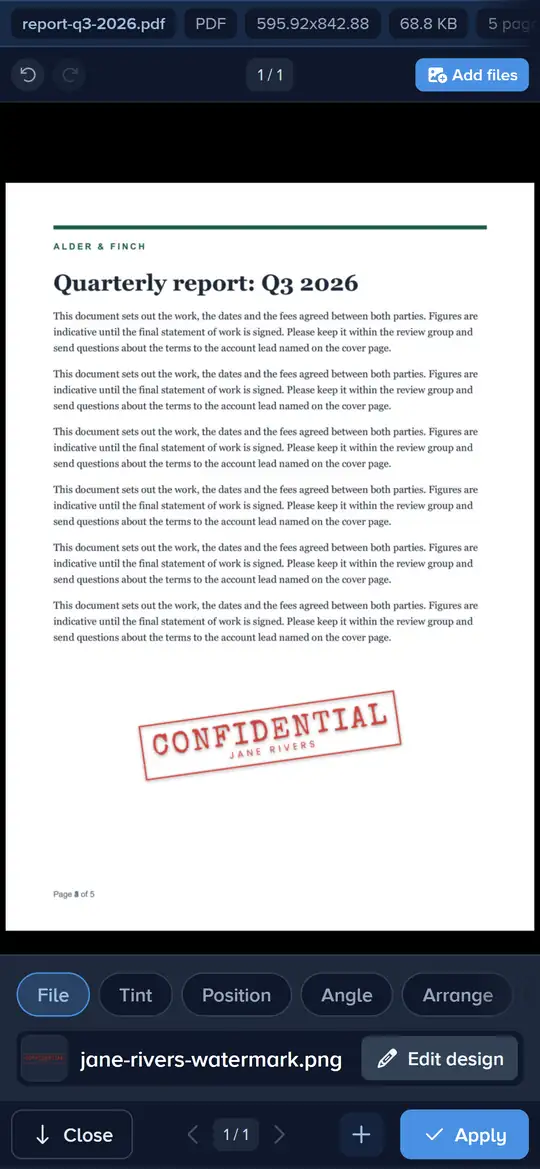
The watermark maker has Document designs such as Stamp, Ruled stamp, Label and Office seal, with the word picked from a list: Confidential, Draft, For review, Internal use only and more. Or type the word as a text watermark and style it yourself. Either one goes on every page with Premium and Ultimate, and on the first page with the free plan.
How to Stamp a PDF in 4 Steps
Pick a design, choose its word, and put it on the document.
-
Step 1: Open the Document Designs
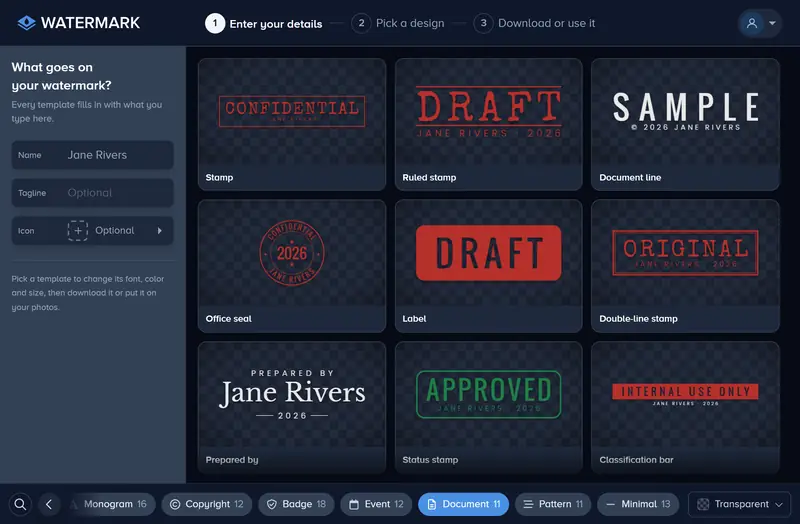
Open the watermark maker, type your name and pick the Document shelf. If your PDF is already open in the editor, click Templates, then Designs, to reach the same shelf.
-
Step 2: Pick a Stamp and Its Word
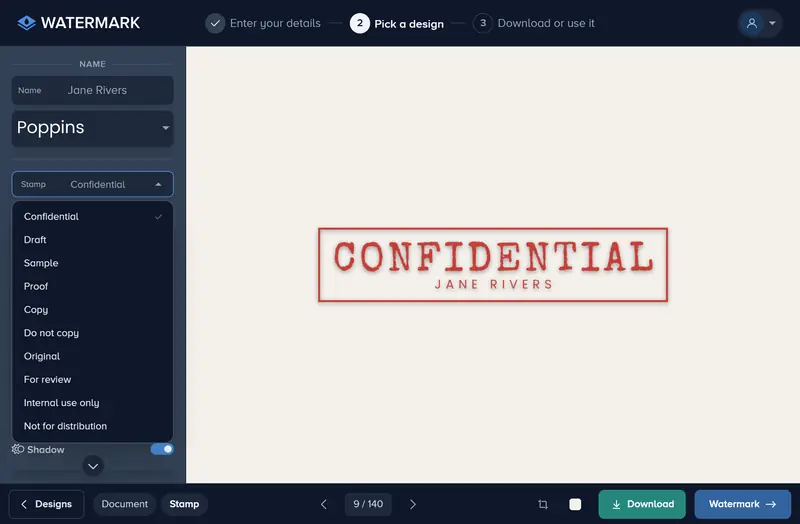
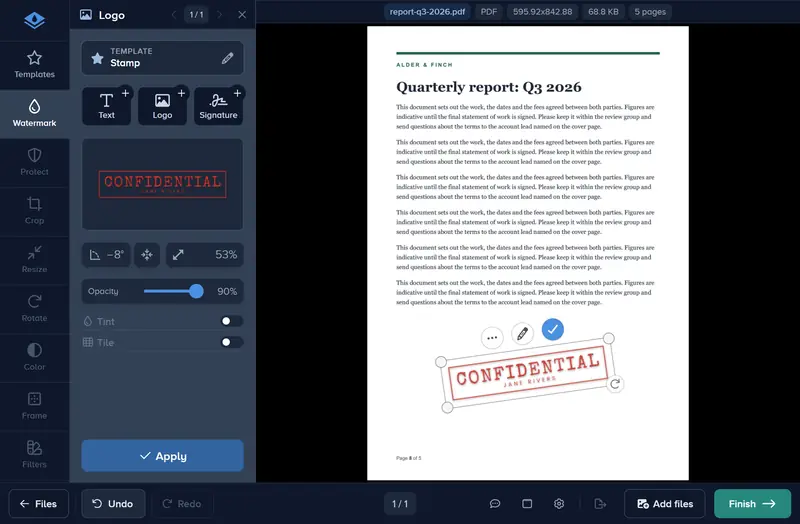
Choose Stamp, Ruled stamp, Label or another design, then set Stamp to Draft, Confidential or another word from the list. Its color, font and size can be changed there too.
-
Step 3: Put It on Your PDF
Click the blue Watermark button after Download and add your PDF. When the PDF is already open, the button reads Load. Drag the stamp to a corner or across the page.
-
Step 4: Apply and Download
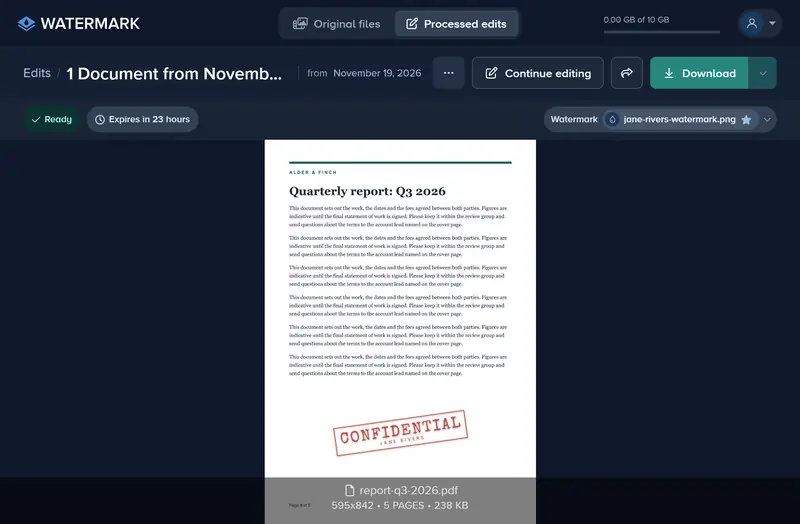
Click Apply, then Finish, and download the stamped PDF. Your original file is not changed.
If It Doesn’t Look Right
The Word I Need Isn’t in the List
The stamps offer Confidential, Draft, Sample, Proof, Copy, Do not copy, Original, For review, Internal use only and Not for distribution. For any other word, use a text watermark and type it yourself.
The Stamp Hides the Text Under It
The stamps are solid red. Move the stamp into a margin, or lower its Opacity in the editor so the page reads through it.
I Want It Repeated Across the Page
Pick Stamp pattern on the maker’s Pattern shelf: it repeats the word at an angle across the whole page. For a text watermark, switch on Tile instead.
My Name Shows Under the Word
Some designs, such as Stamp and Ruled stamp, print your name or the year under the word. For the word on its own, pick Label.
Stamp It Before You Send It
Pick a stamp, choose the word, and put it on every page of your PDF.
Stamp your PDF- No account needed to start
- Works in your browser
Questions people ask
Can I use a plain text watermark instead?
Can I stamp a Word document the same way?
Should I use Draft or Confidential?
Keep reading
 Guide
Add a Logo Watermark to Your Photos
Upload your logo, set its size, opacity and position, and put it on one photo or a whole shoot. PNG, SVG or JPG logos up to 50 MB and 8,000 px. Free to try.
Guide
How to Add a Logo to a Video
Upload your logo, set its size and opacity, place it on the video’s frame and download the video with your logo on it. PNG, SVG or JPG logos up to 50 MB.
Guide
How to Add a Text Watermark to Photos
Type your name, website or © line, pick a font, then set its size, color, opacity and place. Apply it to one photo or a whole batch and download them.
Guide
How to Apply an Edit Only to the Photos You Changed
Open the photos that need an edit, then click Apply and pick Edited files. Only those photos get the watermark or crop; the rest of the batch stays as it is.
Guide
How to Batch Watermark Multiple PDFs at Once
Watermark many PDFs in one edit: place the watermark once, apply it to all files, and download them together. Up to 5,000 files per edit on Premium.
 Guide
How to Batch Watermark Photos Online
Batch watermark up to 5,000 photos in one batch: design the watermark once, apply it to all, fix single photos and download a zip. Free to try, no install.