On this page
- How to Mark a Document as Confidential: The Short Version
- Step 1: Choose a Classification Level
- Step 2: Choose the Words on the Label
- Step 3: Mark the Header, Footer and Body of Every Page
- Step 4: Add the Marking in Word, Google Docs, PDFs and Email
- What Marking a Document Confidential Does Legally
- Mistakes That Undermine a Confidential Marking
How to Mark a Document as Confidential: The Short Version
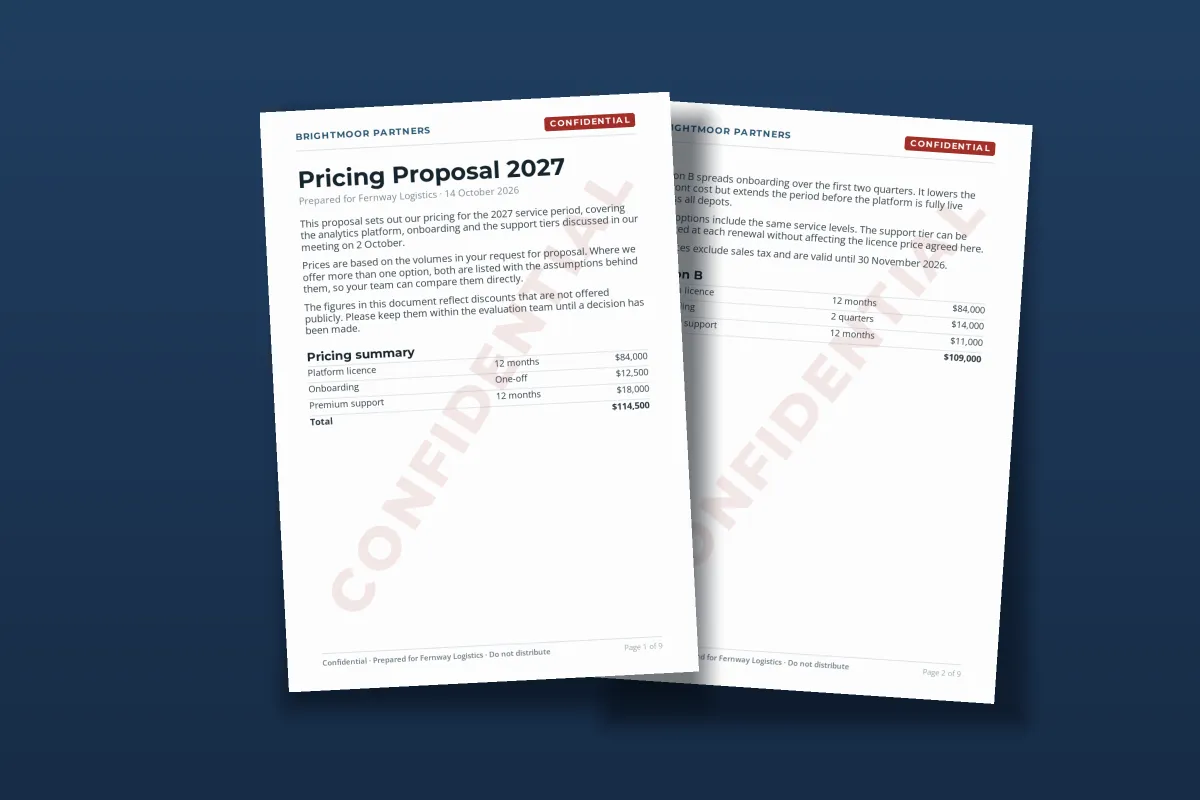
To mark a document as confidential, put a classification label such as CONFIDENTIAL in the header of every page, add a footer line that names the recipient and says not to distribute it, add a short notice on the first page, and place a faint watermark across the body. Then use the same label in the file name and the email you send it with.
- Pick one label from an agreed set, such as Internal, Confidential or Restricted, and use the exact same words everywhere.
- Mark every page, in the header and the footer, so a single forwarded page still carries it.
- Add a watermark across the body, so screenshots and excerpts carry the label too.
- Say who it is for in a first-page notice or the footer, and limit who receives it.
- Remember what it is: a notice, not a lock. Obligations come from your agreements and the law.
Step 1: Choose a Classification Level
Before anything goes on the page, decide how sensitive the document is. Most organizations use a small, fixed set of levels so that everyone reads a label the same way. Three to four levels is typical; more than that and people stop telling them apart.
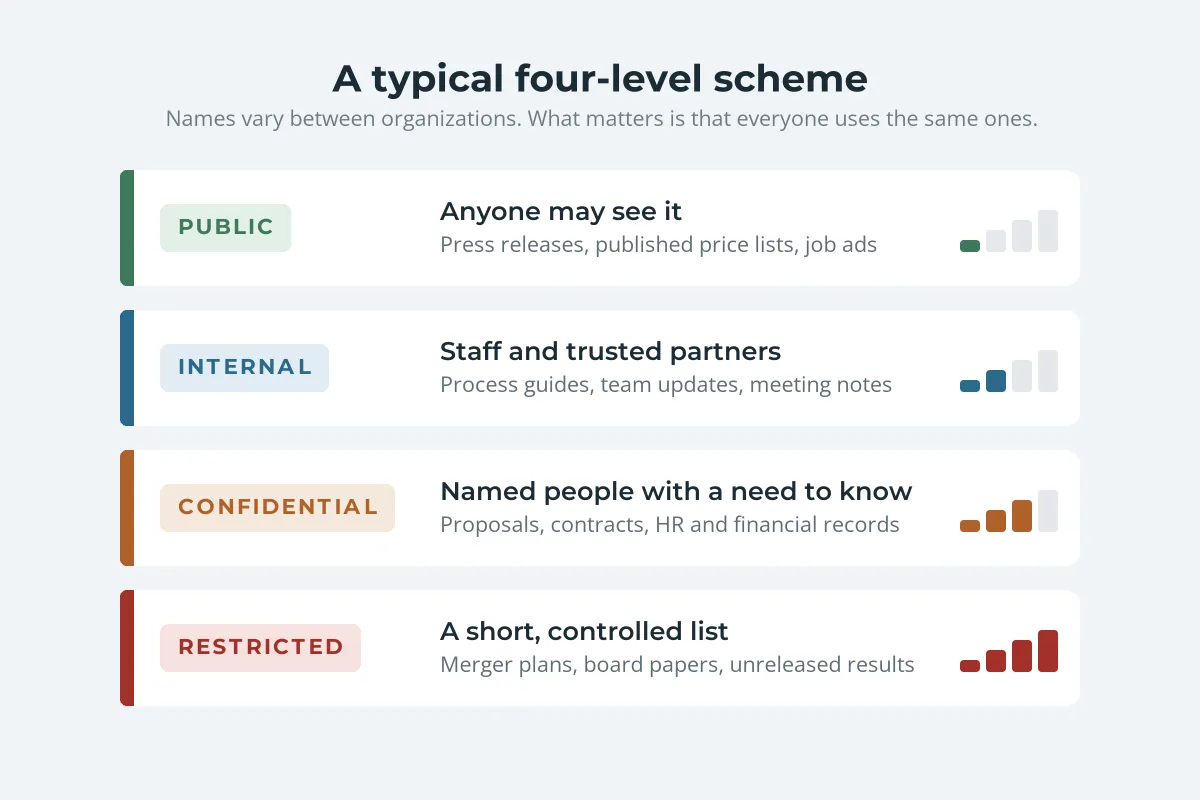
| Level | Who may see it | Typical documents |
|---|---|---|
| Public | Anyone | Press releases, published prices, job ads |
| Internal | Staff and trusted partners | Process guides, team updates, meeting notes |
| Confidential | Named people with a need to know | Proposals, contracts, HR and financial records |
| Restricted | A short, controlled list | Merger plans, board papers, unreleased results |
If your employer has an information classification policy, use its names exactly. A document marked "Private" in a company whose levels are Internal and Confidential leaves readers guessing.
SECRET and TOP SECRET belong to government schemes with legal handling rules. The UK uses OFFICIAL, SECRET and TOP SECRET, with OFFICIAL-SENSITIVE as a marking for a subset of OFFICIAL information. US national security information is classified as Confidential, Secret or Top Secret, and unclassified but sensitive federal information is marked CUI. Do not borrow these words for business documents unless you are working under one of those schemes.
Step 2: Choose the Words on the Label
The level tells readers how sensitive the document is. Sometimes you also need to say something about its status or purpose. These are the labels people use most, and what each one tells the reader:
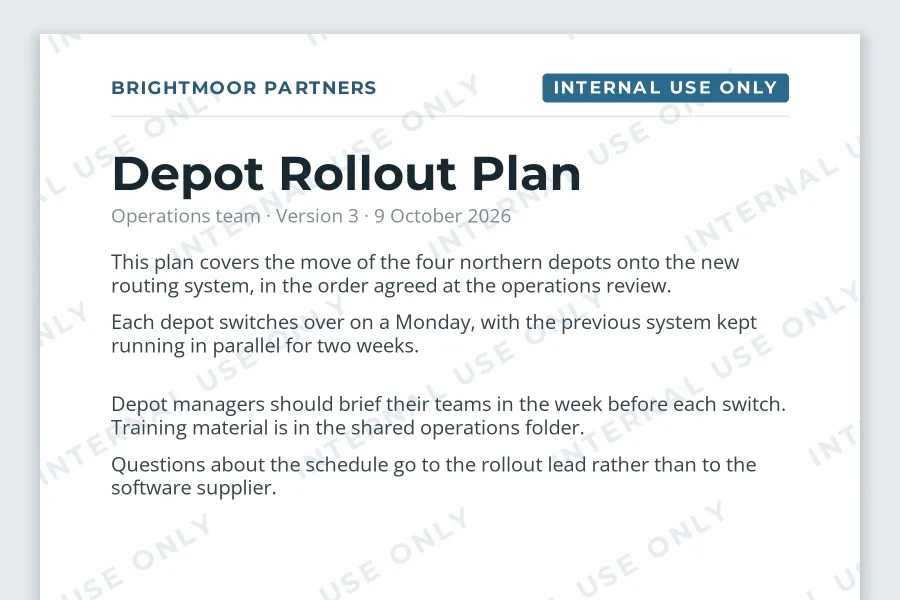
- INTERNAL USE ONLY: for documents that can circulate freely inside the organization but should not reach customers, suppliers or the public.
- CONFIDENTIAL: for documents limited to the people they were sent to. Add "Prepared for [name]" in the footer when it goes outside the organization.
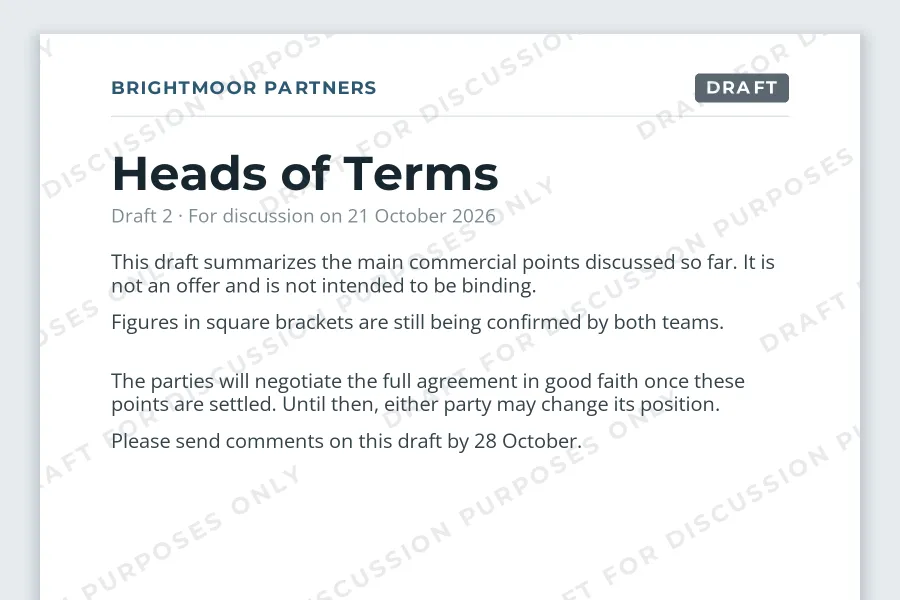
- DRAFT FOR DISCUSSION PURPOSES ONLY: for term sheets, proposals and reports that are still being negotiated. It tells the reader not to rely on the content or treat it as an offer. Whether a deal is binding depends on the whole exchange, not just this line, but the label makes your intention clear.
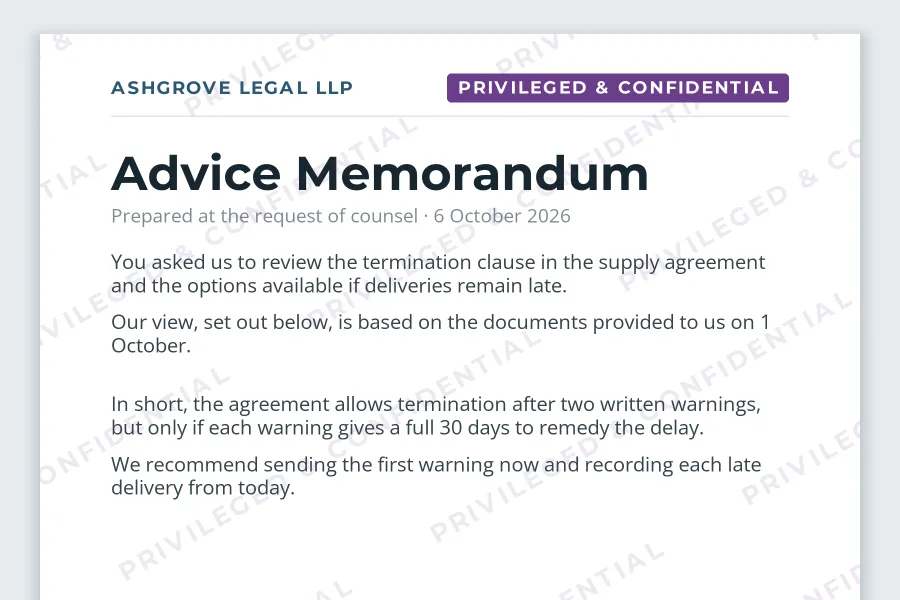
- PRIVILEGED & CONFIDENTIAL: used by lawyers and their clients on legal advice. The label flags the document, but privilege depends on what the document is and why it was created, so a label alone does not make something privileged.
- DO NOT DISTRIBUTE / DO NOT FORWARD: a handling instruction you can add to any level when the document should go no further than its first recipients.
For a closer look at choosing between CONFIDENTIAL, DRAFT, INTERNAL and SAMPLE, and at setting the opacity of the label, see confidential and draft watermarks.
Step 3: Mark the Header, Footer and Body of Every Page
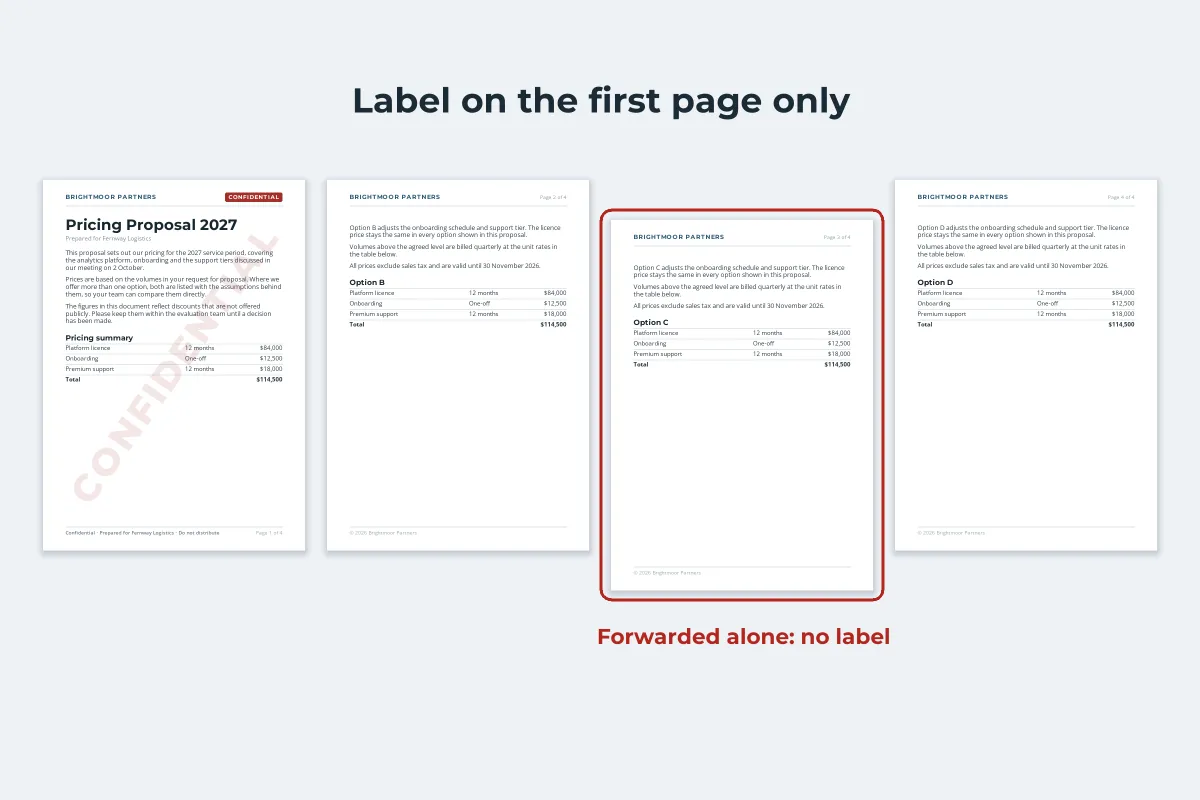
A label on the cover page protects only the cover. Documents are forwarded a few pages at a time, printed selectively and screenshotted, so the marking has to be on every page.
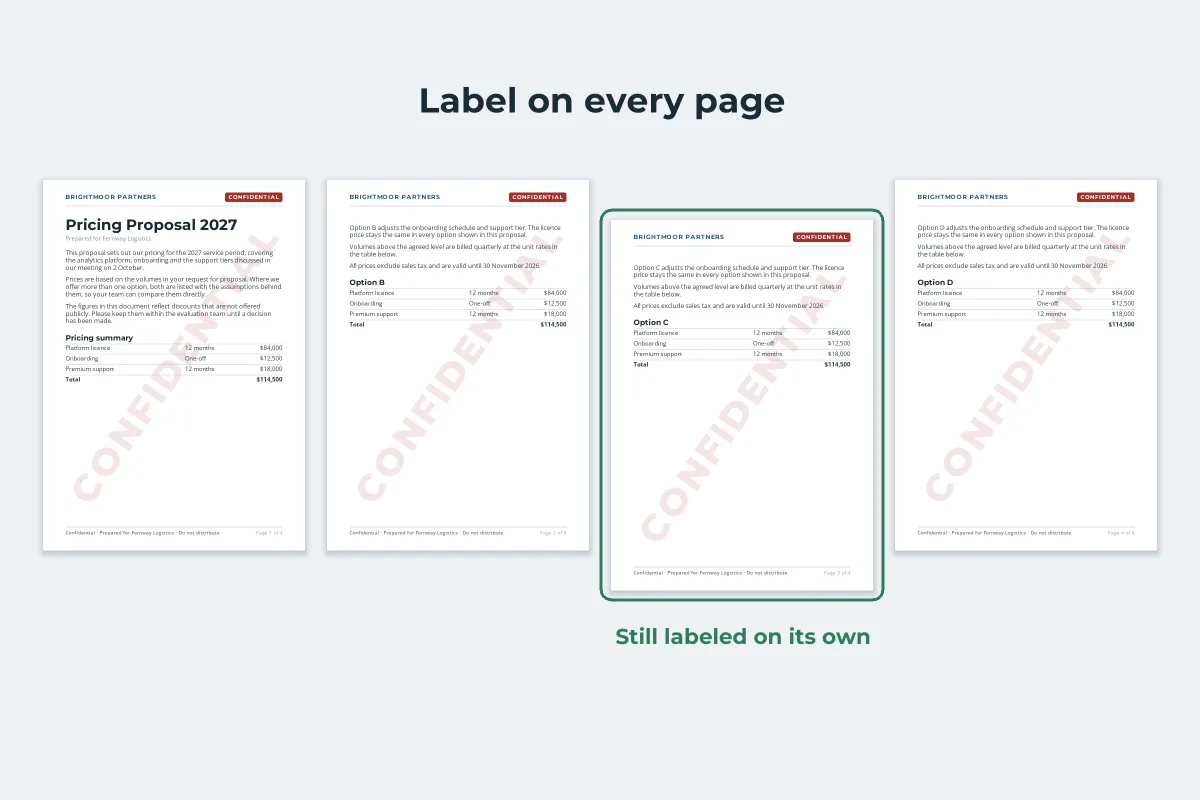
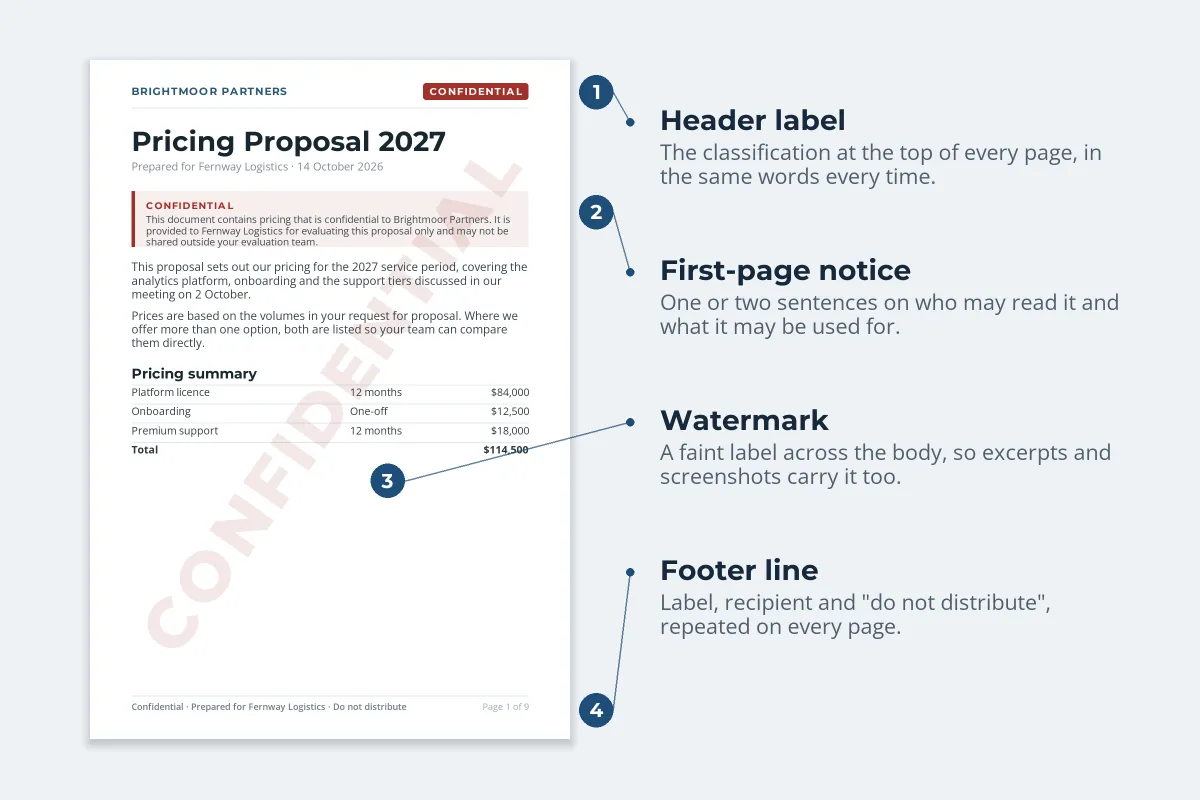
- Header: the classification in capitals, in the same position on every page. Many organizations put it top center or top right.
- Footer: the classification again, plus a short handling line, for example "Confidential · Prepared for Fernway Logistics · Do not distribute". Some schemes, including UK government guidance, mark both the top and bottom of each page.
- First-page notice: one or two sentences on who may read the document and what it may be used for. This is the place to refer to an agreement, such as "Provided under the NDA dated 3 September 2026".
- Watermark: the label across the body, light enough to read through. Headers and footers are often cropped out of screenshots; a watermark is not.
- File name and email: add the level to the file name, such as "Pricing Proposal 2027 - CONFIDENTIAL.pdf", and to the email subject or sensitivity setting.
For a document going to several outside parties, put each recipient’s name in the footer or the watermark. A leaked page then shows whose copy it was. Per-recipient marks covers how to trace a leaked PDF, and traceable watermarks for leaked documents how to plan a whole distribution so a leak can be traced.
Step 4: Add the Marking in Word, Google Docs, PDFs and Email
Microsoft Word. Add the label in the header and footer so it repeats on every page, then add a watermark:
-
1
Header and footer
Select Insert › Header (and Footer), type the label and the handling line, and close the header. It now repeats on every page of that section.
-
2
Watermark
Select Design › Watermark and pick one of the built-in confidential options, or choose Custom Watermark, type your own label, leave Semitransparent ticked and set the layout to Diagonal.
-
3
Check every section
Documents with several sections can have different headers. Scroll through and check that every page carries the label.
In organizations that use Microsoft 365 sensitivity labels, choosing a label such as Confidential can add the header, footer and watermark automatically, if your administrator has configured content marking for that label.
Google Docs. Use Insert › Headers and footers for the label and handling line. For a watermark, choose Insert › Page elements › Watermark and select Text. Watermarks only work in pages format, not pageless. How to add a watermark in Google Docs covers the options and why one can go missing.
PDFs. In Adobe Acrobat, the Header & Footer and Watermark tools add both to every page. In Watermark.ws, upload one PDF or a batch, add the label as a text watermark, rotate it across the page and lower the opacity, then add a second text line at the bottom of the page for the footer. Save both as a template so the whole team marks documents the same way. Word (.docx) files work the same way; see how to watermark Word documents. If the document will be printed, how to print a PDF with a watermark covers keeping the mark visible on paper.
Email. In Outlook you can set a message’s sensitivity to Confidential (File › Properties, or the message options), which shows recipients "Please treat this as Confidential". It does not stop anyone forwarding the message. Repeat the label at the top of the email and in the subject line, so it survives in clients that ignore the setting.
What Marking a Document Confidential Does Legally
A label does not create confidentiality on its own. What it does is make your intention clear, and in some situations that clarity matters a great deal.
- It can decide what an NDA covers. Many non-disclosure agreements define confidential information as information that is marked or identified as confidential, sometimes with a deadline for confirming oral disclosures in writing. Check yours: an unmarked document may fall outside it.
- It is evidence of protecting trade secrets. In the US, information only counts as a trade secret under federal law if its owner "has taken reasonable measures to keep such information secret". The EU Trade Secrets Directive and the UK regulations that implement it require "reasonable steps". Consistent marking is one of the measures courts look at, alongside access controls and agreements.
- It removes the "I didn’t know" defence. A recipient who forwards a page labeled CONFIDENTIAL cannot easily claim they had no idea it was sensitive.
- It does not stop anyone. The document can still be opened, copied, printed and forwarded. For real control, combine the label with restricted sharing, encryption and agreements.
Over-marking weakens all of this. If every document, including the lunch menu, says CONFIDENTIAL, people learn to ignore the word, and in a dispute it is harder to show that the marking meant anything. Keep the label for documents that deserve it.
How confidential information and trade secrets are protected depends on your contracts and on the law where you operate. For anything with real legal stakes, ask a lawyer how your documents should be marked.
Mistakes That Undermine a Confidential Marking
- Use one agreed set of labels across the organization.
- Mark every page: header, footer and watermark.
- Name the recipient on documents that leave the organization.
- Remove DRAFT when a document becomes final.
- Mark attachments, exports and printouts too.
- Stamp CONFIDENTIAL on everything by default.
- Rely on a label on the cover page alone.
- Combine several labels into one long line.
- Use government terms like TOP SECRET for business documents.
- Treat the label as a substitute for access control.
A marking scheme only works if it is easy to follow. Save your labels as templates in Word, Google Docs and your watermarking tool, so a correctly marked document takes seconds rather than a checklist. For marking PDFs at scale, see watermarking PDFs online.