
On this page
- Can You Make a Watermark That AI Cannot Remove?
- Why AI Erases Simple Watermarks So Easily
- Six Ways to Make a Watermark Hard to Remove
- Make Removal Leave Visible Damage
- The Weakness Most Watermarks Share
- Easy to Remove vs Hard to Remove: A Checklist
- Protection Beyond the Watermark
- Setting Up a Hard-to-Remove Watermark in Watermark.ws
Can You Make a Watermark That AI Cannot Remove?
No. If you are looking for a watermark that cannot be removed by AI, the honest answer is that it does not exist. Any visible mark can be painted over, and AI object-removal tools in photo editors and phone galleries now erase a small corner watermark in a few seconds.
What you can control is the cost. A watermark can be designed so that removing it takes real effort, needs the tool to invent detail that viewers can check, and often leaves smudges, broken lines or ghost letters behind. That is the realistic goal: a copy that is more trouble to clean than it is worth.
- Cross the subject, so no crop removes the mark and the tool has to rebuild the part people look at.
- Cross lines and structure such as edges, text, bricks or patterns, where invented pixels show.
- Tile it, so there is no clean area and the tool has to work everywhere at once.
- Make it big enough that there is a lot to rebuild, and keep it visible, not ghost-faint.
- Give it two tones, a light fill with a dark outline, so it reads on every background.
- Share small files. A cleaned copy of a web-sized preview is still only a web-sized preview.
This article is about designing a mark that resists removal. For how removal itself works, see can watermarks be removed?
Why AI Erases Simple Watermarks So Easily
AI removal tools do not uncover what is under a watermark. They generate a plausible replacement for the covered pixels, based on the area around them. Their results are only as good as that guess, which leads to one simple rule: the easier the area is to guess, the easier the watermark is to remove.


On the left, the mark sits on plain pavement at the edge of the frame. A crop removes it, and a fill tool only has to invent more pavement. On the right, the same name crosses the spokes, the chain, the pole and the frame of the tricycle. To remove it, a tool has to redraw spokes that line up with the hub, links that continue the chain, and paint that matches the rest of the frame. Every one of those is a place where a guess can go wrong.
Six Ways to Make a Watermark Hard to Remove
None of these is a lock on its own. Together they turn removal from a click into a job.
1. Cover the subject. The subject is the part of the photo someone wants, and the part a viewer looks at most closely. A mark across it cannot be cropped away and has to be rebuilt where errors are most noticeable.
2. Cross lines and structure. Smooth gradients such as sky, skin and blurred backgrounds are easy to fill. Straight edges, cables, window frames, text and repeating patterns are not, because a viewer can follow each line in and see whether it comes out in the right place.



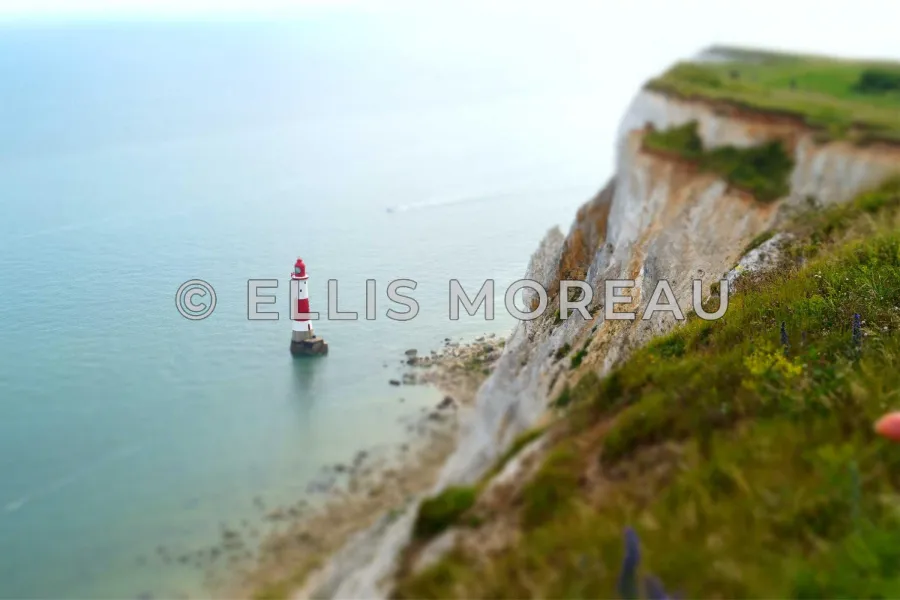
3. Tile it. A single mark, however large, is one area to repair. A pattern of smaller marks repeated across the frame leaves nothing untouched, so there is no crop that saves part of the photo and no single region to fix. It is the standard for stock previews for a reason. Tiled watermarks covers spacing and angle.
4. Make it big enough, and visible. The more pixels a mark covers, the more a tool has to invent. Size also matters for opacity. A mark faded to near-invisibility is easy on the eye, but it leaves most of the picture showing through, which gives removal tools more to work with. A clearly readable mark covers more of the original. Somewhere around 30–50% opacity for a large mark is a reasonable middle ground, and how transparent a watermark should be goes into the trade-off.
5. Give it two tones. A white mark disappears on bright areas and a dark one on shadows. A light fill with a thin dark outline or a soft shadow stays readable on both, so you can place it across the busiest, most varied part of the frame instead of hunting for a calm patch, which is exactly the kind of patch that is easy to fill.
6. Use a bold, solid font. Hairline scripts cover very little. A medium or bold sans-serif hides more of the photo with each letter, and its shapes are easier to recognize when someone has only half removed them.
Make Removal Leave Visible Damage
A watermark that crosses structured detail has a useful side effect: when someone removes it badly, the removal shows. Here is a mark across a brick wall, and the result of a quick, careless clone that copies nearby wall over the letters.

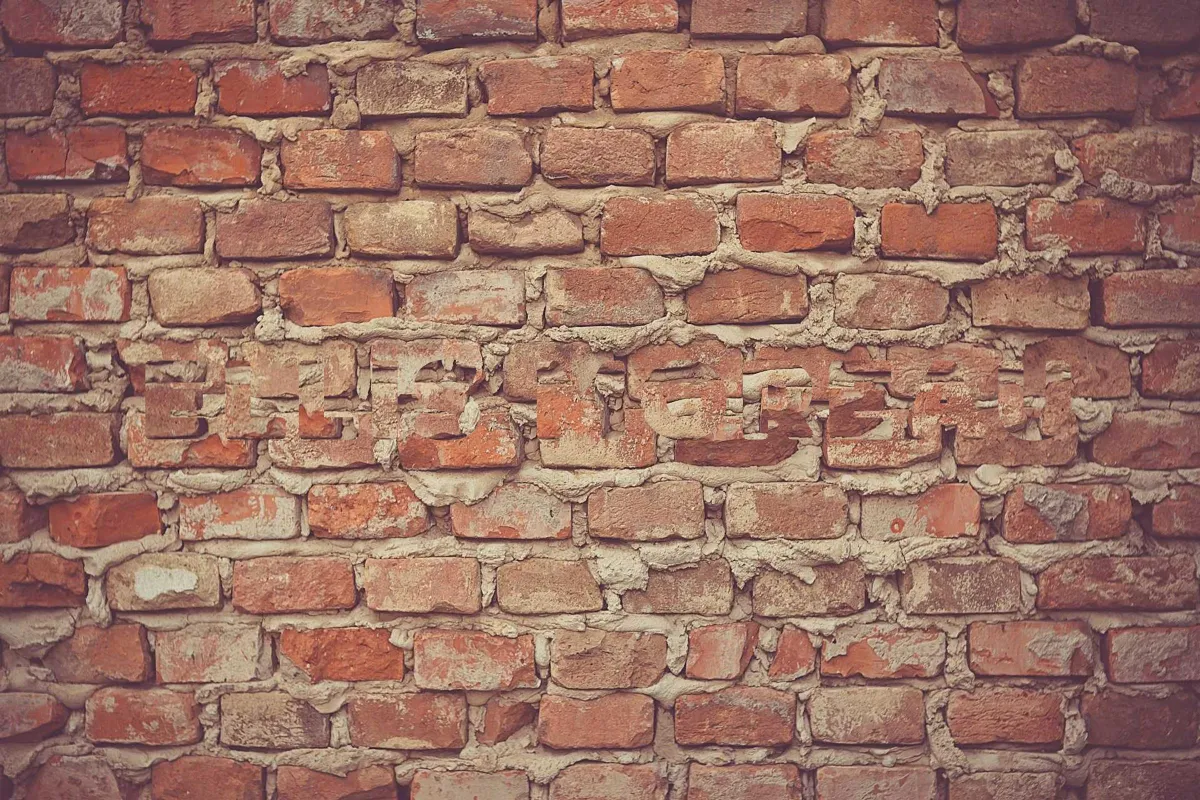
The right-hand image copies the wall from a nearby spot into the letter shapes, the way a rushed clone brush would. Good retouching and modern AI tools do much better than this. The point is where the trouble lands: on a regular pattern, any mismatch breaks a line the eye expects to continue, and the ghost of the name can survive the edit.
This is also why a visible watermark is worth having even though it can be removed. A photo with smudged brickwork, misaligned cables or a faint outline of your name is not a clean copy. It is a copy that shows it was tampered with.
The Weakness Most Watermarks Share
There is one kind of removal that has nothing to do with a single photo. In 2017, Google researchers presented a paper at the CVPR computer vision conference, "On the Effectiveness of Visible Watermarks", showing that a watermark applied the same way to many images can be removed from all of them automatically. Software lines up the collection, works out which pattern every image shares, and separates that pattern from the photos underneath.
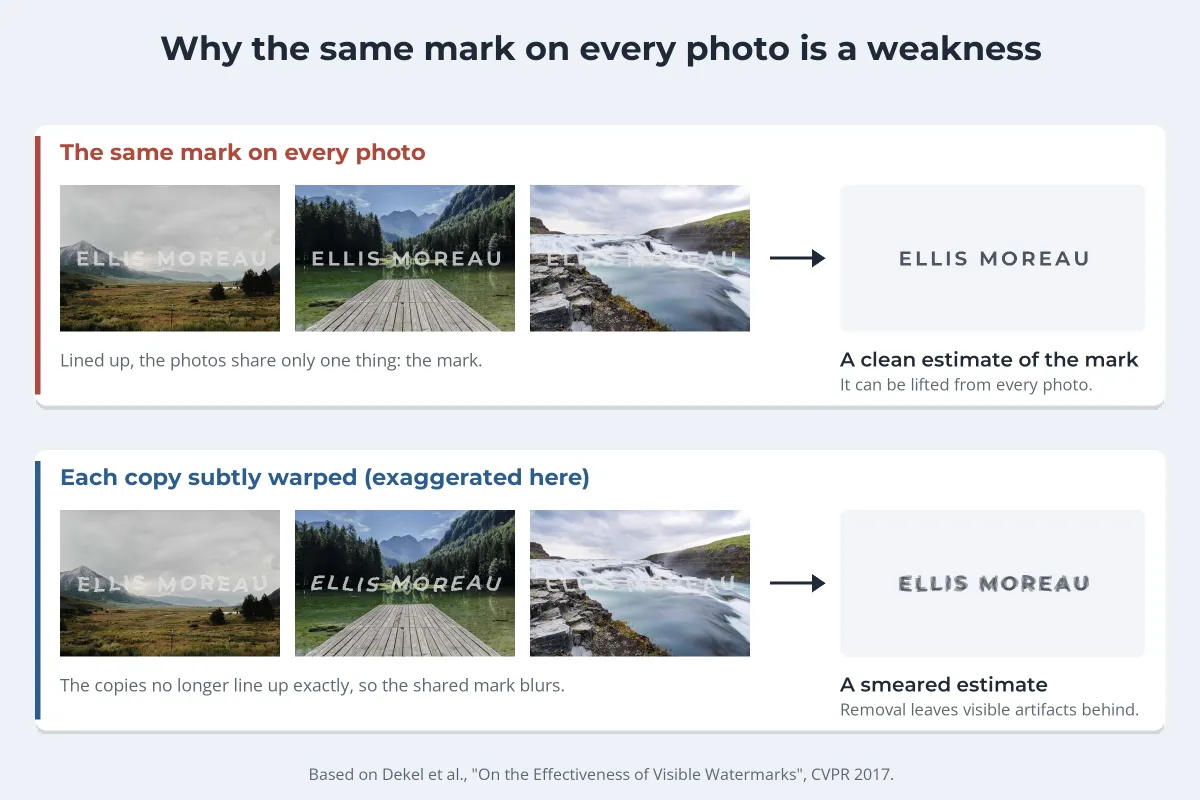
The researchers then tested ways to break that consistency. Their findings are useful because two of them go against intuition:
- Moving the mark around did not stop it. Placing the watermark in a different position on each image did not prevent the software from finding and removing it.
- Changing opacity or color did not stop it either. Small random changes to the mark’s opacity or color barely affected the results.
- Subtle warping did help. Applying a small, random geometric distortion to the watermark in each image, too small to notice, significantly degraded the quality of the removed images.
Per-image warping is a research technique, and most watermarking tools, Watermark.ws included, apply the same mark the same way to every file in a batch. The practical lesson for most photographers is simpler: this kind of attack needs a large set of images with an identical mark, which is mainly a concern for big stock-style collections. For everyone else, the single-photo defenses above, and sharing small files, matter far more.
Easy to Remove vs Hard to Remove: A Checklist
| Setting | Easy to remove | Hard to remove |
|---|---|---|
| Position | A corner or edge | Across the subject |
| Background | Plain sky, wall or backdrop | Lines, patterns, faces, text |
| Repetition | One small mark | Tiled across the whole frame |
| Size | A few percent of the width | A large share of the width |
| Opacity | So faint it barely shows | Clearly readable, about 30–50% for large marks |
| Style | Thin script, one flat color | Bold font, light fill with a dark outline or shadow |
| File | Full-resolution original | Web-sized copy |
You do not need every row on the right for every photo. A social post can live with a corner credit. A photo you sell, license or send as a preview should get most of them, because the clean file is exactly what someone would want.
Protection Beyond the Watermark
- Share smaller files. Even a perfect removal of a 1,200-pixel preview gives someone a 1,200-pixel image, not your print file. Resizing photos before sharing covers sensible sizes.
- Keep your originals. Full-resolution files with their metadata are your best evidence that the photo is yours.
- Search for your work. Reverse image search finds copies, including cleaned ones. See how to find stolen photos with reverse image search.
- Know the law is on your side. In the United States, removing a watermark that identifies the copyright owner, knowing it helps conceal infringement, can be a violation of its own under 17 U.S.C. § 1202, on top of the copying. The UK and the EU have similar rules, set out in does a watermark count as copyright?
Setting Up a Hard-to-Remove Watermark in Watermark.ws
-
1
Upload your photos
One photo or a whole batch. Your originals are never changed.
-
2
Add your name or logo
Use a bold font from the preset library, or upload your own.
-
3
Place it across the subject, or tile it
Position the mark over the busiest part of the photo, or turn on Tile and set the spacing so it repeats across the whole frame. Add a little rotation so it does not line up with horizons and walls.
-
4
Add an outline or shadow
A stroke or soft shadow keeps a light mark readable over dark and bright areas. Set the opacity so the mark is clear but the photo still comes first.
-
5
Resize and save a template
Shrink the batch to a web size in the same pass, and save the settings as a template for next time. See batch watermarking for the full workflow.
Sample photos: Off-road vehicle by Jeff Sheldon, Tricycle by Florian Klauer, Bridge cables by Vita Vilcina, Alley by Afroz Nawaf, Mountain lake by Tanvi Malik, Lighthouse and cliff by Nick Diamantidis, Brick wall by Martin Wessely, Valley by Nicholas Swanson, Lake jetty by Ales Krivec, Waterfall by Cosmic Timetraveler on Unsplash.