
On this page
What a Copyright Notice Is — and Is Not
You own the copyright in a photo the moment you take it. You do not have to register anything, pay anything or add any symbol for that to be true. A copyright notice does not create your copyright; it announces it. It tells anyone looking at the photo that it is protected, who owns it, and who to ask for permission.
That announcement is still worth making. It removes any excuse that someone "did not know" the photo was protected, it gives honest people a name to contact, and — in the United States — a correct notice has a specific legal effect, covered below.
- The format: © 2026 Jane Rivers — the symbol, the year of first publication, and the owner's name.
- "All rights reserved": optional. It has no legal effect today, but it does no harm.
- Where it goes: on the photo itself, in the file's metadata, and on the page where you publish it.
- Required? Not in the US for works published since March 1, 1989, nor in the many countries that follow the Berne Convention. Still useful everywhere.
This article explains how copyright notices work, mostly under US law, with sources linked. Copyright law differs between countries and changes over time. For a decision about your own work or a dispute, talk to a copyright lawyer where you live.
The Three Parts of a Copyright Notice
US copyright law sets out the form of a notice in 17 U.S.C. § 401(b). It has exactly three elements, in this order:
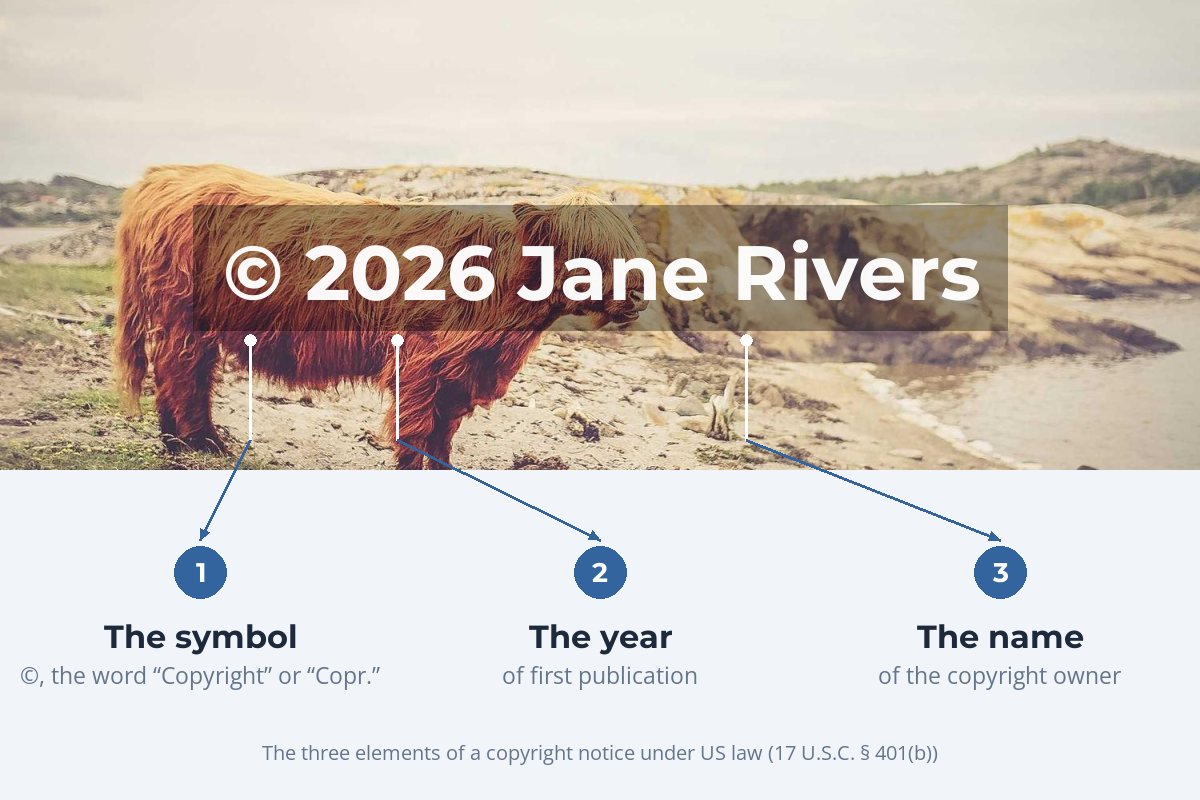
- The symbol. The © symbol, the word "Copyright", or the abbreviation "Copr." The symbol is the shortest and most widely recognized. Writing "Copyright ©" together is common but redundant.
- The year of first publication. The year the photo was first made public — not the year you are writing the notice, and not necessarily the year you took it.
- The owner's name. Your name, your business name, or an abbreviation people will recognize. If you have transferred the copyright to someone else, it is their name that belongs here.
Any of the three symbols works. What changes a notice from complete to incomplete is leaving out the year or the name:

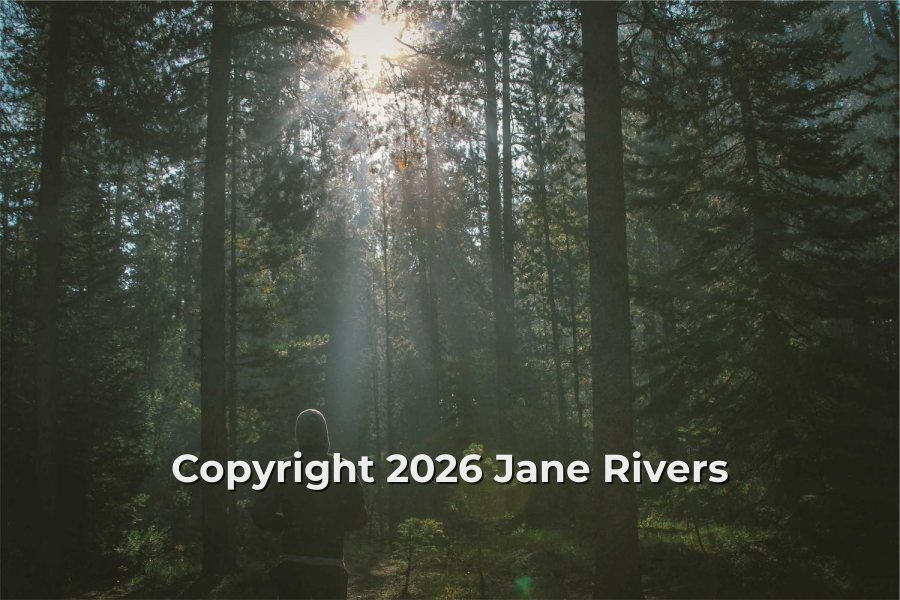

Many photographers use the short "© Jane Rivers" form as a watermark because it is cleaner, and that is a reasonable choice for credit. Just be aware that if you want the legal benefit of a notice in the US, the year needs to be there too — on the photo or next to it.
Do You Still Need a Copyright Notice?
Legally, usually not. In the United States a notice used to be mandatory, and publishing without one could cost you your copyright. That changed when the US joined the Berne Convention: according to the US Copyright Office's Circular 3, a notice is optional for works published on or after March 1, 1989. Most other countries are Berne members too, and Berne does not allow copyright to depend on formalities like a notice.
Optional does not mean pointless. Here is what a notice does and does not do:
| A notice… | Yes or no | Why |
|---|---|---|
| Creates your copyright | No | Copyright exists as soon as the photo is taken. |
| Is required to keep your copyright | No | Not for US works published since March 1, 1989, or in Berne countries. |
| Blocks the "I didn't know" defense in the US | Yes | Under 17 U.S.C. § 401(d), if a correct notice was on the published copies the infringer had access to, a court gives no weight to a claim of innocent infringement when setting damages. |
| Tells people who to ask | Yes | A name turns "whose photo is this?" into a search that ends with you. |
| Counts as copyright management information | Yes | Knowingly removing it to hide an infringement is a separate violation in the US — see below. |
| Stops people copying the photo | No | Only placement and deterrence do that. See where to put a watermark. |
The copyright management information point matters most for watermarks. US law defines "copyright management information" to include the author's name and the information in a copyright notice (17 U.S.C. § 1202(c)). Knowingly removing it, where that helps conceal an infringement, is a violation of its own, with statutory damages of $2,500 to $25,000 per violation under § 1203(c)(3)(B). A notice that is part of the photo is much harder to "accidentally" lose than one sitting in a caption. Other countries have similar rules; see copyright laws by country.
Do You Need "All Rights Reserved"?
No. The phrase comes from the Buenos Aires Convention of 1910, an old copyright treaty between countries in the Americas that required it. Every country that signed that treaty has since joined the Berne Convention — the last, Nicaragua, in 2000 — and Berne requires no formalities at all. Today "All rights reserved" has no legal effect of its own.
It is also harmless. Many photographers keep it in a website footer because it reads as a clear signal: nothing here is free to use. On the photo itself, it is usually just extra words that make the watermark longer. If you want to say something useful beyond the notice, say what people can do — for example, "Licensing: janerivers.example".
Which Year Goes in the Notice?
The year of first publication — the year the photo was first made public. That leads to a few practical rules:
- Don't update old photos every January. A photo first published in 2022 keeps 2022. Moving the year forward does not extend anything and makes the notice inaccurate.
- Use the photo's own year in a watermark. If you watermark a batch of photos first published in different years, a single current year is technically wrong for most of them. Either watermark each year's work separately, or leave the year out of the watermark and keep it in the metadata and on your site.
- A range is common on websites. A site that collects work from several years often shows "© 2019–2026 Jane Rivers". For collections, US law allows the year the collection itself was first published.
- Unpublished photos — proofs, private shoots — do not need a notice at all. If you add one, the year you created them is a sensible choice.
Where to Put Your Notice
US law only asks that a notice give "reasonable notice of the claim of copyright" (§ 401(c)). In practice, it should be in three places, because each one fails in a different way.
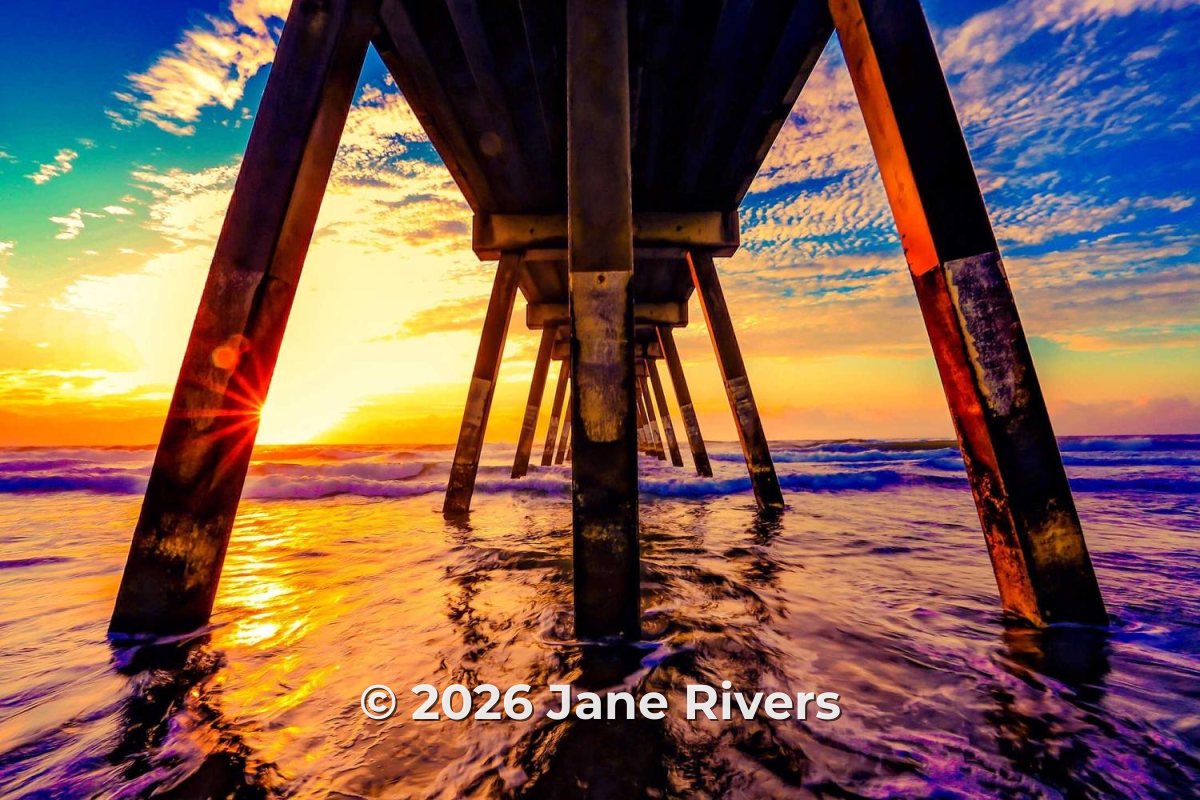
1. On the photo. The only place that survives a screenshot, a repost or a download. If you only put the notice in one place, put it here.
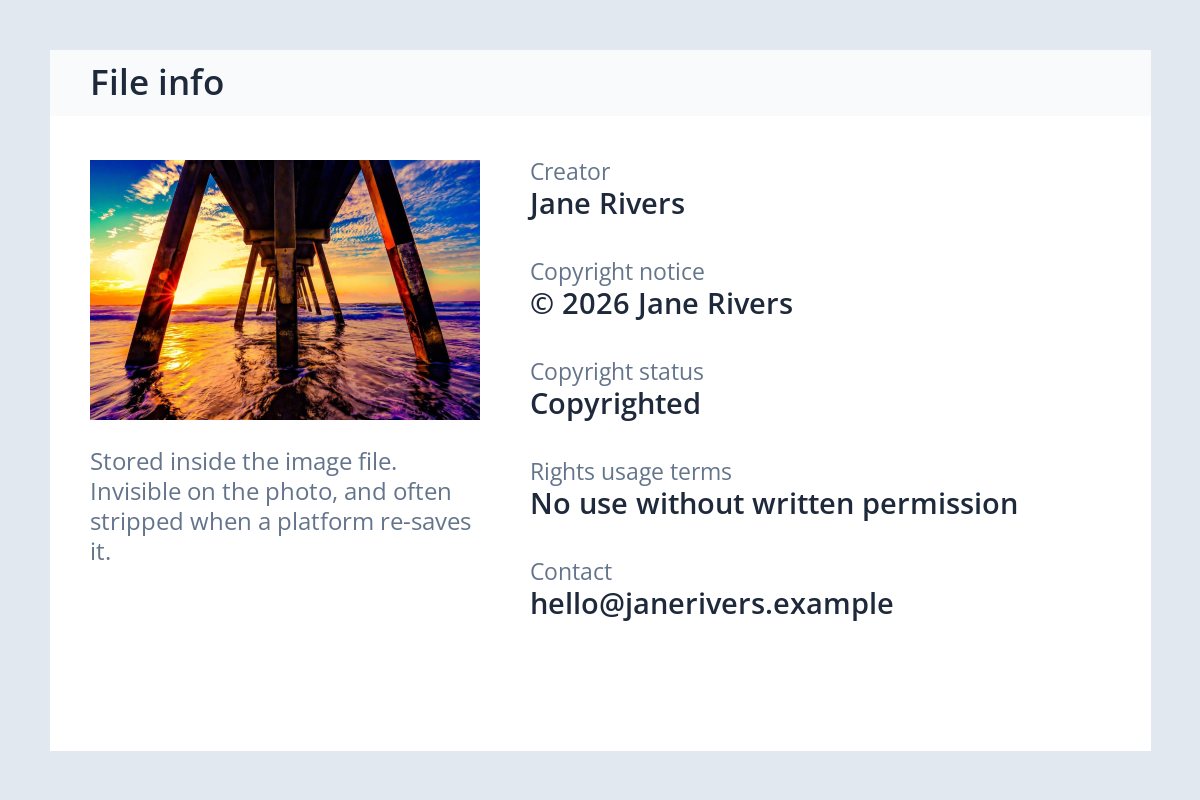
2. In the file's metadata. The creator, copyright notice and usage terms can be written into the image file itself. It is invisible on the photo, and many platforms strip it when they re-save uploads — so treat it as a record, not a deterrent. Copyright in photo metadata explains how to set it up.
3. Where you publish. A footer line on your website or portfolio, and a line in the caption where you post. It covers the page as a whole and tells visitors who to contact.
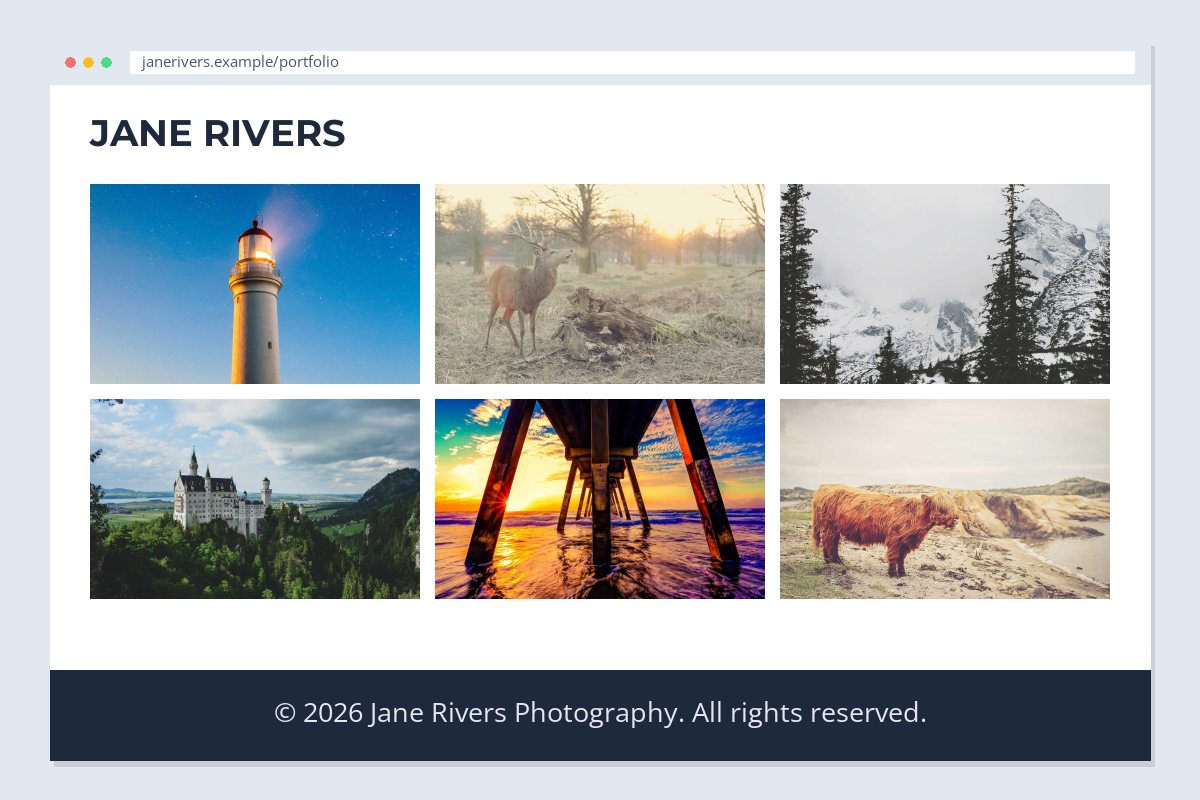
Turning the Notice Into a Watermark
A notice used as a watermark has to do two jobs at once: be legally complete enough to count, and short enough to read at a glance. These rules keep it both:
- Use the © symbol — it is shorter than "Copyright" and understood everywhere.
- Keep it to symbol, year and name, or your website.
- Place it where a crop cannot remove it without damaging the photo.
- Use the same wording on every photo, so it becomes recognizable.
- Keep the full notice in your metadata and site footer too.
- Write "Copyright ©" — the double form adds length and nothing else.
- Add "All rights reserved" to the photo itself.
- Change the year on older photos to the current one.
- Hide the notice in a corner where one crop removes it.
- Use a thin, faint font that disappears when the photo is shrunk.
In Watermark.ws, the text watermark has a button that inserts the © symbol for you, so you do not have to hunt for it on your keyboard. Type the year and your name after it, place it, and save the watermark as a template so every batch uses exactly the same notice. For placement and wording ideas, see where to put a watermark and what to write in a watermark.
Sample photos: Lighthouse by Joshua Hibbert, Highland cow by Elias Carlsson, Deer by rebecca johnston, Forest by Dustin Scarpitti, Castle by Rachel Davis, Pier by Todd DeSantis, Mountains by Sylwia Bartyzel on Unsplash.