
On this page
- The Honest Answer
- The Three Ways Watermarks Get Removed
- Cropping: The Ten-Second Removal
- Cloning and Healing: Plain Backgrounds Give It Away
- AI Removal: What the Tool Has to Invent
- How Hard Is Each Kind of Watermark to Remove?
- How to Make Your Watermark Harder to Remove
- What About Invisible Watermarks?
- Protection Beyond the Watermark
The Honest Answer
Any visible watermark can be removed by someone with enough time and skill. Modern AI editing tools have lowered the bar further: for many simple watermarks, removal now takes a few clicks. Anyone who promises a watermark that cannot be removed is overselling.
That does not make watermarks pointless. A watermark does not need to be impossible to remove — it needs to make removal more trouble than the photo is worth, and to leave visible damage when someone tries. Most photo theft is casual: someone grabs an image because it is easy. Make it harder than the next image, and they move on.
This article explains how removal works only as far as you need to protect your own photos. Removing someone else’s watermark to use their work without permission is copyright infringement.
The Three Ways Watermarks Get Removed
| Method | What it does | What defeats it |
|---|---|---|
| Cropping | Cuts the watermarked edge off the photo. | A watermark that overlaps the subject. |
| Cloning and healing | Paints over the watermark with nearby pixels from the same photo. | A watermark over varied, detailed texture. |
| AI removal (inpainting) | Asks a model to invent what was probably behind the watermark. | Large, spread-out or repeated watermarks that hide real detail. |
Every one of these works best on the same kind of watermark: small, in one place, over something simple. Below, each is shown on real photos.
Cropping: The Ten-Second Removal
The fastest removal needs no special tool at all. A watermark along the edge of the frame disappears with a single crop, and the photo usually looks just as good afterwards.
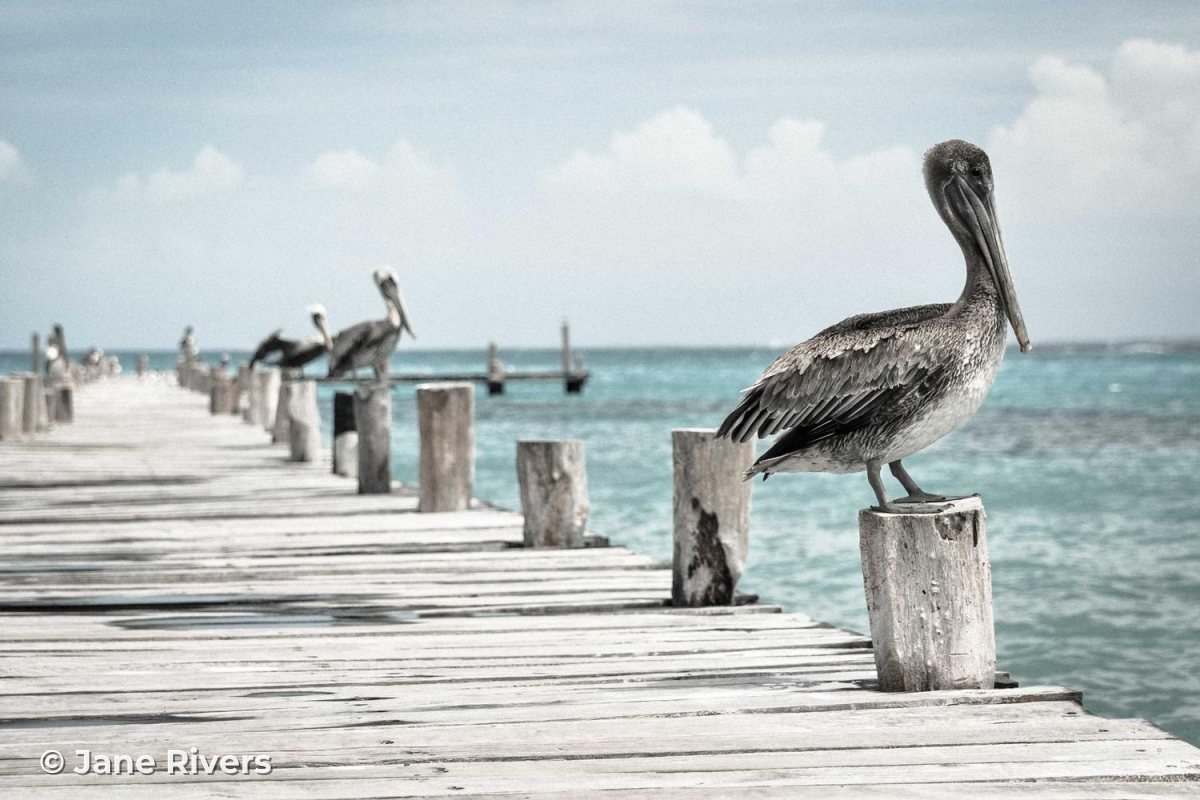
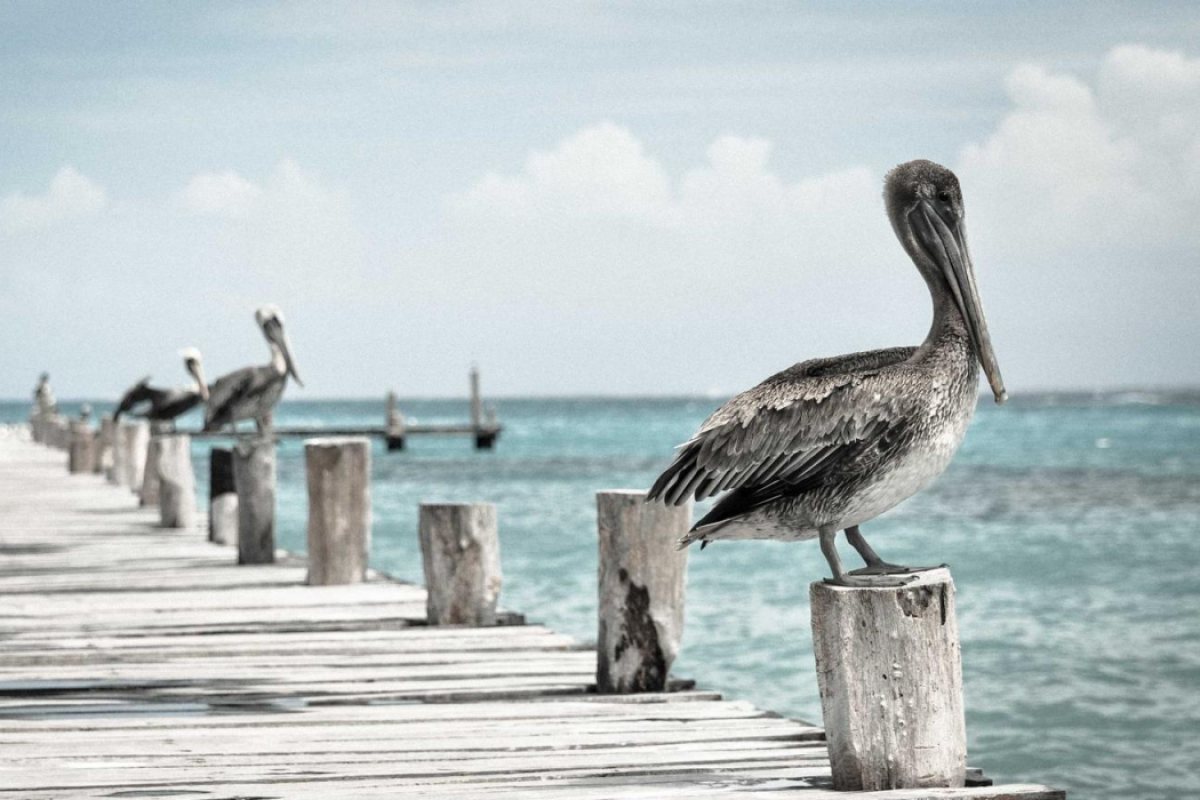
Corner watermarks are fine for credit — a signature that tells honest viewers who took the photo. They are not protection. For a side-by-side look at every placement, see where to put a watermark on a photo.
Cloning and Healing: Plain Backgrounds Give It Away
Clone and healing tools fill the watermark with pixels from around it. On a smooth area — clear sky, a studio backdrop, a blurred background — there is nothing complicated to rebuild, so the fill blends in.


Now the same simple fill over a watermark that crosses the subject — the wrinkled hide of a walrus, where every patch of skin is different:


Both “after” images use the same deliberately simple fill, which blends each column from the pixels just above and below the watermark. Real clone tools, and AI tools especially, do a much better job than this. The point is the difference between the two photos: over plain sky there is nothing to invent, while over the subject there is real detail that has to be recreated — which is where edits show.
AI Removal: What the Tool Has to Invent
AI inpainting does not uncover what is behind a watermark — that information is gone. It generates a plausible replacement. For a small mark over grass or water, a plausible guess is good enough. For a watermark across a face, a product label or an animal’s markings, the guess has to match detail the viewer can check against the rest of the photo.
The red areas below are the exact pixels each watermark covers — everything a removal tool would have to recreate. The percentages were measured on these images.



Notice that none of these cover much of the photo. What matters is where the covered pixels are. A watermark that touches the subject, or is repeated across different textures, forces the tool to invent detail in many places at once, and each one is a chance for a smudge, a repeated pattern or a warped edge that gives the edit away.
How Hard Is Each Kind of Watermark to Remove?
| Watermark | Cropping | Cloning and healing | AI removal |
|---|---|---|---|
| Small, in a corner | Trivial | Easy | Easy |
| Large, over a plain area | Usually not possible | Moderate | Easy to moderate |
| Over the subject, semi-transparent | Not without losing the subject | Hard | Moderate, often leaves traces |
| Tiled across the whole photo | Not possible | Very hard | Hard, often leaves traces |
These are practical judgements, not guarantees — results depend on the photo and the tool. But the order is consistent: the more real detail a watermark crosses, and the more places it appears, the more expensive it is to remove cleanly.
How to Make Your Watermark Harder to Remove
- Overlap the subject, or place the watermark next to it where cropping would cut into the photo.
- Cross detailed, varied texture — foliage, fabric, water, fur — rather than plain sky.
- Tile the watermark on images you sell or send as proofs.
- Use bold or medium fonts, which hide more detail than hairline scripts.
- Keep opacity low enough that the photo is still enjoyable, but not so low that the mark is invisible.
- Rely on a small corner signature for protection.
- Put the watermark over flat areas like sky or a studio backdrop.
- Use a watermark so faint that nobody — including the thief — notices it.
- Post full-resolution files when a smaller version will do.
- Assume any visible watermark is impossible to remove.
For more detail, see tiled watermarks, how transparent a watermark should be and the best fonts for watermarks.
What About Invisible Watermarks?
Visible watermarks are not the only kind. Invisible watermarks hide an identifier in the image data itself, and provenance standards such as C2PA Content Credentials attach signed information about who made an image and how it was edited.
These are useful for proving where an image came from, but they solve a different problem. Most social platforms recompress uploaded images and strip embedded metadata, and even invisible watermarks can be weakened by heavy editing or cropping. Above all, they do nothing to discourage someone who is about to right-click and save — nobody can see them.
| Visible watermark | Metadata and invisible marks | |
|---|---|---|
| Deters casual copying | Yes | No |
| Credits you when the photo is shared | Yes, to anyone who sees it | Only to people who check |
| Survives screenshots | Yes | Metadata does not |
| Affects how the photo looks | Yes, a little | No |
The two work well together: a visible watermark for deterrence and credit, and embedded information as a record of ownership.
Protection Beyond the Watermark
A watermark works best as one layer of protection among several:
- Share smaller files. A photo resized for the web is far less useful for printing or resale than your original. Keep full-resolution files for paying clients.
- Search for your photos. Reverse image search tools such as Google Lens and TinEye can help you find where your images appear online.
- Know that removal has legal weight. In the United States, removing a watermark that identifies the copyright owner, knowing it helps conceal infringement, can be a violation of its own under the DMCA (17 U.S.C. § 1202), separate from copying the photo. This is general information, not legal advice.
You can tile any text or logo watermark and set its spacing, adjust opacity, give text watermarks a shadow or stroke so they stay visible on busy areas, and resize the same batch for the web — all before you download.
Sample photos: Leopard by Martyn Seddon, Pelican by Yair Hazout, Coastline by Stefan Kunze, Walruses by Jay Ruzesky on Unsplash.