On this page
The Honest Answer
Many artists and photographers want to know how to stop AI companies training on their work. The honest answer is that once an image is public on the web, no tool can guarantee it stays out of every dataset. Anyone who promises that is overselling.
What you can do falls into four groups, and each one works in a different way:
- Signals that tell crawlers not to collect your work — respected by companies that choose to follow them.
- Image tools like Glaze and Nightshade that make your images less useful for training.
- How you post: smaller files, visible watermarks and choosing platforms with AI settings.
- Your terms and rights: stating clearly that your work is not licensed for AI training.
This area changes quickly — crawler names, platform settings, tools and laws all move. Everything below is taken from the official sources named, as of September 2026. Check them again before you rely on any one step. None of this is legal advice.
How Art Ends Up in Training Data
Most image training data comes from the public web. Automated programs called crawlers visit web pages, save what they find, and that material is filtered into datasets. Some AI companies run their own crawlers; others build on large public web archives such as Common Crawl, which many AI datasets have drawn from.
That has two consequences. First, the controls that work best are the ones that act on crawlers — but only for websites you control. Second, anything already collected before you acted is already collected. Opting out works going forward, not backwards.
Opt-Out Signals: robots.txt
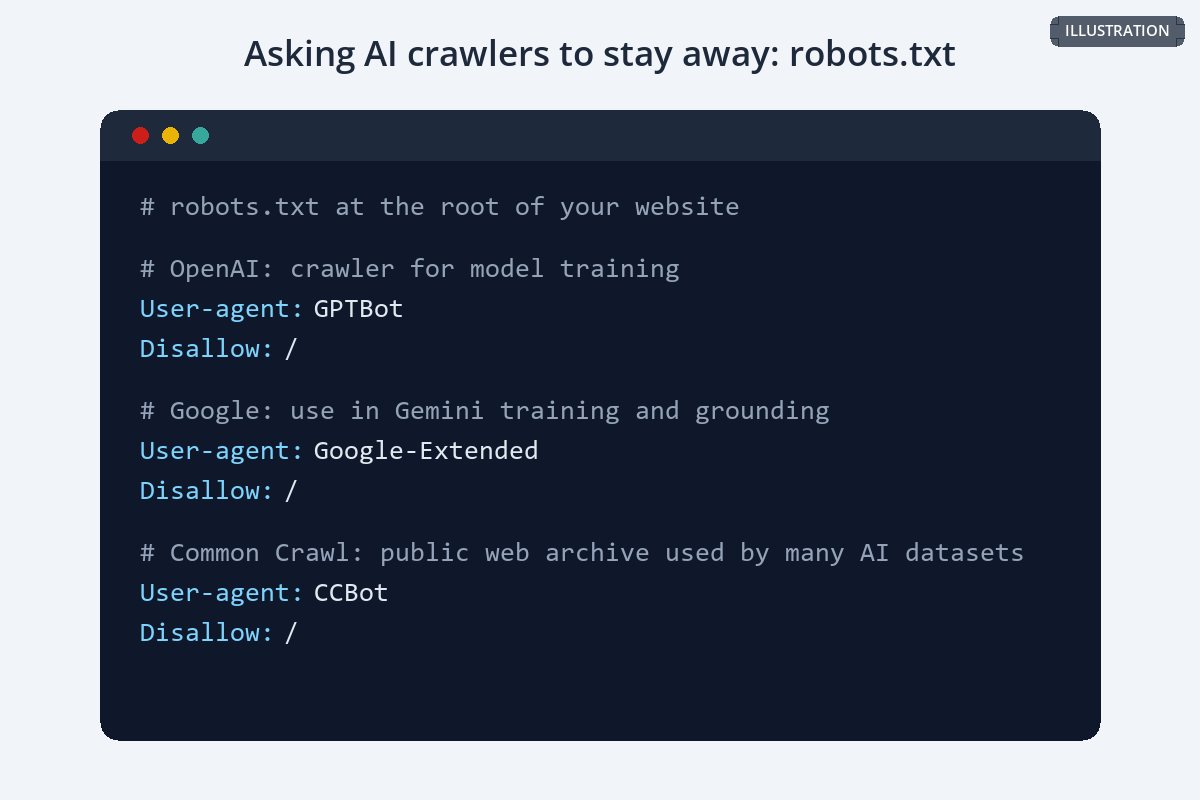
If you have your own website, its robots.txt file tells crawlers which parts of the site they may visit. Several AI companies publish the names of their crawlers and say they respect it.
| Crawler | Run by | What its operator says |
|---|---|---|
| GPTBot | OpenAI | "Disallowing GPTBot indicates a site's content should not be used in training generative AI foundation models." A separate crawler, OAI-SearchBot, is used for ChatGPT search. |
| Google-Extended | Controls whether content Google crawls may be used for training Gemini models and for grounding. Google says it "does not impact a site's inclusion in Google Search nor is it used as a ranking signal." | |
| CCBot | Common Crawl | Respects robots.txt; blocking it keeps your pages out of future Common Crawl archives. |
The limits are important. robots.txt is a request, not a lock: it only affects crawlers that choose to honor it, only covers your own site, and does nothing about copies already collected or about your work reposted on other sites. There are also many more AI crawlers than these three, and the list changes.
Opt-Out Signals: "noai" Tags and Platform Settings
In November 2022 the art platform DeviantArt introduced two directives, noai and noimageai, that can be added to a web page as a meta tag or to image files as an HTTP header, to say the content is not authorized for AI training.
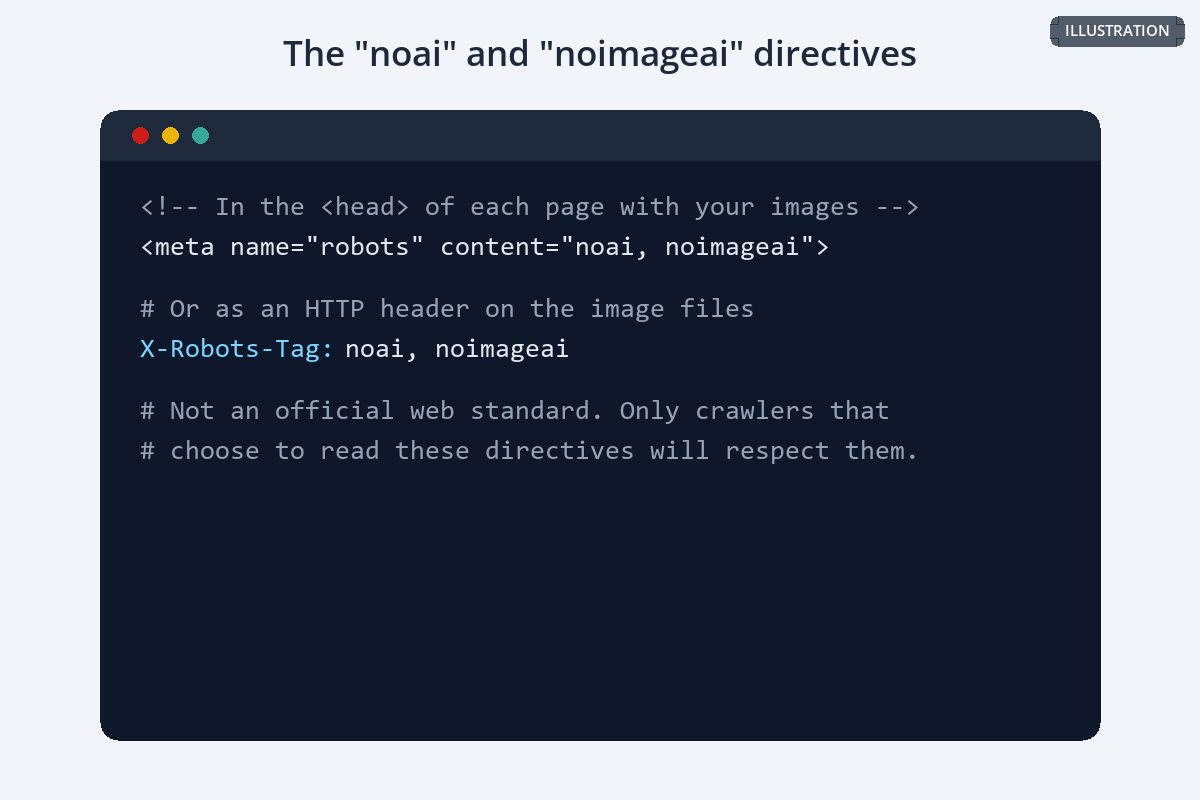
These directives are not an official web standard, and only crawlers that choose to read them will respect them. Adding them costs nothing, though, and it puts your intent on record in a form machines can read.
If you post on platforms rather than your own site, look in each platform's settings and terms for an AI or data-sharing option. Platforms differ widely — some opt users out by default, some let you choose, and some license user content — so check the current terms for every place you post.
Glaze and Nightshade
Glaze and Nightshade are free tools from the SAND Lab at the University of Chicago. Both make small changes to an image that are meant to be hard for people to notice but that change how AI models see it.
| Glaze | Nightshade | |
|---|---|---|
| Purpose | Protects your own style from mimicry. Its makers call it a defensive tool. | Disrupts models trained on images without consent. Its makers call it an offensive tool. |
| How it works | Makes art "appear unchanged to human eyes, but appear to AI models like a dramatically different art style." | Designed "to distort feature representations inside generative AI image models." |
| Stated goal | Make style mimicry harder for individual artists. | "To increase the cost of training on unlicensed data, such that licensing images from their creators becomes a viable alternative." |
| Stated limits | "Glaze is not a permanent solution against AI mimicry." | "Nightshade is unlikely to stay future proof over long periods of time." Changes are "more visible on art with flat colors and smooth backgrounds." |
Both tools are candid that they are not permanent: future models or techniques may get around them. They work best as part of a wider approach, applied before you post, alongside the other steps here.
Post Smaller Files
A lower-resolution image is less valuable to anyone who takes it — for printing, for reselling, or as a crisp, detailed training example. Here is the same detail from one photo, posted at 3,000 pixels wide and at 1,000.
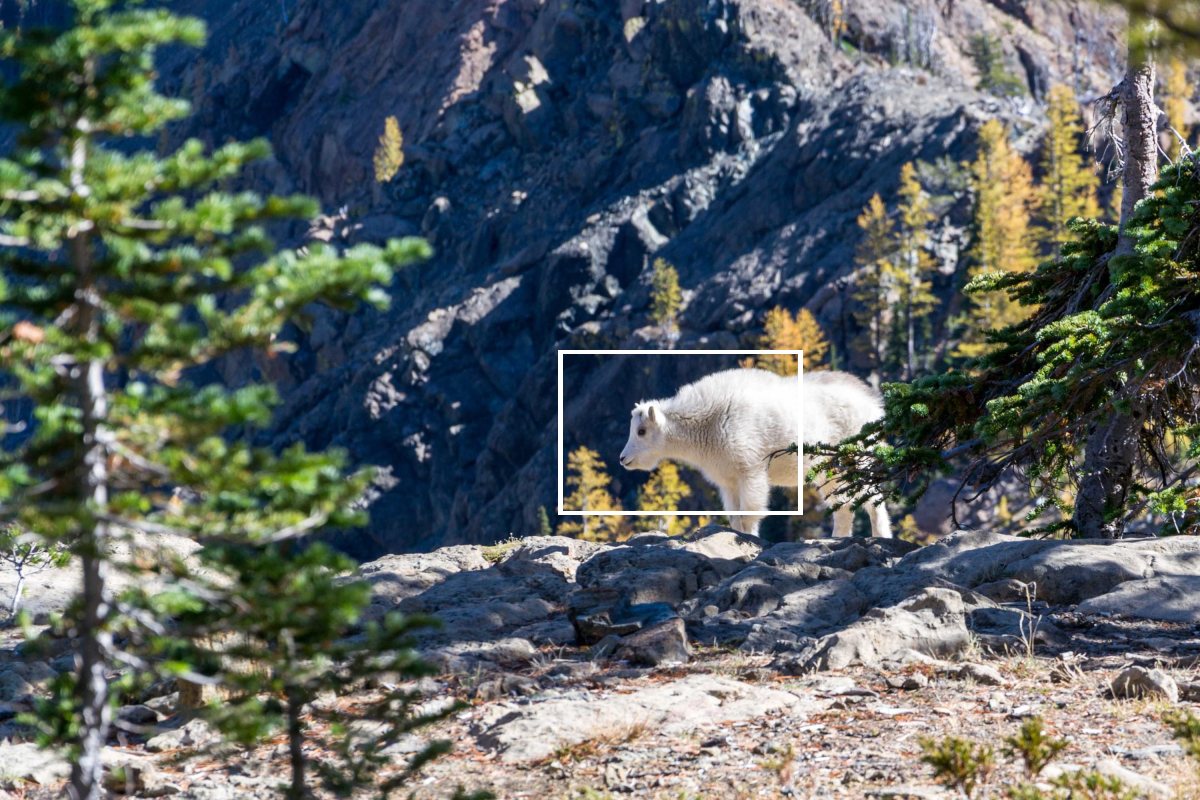
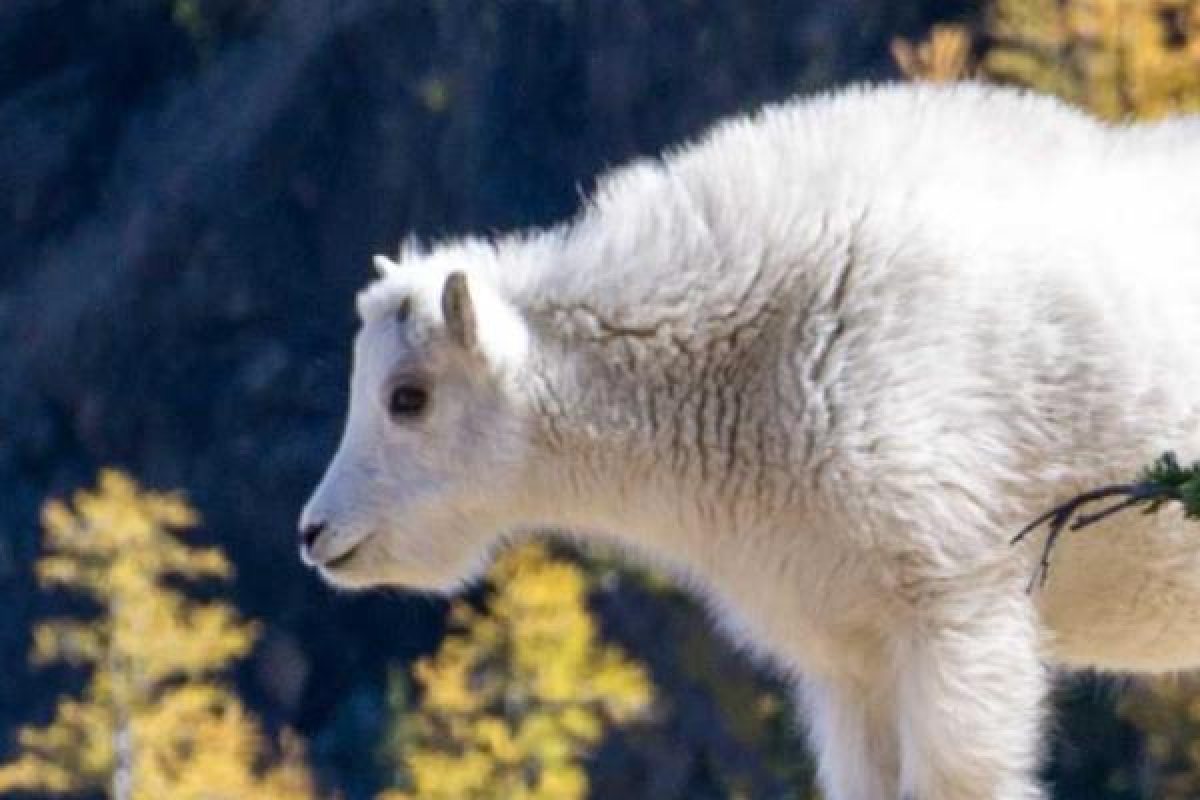
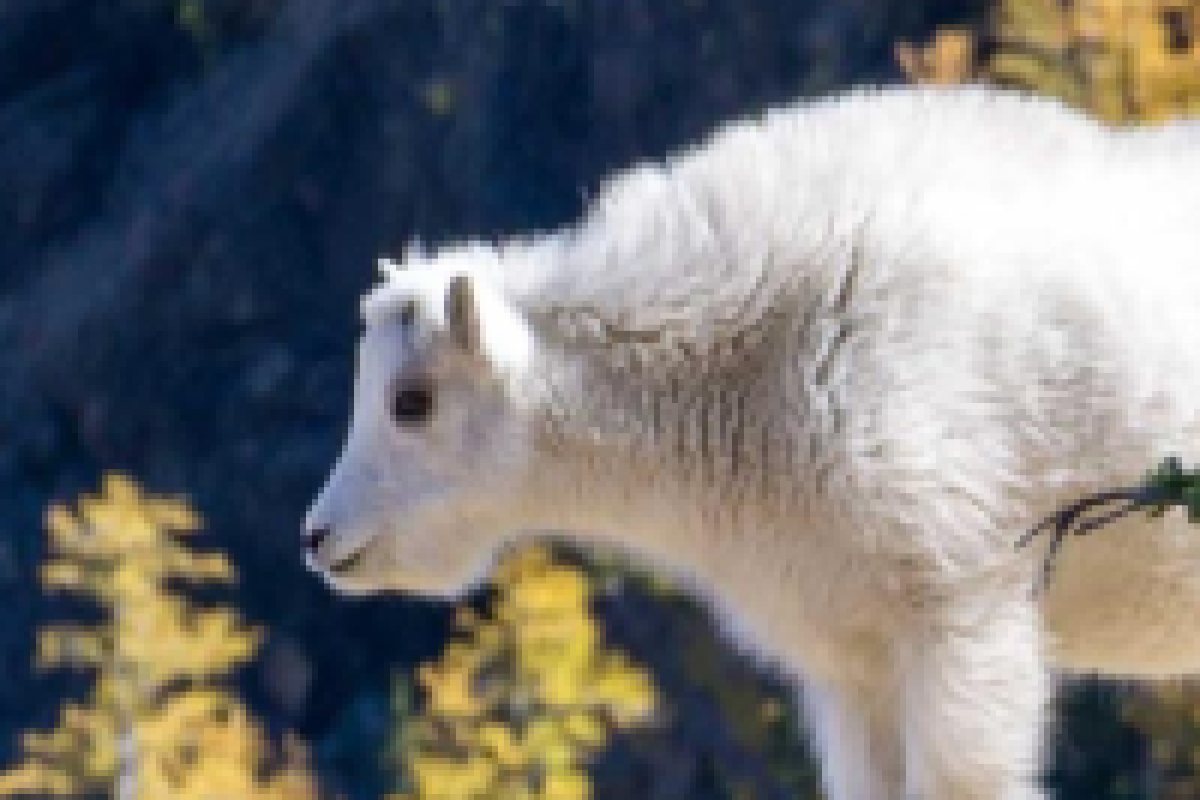
Be clear about what this does: a smaller image can still be collected and trained on. What it removes is the fine detail, which is often exactly what makes your work stand out. Keep full-resolution files for clients and buyers. Resizing photos before sharing them online covers sensible sizes.
What a Visible Watermark Can and Cannot Do
A watermark does not stop a crawler collecting an image — crawlers do not read it. It is worth being realistic about that. But a watermark still does useful work around AI:
- Credits you when your image is reposted to sites you do not control.
- Makes an image a less clean, less attractive example to take by hand.
- Shows publicly that the work is yours and not free to use.
- Travels with the pixels when metadata is stripped.
- Stop a crawler from downloading the image.
- Keep an image out of a dataset once it has been collected.
- Resist removal on its own — especially small corner marks.
- Replace opt-out signals, terms or tools like Glaze.
If you watermark artwork, a mark that crosses the work — not just a corner signature — is the harder one to strip. See watermarking artwork and can watermarks be removed?
State Your Terms and Reserve Your Rights
Where you post and what you say about it also matter. In the European Union, the 2019 copyright directive (Directive (EU) 2019/790, Article 4) allows text and data mining of lawfully accessible works unless their use has been "expressly reserved by their rightholders in an appropriate manner, such as machine-readable means in the case of content made publicly available online." How such a reservation must be expressed is still being worked out by courts and regulators.
- Add a clear statement to your website terms that your work may not be used to train AI models without a license.
- Back it up with machine-readable signals: robots.txt rules, the noai directives and rights metadata in your files.
- Put the same terms in any license you sell. See how to license your photos.
- Keep records — dates, originals and copies of your terms — in case you ever need to show what you said and when.
Rules on AI training, fair use and text and data mining vary widely and are changing. For an overview of copyright law in ten countries, see copyright infringement laws by country, and talk to a lawyer about your specific situation.
A Practical Checklist
-
1
Block the AI crawlers you know about
Add GPTBot, Google-Extended and CCBot rules to your site's robots.txt, and review the list every few months.
-
2
Add the noai directives
Put the meta tag on pages with your work, or the header on your image files.
-
3
Check platform settings
Look for AI or data-sharing options on every platform where you post.
-
4
Consider Glaze or Nightshade
Apply them to new work before posting, knowing they are not permanent.
-
5
Post smaller, watermarked copies
Share web-sized images with a visible watermark, and keep full-resolution files private.
-
6
Embed your rights in the files
Creator, copyright notice and a rights URL. See copyright in photo metadata.
-
7
Write it down
State in your terms and licenses that AI training is not permitted without a license.
Watermark.ws can resize and watermark a whole batch of images in one pass, and never changes your originals, so keeping private full-size files and public web copies is straightforward.
Sample photos: Artist's desk by Jeff Sheldon, Mountain goat by Sergei Akulich on Unsplash.