
On this page
Four Ways to Mark a Photo as Yours
When people say "watermark", they usually mean the name or logo you can see on a photo. But there are other ways to attach your identity to an image, and they work very differently.
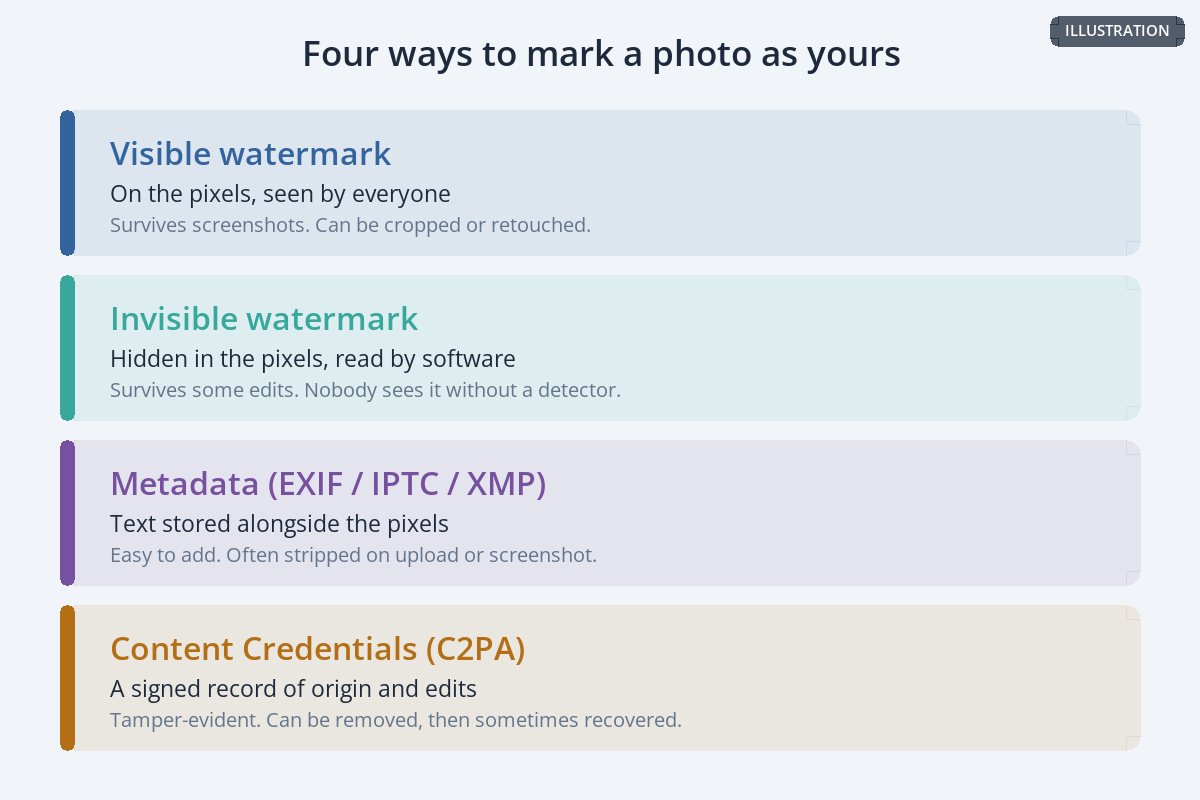
The visible watermark is covered in depth elsewhere, starting with where to put a watermark, and metadata in copyright in photo metadata. This article is about the other two: watermarks hidden in the pixels, and the signed records known as Content Credentials.
How Invisible Watermarks Work
An invisible watermark changes the pixel values of an image by amounts too small for the eye to notice, arranged in a pattern that software can detect. The photo looks untouched. A detector that knows what to look for can find the pattern and read the identifier hidden in it.


The photo on the left has a repeating pattern added to it that changes each marked pixel by one step out of 255. On the right is the difference from the original, amplified 200 times. Real invisible watermarking systems spread their signal far more cleverly, so it survives compression and edits that would wipe out a simple pattern like this one.
Commercial digital watermarking services offer this for photographers, publishers and brands, and large AI companies now use it to label generated images. Google DeepMind, for example, describes its SynthID watermark as "imperceptible to humans" and "designed to stand up to modifications like cropping, adding filters, changing frame rates, or lossy compression."
| Strengths | Limits |
|---|---|
| Does not change how the photo looks. | Nobody knows it is there without a detector, so it does not deter anyone. |
| Travels with the pixels, so it can survive a screenshot. | Heavy edits, strong compression or cropping can weaken or break it. |
| Can identify an image even after metadata is stripped. | Usually tied to one vendor's detection software. |
What Content Credentials Are
Content Credentials take a different approach. Instead of hiding a mark, they attach a signed record of where an image came from and how it was edited. They are built on an open standard from the Coalition for Content Provenance and Authenticity (C2PA), which describes itself as "an open technical standard for publishers, creators and consumers to establish the origin and edits of digital content." Its steering committee includes Adobe, Amazon, the BBC, Google, Meta, Microsoft, OpenAI, Publicis Groupe, Sony, TikTok and Truepic.
The C2PA compares them to "a nutrition label for digital content." Inside, the record — called a manifest — has three parts:
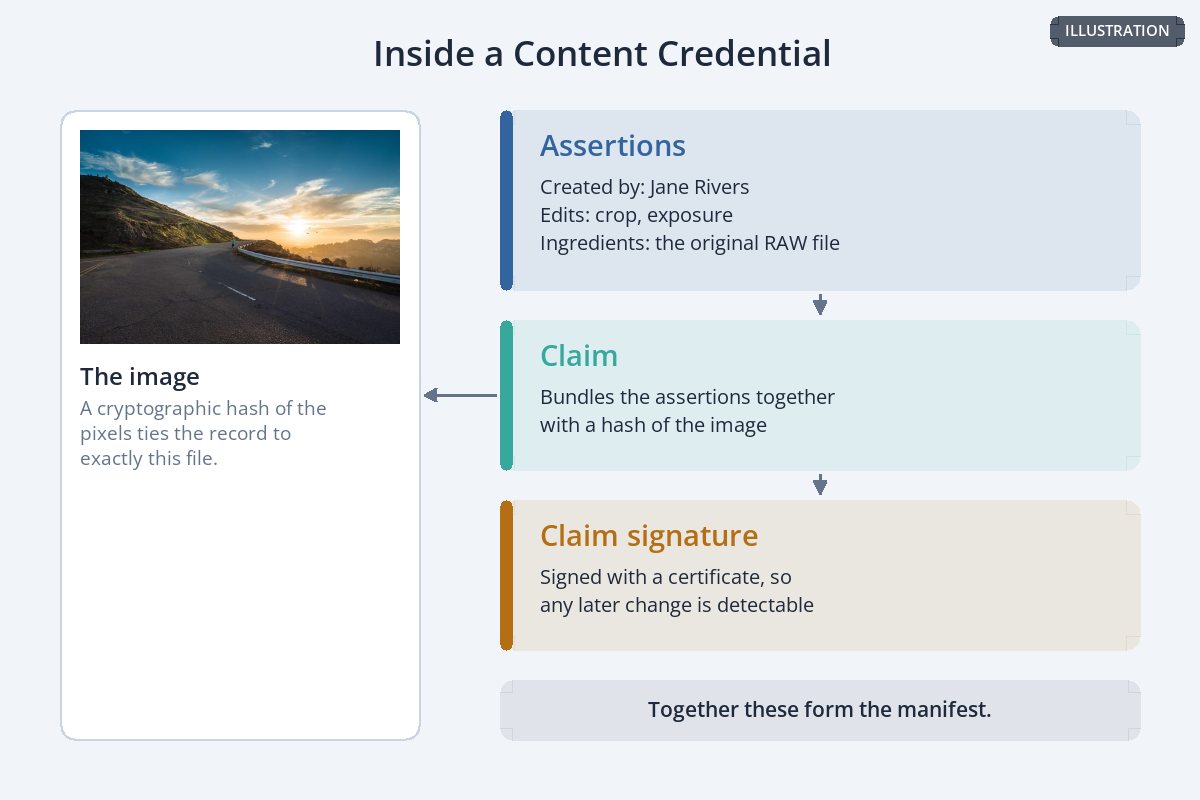
- Assertions — statements about the image: who created it, which edits were made, which earlier files it was made from.
- A claim — which bundles the assertions together with a cryptographic hash of the image, tying the record to exactly that file.
- A claim signature — a digital signature over the claim, so any later change to the record or the image can be detected.
Anyone can inspect an image's Content Credentials with the free Verify tool at contentcredentials.org, and a growing number of cameras, editing apps and platforms can create or display them.
What Content Credentials Prove — and What They Don't
The signature is what makes Content Credentials useful: it shows the record has not been changed since it was signed and who signed it. But the C2PA is careful about what that means. Its own explainer says provenance information can help establish the origin and history of content, "but provenance information alone cannot tell you whether the digital content is true, accurate or factual."
| Content Credentials can show | They do not show |
|---|---|
| Which tool or camera produced the image. | Whether the scene in the photo is real or staged. |
| What edits were recorded along the way. | Edits made in tools that did not record them. |
| Who signed the record. | That the signer owns the copyright. |
| That the record has not been tampered with. | Anything at all, once the record has been removed. |
That last row matters most for photographers. Content Credentials are good evidence about an image's history. They are not a copyright registration, and they do not stop anyone from copying the photo.
Can Content Credentials Be Removed?
The C2PA answers this directly. In its explainer, under "Can the provenance metadata be removed?", the answer is: "Yes it can." A Content Credential is embedded in the file much like other metadata, and platforms that strip metadata on upload can strip it too.
The standard's answer to that is what it calls durable Content Credentials, which combine a "hard binding" (a cryptographic hash of the file) with a "soft binding" such as an invisible watermark or a fingerprint of the image. If the embedded record is lost, the soft binding can be used to find the stored credential again.
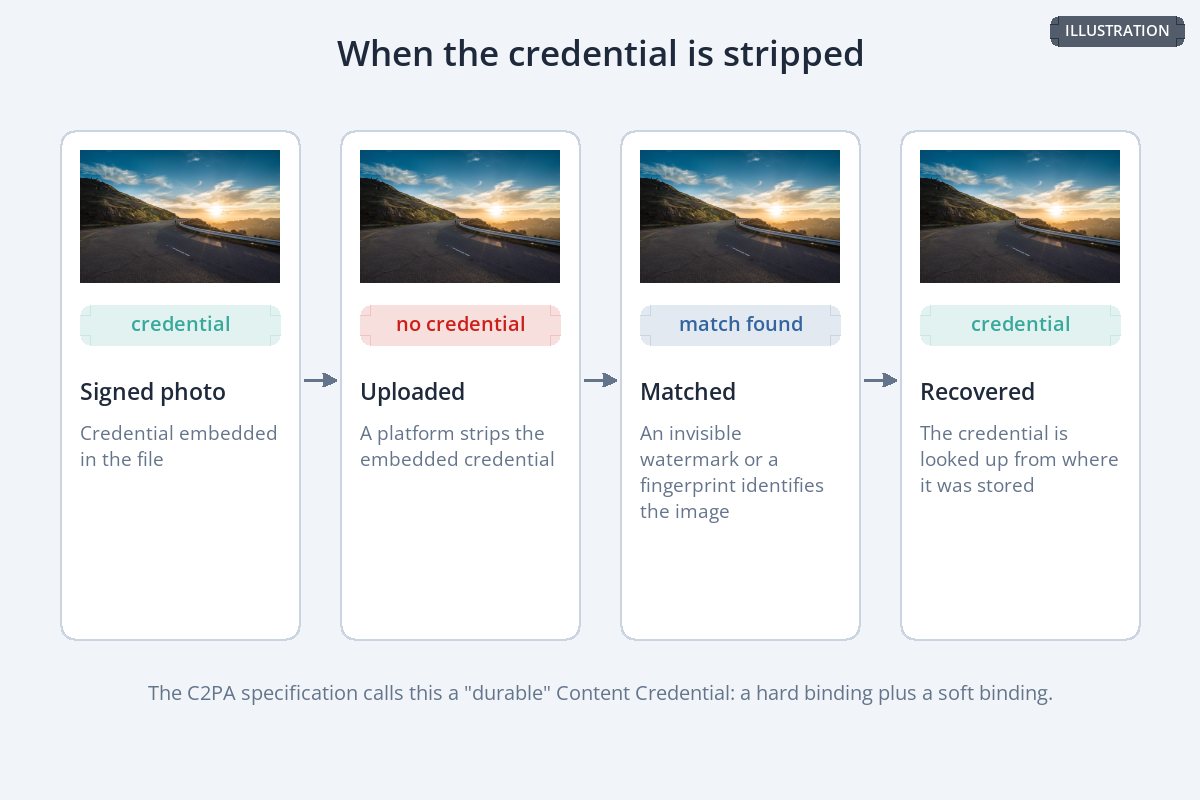
This is where invisible watermarks and Content Credentials meet: the hidden watermark is the thread that leads back to the record. It only works if the credential was stored somewhere it can be looked up, and if the watermark survived whatever happened to the image.
Why a Visible Watermark Still Matters
Invisible marks and signed records are about proving something after the fact. A visible watermark does something neither can: it tells every person who sees the photo who made it, right now, without any software.
| Visible watermark | Invisible watermark | Content Credentials | |
|---|---|---|---|
| Seen by viewers | Yes | No | Only with a viewer or verify tool |
| Discourages casual copying | Yes | No | No |
| Survives a screenshot | Yes | Sometimes | Only if recovered via a soft binding |
| Proves edit history | No | No | Yes, for recorded edits |
| Changes how the photo looks | Yes | No | No |
They are layers, not rivals. A small visible watermark credits you and discourages copying; Content Credentials and metadata record the details for anyone who checks. For how visible watermarks get removed — and how to make that harder — see can watermarks be removed?
Getting Started
-
1
Check what your tools already support
Some cameras and editing apps — Adobe Photoshop among them — can attach Content Credentials. Look in your camera menu and your editor's export settings.
-
2
Fill in your metadata
Creator, copyright notice and a rights URL, so every file carries the basics. See copyright in photo metadata.
-
3
Inspect a file before and after sharing
Upload one exported photo to the Verify tool at contentcredentials.org, then check the same photo after posting it, to see what survived.
-
4
Keep a visible watermark on public copies
It is the only mark that works without any software. How big should a watermark be helps you keep it subtle.
-
5
Keep your originals
Full-resolution files remain your strongest evidence of authorship. See what to do when someone steals your photos.
Sample photos: Mountain road at sunset by Joshua Sortino, Red rock and desert by Georgia Dixon on Unsplash.