On this page
- Reporting Copyright Infringement on Facebook: The Short Answer
- Where Stolen Photos Turn Up on Facebook
- What to Collect Before You Report
- Filing the Facebook Copyright Report
- What the Poster Sees, and What Happens Next
- Rights Manager: When You Are Copied All the Time
- Make Your Photos Harder to Pass Off
Reporting Copyright Infringement on Facebook: The Short Answer
To report copyright infringement on Facebook, use Meta’s copyright report form, linked from the Copyright page of the Facebook Help Center. It covers content anywhere on Facebook, from posts and photos to Marketplace listings and ads. Only the copyright owner or someone authorized to act for them can file, and you do not need Rights Manager or any other application to use it.
- Collect the evidence: a link to each post, listing or ad, screenshots, and your original.
- Consider a message first. Meta’s own help notes that some cases can be resolved by messaging the person who posted it.
- File the copyright form at facebook.com/help/ipreporting/report/copyright, one report for all the links on the same issue.
- Use a business email. The poster usually receives your name, your email and the details of your report.
- Copied at scale? Apply for Rights Manager, which finds matches across Facebook and Instagram for you.
Where Stolen Photos Turn Up on Facebook
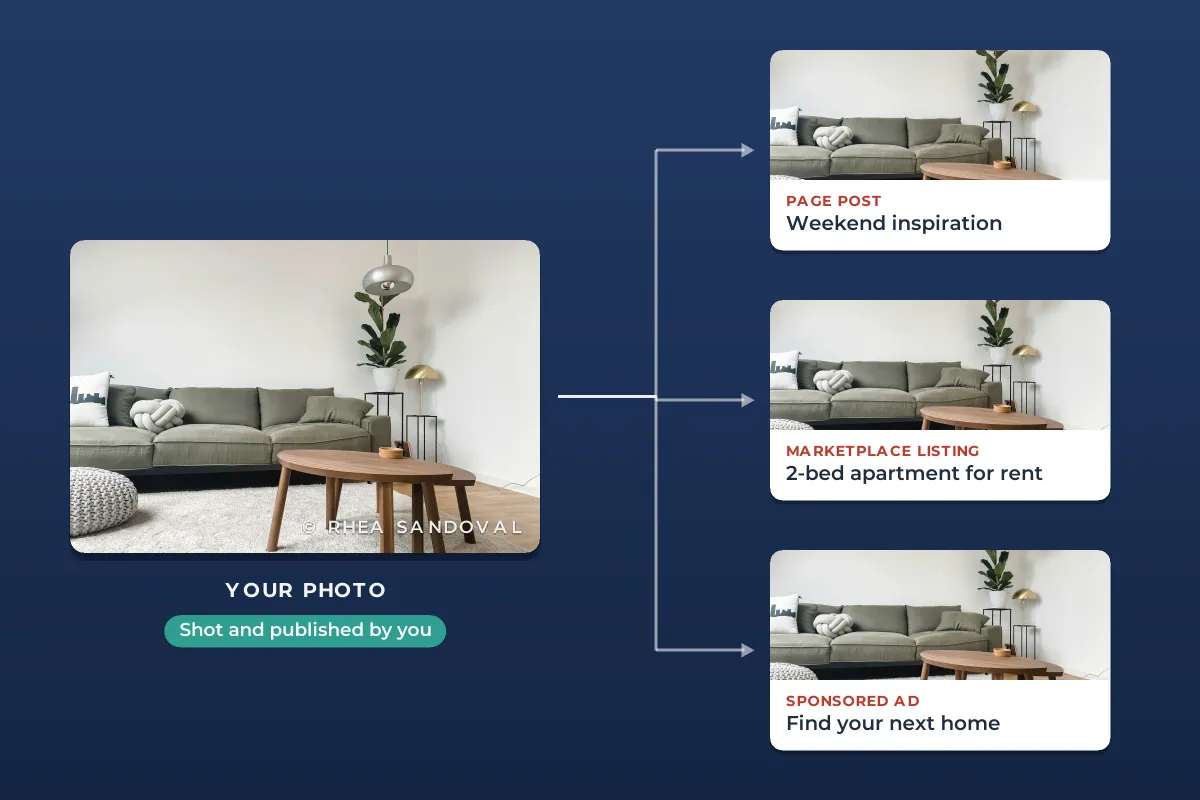
Facebook gives a copied photo more places to live than most platforms. Each one can be reported through the same copyright form, but what you need to capture differs:
| Where it is | What to link | Watch out for |
|---|---|---|
| A post on a profile or Page | The post itself, or the photo opened on its own. | The same photo shared in several posts. List each one. |
| A group | The post inside the group. | Private groups: you may need a member to give you the link. |
| Marketplace | The listing. | Listings are often deleted fast once questioned. Screenshot first. |
| An ad | A direct link to the ad, or a screenshot if you cannot get one. | Ads stop running without notice. |
| A cover or profile photo | The photo opened on its own. | If the account is posing as you, report impersonation instead. |
Rental and property photos are a common target. The FTC describes rental listing scams in which scammers copy the photos and description of a real listing and post it with their own contact details. If those are your photos, report the listing for copyright and tell the platform about the scam as well.
What to Collect Before You Report
Posts get deleted and ads stop running. Capture each copy before you contact anyone, including Meta:

- Links. Meta asks for information reasonably sufficient to find the material, and a direct URL to each post, photo, listing or ad is the easiest way to give it.
- Screenshots that show the account or Page name, the photo and the date.
- For ads: the advertiser’s Page, the landing page and when you saw it. Meta’s public Ad Library lets you search an advertiser’s active ads, which helps when the ad has scrolled out of your feed.
- Your original: where you first published the photo, and the full-resolution file.
If an ad sends people to a website that also uses your photo, removing the ad does not remove the page. That site needs its own takedown notice, sent to its host; how to file a DMCA takedown notice explains how. If it is a copycat shop selling your products with your photos, what to do about a copycat store covers its host, its ads and its payment processor together.
Filing the Facebook Copyright Report
Meta’s Help Center calls the online form the fastest and easiest way to report. The steps:
-
Open the copyright form
Go to the Copyright page of the Facebook Help Center and follow the link to report copyright infringement, or open facebook.com/help/ipreporting/report/copyright. Business Manager users can also report from the IP reporting section there.
-
Give your contact details
Full name, mailing address, phone number and email. Say whether you are the owner or reporting for a client.
-
Describe your work
What the photo is, with a link to where you published it.
-
Add the links
The URL of every post, listing or ad that uses it. For an ad without a link, attach a screenshot.
-
Make the declarations and sign
That you believe in good faith the use is not authorized, that the report is accurate, and, under penalty of perjury, that you own or are authorized to act for the owner of the copyright.
You will get an automated message with a report number. Save it. Meta sometimes replies asking for more information, and you should answer that message directly. If you would rather not use the form, Meta accepts complete copyright claims sent to its DMCA designated agent, but those take longer.
Meta warns that misleading or fraudulent intellectual property reports can lead to action against your own account, and that a knowingly false copyright report can create liability for damages under section 512(f) of the DMCA or similar laws elsewhere. Check that you did not license the photo, and consider fair use. This is general information, not legal advice.
What the Poster Sees, and What Happens Next
A copyright report is not anonymous. When Meta removes content after a report through its form, it regularly sends the person who posted it the report number, the rights owner’s name, the email address you gave, the details of the report and instructions on how to appeal. Meta suggests a generic business or professional email for that reason. If you report for a client, Meta shares the client’s or organization’s name.
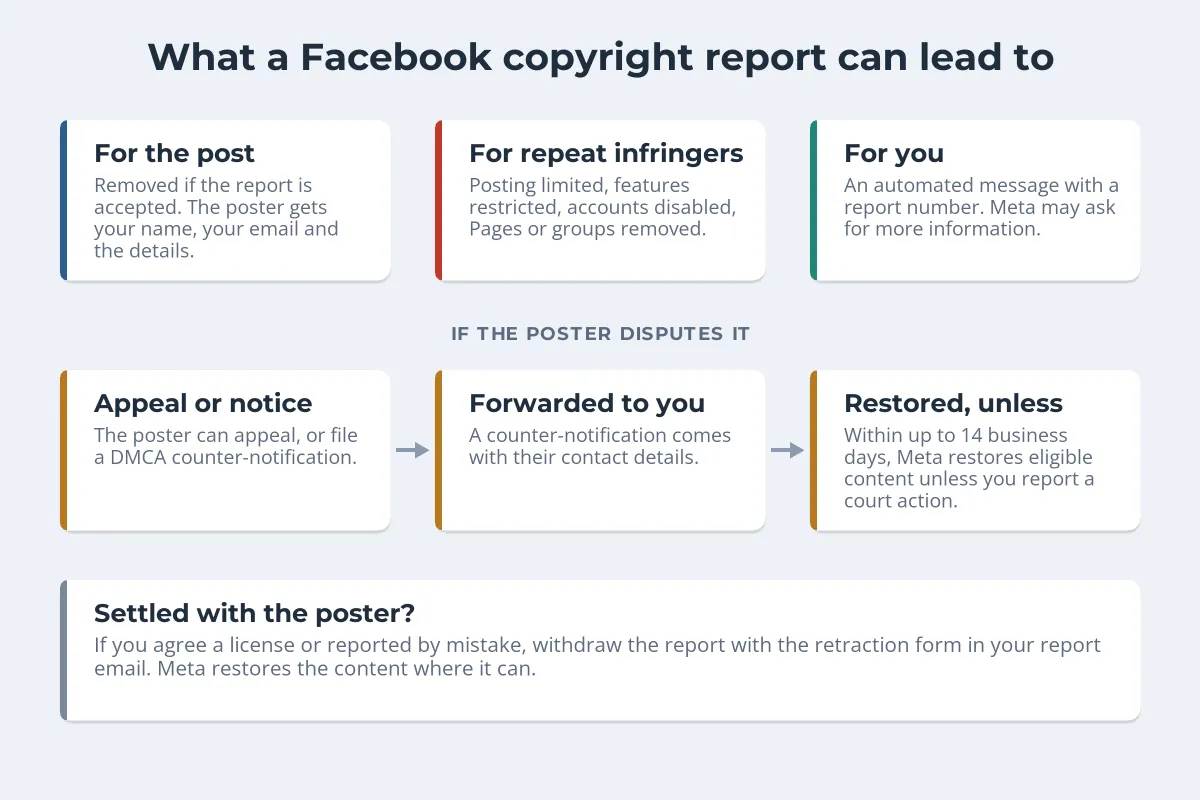
- Repeat infringers lose more than a post. Under Meta’s repeat infringer policy, people who keep posting other people’s work can have posting limited and features restricted, and can lose their account, Pages or groups.
- Disputes follow the DMCA. The poster can appeal, or file a counter-notification if they believe the removal was a mistake. Meta forwards a valid counter-notification to you, with their contact details, and restores eligible content unless you tell it you have filed a court action. That can take up to 14 business days.
- You can withdraw. If you reach an agreement, such as a paid license, use the retraction form in your report email and Meta will restore the content where it can.
Instagram runs on the same system, with the same form structure, the same notice to the poster and the same counter-notification rules. If your photo is on both, see how to report stolen photos on Instagram for the Instagram-specific parts, such as impersonation.
Rights Manager: When You Are Copied All the Time
Reporting one post at a time works for the occasional copy. If your photos are copied constantly, Meta’s Rights Manager does the finding for you. Rights holders upload reference files of the images, video or audio they own, and Rights Manager scans Facebook and Instagram for matching posts.
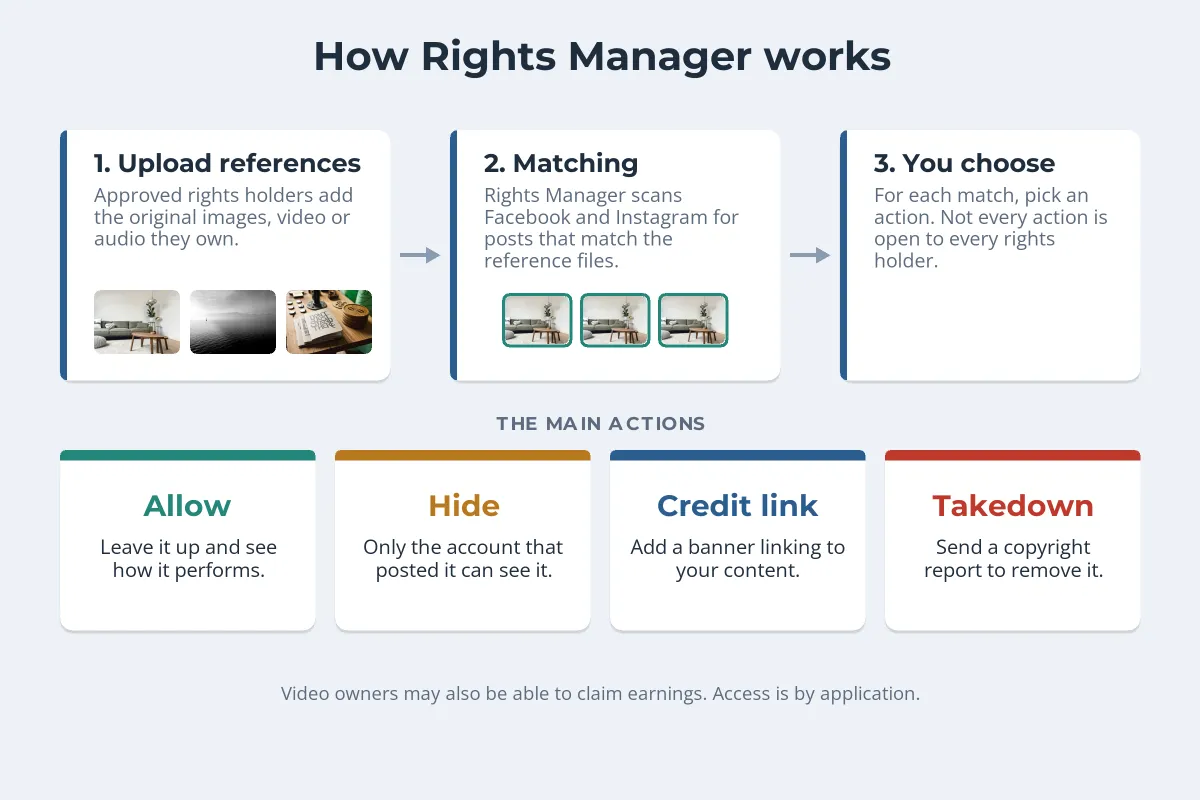
For each match you choose an action. You can allow it and see how it performs, hide it so only the account that posted it can see it, add a credit link banner pointing to your own content or Page, or send a copyright report to have it removed. Some video owners can also claim earnings. Meta notes that not every feature is open to every rights holder.
Access is by application, through the Rights Manager application page. Meta assesses each application and grants features based on the rights holder’s demonstrated needs. There is also a separate content protection tool for creators, but it detects video matches, not photos. If you own a registered trademark, Meta’s Brand Rights Protection tool covers trademark, counterfeit and copyright problems, including in ads.
Make Your Photos Harder to Pass Off
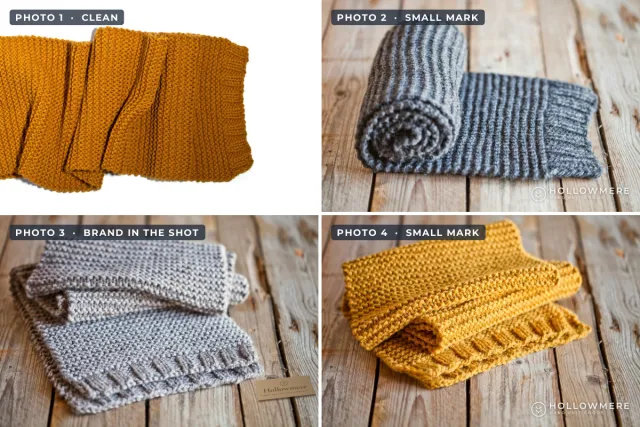
Reporting fixes the copy you found. A watermark changes what the next copy looks like. A small corner mark is easy to crop away; a faint tiled mark across the photo is not, and it makes a stolen listing photo look suspicious to anyone viewing it.
 Corner mark
 Faint tiled mark
A visible name also gives a renter or buyer something to check: if the listing says one thing and the photo credits someone else, they have a reason to ask questions. For property photos, watermarking real estate photos covers where marks help without hurting the listing.
- Social posts: a small name or logo inside the frame, away from the edges, is usually enough. How to watermark photos for Facebook covers sizes and placement.
- Listings, products and previews: a faint tiled mark across the image makes reuse obvious and cropping pointless.
- Everything: keep your originals and first publication dates, so every future report is quick to prove.
Watermark.ws adds text or logo watermarks to a whole batch of photos, including tiled patterns with adjustable spacing, rotation and opacity, and saves your settings as a template.
Sample photos: Living room by Katja Rooke, Sailboat by Hugo Kerr, Notebooks on a shelf by Jeff Sheldon on Unsplash.