
On this page
Sending a Photo Is Sharing It
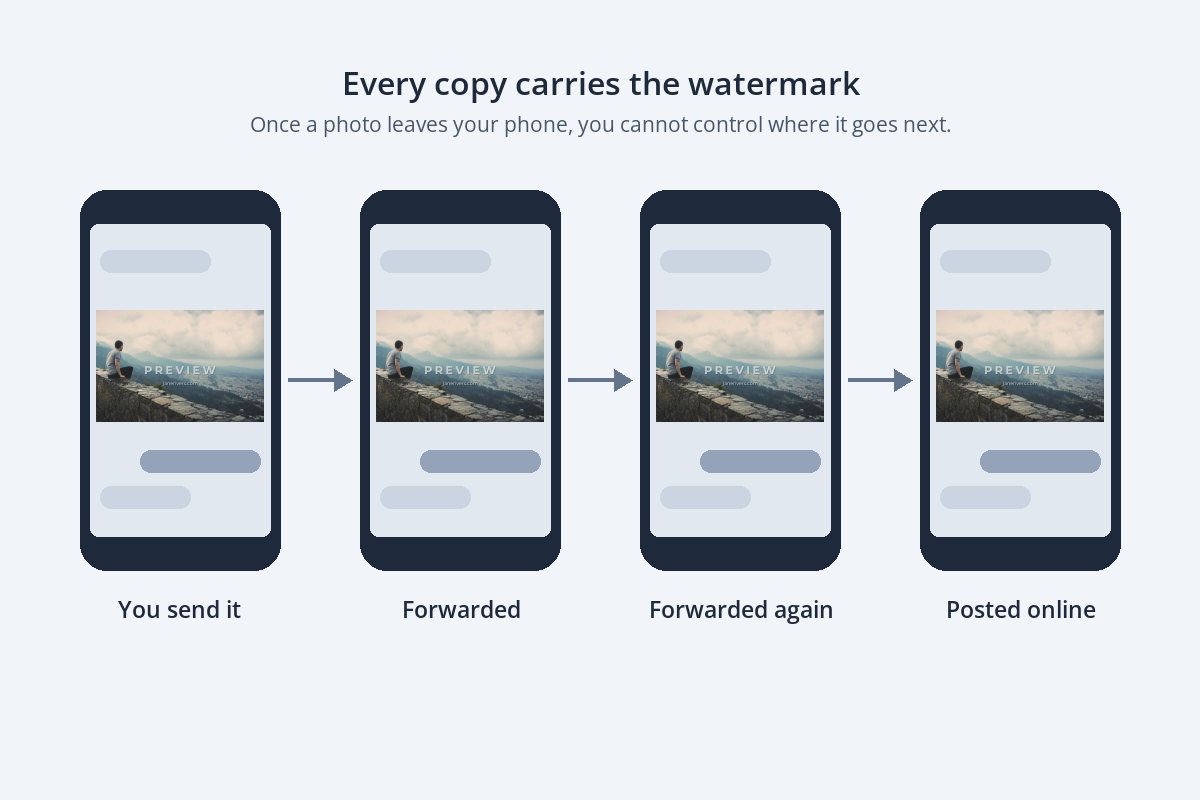
Posting a photo online feels public. Sending one in a message feels private. But in practice, a photo sent to one person is only as private as that person’s next forward. It gets passed to a partner, dropped into a group chat, saved to a camera roll and, sometimes, posted.
Most of the time that is exactly what you want — you sent it to be enjoyed. It only becomes a problem when the photo is something you have not been paid for yet: a preview for a client, a sample for a prospect, a shot you are hoping to license. Those are the photos that need a watermark before they leave your phone.
When to Watermark, and When Not To
The question to ask is not “could this be forwarded?” — everything can. It is “would it matter if this ended up somewhere I did not expect?”



| You are sending… | Watermark? | Why |
|---|---|---|
| Photos to family and friends | No | Nothing to protect, and it spoils the photo. |
| Previews to a client before they pay | Yes — a clear preview mark | The preview must not work as the final photo. |
| A few samples to a prospective client | A small credit | Samples get forwarded to decision-makers and colleagues. |
| Photos to a venue, model or collaborator | A small credit | They may post them; your name should go with them. |
| Final, paid photos | No | The client paid for clean files. |
| A photo you hope to license | Yes, and send it small | Until there is an agreement, it is a preview. |
What Messaging Apps Do to Your Photos
Messaging apps are built to send photos quickly, which usually means making them smaller. That affects both the photo and the watermark on it.
- WhatsApp. At the time of writing, WhatsApp’s help center notes that media is usually compressed when it is shared, and it lets you choose between Standard and HD quality when you send a photo. You can also send a photo as a document, which sends the file itself rather than a compressed copy.
- Other messaging apps generally compress photos too, and each has its own settings. If quality matters, check the app’s own options before sending.
- Email sends the file you attach. Some mail apps offer to shrink large photos before sending — useful for previews, not for finals.
For previews, compression is not a problem — you want them to be smaller than the final. The one thing to watch is the watermark itself: a thin, faint mark can blur away after compression. Use a sturdy font, and see how transparent a watermark should be for sensible opacity.
For full-quality delivery, use a method built for files — a file transfer service, a client gallery, or sending as a document — rather than an ordinary photo message, which may be compressed.
Previews and Finals Are Different Files
The most useful habit for anyone who sends work to clients is to treat the preview and the final as two separate exports. The preview is watermarked and small. The final is clean and full size, and it only goes out once the work is paid for.


- Say what it is. The word PREVIEW makes it obvious the photo is not finished, and makes it awkward to post as if it were.
- Add your name or website, so a forwarded preview still leads back to you.
- Send it small. Around 1,500–2,000 pixels on the long edge looks sharp on a phone or laptop but is not big enough for a good large print.
- Keep it off faces. People choose photos by expressions, so place the mark just below them.
Photographers sending whole galleries should read how to watermark client proofs, which covers proof styles, opacity and delivery in detail.
Sending to Venues, Models and Collaborators
Some of the photos you send are not for clients at all. A venue you shot at asks for a few images for its website. A model wants the shots for their portfolio. A band, a florist or a planner would love something to post. These are good relationships, and the photos will almost certainly be published — which is exactly why your name should be on them.
- Agree the terms in the message, too. A short line such as “Happy for you to post these with credit to Jane Rivers Photography” sets expectations. The watermark backs it up if the photo travels further.
- Use a small credit, not a preview mark. They are going to publish the photo, so it should look good; a small name in the lower third is enough.
- Send web-sized files. Unless you have agreed to supply print files, a size suited to screens is all they need.
- Keep a record. Save the message where you sent the photos and the terms. If a photo ends up used in a way you did not agree to, that record matters more than the watermark.
If a collaborator wants to use your photos commercially — in advertising, on products, or to sell — that is a licensing conversation. How to license your photos covers the basics.
Group Chats Multiply Every Photo
A photo sent into a group chat is instantly in the hands of everyone in it, and each of them can save or forward it. For a wedding planning group, a sports team or a school class, that is the point. For previews, it means one message can put an unpaid photo in front of dozens of people at once.
If you are sending previews to a group — a family choosing portraits, a team picking photos for a program — watermark them exactly as you would for a single client, and say in the message that they are previews for choosing. The finals can go to whoever is paying, clean and full size.
How to Prepare Photos for Sending in Watermark.ws
- Upload the photos you are about to send. Your originals are never changed.
- Resize them with the Resize tool — in pixels or as a percentage — so previews are smaller than your finals.
- Add a text watermark: PREVIEW and your website for previews, or just your name for samples.
- Apply it to all the photos in the batch, then nudge any where the mark lands on a face.
- Download and send. Save the settings as a template, so next time preparing previews takes seconds.
For more on getting file sizes right, see resizing photos before sharing them online.
The Case for Leaving It Off
A watermark is a signal: this is mine, and it is not free to use. That is the right message for a preview, and the wrong one for a thank-you photo to the couple whose dinner party you shot for fun, or a picture of the kids for the grandparents. On personal photos, sending it clean is part of the gesture.
The same goes for clients once they have paid. Watermarking delivered work makes it look as if you are still holding something back. If you would like credit when they share the photos, ask them to tag you instead.
Sample photos: Surfer at sunset by Rafael Leão, Mountain view by Joshua Earle, Portrait by the sea by Matthew Wiebe, Heart and sun by Mayur Gala, Misty coastline by David Marcu, Shutters by Leeroy on Unsplash.