
On this page
One Photo, Four Different Frames
On your own website, a photo is shown the way you exported it. On Facebook, the same image can appear in several different shapes. A post in the feed shows most of it. A link to your blog shows it as a wide preview card. Your Page cover crops it into a long banner with your profile picture on top. And when someone downloads it and posts it in a group, it starts a new life with no link back to you.
Each of those can hide a watermark in a different way. Like other social networks, Facebook also re-saves the photos you upload, which softens fine detail — so the watermark has to survive being cropped and compressed.
| Where the photo appears | What can happen to a watermark | Where to put it |
|---|---|---|
| A post in the feed | Compression softens thin or faint marks. | Anywhere inside the frame, in a sturdy font. |
| A link preview | Cropped to a wide 1.91:1 card if the image is a different shape. | In the middle band of the photo. |
| Your Page cover photo | Covered by the profile picture; edges can be trimmed. | Center or right of center, away from the lower left. |
| A repost in a group | Everything outside the photo — your caption, your Page name — is gone. | Inside the photo, where it cannot be cropped cleanly. |
Link Previews Crop the Top and Bottom
When you share a link to your blog or portfolio, Facebook builds a preview card from the page’s image. Meta’s developer documentation recommends images of at least 1200 × 630 pixels and suggests keeping them as close as possible to a 1.91:1 aspect ratio to display the full image without cropping. At the time of writing, that is the shape to plan for.
Most photos are not that wide. A standard 3:2 photo is taller than 1.91:1, so a strip from the top and bottom falls outside the preview — along with any watermark in the bottom corner.
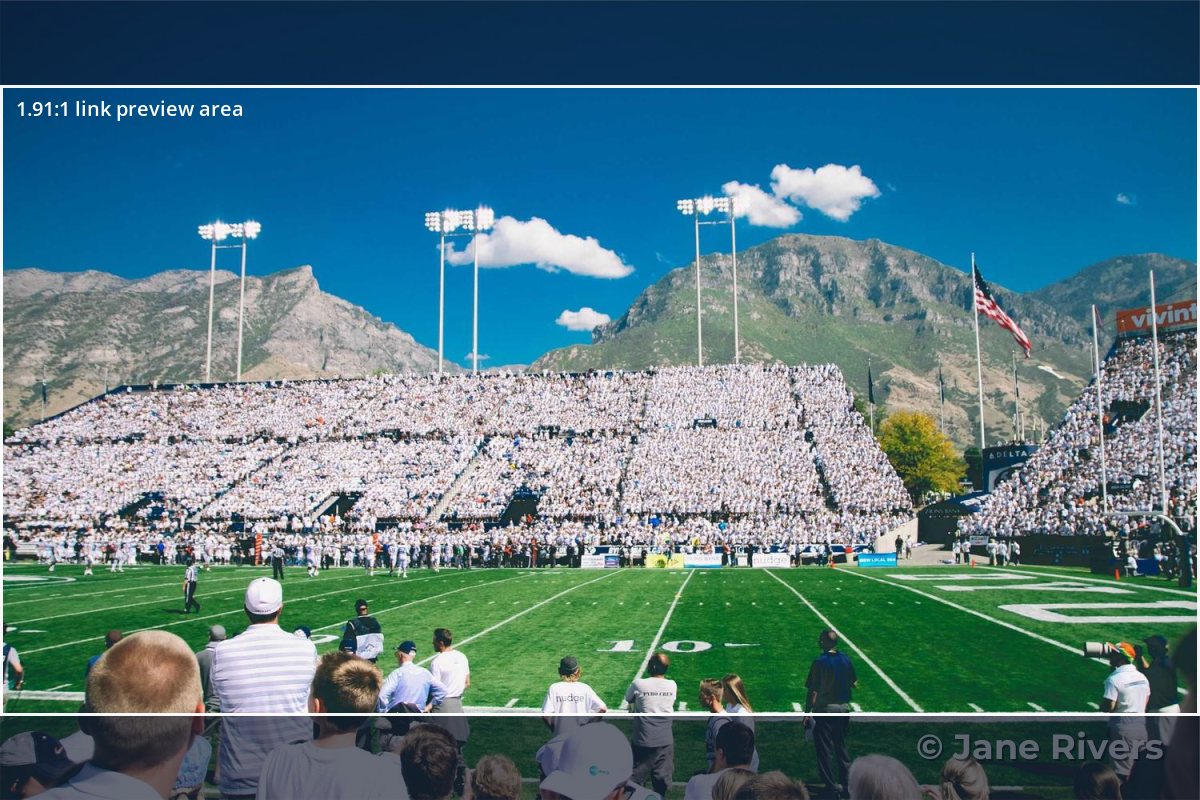
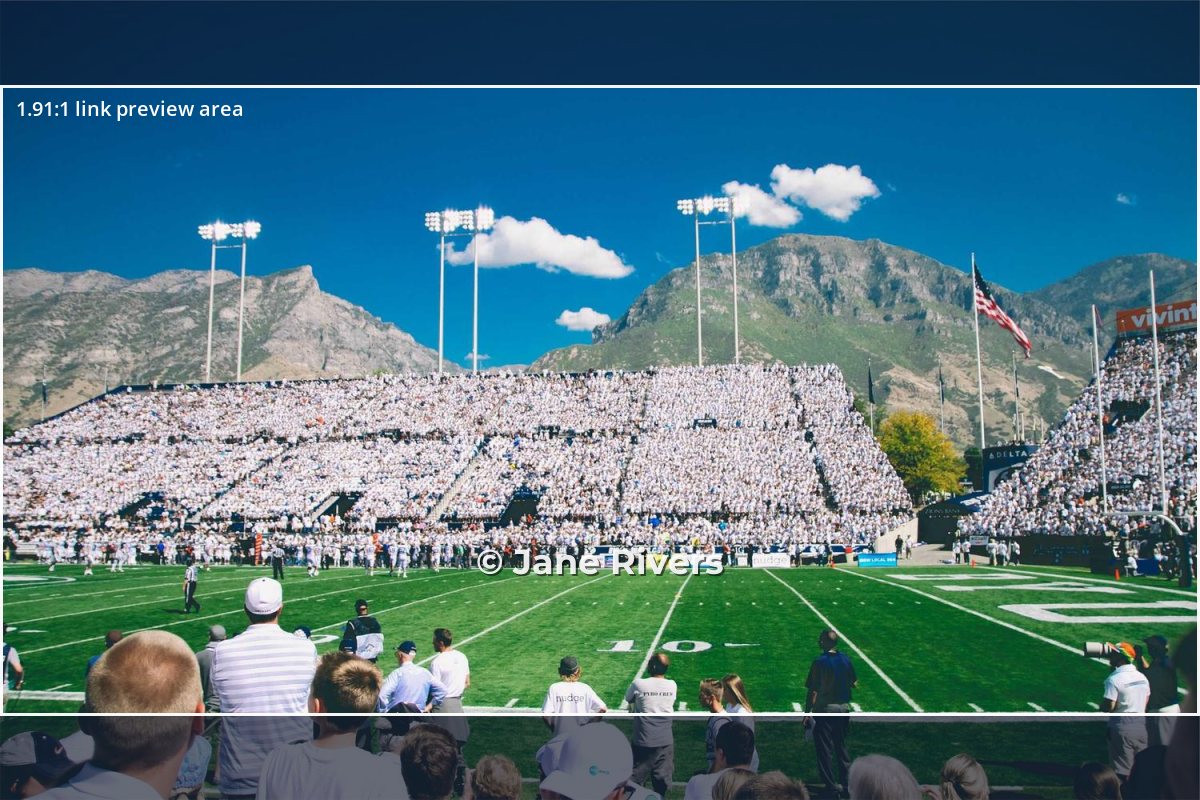
The shaded strips are what a 1.91:1 card leaves out. The fix is to keep the watermark within the middle band of the photo, or to export a dedicated 1200 × 630 version for sharing and place the watermark on that.
The Crop tool in Watermark.ws takes an exact width and height in pixels, so you can cut a 1200 × 630 copy of a blog image, add your watermark, and use it as the page’s share image.
Cover Photos: Mind the Profile Picture
Your Page cover photo is the biggest image people see when they visit, and it is often a portfolio piece — which makes it a tempting one to copy. Facebook’s help center says a Page cover photo must be at least 400 pixels wide and 150 pixels tall, loads fastest as an sRGB JPG that is 851 × 315 pixels and under 100 kilobytes, and may be cropped differently on computers and phones.
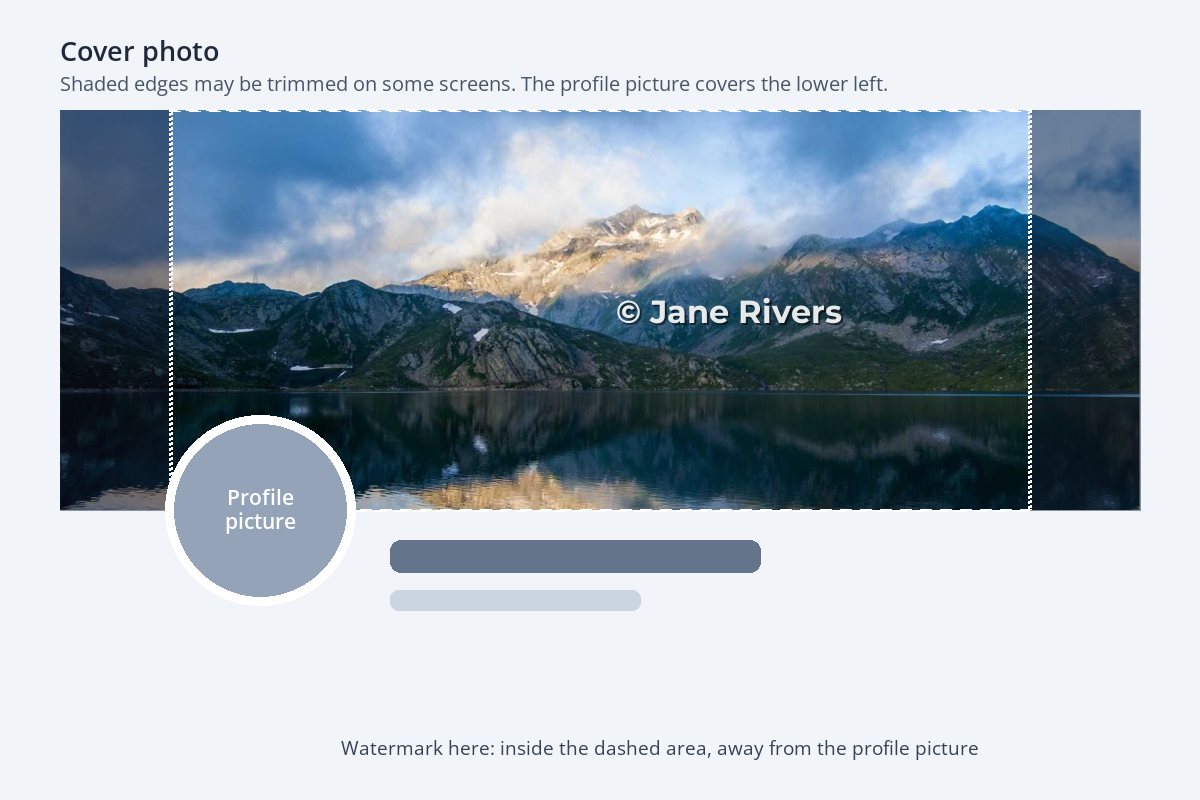
Two things follow from that. The lower-left area belongs to your profile picture, so a watermark there is simply covered. And because the edges are the first thing to go on smaller screens, a watermark near the sides can be half cut off. Put it in the middle, or right of center, well inside the edges.
Multi-Photo Posts Show Only Part of Each Photo
When you post several photos at once — an album from an event, a before-and-after set, a product range — Facebook lays them out as a collage in the feed. Each tile shows only part of its photo until someone taps it, and the crop is chosen for the layout, not for your watermark.
That is one more reason to avoid the corners. A mark near the middle of each photo is visible in the collage tile and in the full view; a mark in a corner is often the first thing a tile leaves out. It also helps to keep the watermark in the same position on every photo in the set, so the collage looks tidy rather than scattered.
- Event albums: a small credit in the lower middle of each photo. Guests will download and repost their favorites, often without the caption.
- Before-and-after posts: put the credit in the same place on both, so the comparison is fair.
- Product sets: a small logo in empty space around each product, never over it.
Event photographers post more albums than almost anyone — watermarks for event and sports photographers covers the rest of that workflow.
Groups and Reposts: The Caption Does Not Travel
When someone uses the Share button, your post goes with them, credit included. The problem is the other route: the photo is downloaded or screenshotted and uploaded again as a new post in a group, a buy-and-sell listing or someone else’s Page. At that point your caption, your Page name and your link are all gone. The only credit left is what is inside the pixels.


For credit, use the name people will search for on Facebook — usually your Page name exactly as it appears. Place it inside the frame, slightly overlapping the subject, so it cannot be removed with a quick crop. Where to put a watermark compares placements in more detail.
If a photo is used without permission, you can report it to Facebook as intellectual property infringement. What to do when someone steals your photos walks through the options.
Watermarks for Business Pages
For a business, a watermark on Facebook is less about protection and more about recognition. Photos of your products, space or work get shared far beyond your own followers, and a small, consistent mark makes each share a quiet advertisement.

- Use a simple, single-color version of your logo. Full-color logos clash with photos; see what color a watermark should be.
- Keep it small. People scroll past posts that look like ads. A discreet mark is shared more happily than a big one.
- Be consistent. Same size and position on every post, so your photos look like they belong together on your Page.
- Leave ad images alone. Ad creative has its own guidelines; do not assume the watermark you use on posts belongs on ads.
Surviving Compression
Re-saving an image as a smaller, more compressed JPEG throws away fine, low-contrast detail first. A watermark in a hairline script at 20% opacity is exactly that kind of detail, so it is the first thing to blur. A watermark that survives Facebook has three things going for it:
- A sturdy font. Medium or bold weights, not thin scripts — the best fonts for watermarks shows why.
- Enough opacity. Around 70–90% for a small credit; faint marks fade further after compression. See how transparent a watermark should be.
- An edge. A soft shadow or thin stroke keeps the letters separate from a busy background.
A Facebook Workflow in Watermark.ws
- Upload the photos you plan to post, or the images you use on your blog.
- Crop where needed. For link-preview images, enter an exact width and height such as 1200 × 630 in the Crop tool.
- Add your watermark — your Page name as text, or your logo — and give text a soft shadow.
- Place it in the middle band, inside the frame, away from the edges and the lower left of cover photos.
- Save it as a template so every batch for Facebook looks the same, then download.
Posting a lot at once? See how to batch watermark photos.
Sample photos: Café bar by Dogancan Ozturan, Stadium by Abigail Keenan, Mountain lake by Alberto Restifo, Portrait by the sea by Matthew Wiebe, Enamel mugs by André Freitas on Unsplash.