On this page
- Amazon and eBay Image Rules at a Glance
- Amazon’s Main Image: No Watermarks, Text or Logos
- What Amazon Allows on Additional Images
- eBay’s Photo Policy: No Watermarks on Any Photo
- Keeping Product Photos Consistent Across Amazon, eBay and Shopify
- How to Protect Product Photos You Can’t Watermark
- Making the Branded Set in Watermark.ws
Amazon and eBay Image Rules at a Glance
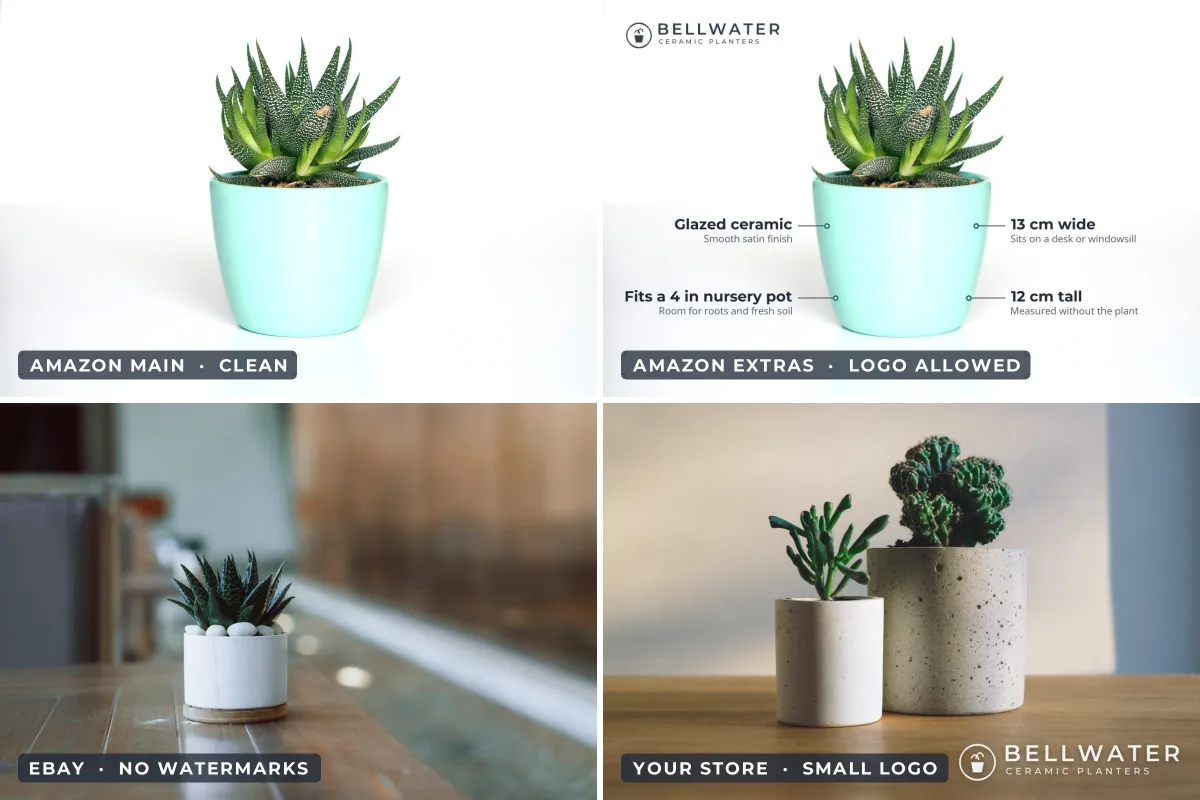
Amazon and eBay image rules both come down hard on watermarks, but not in the same way. Amazon’s strict rules apply to the main image, the one shoppers see in search results. eBay’s apply to every photo in a listing. Your own store sits at the other end: nobody tells you what to put on your photos there.
- Amazon main image: no watermarks, text, logos, borders or graphics, on a pure white background.
- Amazon additional images: far more freedom. Callouts, infographics and your own brand logo are common.
- eBay: no watermarks of any type on any photo, including ones that only say who owns it.
- Your own store: your call. A small, consistent logo is a sensible default.
- The fix: shoot once, then export a clean set for marketplaces and feeds and a branded set for your store and social media.
| Where | Watermark allowed? | Notes |
|---|---|---|
| Amazon main image | No | Pure white background, product fills about 85% of the frame. |
| Amazon additional images | Logos and text are common | No Amazon logos or badges; must show the product accurately. |
| eBay, every photo | No | Banned outright, plus borders and added text or artwork. |
| Google Shopping main image | No | Overlays, watermarks and added logos lead to disapproval. |
| Shopify and your own site | Yes | Keep the featured image clean if it feeds Google Shopping. |
This reflects Amazon’s, eBay’s and Google’s published guidance as of late 2026. Rules can differ by country and category, so check the current seller pages before re-shooting a catalog.
Amazon’s Main Image: No Watermarks, Text or Logos
Amazon’s product image requirements in Seller Central say main images must have a pure white background (RGB 255, 255, 255) and must not include text, logos, borders, color blocks, watermarks or other graphics. The product should fill about 85% of the frame. Images need to be at least 1,000 pixels on the longest side for zoom to work, and an Amazon forum moderator’s summary of the standards puts the optimum at 1,600 pixels or more.
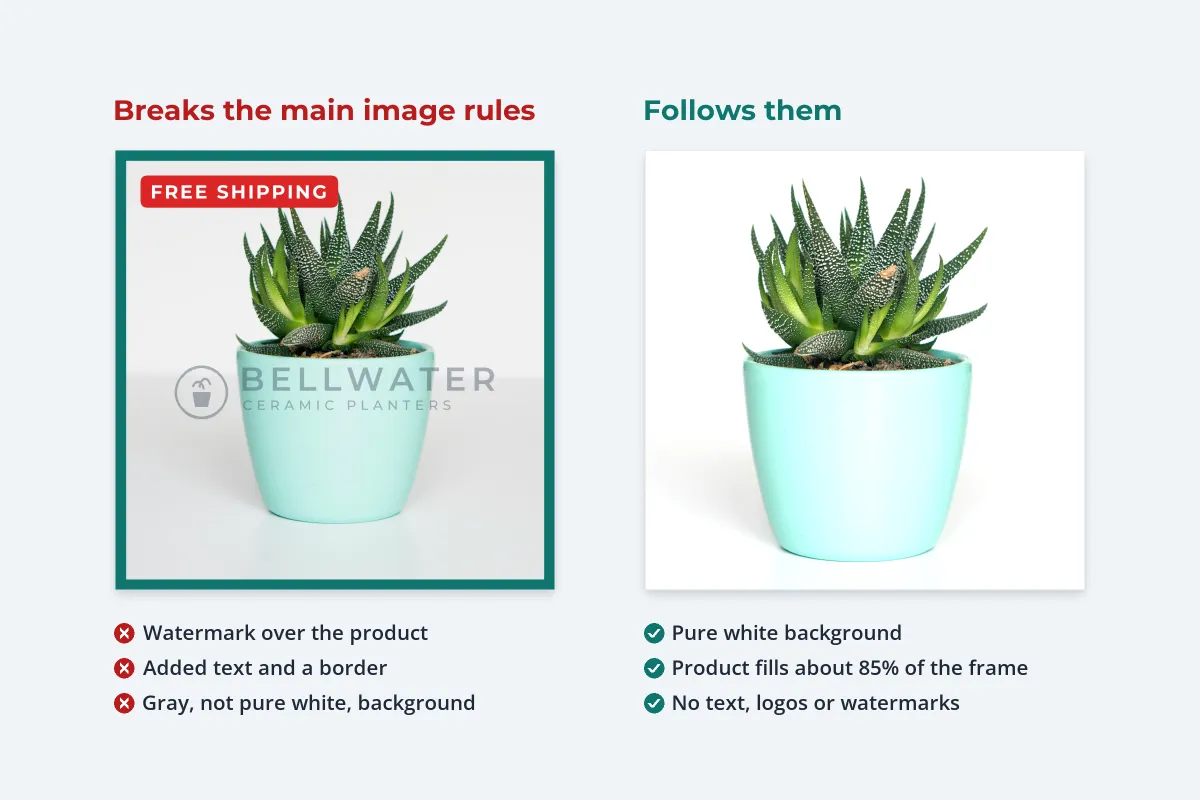
There is a practical reason behind the strictness. The main image is what shoppers compare in a grid of search results, and Amazon wants every listing to look like a clean product shot rather than an ad. A main image that breaks the rules can be suppressed from search until it is fixed, which costs far more than any watermark could protect.
A logo that is physically part of the product, such as a brand name printed on the box or embossed on the item, is a different matter from a logo added afterward. The rule targets overlays: anything put on top of the photo in editing.
What Amazon Allows on Additional Images
Amazon’s list of banned elements is written for the main image. The images after it are where sellers explain the product: lifestyle shots, close-ups, size comparisons and infographics with short callouts. Many brands add their own logo to these, and it does not break the main image rule because it is not on the main image.
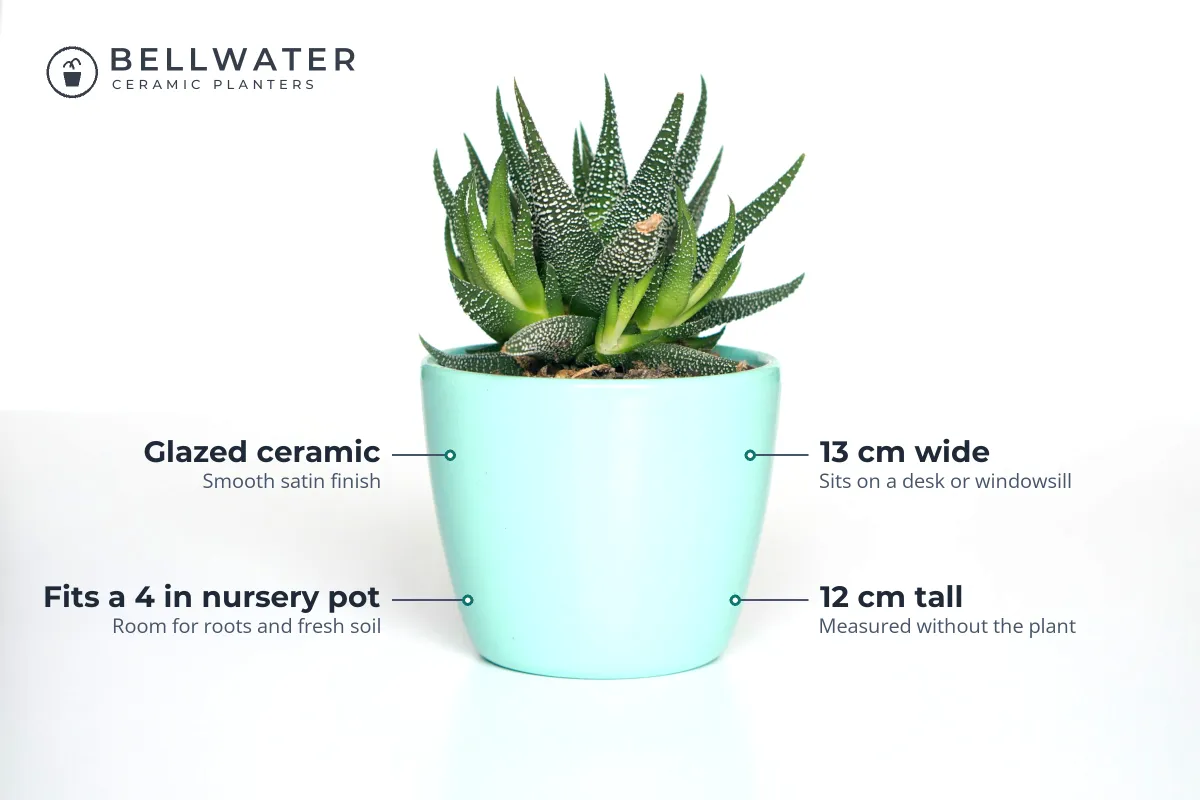
Some limits still apply to every image. They have to show the product accurately and match the listing, and they cannot use Amazon’s own logos or badges such as “Amazon’s Choice”. Some categories, clothing in particular, add their own image rules on top. And a large watermark across the product makes little sense on these images anyway: they exist to show the product clearly, and a tiled watermark undoes that.
If you want branding on Amazon, a small logo on an infographic or lifestyle shot is the realistic option. It reads as part of the design rather than a copy-protection measure.
eBay’s Photo Policy: No Watermarks on Any Photo
eBay is stricter. Its picture policy lists what is not allowed in listing photos, and it applies to every photo, not just the first:
- Photos that don’t accurately represent the item.
- Photos with added borders.
- Photos with added text, artwork or marketing material.
- “Watermarks of any type, including those used for ownership attributions.”
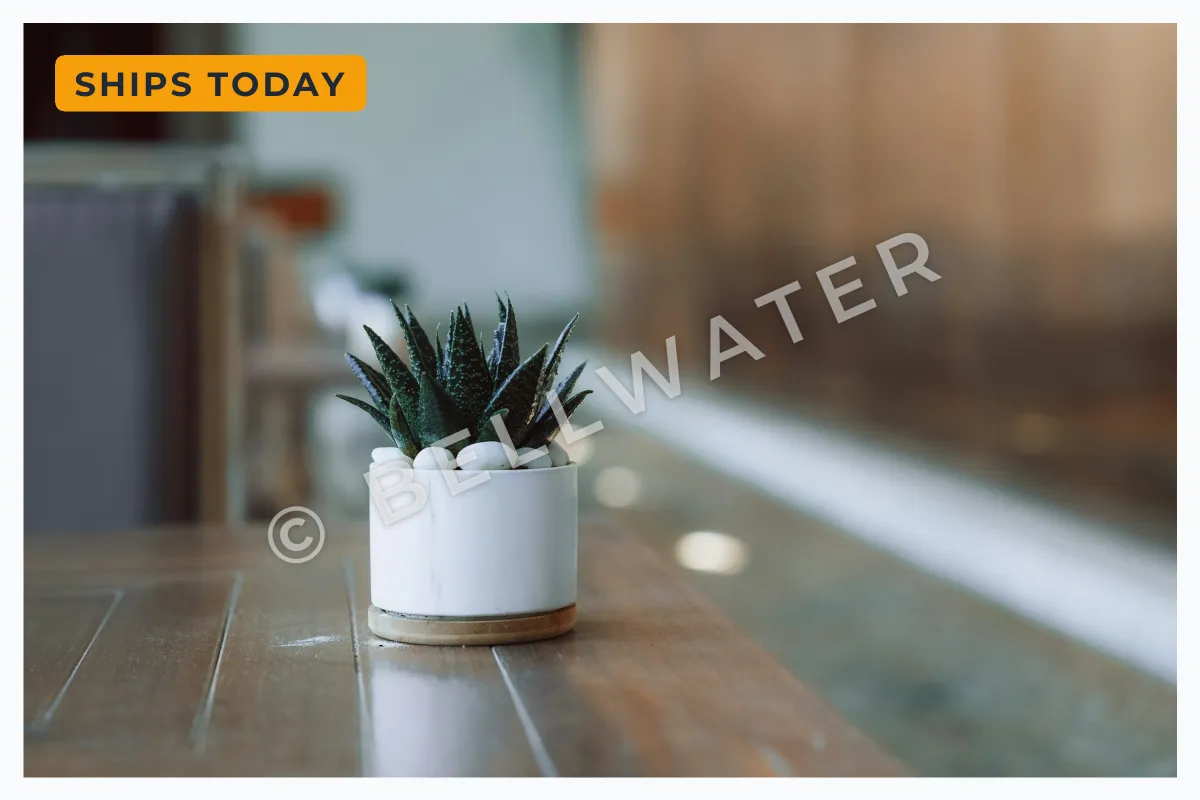 Not allowed on eBay
 Allowed
eBay can remove listings that break the policy, and its photo tips add that badges, logos, copyright notices and watermarks can affect where a listing appears in search results. The same tips recommend images of about 1,600 × 1,600 pixels (500 × 500 is the minimum), say 1:1 or 16:9 photos look best, and allow up to 24 photos per listing.
eBay’s answer to photo theft is policy rather than pixels. Its intellectual property policy does not allow sellers to use third-party photos without permission, and rights owners can report listings that copy their photos.
Keeping Product Photos Consistent Across Amazon, eBay and Shopify
Selling in several places tempts you to edit photos separately for each one, and that is how catalogs drift: different crops, different backgrounds, a logo on some and not others. The way to keep product photos consistent across Amazon, eBay and Shopify is to make one master set and derive everything from it.
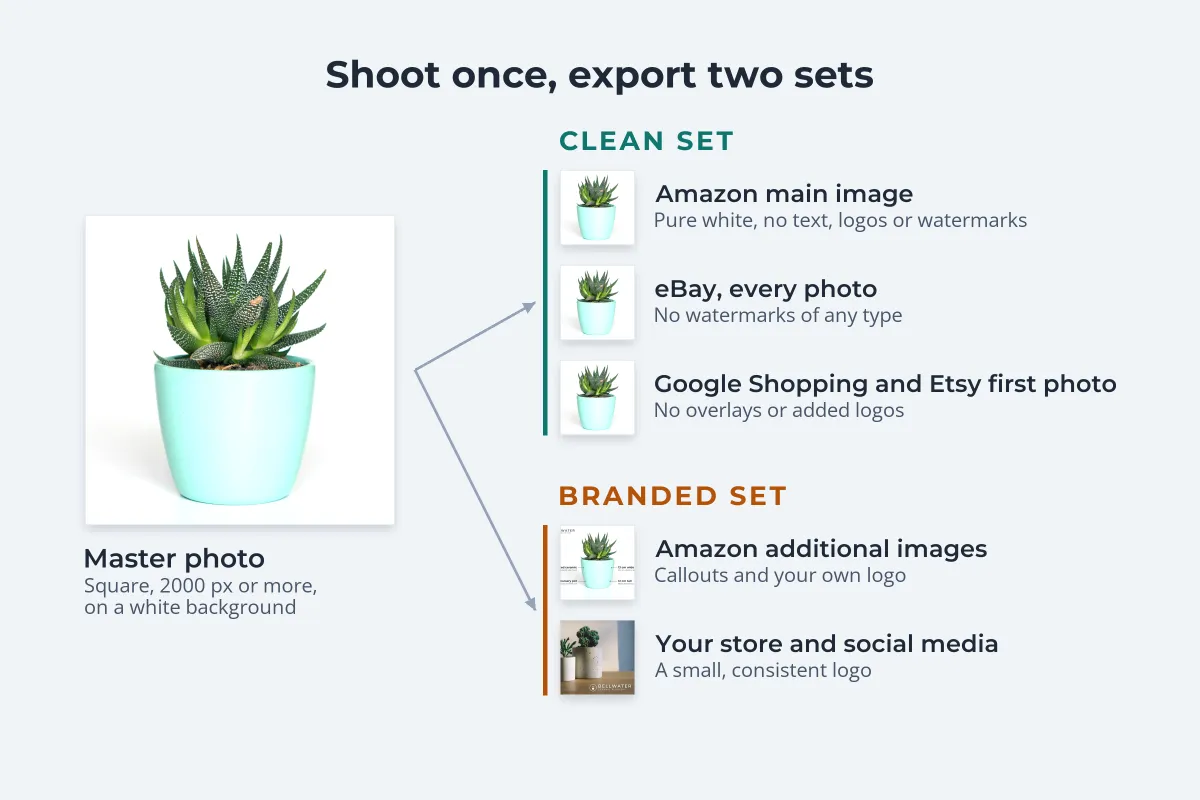
- Shoot to the strictest rule. A white background, the whole product in frame and room around it satisfies Amazon’s main image, eBay and Google at once.
- Export square masters at about 2,000 pixels. That clears Amazon’s zoom minimum and eBay’s recommended 1,600 pixels, and Shopify’s help center says 2048 × 2048 usually displays best for square product images.
- Keep the masters clean. These go straight to Amazon’s main image, every eBay photo, Google Shopping feeds and the first photo on Etsy.
- Make a branded copy for your own channels. Same photos, same crop, plus one small logo in the same corner at the same size.
- Name and file them in pairs. A clean and a branded folder with identical file names makes it hard to upload the wrong one.
Consistency inside your own store matters too. When product cards sit side by side, a logo that jumps between corners looks careless. Watermarking Shopify product photos covers theme crops and a placement rule for whole catalogs, and the Etsy guide explains why its first photo stays clean as well.
How to Protect Product Photos You Can’t Watermark
Clean marketplace photos are easy to copy, so protection moves elsewhere:

- Brand your own channels. Copycat shops often lift photos from a brand’s own website and social accounts. A small logo there means those copies still name you, and the clean marketplace versions are not the only ones in circulation. If one has already copied yours, see what to do when a copycat store steals your product photos.
- Put the brand on the product. Packaging, labels and printed logos that are physically part of the item are allowed in the photo and travel with every copy.
- Keep your originals. Full-resolution files and RAW files are the clearest evidence that a photo is yours.
- Search for copies. Run a reverse image search on your best-selling products every few months.
- Report through the marketplace. eBay’s Verified Rights Owner (VeRO) program and Amazon’s Report Infringement form handle copied photos. Brands enrolled in Amazon Brand Registry also get a Report a Violation tool.
For copies on websites outside the marketplaces, a takedown notice to the site or its host is the usual route. How to file a DMCA takedown explains what it must include. For the wider question of whether to watermark products at all, see should you watermark product photos?
Making the Branded Set in Watermark.ws
Your clean set is simply your edited masters. The branded set takes a few minutes:
-
Upload the masters
Drag in a whole product drop at once. Watermark.ws works on copies, so the clean files stay as they are.
-
Add your logo
Use a PNG with a transparent background, in white or dark gray depending on your backgrounds.
-
Place it the same way every time
Pick a corner, keep it small, around 15–20% of the width, and away from the product.
-
Save it as a template
Every future batch gets the same logo, size and position in one click.
-
Download and upload where watermarks are allowed
Your own store, social media, wholesale catalogs and lookbooks. Never the Amazon main image or eBay.
For large catalogs, see the guide to batch watermarking photos.
Sample photos: Teal planter by Galina N, White planter on a table by Nejc Soklič, Concrete planters by freddie marriage on Unsplash.