On this page
- How to Credit a Photo: The Short Answer
- Photo Credit Formats and When to Use Each
- Where to Put the Credit: Print, Web and Social
- What Does CC Mean in Photography?
- How to Credit a Creative Commons Photo
- "This Photo by Unknown Author Is Licensed Under CC"
- Credit Is Not Permission
- Making Sure Your Own Photos Get Credited
How to Credit a Photo: The Short Answer
To credit a photo, name the photographer next to the image, in a form readers will notice: "Photo: Priya Castellano" or "Photo by Priya Castellano" is the standard. Add the source or agency if there is one, and the license if the photo is used under one, such as a Creative Commons license. Put the credit where the photo is, not in a list at the bottom of the page.
- The basic credit: "Photo: Name" or "Photo by Name", right next to the photo.
- From an agency or brand: "Name/Agency" or "Photo courtesy of Brand".
- Under Creative Commons: title, author, source and license, known as TASL.
- Follow the license: if it asks for a specific credit format, use exactly that.
- Credit is not permission. You still need the right to use the photo in the first place.
Photo Credit Formats and When to Use Each
There is no single legal format for a photo credit. Publications pick a house style and stick to it. These are the formats you will see most often, and they all work as long as you use one consistently:
| Format | Example | Use it for |
|---|---|---|
| Photo: Name | Photo: Priya Castellano | Captions, magazines and websites. Short and clear. |
| Photo by Name | Photo by Priya Castellano | Blogs and articles. Reads naturally in a sentence. |
| © Year Name | © 2026 Priya Castellano | When you want to show the copyright owner, not just the photographer. |
| Name/Agency | Priya Castellano/Fernhill Pictures | Photos licensed through an agency or wire service. |
| Photo courtesy of | Photo courtesy of Copper Kettle Bakery | Photos supplied by a business, venue or family, who may not have taken them. |
| Photo by Name on Site | Photo by Priya Castellano on Unsplash | Free photo sites that suggest this wording. |
| Full CC credit | "Headland, Late Light" by Priya Castellano is licensed under CC BY 4.0 | Any photo used under a Creative Commons license. |
"Photo courtesy of" deserves a note. It means someone provided the photo and allowed you to use it. It does not always name who took it, so if the photographer is known, name them too: "Photo by Priya Castellano, courtesy of Copper Kettle Bakery."
Where to Put the Credit: Print, Web and Social
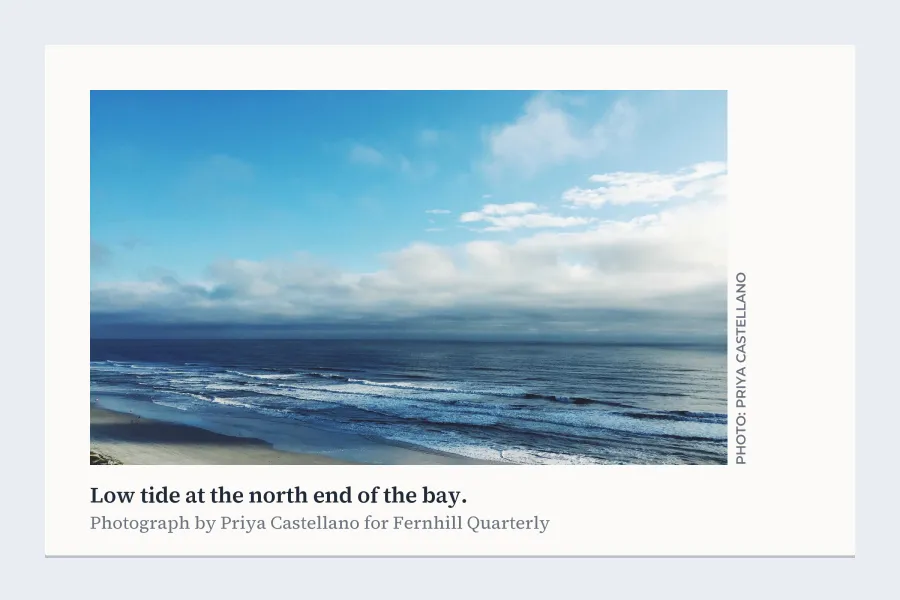
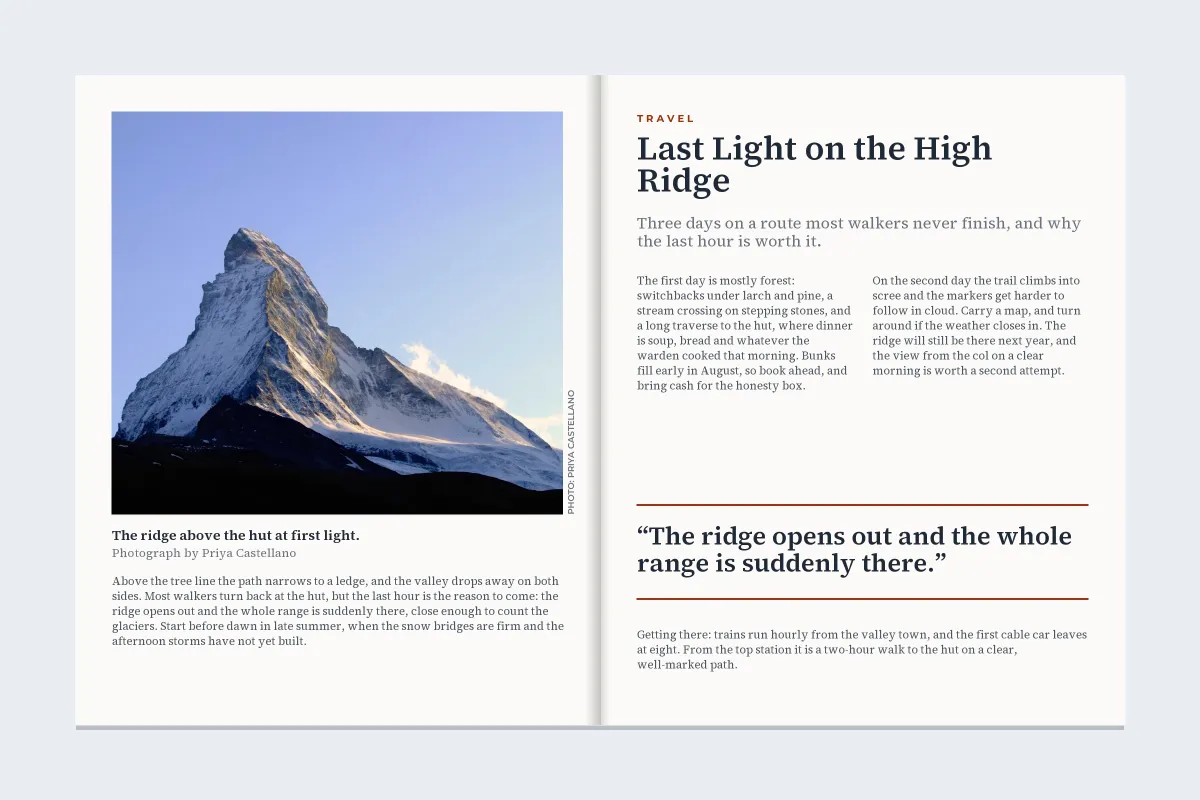
- Print: magazines and books usually run a small credit vertically along the edge of the photo, or add it to the caption. If a page has many photos, a credit block on the same page or spread is common, keyed by position ("top left", "opposite").
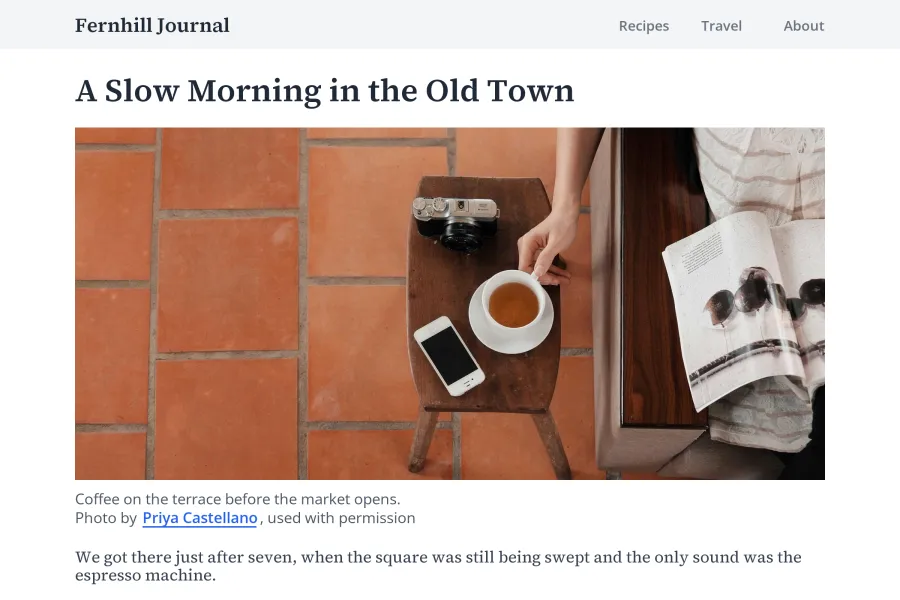
- Websites: put the credit in the caption directly under the photo and link the photographer’s name to their website or the photo’s page. A credit hidden only in the alt text or the page footer is easy to miss, and Creative Commons advises against relying on alt text or metadata alone.
- Social media: captions get cut off and photos get reshared without them, so credit in two places: tag the photographer and mention their handle in the caption, and, when they agree, keep any credit that is already on the image itself.
- Video: show the credit on screen while the photo is visible, and repeat it in the description.
What Does CC Mean in Photography?
Next to a photo, CC almost always stands for Creative Commons, a nonprofit that publishes free, standard licenses photographers can attach to their work. A credit such as "CC BY 4.0" tells you the photo is shared under one of those licenses, which says what you may do with it and on what conditions.
- BY: you must credit the creator. Every Creative Commons license includes it.
- SA (ShareAlike): anything you make from the photo must use the same license.
- NC (NonCommercial): no commercial use.
- ND (NoDerivatives): you may share the photo, but not edited versions of it.
- CC0: the creator has waived their rights as far as the law allows. No credit is required, though it is still a nice thing to give.
You may also see "cc" in a social media post, as in "cc @name". That borrows the email meaning, copying someone in, and says nothing about a license. If you publish your own photos under Creative Commons, Creative Commons licenses explained for photographers covers which license to choose.
How to Credit a Creative Commons Photo
Creative Commons recommends four elements, remembered as TASL: the title of the photo, its author, the source (a link to where you found it) and the license (its name, linked to the license). Use whatever of these the photographer supplied. If the photo has no title, leave the title out.
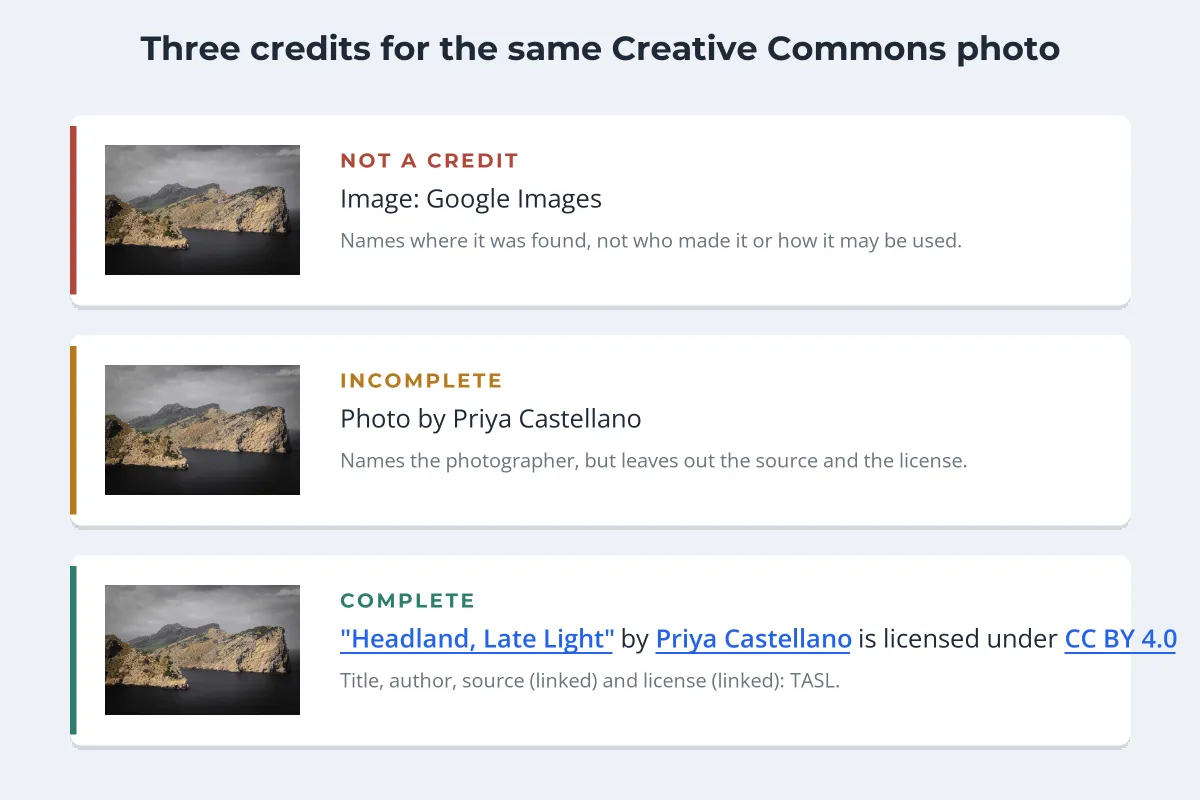
If you changed the photo, say so. For a small edit, "Cropped from original" after the credit is enough. And never credit the place you found it instead of the person who made it. "Image: Google Images" names a search engine, not a photographer.
"This Photo by Unknown Author Is Licensed Under CC"
If you inserted a picture from the online pictures search in Word or PowerPoint, you may have found a caption under it: "This Photo by Unknown Author is licensed under CC BY-SA", or another license. Office adds it for images found through its Bing-powered search, which shows Creative Commons results. The caption usually carries links, to the page the image was found on and to the license.
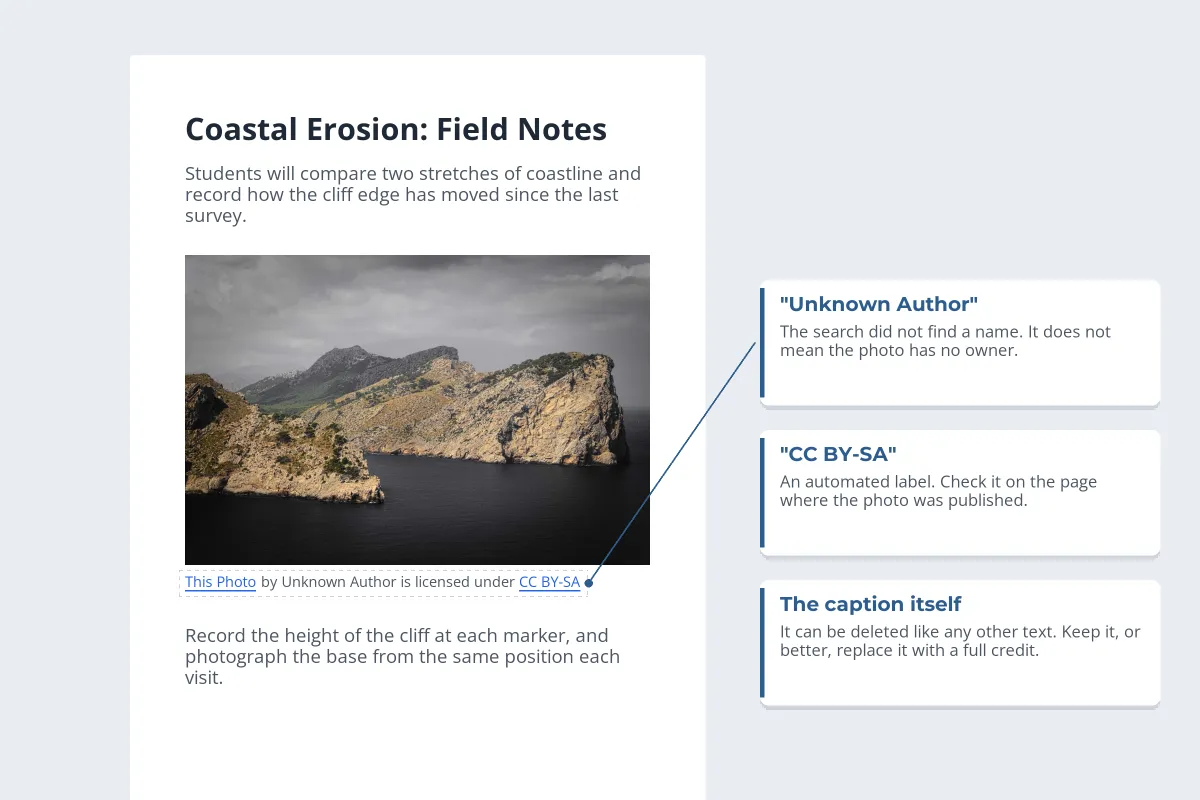
"Unknown Author" means the search did not find a name, not that the photo has no owner. Microsoft’s own guidance says you are responsible for complying with the license of each image and may need to research its source. So treat the caption as a lead:
-
1
Follow the link to the source
Open the page the image came from and look for the photographer’s name and the license the photo was actually published under.
-
2
Replace the caption with a full credit
If the license checks out, write a proper TASL credit with the real author’s name.
-
3
If you cannot confirm it, swap the photo
A license you cannot verify is not one you can rely on. Pick an image whose source page you can check, or one from a site with a clear license.
Credit Is Not Permission
The most common misunderstanding about photo credits is that naming the photographer makes it fine to use the photo. It does not. A credit tells readers who made the image. Permission comes from the photographer, from a license (paid, free or Creative Commons), or, in narrow cases, from an exception in copyright law such as fair use in the US. How to check if an image is copyrighted walks through finding the owner and the license before you use a photo.
- Get permission or a license first, then credit as it asks.
- Keep a copy of the license or the permission email.
- Credit even when the license does not require it, if you can.
- Name the photographer, not the website where you found the photo.
- Assume a credit line turns someone else’s photo into fair use.
- Rely on "no copyright infringement intended".
- Crop out or cover a credit or watermark on the image.
- Treat "found on Google" or "Unknown Author" as permission.
Removing a credit can also cause problems of its own. In the US, a photographer’s name on or with an image can count as copyright management information, and knowingly removing it to hide infringement can violate 17 U.S.C. § 1202. In the UK, photographers have a moral right to be identified as the author, which generally applies once they have asserted it. For when using a photo without permission might be allowed, see fair use and photos, and for photos found through search, can I use images from Google?
Making Sure Your Own Photos Get Credited
If you are the photographer, you can make crediting you the easy option:
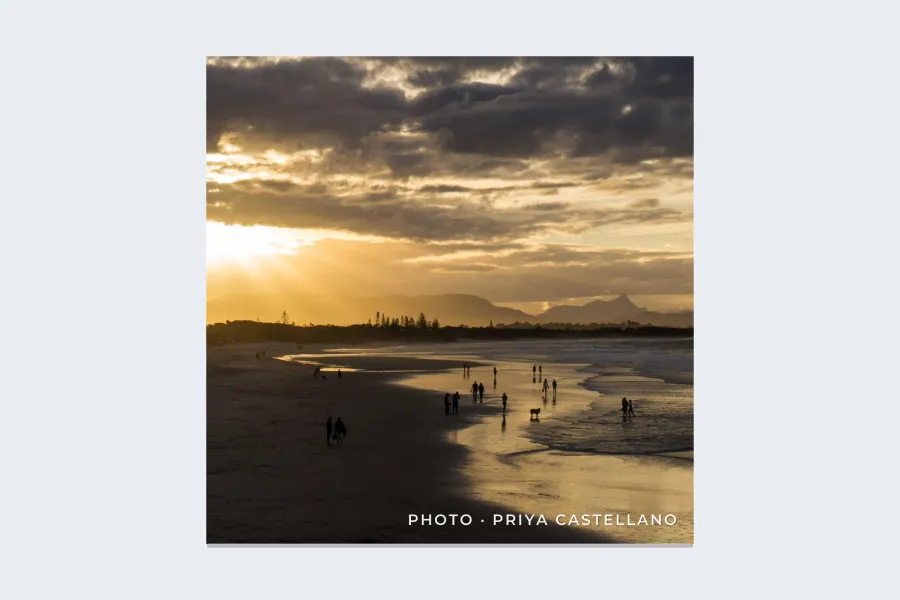
- Put the credit on the photo. A small name or web address travels with the image when the caption does not. What to write in a watermark has wording ideas.
- Write the credit format into your licenses. "Credit: Photo by Priya Castellano, adjacent to the image" leaves no room for guessing. See how to license your photos.
- Fill in your metadata. Your name and copyright in the file help anyone who checks, as long as the file is not stripped. Copyright in photo metadata explains the fields.
- Say how you want to be credited on your website, next to any free or Creative Commons photos.
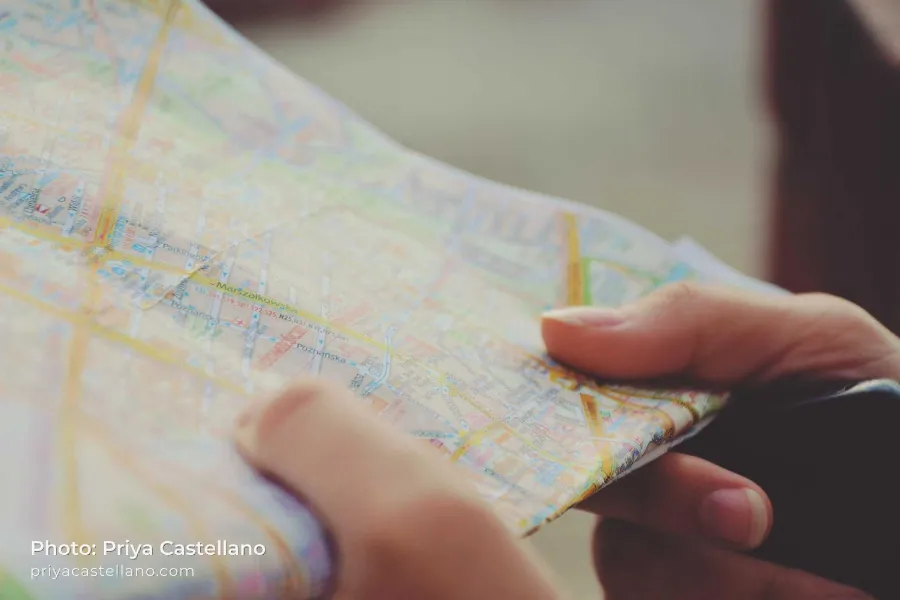
In Watermark.ws you can add a credit like this as a text watermark, give it a soft shadow so it reads on any photo, save it as a template and apply it to a whole batch at once.
Sample photos: Mountain peak by Andras Toth, Seascape by Darrell Cassell, Coffee on a terrace by Bino Storyteller, Beach at sunset by Ry Van, Sea cliffs by Wojciech Szaturski, Map by Sylwia Bartyzel on Unsplash.