On this page
- What a Creative Commons License Is
- The Four Building Blocks
- The Six Licenses, Plus CC0
- The One Thing to Know First: You Cannot Take It Back
- Which License Should You Choose?
- How to Credit a CC Photo: TASL
- Put the License Where People Will See It
- Where to State Your License
- Using Other People's CC Photos Safely
What a Creative Commons License Is
By default, copyright means nobody can use your photo without asking. A Creative Commons (CC) license is a standard, ready-made permission you attach to your work in advance: "you may use this, as long as you follow these conditions." Nobody has to ask, and you do not have to answer every request.
- You still own the copyright. A CC license grants permissions on top of it; it does not give ownership away.
- It is free and needs no registration. According to Creative Commons, you do not need to register with them to apply a license.
- It is non-exclusive. You can still sell other licenses for the same photo — for example, commercial rights to someone who does not want to follow the CC terms.
- The current version is 4.0, published in 2013 and recommended by Creative Commons over earlier versions.
The Four Building Blocks
Every CC license is made by combining a few conditions. Once you know these four, you can read any license name at a glance:
| Element | Stands for | What it means (in Creative Commons' words) |
|---|---|---|
| BY | Attribution | Credit must be given to you, the creator. |
| SA | ShareAlike | Adaptations must be shared under the same terms. |
| NC | NonCommercial | Only noncommercial use of your work is permitted. |
| ND | NoDerivatives | No derivatives or adaptations of your work are permitted. |
Every one of the six licenses includes BY, so credit is always required. NC and ND restrict what people can do; SA controls how they share what they make.
The Six Licenses, Plus CC0
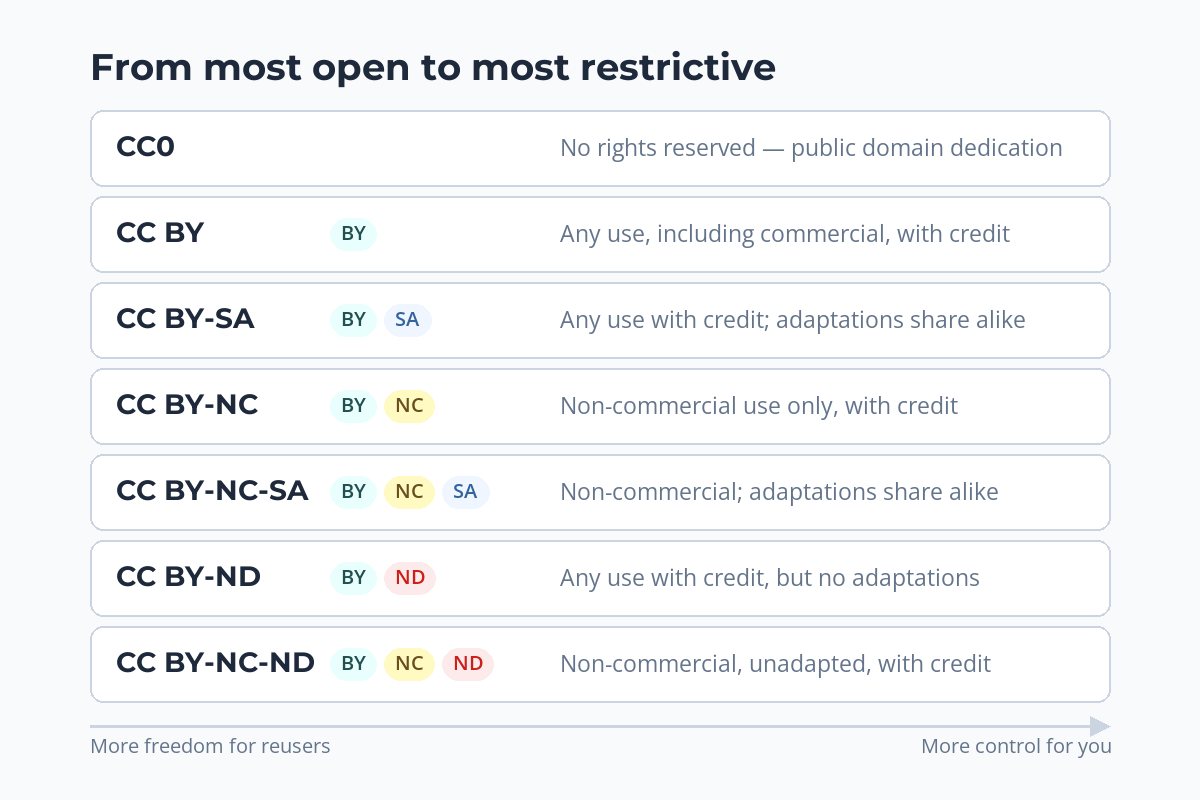
- CC BY — anyone can share, remix and build on the photo, commercially too, as long as they credit you.
- CC BY-SA — the same, but anything made from your photo must be shared under the same license.
- CC BY-NC — anyone can use and adapt it with credit, for noncommercial purposes only.
- CC BY-NC-SA — noncommercial only, and adaptations must use the same license.
- CC BY-ND — it can be shared, commercially too, with credit, but only unadapted.
- CC BY-NC-ND — the most restrictive: noncommercial sharing of the unadapted photo, with credit.
- CC0 — not a license at all but a public domain dedication. You waive your rights as far as the law allows, and people can use the photo for any purpose without credit.
The 4.0 licenses define "NonCommercial" as "not primarily intended for or directed towards commercial advantage or monetary compensation." Where exactly that line falls in a given case is not always obvious — which is worth bearing in mind before you rely on NC to protect income.
The One Thing to Know First: You Cannot Take It Back
Creative Commons states that "CC licenses are not revocable." Once a photo has been published under a CC license, people who got it under that license may keep using it on those terms — even if you later remove it or change your mind. You can stop offering it yourself, but you cannot cancel the copies already out there.
That is the key difference between CC and a normal, paid license. Before you put a photo under CC, ask yourself whether you might ever want to sell exclusive rights to it — to a brand, a publisher or a stock agency that requires exclusivity. If the answer might be yes, keep that photo out of CC.
This is also why it matters to check your own history when you find a photo being used without asking: if you once published it under a CC license, the use may be allowed. See what to do when someone steals your photos.
Which License Should You Choose?
| Your goal | Consider | Why |
|---|---|---|
| Maximum reach and credit | CC BY | Fewest barriers, so the most people can use it — including news sites and businesses. |
| Contribute to a shared, open pool | CC BY-SA | Anything built from your photo stays open too. |
| Share freely, but keep commercial use for paying clients | CC BY-NC | Hobbyists and educators can use it; businesses should come to you for a license. |
| Share the photo, but not edits of it | CC BY-ND | Protects the photo as you made it. |
| Give it away completely | CC0 | No conditions at all — useful for reference images and public-good projects. |
| Earn from this photo | No CC license | Keep all rights and license it directly. |
Many photographers mix approaches: a handful of photos under CC BY for exposure, and their best work under all rights reserved, licensed directly. For how paid licensing works, see how to license your photos.
How to Credit a CC Photo: TASL
Whether you use CC photos or publish your own, it helps to know what good credit looks like. Creative Commons recommends including four things, easily remembered as TASL: the Title, Author, Source and License.
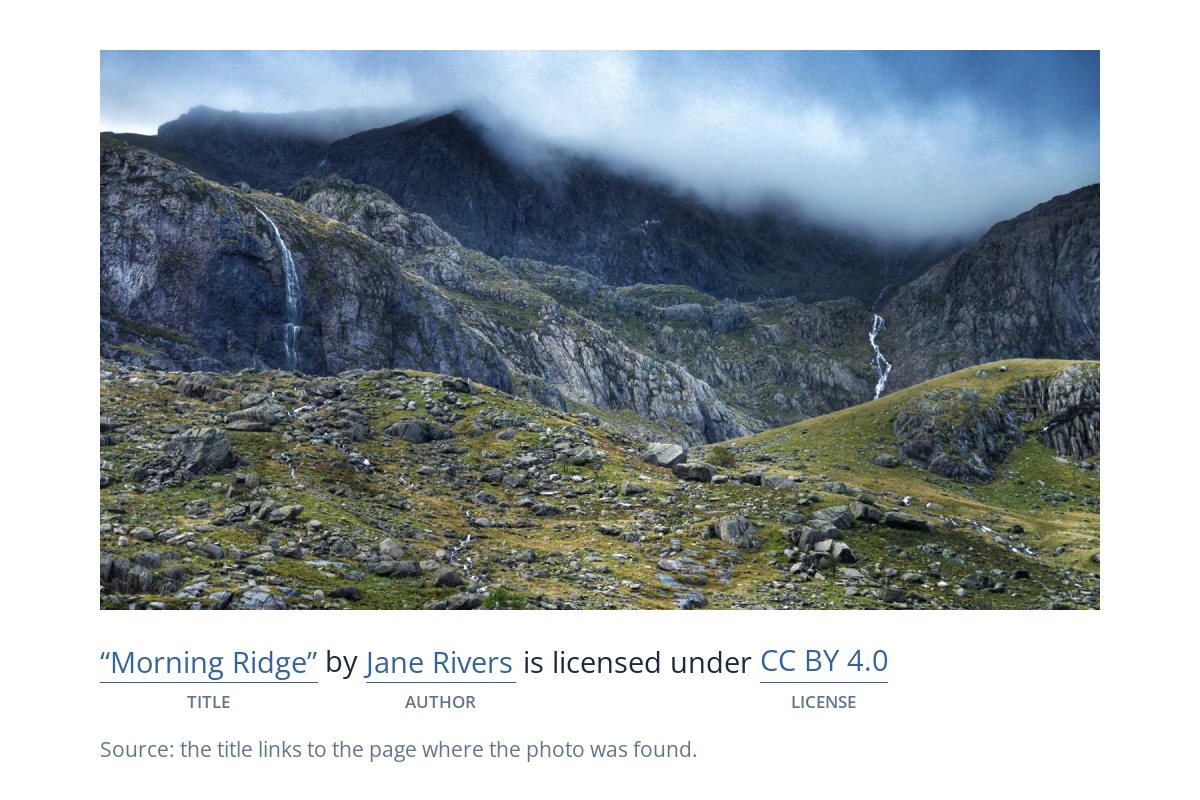
- Title — the name of the photo, if it has one.
- Author — the photographer's name, linked to their profile or site if possible.
- Source — a link to where the photo was found.
- License — the license name, linked to the license itself.
The 4.0 licenses also ask anyone sharing the work to keep the creator's identification and any copyright notice that came with it. If a photo has been adapted — cropped into a collage, say — the credit should also say that it was changed.
Put the License Where People Will See It
A license written on your website only helps people who find your website. Photos travel without their page. If you publish under CC, a small license line in the watermark keeps the terms attached to the image wherever it goes.

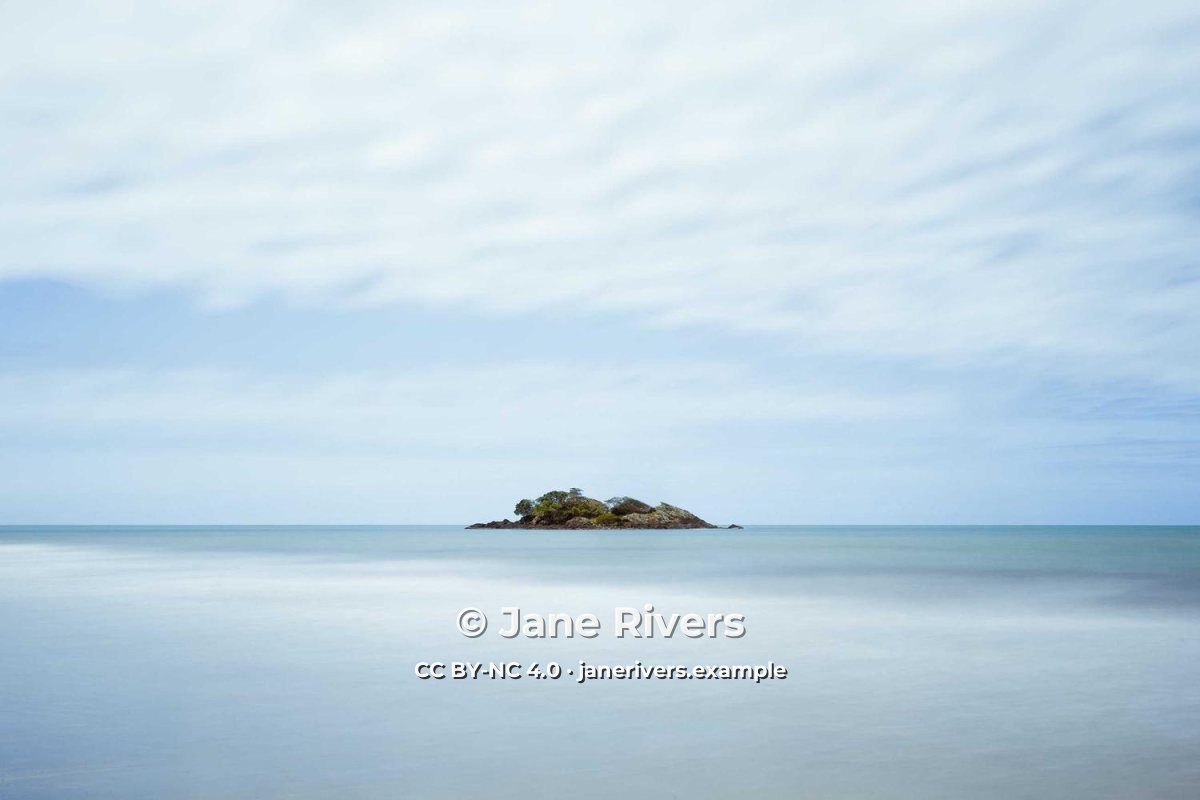
The version on the right answers the three questions a would-be user has: who made it, what they may do with it, and where to ask for more. In Watermark.ws you can add the license as a second text watermark under your name, insert the © symbol with one click, and save the pair as a template for every photo you share under that license.
The license abbreviation and a short web address are enough. For layout ideas, see what to write in a watermark.
Where to State Your License
A license only works if people can find it. Say which license applies in more than one place, so it survives the photo being shared on its own:
- Next to the photo on your website or portfolio, with a link to the license.
- On the photo itself, as a short line in the watermark.
- In the file's metadata, in the copyright and usage fields — see copyright in photo metadata.
- On any platform that asks, if the site you upload to has its own license setting.
Be consistent. If your website says CC BY-NC and the watermark says CC BY, people will reasonably pick the more generous one — and because CC licenses cannot be revoked, you may not be able to argue otherwise.
Using Other People's CC Photos Safely
- Check the exact license on the page where the photo was published.
- Save a copy of that page, in case it changes later.
- Credit with title, author, source and license.
- Say if you changed the photo.
- Follow NC and ND strictly — they are conditions, not suggestions.
- Assume every "free" photo is CC licensed.
- Use an NC photo in ads, products or client work.
- Edit an ND photo and share the result.
- Drop the credit because it looks untidy.
- Remove the photographer's name or notice from the image.
Sample photos: Pier by Christian Holzinger, Mountain valley by James Pritchett, Island by Ivan Slade on Unsplash.