
On this page
How to Watermark a Fashion or Model Portfolio
Fashion work is judged on taste, so the watermark has to be as considered as the photo: small, light and typographic. Fashion photographers and models usually watermark the images they post publicly, credit the rest of the team in the caption, and keep the files that go to agencies and clients clean.
- Portfolio and social posts: a small name in spaced capitals or a monogram, in a color taken from the photo.
- Team credits: in the caption and tags, not stacked on the image.
- Comp cards: clean photos, with a one-line photographer credit in small type.
- Agency submissions: no watermark and no filters. Agencies want to see the model as they are.
- Lookbook previews for buyers: a faint "preview" or "confidential" watermark until the collection is released.
Subtle Watermarks That Suit Fashion Work
Fashion images borrow their look from magazines, and magazines credit photographers in small, clean type. A watermark in the same spirit looks like part of the layout rather than a stamp:



- Use a refined typeface. A light sans-serif or a classic serif with wide letter spacing suits fashion better than bold or script fonts.
- Take the color from the photo. Charcoal on pale backdrops, white on dark ones, at around 70–85% opacity.
- Keep it off the garment and the face. The clothes and the model are the subject; the backdrop is where the watermark belongs.
For typefaces that stay legible at small sizes, see the best fonts for watermarks.
Credit the Team in the Caption, Not on the Photo
A fashion shoot can involve half a dozen people who all want credit, and all of them will post the images. Stacking every name on the photo turns it into a poster.
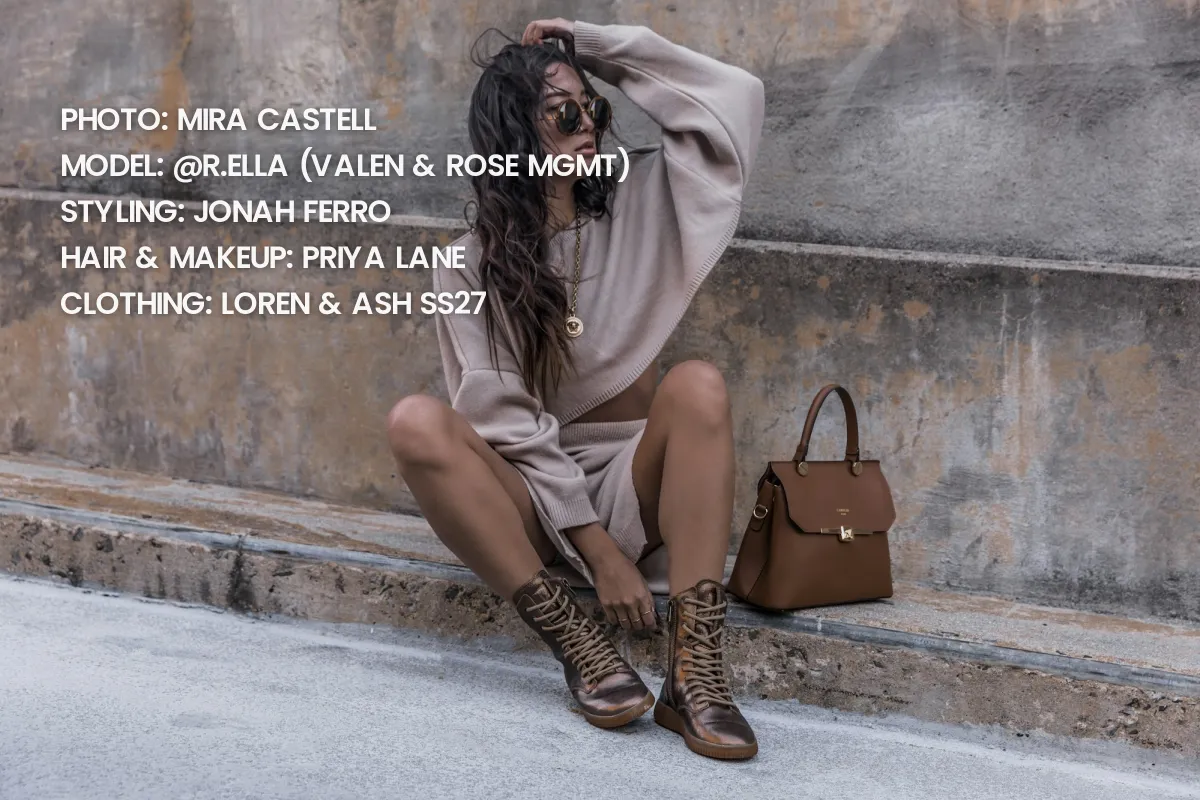 Every credit on the photo
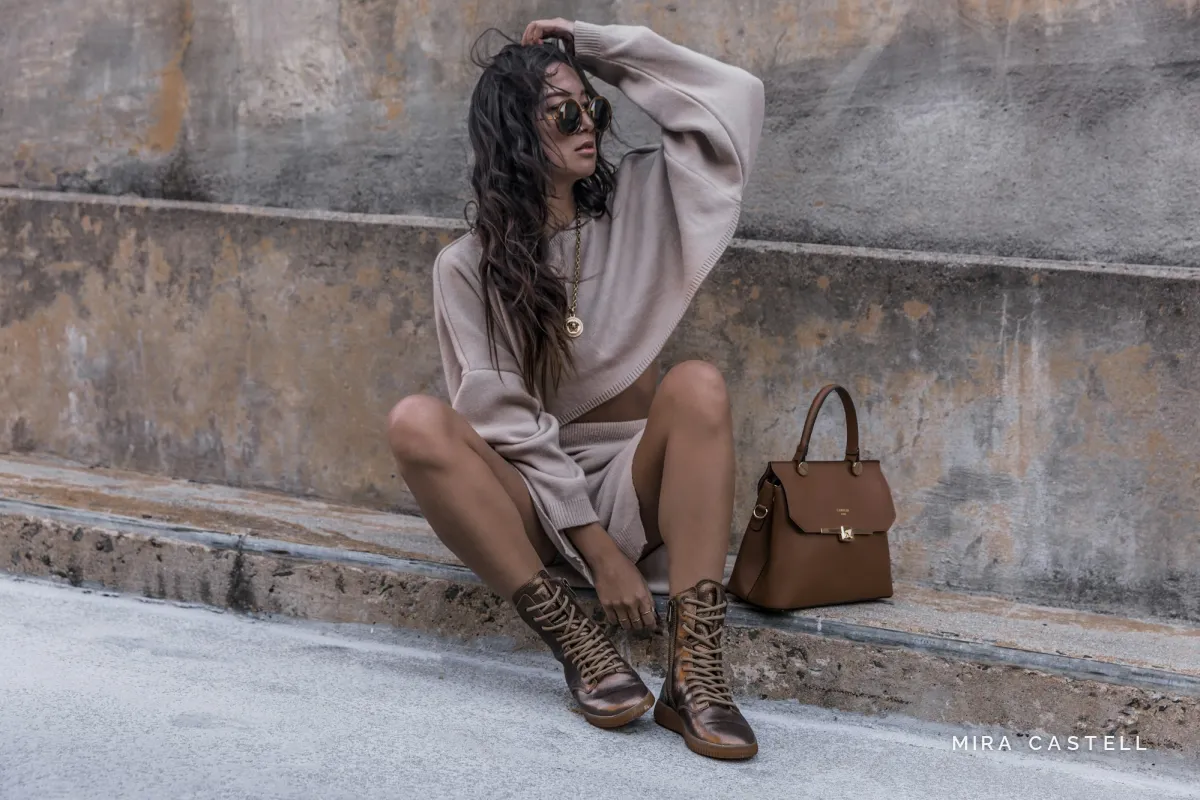 One watermark, credits in caption
Put one discreet watermark on the image, usually the photographer's, and list the team in the caption, tagging each person. A common order follows editorial credits:
- Photographer
- Model, with their agency in brackets
- Styling
- Hair and makeup, separately if two people did them
- Designer or brand of the clothing, and any jewelry or accessories
Agree before the shoot who posts first and how everyone is credited, so nobody's caption leaves anyone out. For credit formats beyond fashion, see how to credit a photo.
Model Comp Cards
A comp card, also called a zed card, is a model's one-page résumé: a strong headshot on the front, a few varied shots on the back, and the model's measurements and agency contact. It goes to casting directors and clients, so the photos have to be clean.
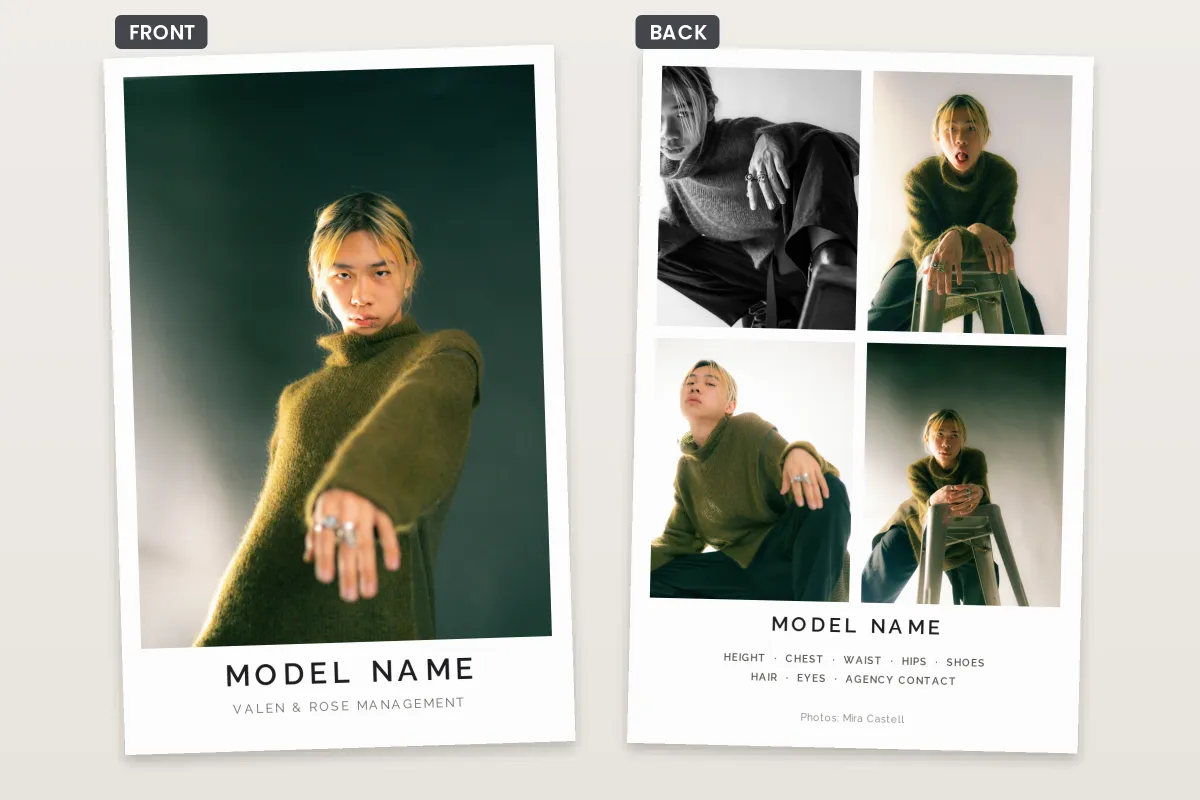
A watermark across a comp card makes the model look unprofessional and hides exactly what a casting director is looking at. If the photographer is to be credited, a small line such as "Photos: Mira Castell" at the bottom of the back is the norm. Photographers who shoot comp card images should agree in writing that the model may use them on cards and agency pages without a watermark.
Agency Submissions and Digitals
When models apply to an agency, they usually send simple snapshots, often called digitals or polaroids, rather than finished portfolio shots. ONE Management's online application, for example, asks for photos in natural daylight without makeup or hair styling, as JPG or PNG files of no more than 600 KB each.
These images exist to show what the model looks like, so they should carry no watermark, no filter and no retouching. If a portfolio shot is included, send a clean version and mention the photographer in the message instead.
Agencies differ in what they ask for, from the number of photos to file sizes and video. Follow the instructions on the agency's own application page rather than a general checklist.
Lookbooks and Buyer Previews
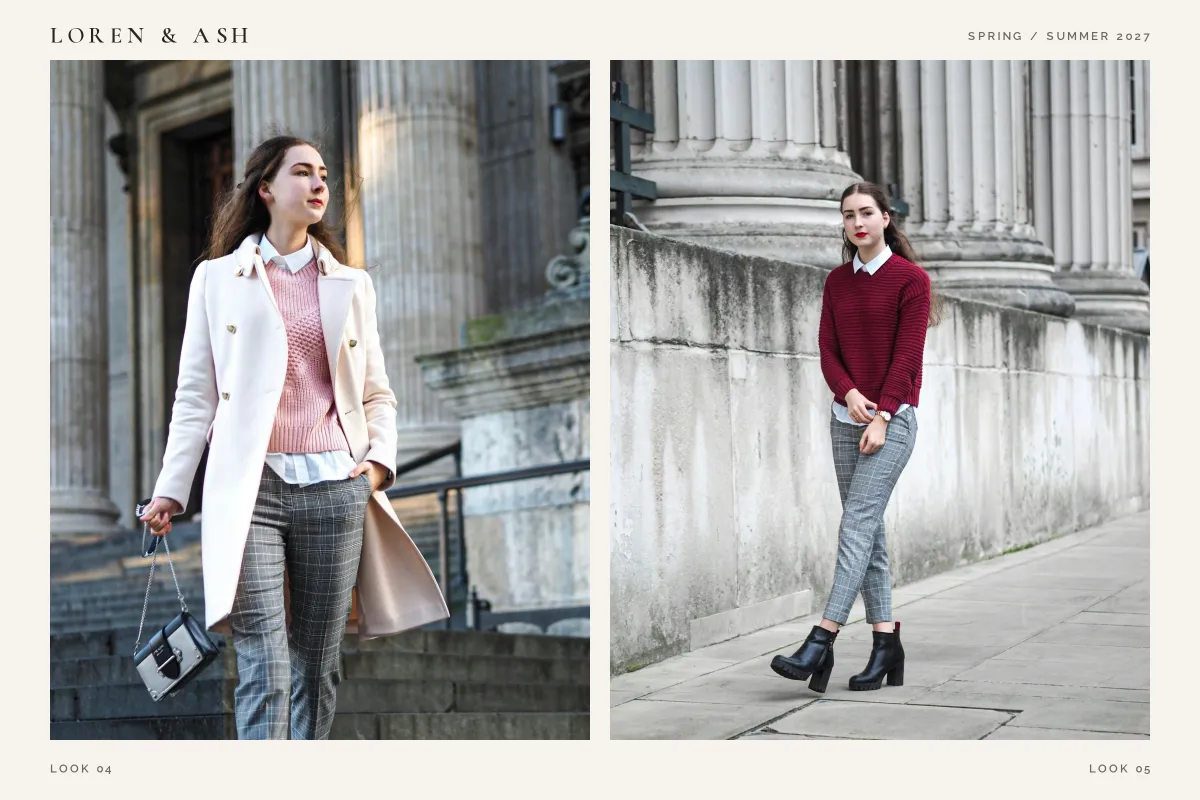
Brands send lookbooks to buyers, stylists and press before a collection is public. Those early images can leak, be copied or end up in a competitor's mood board months before release.
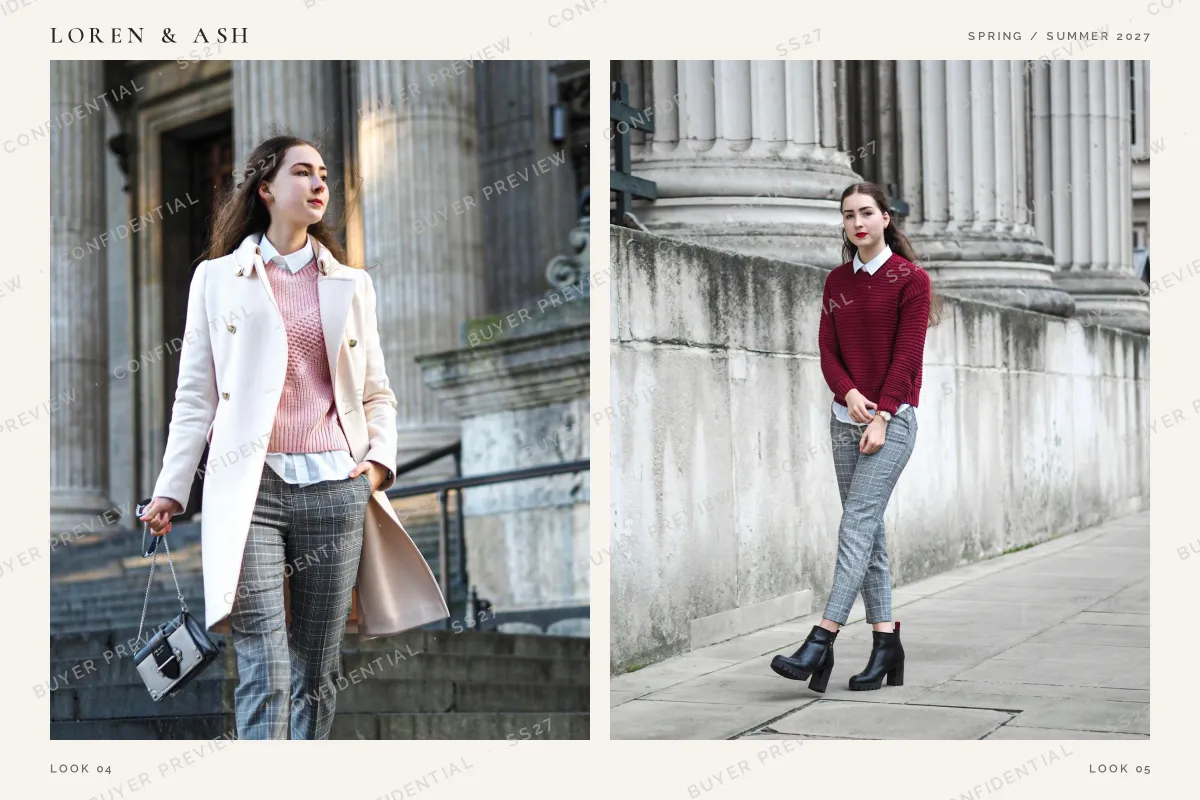 Buyer preview
 After release
A faint tiled line such as "BUYER PREVIEW · CONFIDENTIAL · SS27" keeps the garments fully visible for buying decisions while making any leaked page obviously unofficial. Once the collection launches, publish the clean lookbook. For press and buyers who must not share at all, a copy with their own name on it goes further; traceable watermarks covers how that works.
Collaborations, TFP Shoots and Usage
Many portfolio shoots are collaborations, sometimes called TFP (time for prints), where nobody is paid and everyone gets images. They work best with a short written agreement that covers:
- Who may use the images, and where. Portfolios and social media are typical; advertising is not.
- Credit. How each person is credited when they post.
- Edits. Whether others may crop, filter or remove the photographer's watermark.
- Releases. A model release if any image may be used commercially.
Ownership of the images follows the usual rules for photography, which differ by country; who owns the photos explains them. For when a release is needed, see do you need a model release.
Setting It Up in Watermark.ws
-
Upload a set
Add the edited images from a shoot, one or a whole batch.
-
Type your name or add your monogram
Use a refined font from the preset library or upload your own, and add generous letter spacing. A monogram can be uploaded as a transparent PNG.
-
Keep it quiet
Set a small size, a color taken from the backdrop and an opacity of around 70–85%. Rotate it 90° for a vertical credit.
-
Save templates
One for portfolio posts, and a tiled "preview" template for lookbooks sent to buyers.
-
Download clean copies too
Your original files are not changed, so clean versions for comp cards and agencies are always ready.
Sample photos: Studio portrait by Angga Pratama, Model in olive sweater by Joss Broward, Model seated by Joss Broward, Model crouching by Joss Broward, Comp card headshot by Joss Broward, Comp card, black and white by Joss Broward, Comp card, on a stool by Joss Broward, Comp card, leaning by Joss Broward, Model on stone steps by Kristina Petrick, Look in white coat by Laura Chouette, Look in red sweater by Laura Chouette on Unsplash.