
On this page
The Short Answer
Most advice about watermarks is written for professionals, whose photos are their income. If you take photos because you enjoy it, the question is different. You are not trying to protect a product. You are trying to share your work, get a little credit for it, and not feel annoyed when it turns up somewhere without your name.
- You do not need a watermark to own your photos. In most countries, copyright belongs to you the moment you take the picture.
- A small credit is worth it on photos you post publicly — especially ones that might travel, like landscapes, travel shots and anything that goes viral.
- Skip it on photos for family and friends, and on contest entries, which usually have to be unmarked.
- Keep it light. A hobbyist watermark should be a signature, not a security measure.
What Actually Happens to Hobby Photos Online
Your photos are unlikely to be stolen by someone planning to sell prints of them. The realistic risks for a hobbyist are smaller and more everyday:
- Reposts without credit. A page with a big following shares your sunset, and thousands of people see it with no idea who took it.
- Screenshots that lose the source. Someone screenshots your post, sends it to a group chat, and the link back to you is gone after the first forward.
- Casual commercial use. A local business, blog or event page uses your photo because it came up in an image search and looked good.
- Being passed off. Occasionally, someone posts your photo as their own.
None of these cost you money directly. What they cost you is credit: the chance for someone who likes your work to find you. That is exactly the problem a small watermark solves. It does not stop a determined thief — nothing visible fully does, as can watermarks be removed? explains — but it makes sure your name travels with the photo.
What a Watermark Costs You
A watermark is not free. It sits on top of the photo you worked to make, and the heavier it is, the more it takes away. Here is the same photo with no watermark, a small credit, and the kind of heavy protection that makes sense for stock previews but not for a hobby shot.



Heavy watermarks also send a message you may not intend. On a personal account, a big "do not copy" line can read as defensive, and it makes people less likely to share your photo — which, for most hobbyists, is the whole point of posting it.
Weighing It Up, Photo by Photo
You do not have to pick one rule for everything. Decide by where the photo is going:
| Where the photo is going | Risk | Watermark? |
|---|---|---|
| Family chat, friends, a shared album | Very low | No. It only gets in the way. |
| A private account with a few followers | Low | Optional. A small credit if you like. |
| A public social media account | Moderate — reposts and screenshots | A small credit or your @handle. |
| Photo communities and forums | Moderate | Check the community rules first; many prefer clean images. |
| Your own website or blog | Moderate — image search makes photos easy to find | A small credit. |
| Photo contests | Low | No. Most contests require unmarked entries. |
| Photos you are starting to sell | Real | Yes — and read the guides for professionals. |
The last row is the turning point. The moment photos become something you sell — prints, licenses, sessions — the calculation changes, and it is worth reading where to put a watermark and how to license your photos.
Photo Contests: Leave It Off
If you enter photo contests, keep an unwatermarked version of every photo. Many contests ask for entries without watermarks, signatures, logos or borders, so that judges do not know whose photo they are looking at. A watermarked entry can be disqualified, even if the watermark is tiny.

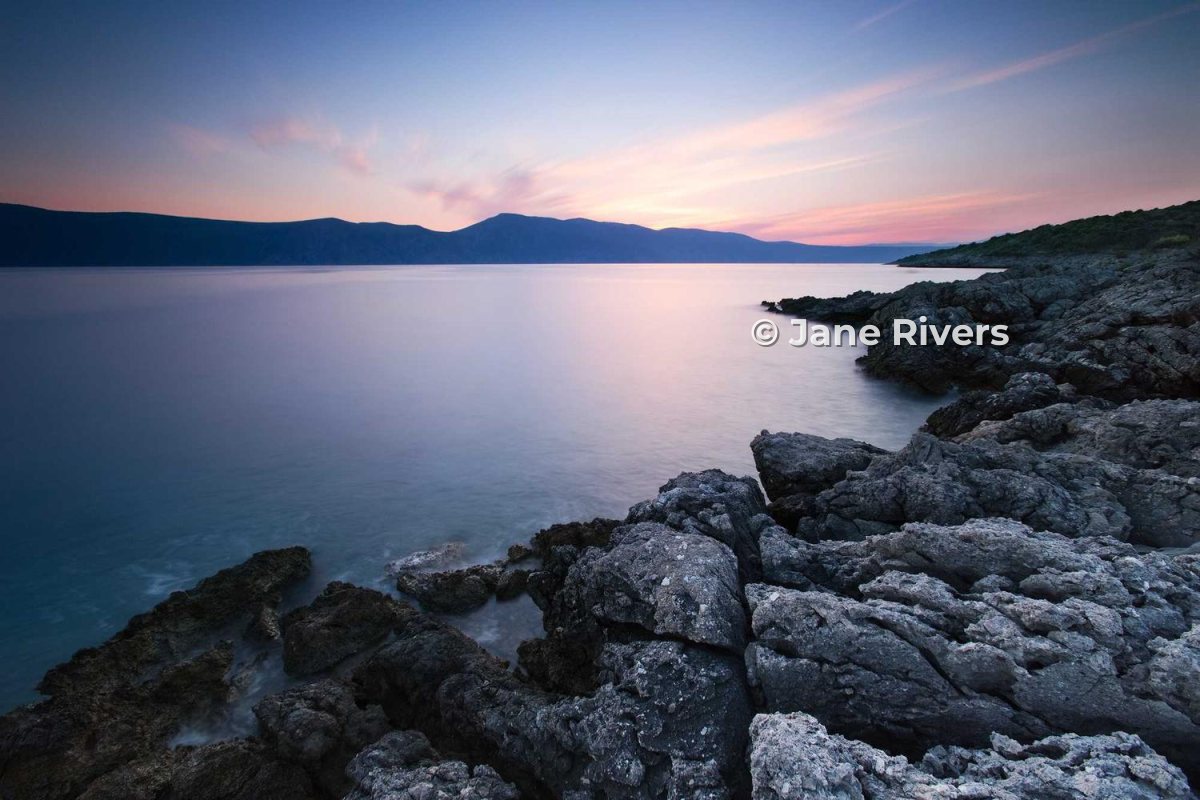
The easy habit is to treat the watermarked version as an export, never as the original. Keep your edited photo clean, and add the credit only to the copies you post. That way you always have a contest-ready file.
Entry rules differ between contests — some also limit editing, or ask for the original camera file if your photo is shortlisted. Check the rules before you submit.
Sharing on Social Media
Social media is where hobby photos travel furthest, and where a credit does the most good. For most hobbyists, the most useful watermark is not a name at all — it is the handle people can search for.

Keep it small, and keep it away from the very edges, because platforms crop photos in different ways. The platform guides go into detail: Instagram, Facebook and Pinterest.
If You Want to Build a Name
Plenty of hobbyists would like their photography to grow into something more: a following, a print shop, the occasional paid job. If that is you, a consistent watermark is part of how people start to recognize your work.
- Pick one name and stick to it. Your handle, your name or a short studio name — but the same one everywhere.
- Use the same style on every photo. Same font, same size, same general position. Consistency is what makes it recognizable.
- Choose a readable font. Thin scripts look elegant in the editor and disappear on a phone. See the best fonts for watermarks.
- Start simple. You do not need a logo. A clean text credit looks more professional than a rushed logo — logo or text covers when that changes.
Proving a Photo Is Yours, With or Without a Watermark
Whether or not you watermark, a few free habits make it easy to show a photo is yours if it ever turns up somewhere it should not be:
- Keep your originals. The full-resolution file, and the camera’s RAW file if you shoot RAW, are far better evidence than anything posted online. Someone who copied your photo only has the small version.
- Put your name in the file itself. Most cameras and editing apps can write your name and a copyright line into the photo’s metadata. It is invisible and often stripped by social networks, but it travels with files you send directly. See copyright in photo metadata.
- Check where your best photos end up. A reverse image search every so often shows where they have been reposted. Finding stolen photos with reverse image search explains how.
If you do find a photo reposted without credit, the friendly approach usually works best for hobbyists: a polite message asking for credit or a tag. If it is being used commercially without your permission, you have more options — what to do when someone steals your photos walks through them.
Most reposts by other hobbyists and fan pages are careless rather than malicious. A visible credit simply makes it easier for them to do the right thing — and for their followers to find you.
A Five-Minute Setup
If you decide a small credit is worth it, set it up once and reuse it. In Watermark.ws, that looks like this:
-
1
Upload the photos you want to share
Drag in one photo or a whole folder from your last outing. Your originals are not changed.
-
2
Add a text watermark
Type your name or @handle. The © button adds the copyright symbol if you want it.
-
3
Keep it small and calm
Make it roughly a fifth of the photo’s width, set the opacity around 70–90%, and add a soft shadow so it reads on light and dark areas. How transparent should a watermark be? explains the numbers.
-
4
Place it inside the frame
A little way in from the edge, where platform crops will not cut it off.
-
5
Save it as a template
Next time, apply the same credit to a new batch in one click — and download clean originals for contests whenever you need them.
Sample photos: Golden field by Alexander Shustov, Camper van by Kyle Szegedi, Rocky coastline by Federico Bottos, Bridge at dawn by Ryan Lum on Unsplash.