On this page
Does Disabling Right-Click Protect Images?
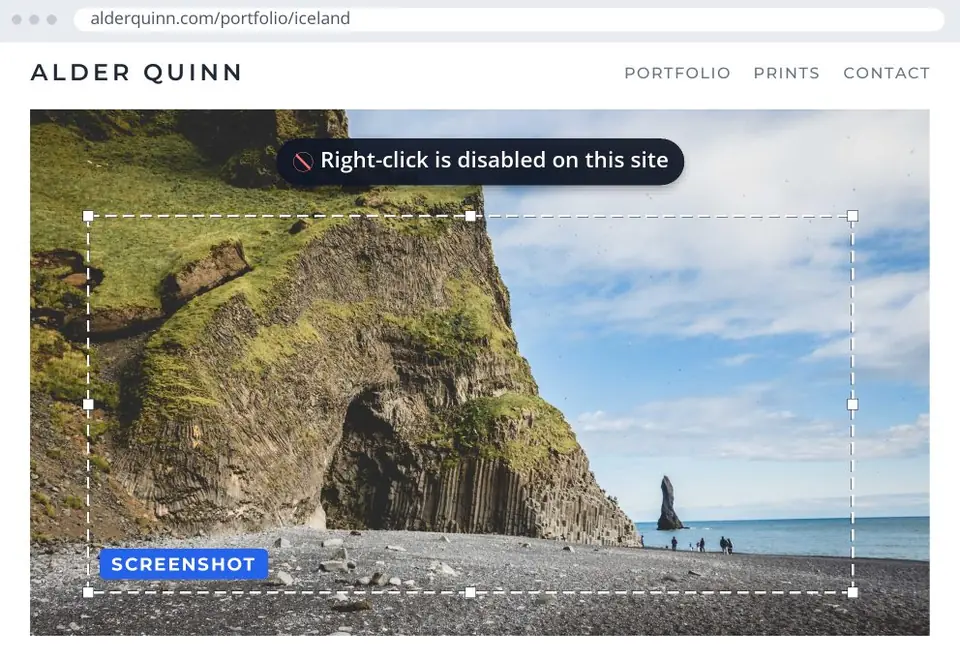
No. Disabling right-click stops one way of saving an image, the “Save image as” option in the right-click menu, and leaves every other way open. By the time a photo appears on a visitor’s screen, their browser has already downloaded it. A script can hide a menu, but it cannot take the file back.
- It does not prevent copying. Screenshots, the browser cache, developer tools and the page source all still work.
- It has real costs. It gets in the way of ordinary browsing and of tools some people rely on, and it treats every visitor as a suspect.
- What protects images: a visible watermark, smaller published files, monitoring for copies, and making it easy to license your work.
What a Right-Click Block Actually Does
Most “no right-click” plugins and snippets do the same thing: a few lines of JavaScript listen for the right-click menu event and cancel it, often with a pop-up message. Some go further and also block text selection, dragging images or keyboard shortcuts.
Other tricks work in the page’s styling instead: a transparent layer over each photo so a right-click hits the layer, or the photo set as a CSS background rather than an image element. These change what happens when someone clicks. They do not change the fact that the image file is sent to the visitor’s browser in full.
Google’s image SEO documentation says Google finds images in the src of image elements and does not index CSS images. A photo hidden in a CSS background to dodge right-clicks can drop out of Google Images entirely.
Why Disabling Right-Click Doesn’t Stop Anyone
To show a photo, a website has to send it. Whatever the page does with clicks afterward, the image is already on the visitor’s device, and there are many ordinary ways to keep it:
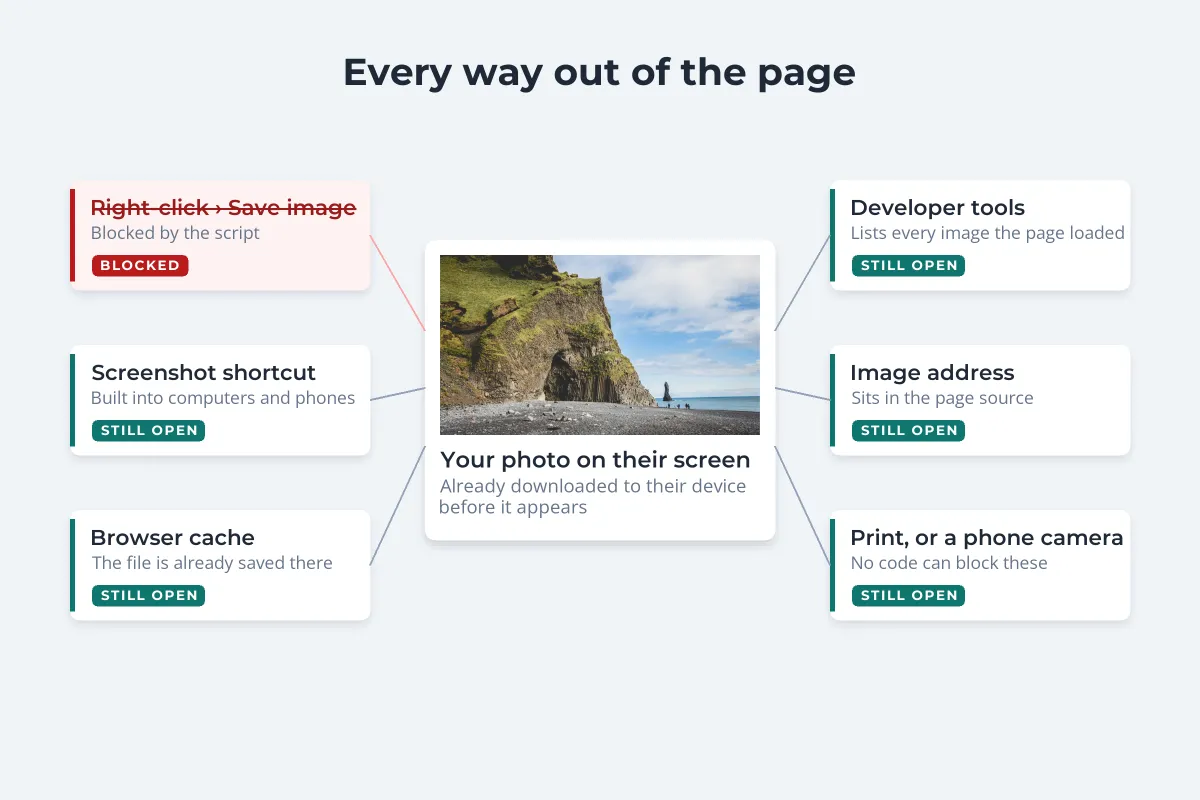
- Screenshots. Every computer and phone has a built-in screenshot shortcut, and no web page can block it.
- The browser cache. Browsers store the images they display, so the file is often already saved on the visitor’s disk.
- Developer tools. Every desktop browser has them built in, and they list every image the page loaded, ready to open or save.
- The page source. The image’s address is in the page’s HTML for anyone who looks.
- Turning off JavaScript. Script-based blocks simply stop working.
- Printing, saving the whole page or photographing the screen. No code reaches these.
And people who copy images in bulk rarely right-click at all. They use download tools and scrapers that fetch files directly and never run your page’s scripts. A right-click block mainly stops the honest visitor who was going to save a photo for reference, which is exactly the person you did not need to stop.
What It Costs Your Visitors
The right-click menu is not just for saving images. People use it to open links in new tabs, copy text and links, look up or translate words, and run browser extensions. Block it, and the whole site feels broken.
- Accessibility. Some people rely on context menus, text selection and assistive tools such as screen readers and translation services. Scripts that block right-clicks and selection can get in their way.
- Mobile. Long-press menus on phones are affected too, and broad scripts can interfere with scrolling or tapping.
- First impressions. A pop-up accusing every visitor of theft is an odd welcome for potential clients, editors and buyers.
- Legitimate sharing. Clients who want to show a photo to a friend, or an editor collecting references, find it harder, without any real effect on actual copiers.
All of that in exchange for a minor inconvenience to anyone who wants the file. For most photographers and artists, that is a bad trade.
What Actually Protects Images Online
Since you cannot stop people from getting the file, the useful question is what they can do with it. The measures that work all reduce the value of a copy, or make it easier to find and act on.
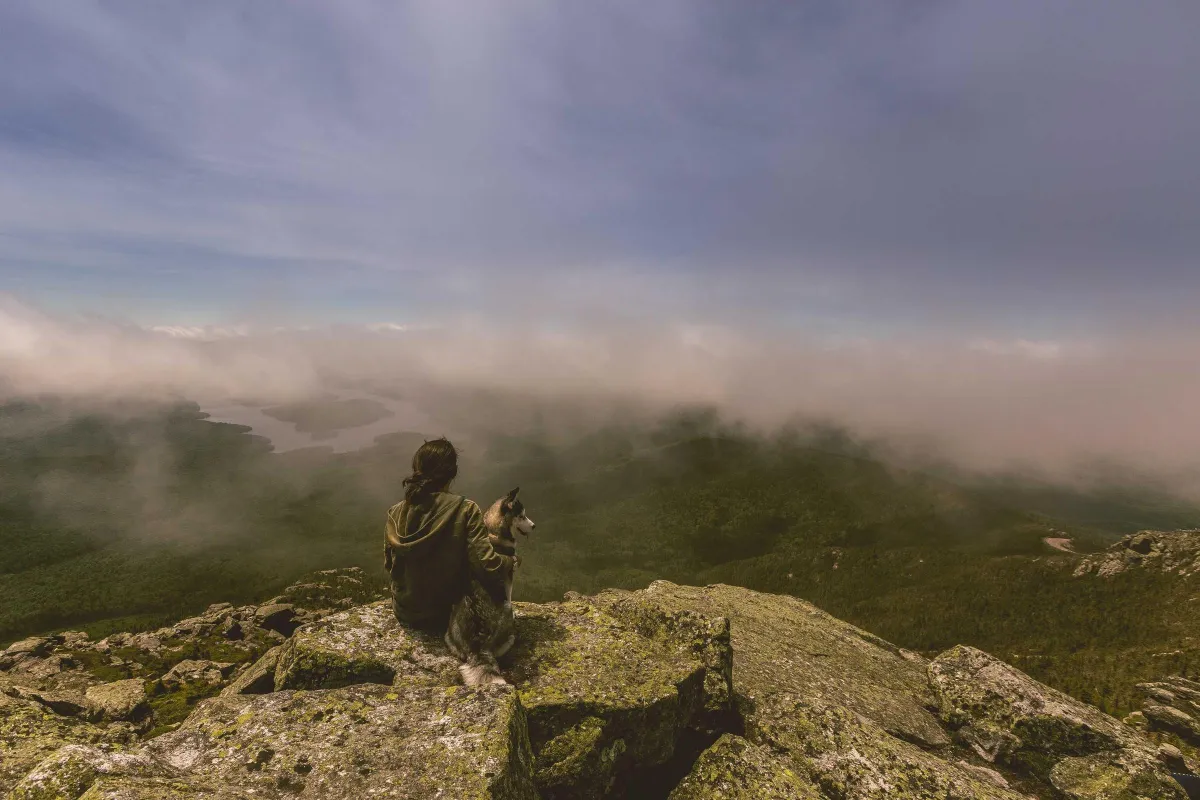 Screenshot, right-click blocked
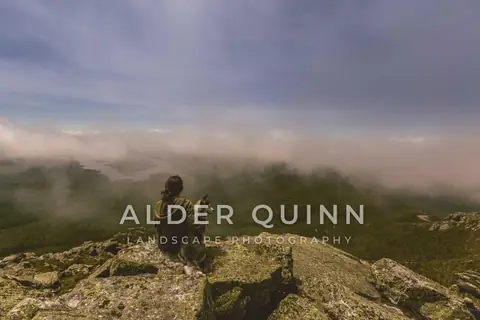
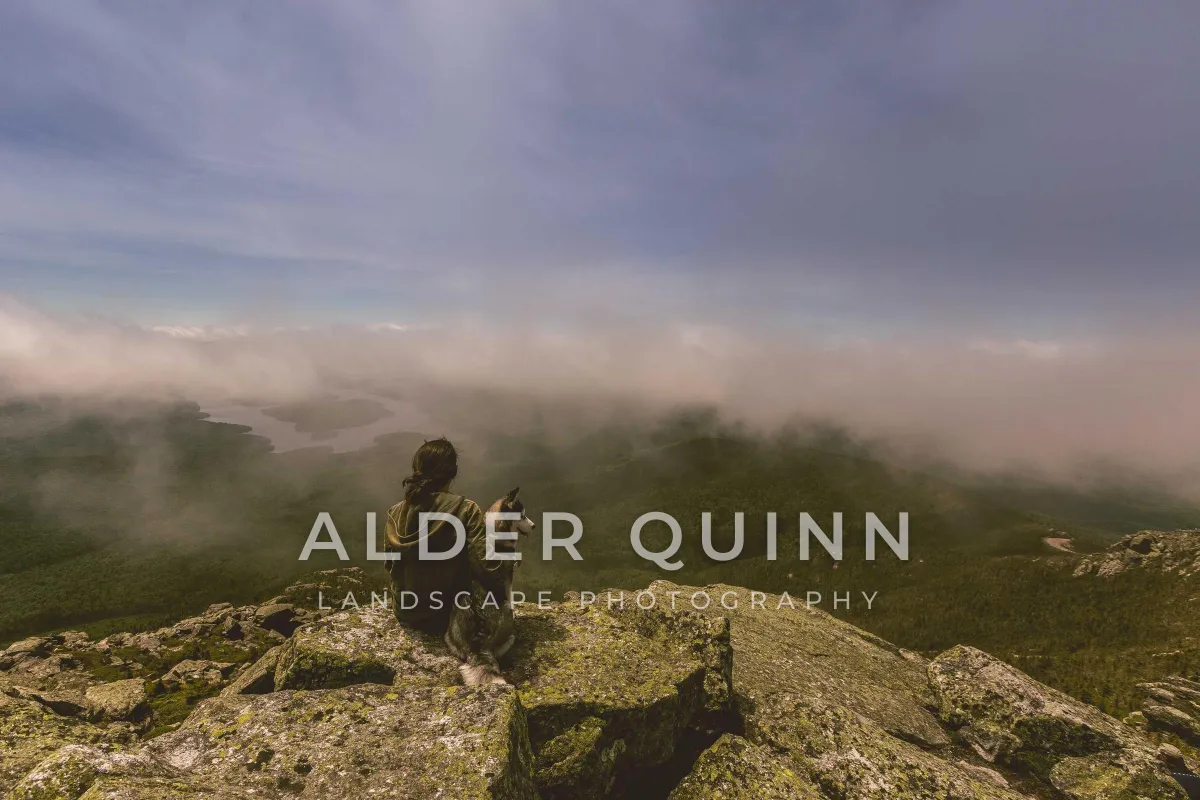 Screenshot, watermarked
A screenshot of a right-click-protected photo is a perfect copy. A screenshot of a watermarked photo still carries your name, across the part of the photo anyone would want, and a watermark placed well is hard to remove cleanly, even with AI tools. For how to place and size watermarks on a site, see watermarking your portfolio website.
| Measure | What it does | What it costs |
|---|---|---|
| Disabling right-click | Hides one menu | Annoys visitors and can get in the way of assistive tools |
| Visible watermark | Puts your name on every copy and makes clean reuse harder | A small visual cost, depending on placement |
| Smaller published files | Limits how large a copy can be printed | Nothing on screen |
| Hotlink protection | Stops other sites embedding files from your server | Can stop image search and social previews if set strictly |
| Monitoring | Finds copies so you can act on them | A little time every few months |
| Clear licensing | Turns would-be copiers into paying customers | Nothing |
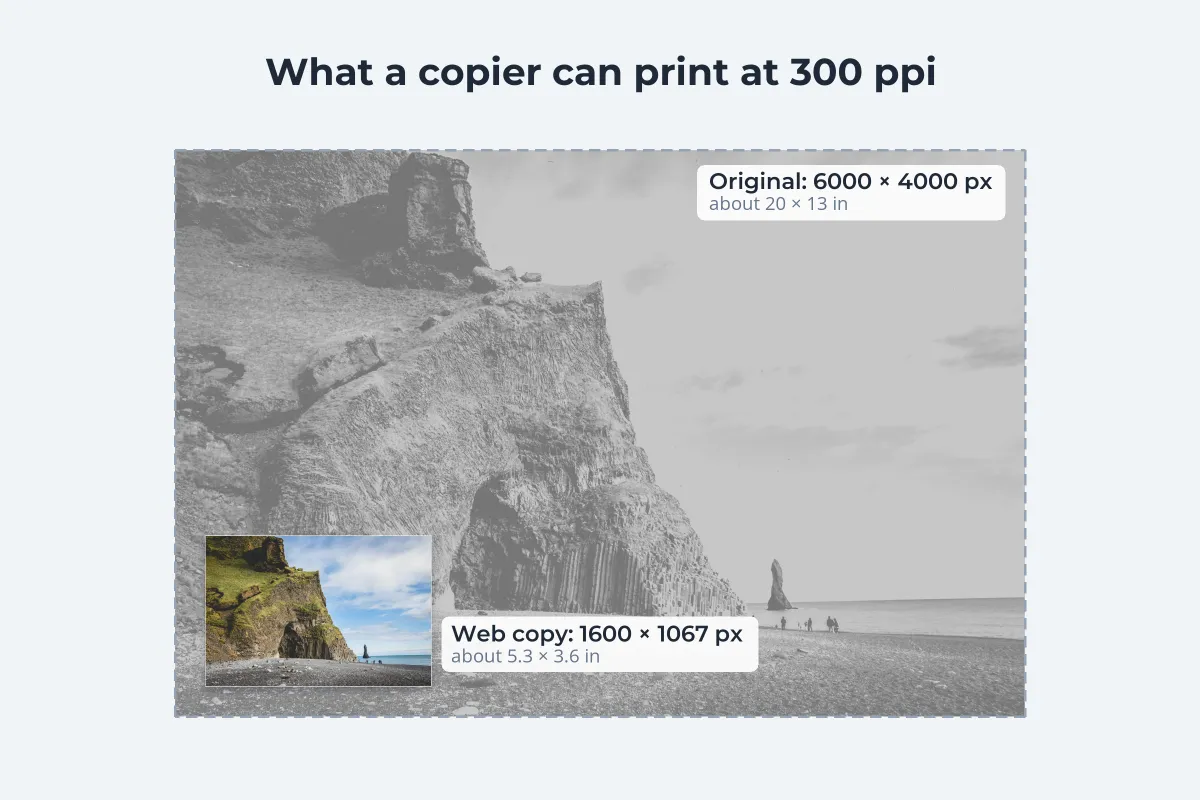
Size limits are the quiet workhorse. A 1600-pixel image looks sharp on most screens, but at 300 pixels per inch it prints at only about 5 by 3.5 inches, so your full-resolution file stays the thing worth paying for. Resizing photos before sharing covers sensible sizes. To stop other sites embedding images straight from your server, see how to stop image hotlinking. And a reverse image search every few months shows where your work has turned up.
If You Keep Right-Click Protection Anyway
Some portfolio and gallery platforms switch right-click protection on with a single setting, and some photographers like it as a polite signal. If you keep it, keep the damage small:
- Limit it to images, not the whole page.
- Pair it with a watermark and web-sized files, which do the real work.
- Make it easy to license or contact you from every gallery.
- Test the site on a phone and with the keyboard.
- Block text selection, links or keyboard shortcuts.
- Show pop-up warnings that accuse visitors of theft.
- Move images into CSS backgrounds to hide them.
- Rely on it to protect full-resolution files.
If your work is worth protecting legally, registration matters more than any script. In the US, registering your photo copyright opens up remedies that an unregistered work does not have.
Protect Your Web Images in Watermark.ws
-
Export web-sized copies
Keep your full-resolution originals offline and work from smaller copies for the web.
-
Upload the whole set
Add a gallery’s worth of photos at once.
-
Add your name or logo
A small corner watermark for portfolio images, or a larger faint one across the subject for work you sell.
-
Save it as a template
Every new gallery gets the same watermark in the same place.
-
Download and publish
Your visitors can right-click all they like. Every copy carries your name.
Sample photos: Basalt cliffs on a black sand beach by Julien Lavallée, Summit above the clouds by Vladimir Kudinov on Unsplash.