On this page
What Image Hotlinking Is
Image hotlinking is when another website shows your image by pointing at the file on your server, instead of uploading its own copy. Their page contains a tag like <img src="https://yoursite.com/photo.jpg">, so every time someone opens their page, the visitor’s browser downloads the photo from you.
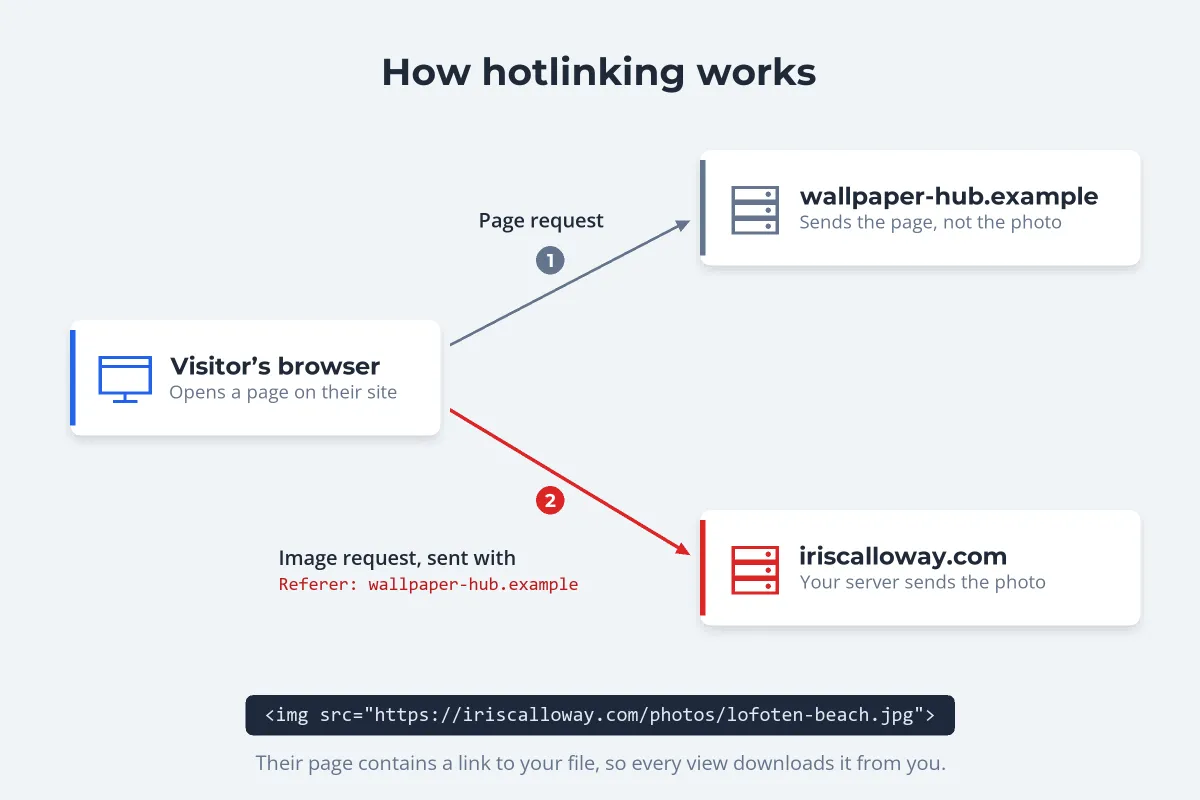
To stop image hotlinking, your server has to tell those two kinds of requests apart. It can, because when a browser loads an image for a page, it usually sends a Referer header naming the site the page came from. Hotlink protection reads that header and refuses image requests from sites that are not yours.
-
Apache or LiteSpeed: a few lines of mod_rewrite in your
.htaccessfile. -
nginx: the
valid_referersdirective in your image location block. - Cloudflare: switch on Hotlink Protection in the Security settings.
- WordPress: your host’s hotlink setting, a security plugin, or one of the above.
- Always allow requests with no Referer, and decide whether Google Images and Pinterest should still be able to show your images.
Why Hotlinking Costs You
- Bandwidth. Every view on their page is a download from your server. One popular forum thread or wallpaper page can serve your full-size file thousands of times, on your hosting bill or your plan’s limits.
- No visit, no credit. Their visitors see your photo without ever seeing your site, your name or your prices.
- No say in the context. Your work can end up on pages you would never choose, next to ads that earn money for someone else.
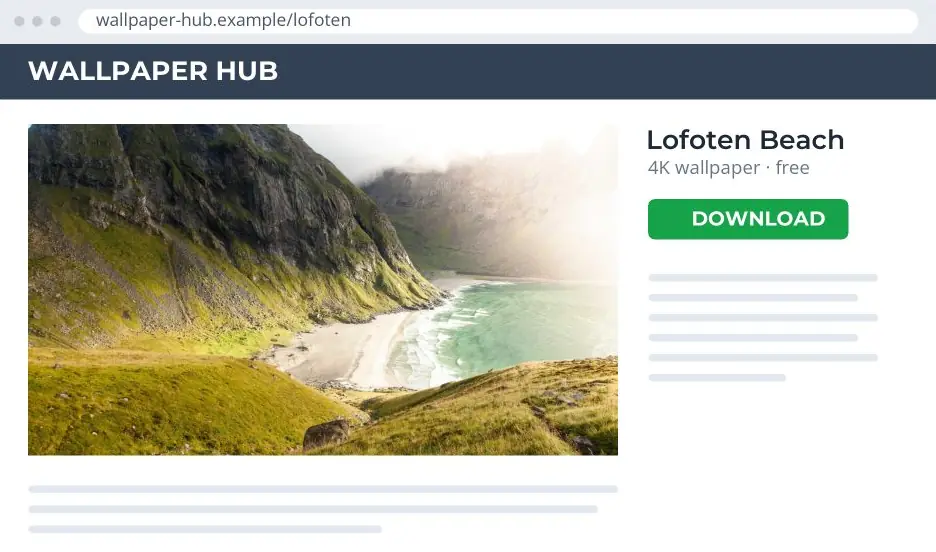
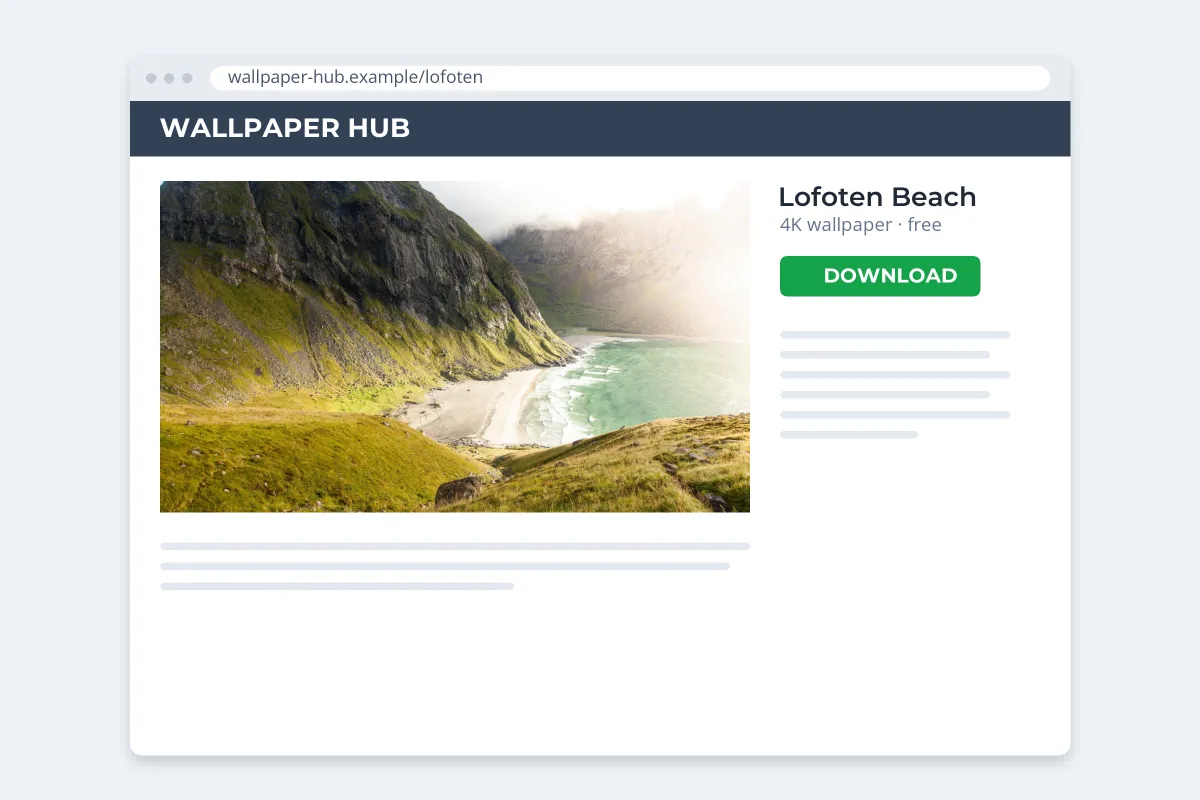 Before protection
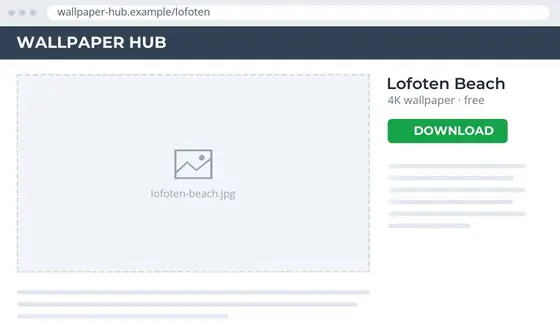
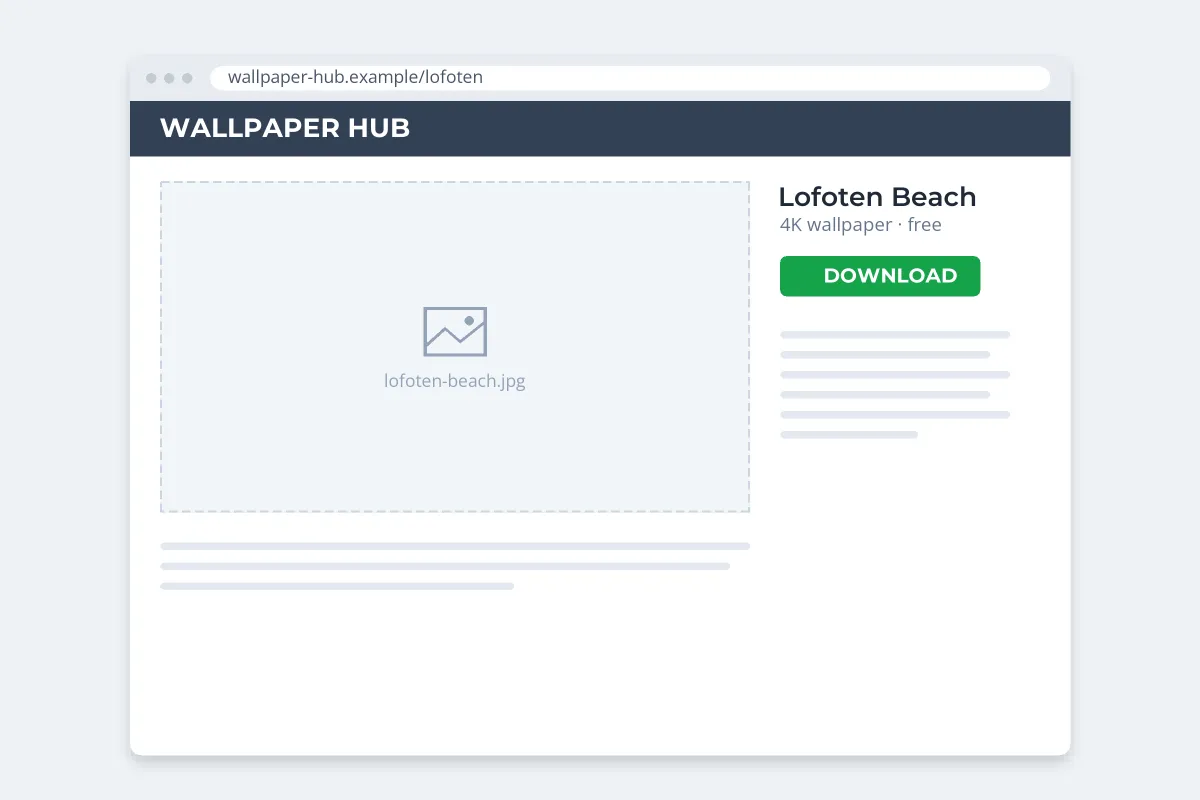 After protection
There is one upside. Because a hotlinked image is still served from your server, you stay in control of it. Once protection is on, the photo disappears from their page, or is replaced by whatever you choose to send instead. A copy someone downloaded and re-uploaded is a different problem, covered at the end.
Before You Block: What Hotlink Protection Breaks
Hotlink protection is a blunt tool. It blocks every other site, including the ones you want showing your images:
- Search and social. Cloudflare’s own documentation warns that its Hotlink Protection has no effect on crawling but prevents images from being displayed on sites such as Google Images, Pinterest and Facebook. For a photographer, those can be valuable traffic, as do watermarks hurt SEO? explains.
- Your other domains. A shop on a subdomain, a staging site or a separate blog that uses images from your main domain needs to be on the allowed list.
- Feeds and newsletters. RSS readers and email services may load images from other domains.
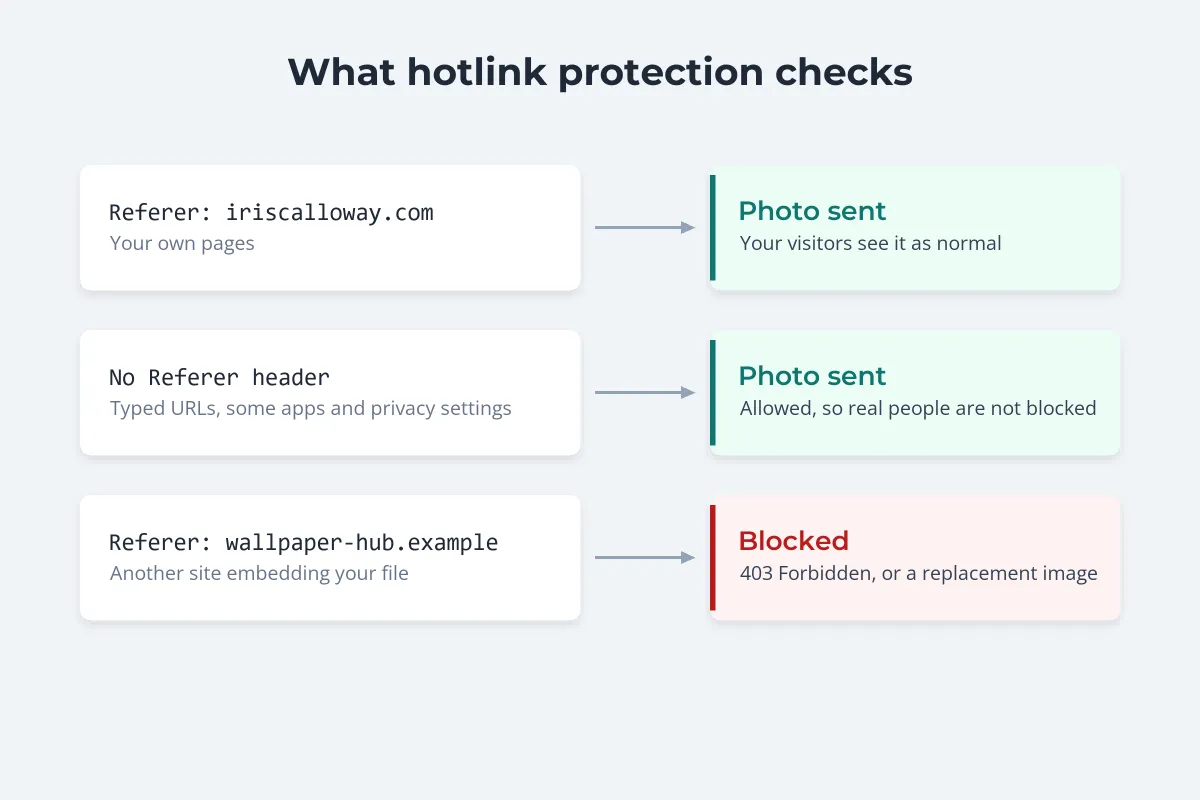
Two more things to know. Requests with no Referer at all, such as someone typing the image address, some apps and some privacy settings, should be allowed, or you will block real people. And the header is easy to fake, so hotlink protection stops casual embedding, not someone determined to get the file. The nginx documentation says as much: the aim is to block the mass flow of requests from regular browsers, not every possible request.
Stop Hotlinking With .htaccess (Apache)
On Apache or LiteSpeed hosting, add these lines to the .htaccess file in your site’s root folder, with your own domain in place of the example:
RewriteEngine On
RewriteCond %{HTTP_REFERER} !^$
RewriteCond %{HTTP_REFERER} !^https?://(www\.)?iriscalloway\.com [NC]
RewriteRule \.(jpe?g|png|gif|webp)$ - [F,NC]
- Line 2 lets through requests with no Referer, the pattern the Apache documentation uses so that people who type the address directly are not blocked.
- Line 3 lets through your own site, with or without www.
- Line 4 answers every other image request with 403 Forbidden.
To keep Google Images and Pinterest working, add a condition for each before the last line, such as RewriteCond %{HTTP_REFERER} !google\. [NC] and RewriteCond %{HTTP_REFERER} !pinterest\. [NC].
Apache’s documentation also shows how to redirect hotlinkers to a different image instead of a 403. If you do, put the replacement in a folder or format the rule does not cover. Otherwise the request for the replacement is blocked by the same rule.
Test it afterward: open one of your pages and check the images load, then try embedding an image on a test page on another domain, or use a tool that lets you set a custom Referer.
Stop Hotlinking on nginx
nginx has a built-in module for this. Inside your server block, add a location for image files:
location ~* \.(jpe?g|png|gif|webp)$ {
    valid_referers none blocked server_names *.iriscalloway.com ~\.google\. ~\.pinterest\.;
    if ($invalid_referer) {
        return 403;
    }
}
noneallows requests with no Referer, andblockedallows ones where a firewall or proxy has stripped it.server_namesallows your own server names, and the*.entry covers subdomains.- The
~entries are patterns; drop the Google and Pinterest ones if you want those blocked too.
Check the configuration with nginx -t and reload nginx. If your site already has a location block for images, for caching headers for example, add the lines there rather than creating a second one.
Cloudflare Hotlink Protection
If your site runs through Cloudflare, you can block hotlinking without touching the server:
-
Open Security settings
In the Cloudflare dashboard, select your site and go to the Security Settings page.
-
Find Hotlink Protection
Optionally filter by Client-side abuse to find it faster.
-
Switch it on
Toggle Hotlink Protection to On. It applies to the whole zone.
Cloudflare’s documentation describes exactly what it does: it denies image requests when the Referer does not include your domain and is not blank. It covers files ending in gif, ico, jpg, jpeg and png, so if you serve WebP or AVIF, check whether those need a separate rule.
There is no allowed list of other sites in the simple toggle. To let specific images be embedded elsewhere, put them in a folder named hotlink-ok, anywhere on your site, or create a configuration rule that turns protection off for a path or hostname.
Stopping Hotlinking in WordPress
WordPress itself has no hotlink setting, but you have several options, depending on your hosting:
- Your host’s control panel. cPanel has a Hotlink Protection page where you list the URLs allowed to use your files, choose the file extensions, decide whether to allow direct requests, and can redirect blocked requests to another URL.
- A security plugin. Plugins such as All-In-One Security (AIOS) include a prevent-hotlinking option that writes the rewrite rule into
.htaccessfor you. That only works on Apache or LiteSpeed servers. - Cloudflare. If your WordPress site sits behind Cloudflare, its toggle works the same as on any other site.
- Managed hosts. Many run nginx, where
.htaccessrules do nothing. Check your host’s dashboard or ask support whether they offer hotlink protection.
Whichever you choose, test with an image in a post and an image from the Media Library, and check a page that shares your post to social media still shows its preview image if that matters to you.
What Hotlink Protection Can’t Do
Hotlink protection only stops other sites from embedding the file on your server. Anyone who can see your image can still save it and upload their own copy, and from then on your server is out of the loop. That kind of copying is far more common than hotlinking.

- Watermark what you publish. A small name or website address on the image travels with every copy. See watermarking your portfolio website.
- Publish smaller files. A 2,000-pixel image is plenty for a web page and much less useful for printing. Resizing photos before sharing covers sizes.
- Look for copies. A reverse image search finds re-uploaded copies that hotlink protection never sees.
- Skip the right-click blockers. They hide one menu and annoy visitors, as does disabling right-click protect images? explains.
If you find your photos on someone else’s site, hotlinked or copied, what to do when someone steals your photos walks through the options. Watermark.ws adds a text or logo watermark to a whole folder of photos at once, so everything you publish carries your name.
Sample photos: Lofoten beach by Dominik Schröder, Boardwalk to the sea by Aleksandra Boguslawska on Unsplash.