On this page
- Should Print-on-Demand Designers Watermark Their Work?
- Never Watermark the Print File
- Where a Watermark Does Help a POD Designer
- Choosing a Watermark Style for Design Previews
- Reporting Copied Designs on Redbubble, Etsy and Amazon
- Finding Copies of Your Designs
- Watermark Design Previews in Watermark.ws
Should Print-on-Demand Designers Watermark Their Work?
Yes, but in the right places. Print-on-demand design theft usually starts with an image: a copycat saves a product photo or a preview, cleans it up, and uploads it as their own design on another marketplace. A watermark on those images makes that harder. A watermark in the file that gets printed, though, ends up on your customer’s shirt.
Print-on-demand makes copying unusually cheap. There is no stock to buy and no upfront cost, so a copied design can be listed on several marketplaces in minutes, and a flat design with a plain background is far easier to clean up than a photograph. The designs most likely to be copied are the ones that are already selling.
- Never watermark the print file. Whatever is in the upload gets printed on the product.
- Watermark previews and mockups you post yourself: social media, your portfolio, Pinterest, and close-ups in listings where the photos are yours.
- Use the platform’s own protection where it exists. Redbubble, for example, has watermark and download protection settings for artwork images.
- Report copies fast. Redbubble, Etsy and Amazon each have a takedown process, and copies spread if they are left up.
Never Watermark the Print File
It sounds obvious, but it happens: a designer reuses a watermarked export, or adds a faint watermark “just in case”, and the printer reproduces it faithfully. Print-on-demand services print exactly what you upload, and a faint watermark that is easy to miss on screen can show up clearly on fabric, paper or ceramic.
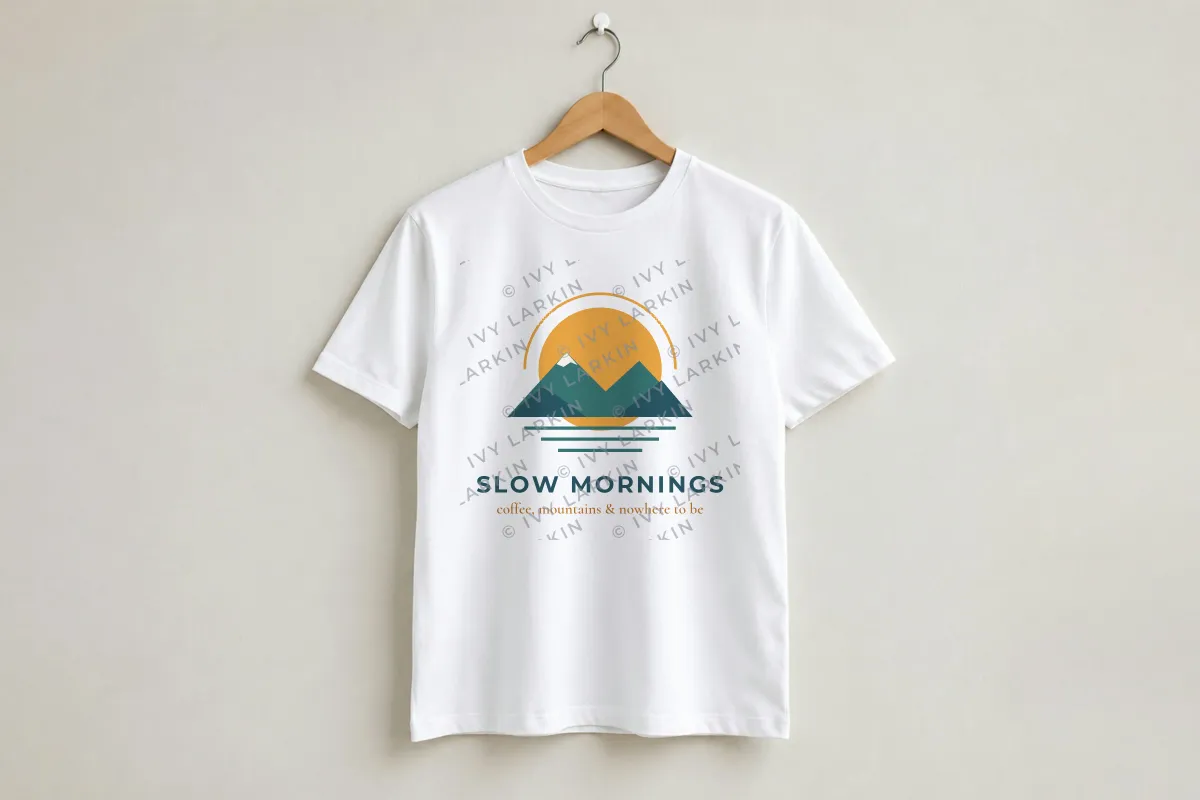 Watermark in the print file
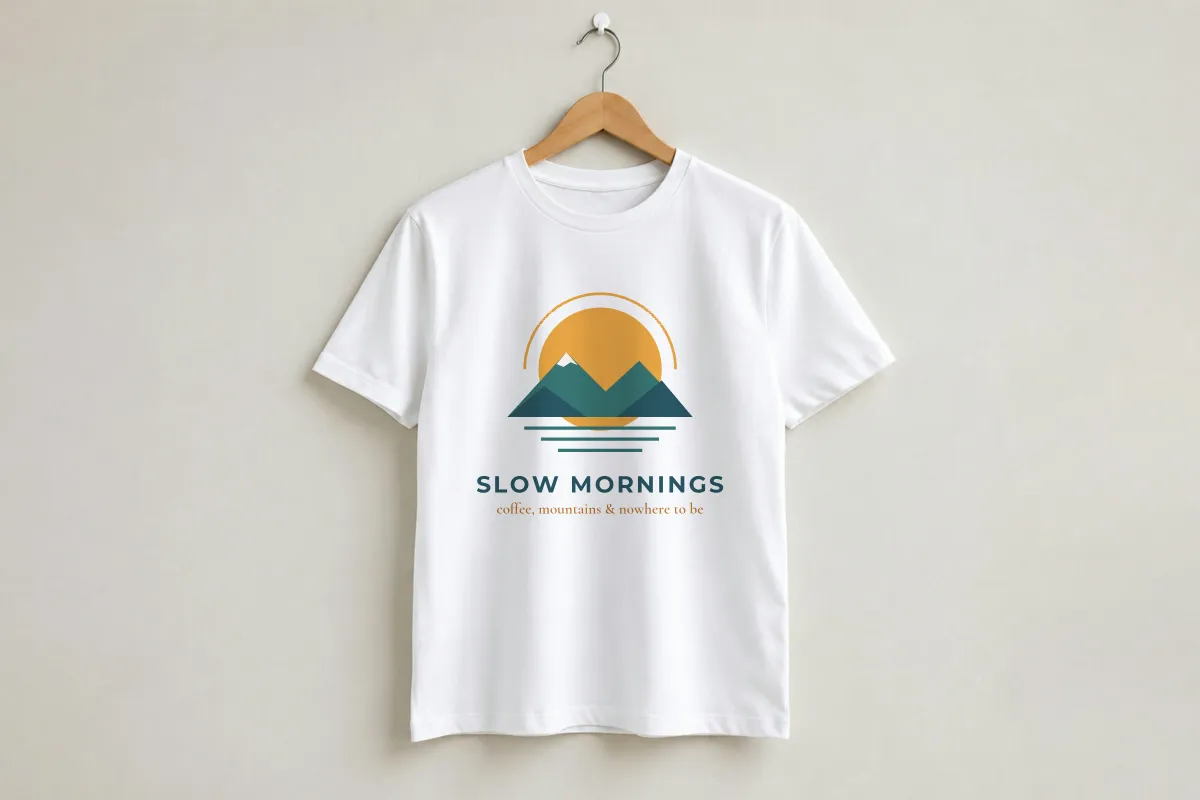 Clean print file
Keep two folders: clean print files, which only ever go to the print-on-demand platform, and watermarked previews for everywhere else. Give the files different names, so a preview never ends up in an upload form by accident.
On marketplaces that build product images from your upload, such as Redbubble and Amazon’s Merch on Demand, the print file is all you supply. There is no separate product photo to watermark, so your protection there is the platform’s own tools and its takedown process.
Where a Watermark Does Help a POD Designer
The images that get copied most are the ones you post to promote a design. Those are yours to watermark:
- Social media and Pinterest. New designs posted as flat artwork are the easiest to lift. A faint watermark across the design means a copy needs real cleanup. If a pin is re-uploaded without your link, how to report stolen pins on Pinterest covers the takedown.
- Your portfolio or shop website. Design previews with a watermark and a link to where they can be bought.
- Your own listing photos. On Etsy, where you supply the mockups, a close-up of the artwork is a good place for a faint watermark. The first photo should stay clean, as the Etsy guide explains.
- Previews for licensing or custom work. Anything you send before a client has paid.
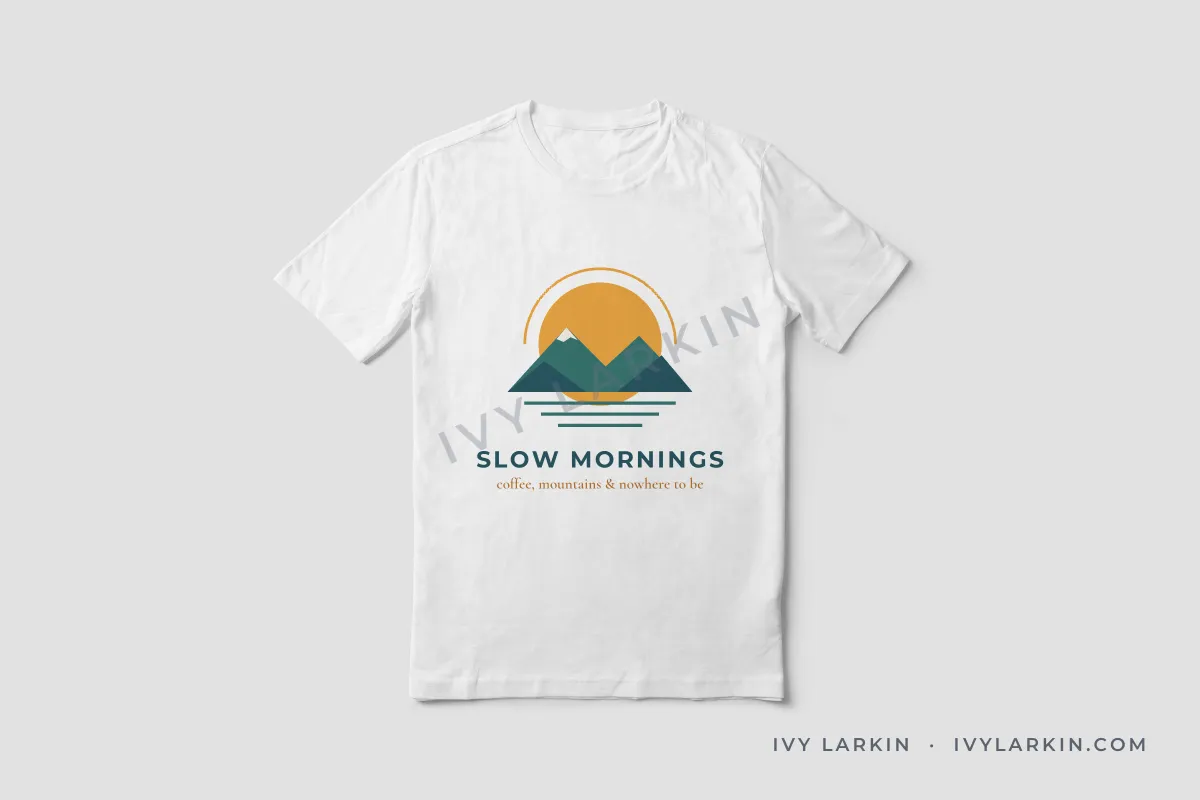
For a design, a corner watermark alone does little: the design is in the middle, and a corner crops off in a second. Put at least a faint watermark across the artwork itself, and add your name or website in the corner so people can find the real shop.
Choosing a Watermark Style for Design Previews



These are the same three styles Redbubble offers in the Protect your work section of its artist dashboard: a small corner watermark, a large center watermark or tiled watermarks. Its help center describes a download protection option there too, which places a transparent image over your work when someone right-clicks. Like any right-click block, that stops only casual saving, as does disabling right-click protect images? explains.
Tiled watermarks work especially well on flat artwork, because there is no background to hide behind. Keep them faint, around 20–35% opacity, and small enough that the design still reads. Tiled watermarks covers spacing and angle.
Reporting Copied Designs on Redbubble, Etsy and Amazon
Watermarks discourage copying; takedowns remove the copies that happen anyway. Each platform has its own process:
| Platform | How to report a copied design |
|---|---|
| Redbubble | Submit a Notice and Takedown Report through the form in its IP/Publicity Rights Policy. It needs your signature, a description of your work, the URLs of the copies and statements made under penalty of perjury. Redbubble also has a repeat infringer policy. |
| Etsy | Contact the seller first if you can, then use the Etsy Reporting Portal: register, add your intellectual property, and create a report listing the copied listings. |
| Amazon (including Merch on Demand) | Use Amazon’s Report Infringement form. Brands with a registered trademark enrolled in Amazon Brand Registry also get a Report a Violation tool. |
| Other sites | Send a takedown notice to the site or its host. |
The reported seller can usually file a counter notice, and the platform may then restore the listing unless you take legal action. Redbubble’s policy, for example, says it may reinstate the work after 14 days if the complainant has not started court action. Keep your original design files, with their layers and dates, as evidence. For what a takedown notice must contain, see how to file a DMCA takedown. If a whole store has copied your designs and mockups, what to do about a copycat store covers its host, its ads and its payments.
Finding Copies of Your Designs
- Reverse image search your best sellers every few months. Here is how.
- Search marketplaces for your design’s wording. Text-based designs are often copied with the same phrase, so search for the slogan on the big POD sites.
- Watch for your mockups. Copycats sometimes reuse your exact mockup photos, which a reverse image search finds easily.
- Register your best designs. In the US, copyright registration is needed before you can sue over a US work, and registering early makes statutory damages and attorney’s fees available. See should you register your copyright?
When a copy turns up with your watermark still on it, or with a clumsy patch where your watermark used to be, the case is easy to make. That is the quiet value of watermarking every preview you post.
Watermark Design Previews in Watermark.ws
-
Export previews, not print files
Save web-sized JPG or PNG previews and mockups of your designs. Keep the print files separate.
-
Upload a batch
Add all the previews for a new collection at once.
-
Add a faint tiled watermark
Type your name or shop, turn on Tile, set the spacing and lower the opacity until the design still reads.
-
Add your shop address in the corner
A second text watermark with your website or shop name tells people where to buy the real thing.
-
Save it as a template
Every new drop gets the same treatment in one click.
Sample photos: T-shirt on a hanger by Avtar Singh, T-shirt flat lay by mockupbee on Unsplash.