On this page
- How to Check if an Image Is Copyrighted: The Short Answer
- Start by Assuming the Image Is Protected
- Step 1: Find the Source With a Reverse Image Search
- Step 2: Check the Image Metadata
- Step 3: Look for a License That Covers Your Use
- Step 4: Search Copyright Office Records
- Step 5: Public Domain, or Ask the Owner
How to Check if an Image Is Copyrighted: The Short Answer
The quickest way to check if an image is copyrighted is to assume that it is, then look for evidence that you are allowed to use it. In most countries copyright is automatic: a photo is protected from the moment it is taken, with no notice, registration or watermark needed. So the useful question is not “is it copyrighted?” but “who owns it, and on what terms can I use it?”
- Assume it is protected, unless you find a clear reason it is not.
- Run a reverse image search to find the original source, the photographer and any stock or license page.
- Check the metadata for a creator, a copyright notice or rights terms.
- Read the license where the image is offered, such as a Creative Commons license or a stock agency’s terms.
- Search official records if it matters, such as the US Copyright Office’s online records.
- Ask the owner for written permission when there is no license that covers you, or do not use it.
Start by Assuming the Image Is Protected
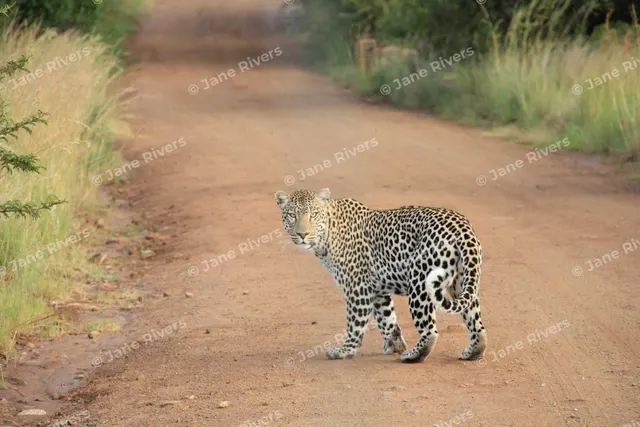
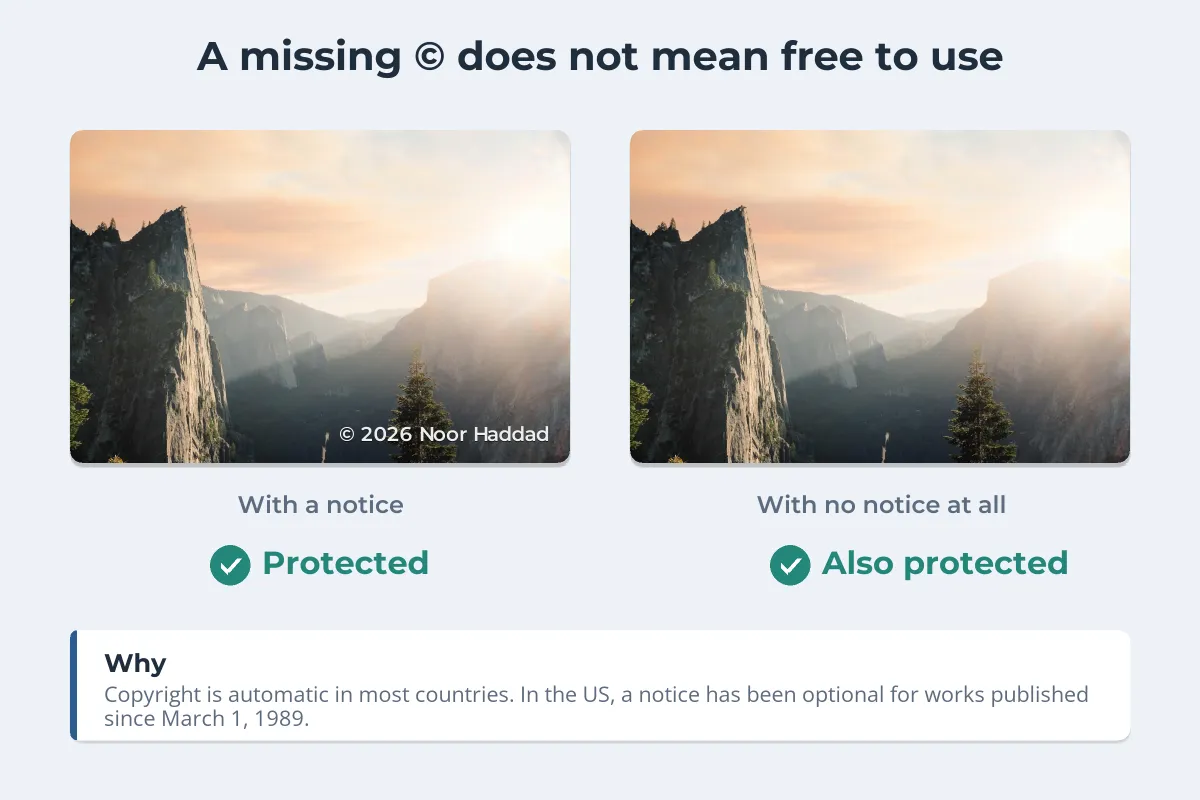
The absence of a © symbol tells you very little. Under the Berne Convention, which nearly every country has joined, copyright does not depend on formalities. In the US, a copyright notice has been optional for works published since March 1, 1989, according to the Copyright Office. A missing watermark means just as little, as does a watermark count as copyright? explains.
These are not reasons an image is free to use, even though people often think they are:
- It has no watermark, credit or © notice.
- It came up in a Google Images search, or on a wallpaper or “free images” site that does not say who licensed it.
- Lots of other people have posted it.
- You will credit the photographer, or you are not making money from it.
Some uses can be lawful without permission, such as fair use in the US or fair dealing in the UK. They are narrower than most people expect; fair use and photos explains where the lines usually fall.
Step 1: Find the Source With a Reverse Image Search
A reverse image search shows you where else an image appears. Google Lens, TinEye and Bing Visual Search all accept an uploaded image or an image address. You are looking for the original, not just more copies.
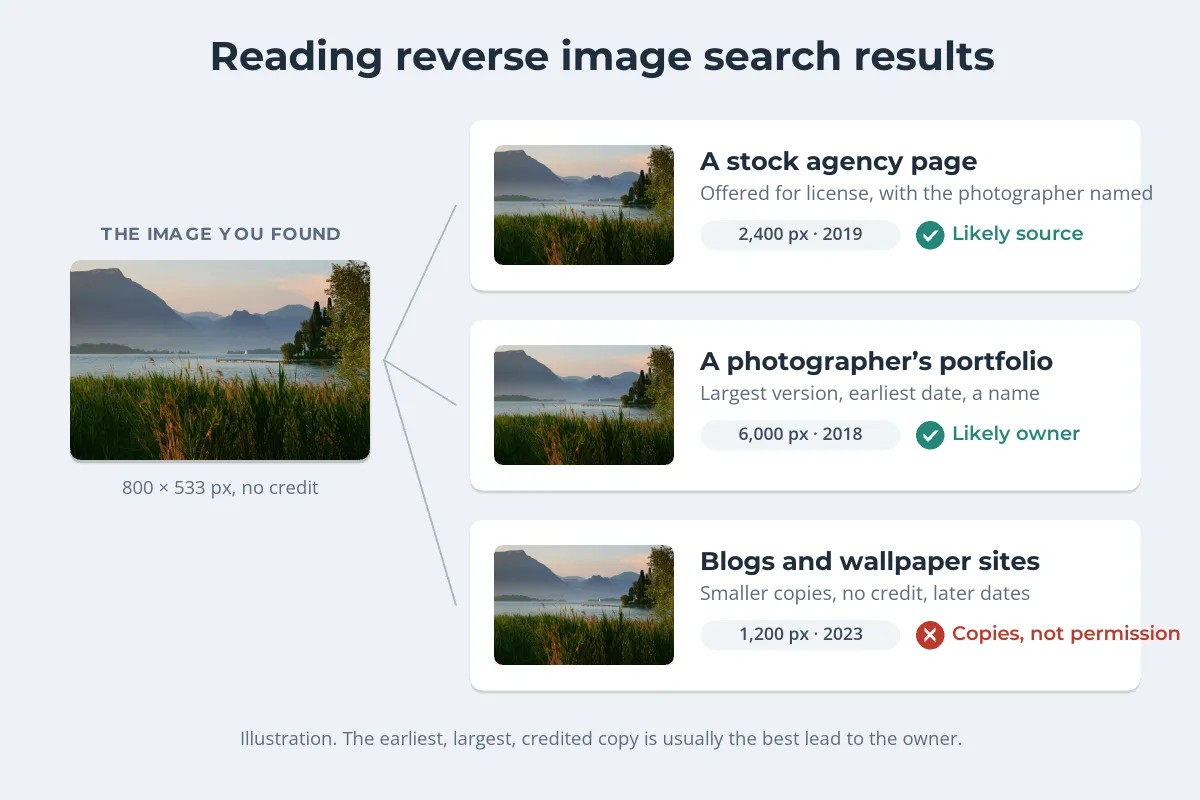
- Look for the largest version. Copies shrink as they are reposted; the owner usually has the biggest file.
- Look for the earliest date. The first appearance is often the photographer’s own post or portfolio.
- Look for a name. A credit line, a portfolio or a stock agency page that names the photographer.
- Look for a price or a license. If the image is for sale on a stock site, that is where the permission is.
This is the same technique photographers use to find their own stolen work, approached from the other side. How to find stolen photos with reverse image search walks through each tool step by step.
Step 2: Check the Image Metadata
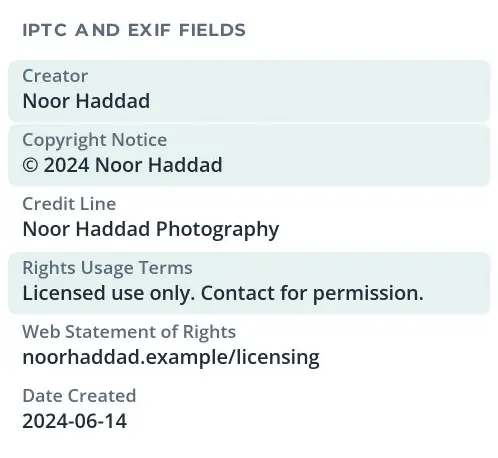
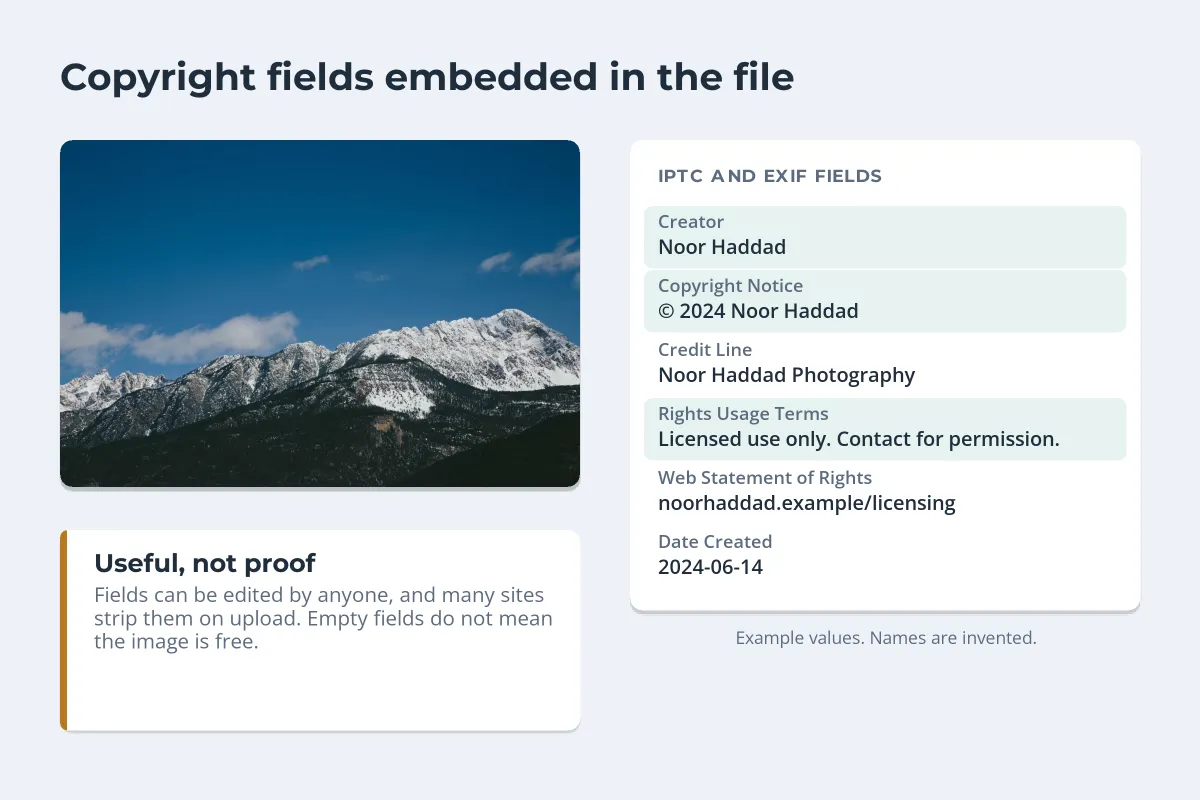
Many photos carry information inside the file. Professional photographers often fill in IPTC fields such as Creator, Copyright Notice, Credit Line, Rights Usage Terms and a web address for licensing.
- Windows: right-click the file, choose Properties and open the Details tab.
- Mac: open the image in Preview, then choose Tools › Show Inspector.
- Online: metadata viewer websites show every field, including ones your computer hides.
Treat what you find as a lead. Anyone can edit metadata, and many websites and social platforms strip it when images are uploaded, so an empty file proves nothing. Copyright in photo metadata explains the fields and what survives where.
Step 3: Look for a License That Covers Your Use
Plenty of images can be used legally, because the owner has already said how. The question is whether the terms fit what you want to do.
- Creative Commons. Free to use on the stated terms, which usually include credit and may exclude commercial use or edits. Creative Commons licenses explained covers what each one allows.
- Stock agencies. Paid or free licenses, each with its own terms on how and where you can use the image.
- The owner’s own terms, such as a press page or a “use with credit” statement on a photographer’s site.
- Google Images’ Usage rights filter. Under Tools, it narrows results to images with license information, and a License details link points to the terms. Google says the filter relies on information from the sites that host the images, and advises you to always confirm it. Can I use images from Google? walks through the filter and what each license option means.
A license only counts if the person granting it owns the image. A photo labeled Creative Commons on a site that copied it is not licensed. Confirm the terms where the owner published them, and save a copy of the page for your records.
Step 4: Search Copyright Office Records
In the US, copyright registration is optional but common for professional work, and the records are public. The Copyright Office’s Copyright Public Records Portal links to its online collections, including the Copyright Public Records System for 1898 to 1945 and 1978 to the present, and the Virtual Card Catalog for 1870 to 1977.
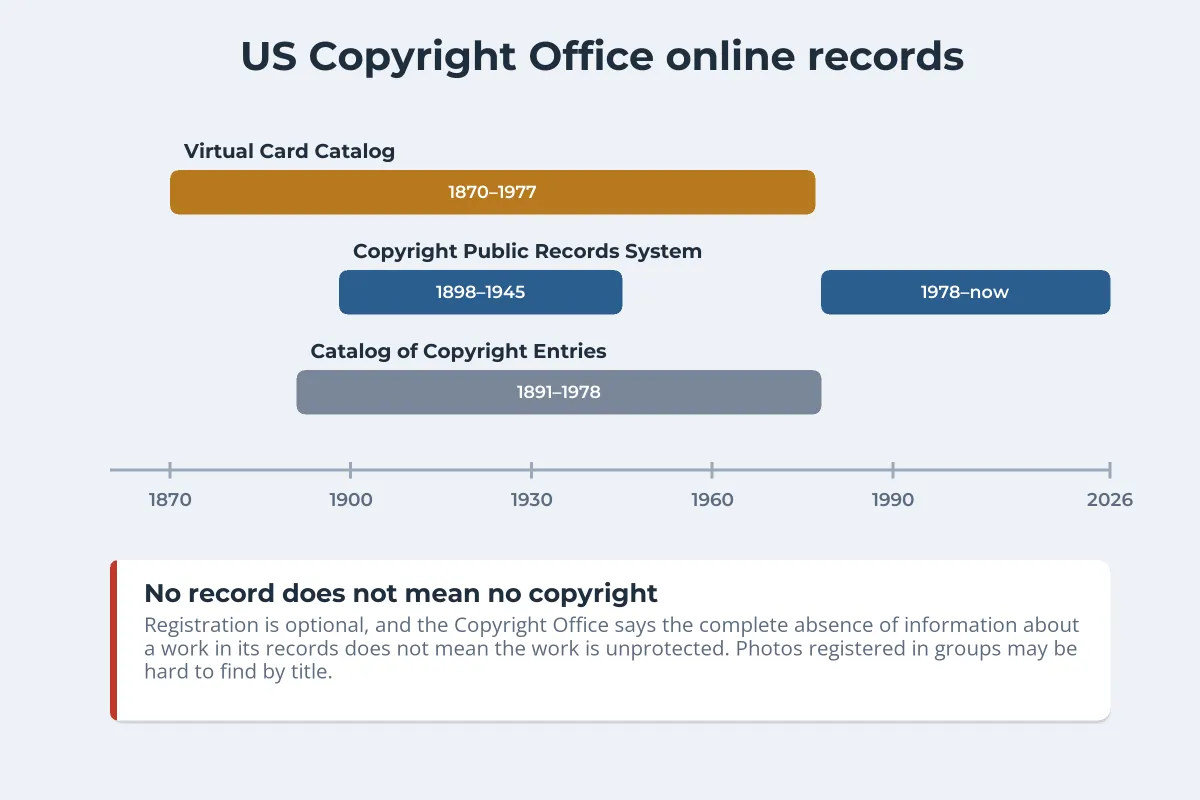
Search by the photographer’s name or a title if you have one. Keep the limits in mind: photographers often register photos in large groups under a collective title, so an individual image can be hard to find. And in its own guide to investigating copyright status, the Copyright Office says the complete absence of information about a work in its records does not mean the work is unprotected. It also keeps no list of public domain works.
Outside the US there is often nothing to search. The UK has no official copyright register, and most EU countries do not run one either, because protection does not depend on registration. For photographers, should you register photo copyright? explains why registration still matters in the US.
Step 5: Public Domain, or Ask the Owner
At the end of your checks, the image falls into one of four groups:
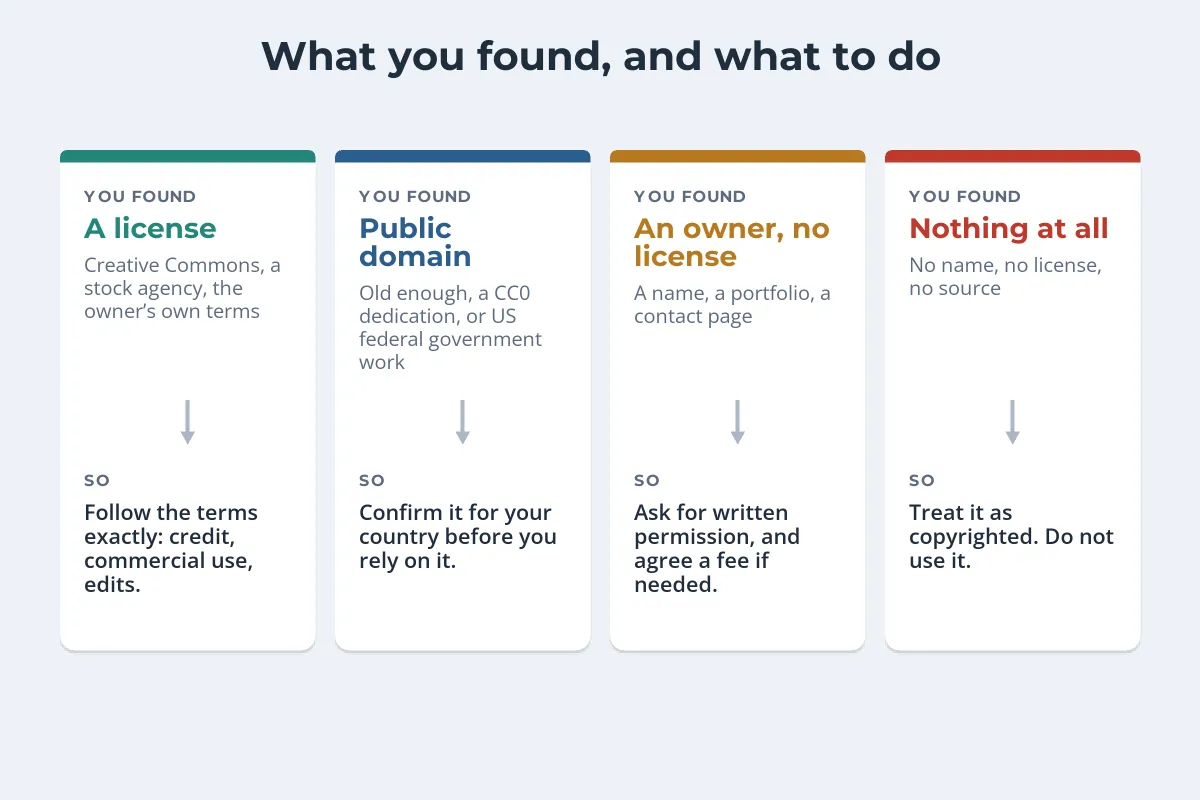
- Public domain. In the US, works published before 1931 are now in the public domain, as are works created by US federal government employees as part of their jobs, and works the owner has dedicated with CC0. Terms differ by country, so a photo that is public domain in the US may still be protected elsewhere. How long photo copyright lasts sets out the terms and the US public domain dates.
- An owner but no license. Ask. Say who you are, which image, where and how you want to use it and for how long. Get the answer in writing, and expect that some photographers will quote a fee.
- Nothing at all. Not being able to find the owner does not make an image free to use. Choose a different image, license a similar one from a stock site, or take your own.
If you are the photographer on the other side of this, make the answer easy to find: put your name or a short notice on the image and your license terms on your site. How to license your photos covers how to set that up.
Copyright terms and exceptions differ between countries. If you plan a commercial use of an image whose status is unclear, a copyright lawyer can advise on your specific case.
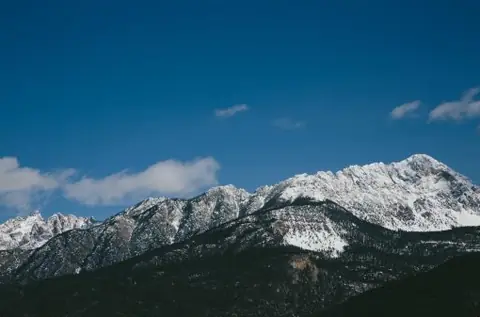
Sample photos: Lake with reeds by Matteo Minelli, Valley at sunrise by Tyssul Patel, Snowy peaks by Greg Shield on Unsplash.